React Router Config Explained: Centralized Routing in Modern React
React Router configuration is the structured, object-based declaration of application routes that maps specific URL paths to React components, layout structures, and data loading logic. By defining routes as JavaScript objects rather t...
React Router configuration is the structured, object-based declaration of application routes that maps specific URL paths to React components, layout structures, and data loading logic. By defining routes as JavaScript objects rather than scattered JSX elements, developers establish centralized routing hierarchies, enable data prefetching through loaders, and simplify complex nested layouts across modern React applications.
Contents
What Is React Router Configuration?
In early implementations of React Router (such as versions 4 and 5), routing was defined almost exclusively using nested JSX components inside render trees. Developers placed dynamic route elements directly inside components wherever UI rendering occurred. While this component-first approach was intuitive for small applications, it made visual structure tracking difficult, complicated global access control, and limited data prefetching capabilities.
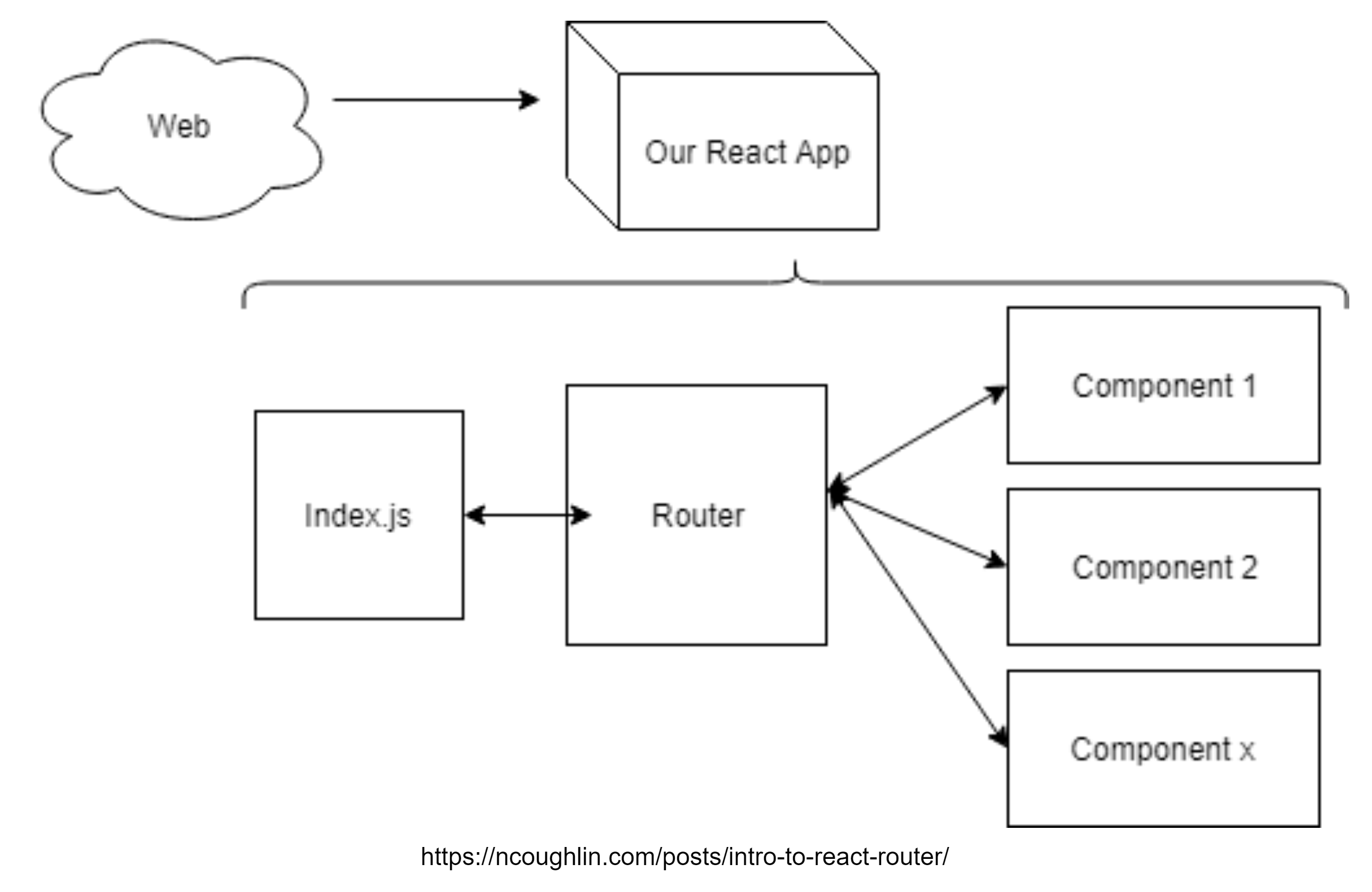
Modern React Router—spanning versions 6 and 7—formalizes object-based route configuration. Instead of spreading route components across multiple nested files, React Router configuration uses a JavaScript array of route objects. Each object defines how a URL segment behaves, what UI layout wraps it, what data it requires before rendering, and how errors are handled.
This centralized array can be consumed directly by routing functions such as createBrowserRouter alongside the RouterProvider component, or evaluated inside component trees using the useRoutes hook. Centralized route configs serve as a single source of truth for your application's navigational structure. This separation of routing logic from visual styling improves maintainability, enables structural inspection before rendering, and supports advanced server-side and client-side data routing architectures.
Core Properties of a Route Configuration Object
A React Router configuration object contains specialized properties that dictate path matching, UI rendering, layout containment, and async data orchestration. Understanding these keys is essential for building scalable route manifests.
Path and Matching Properties
path: A string pattern evaluated against the window location URL. Paths can be static (such as/dashboard), dynamic (such as/users/:userId), optional (such as/categories/:slug?), or wildcard catch-alls (such as*to capture non-matching paths for 404 pages).index: A boolean flag used on child routes. When set totrue, the route acts as the default child for a parent path when no sub-path is present in the URL, replacing the need for an explicitpathmatching the parent URL.caseSensitive: A boolean that, when set totrue, forces path matching to respect uppercase and lowercase character distinctions.
UI and Layout Properties
element: The React element to render when the route path matches the current URL. In modern configurations, this is typically a JSX element such as.Component: An alternative toelementavailable in recent API iterations where developers pass the component reference directly (for instance,DashboardPage) rather than an instantiated JSX element. React Router handles instantiation internally.children: An array of route configuration objects nested beneath the parent route. Child routes render inside the parent component via theelement, enabling nested layouts.ErrorBoundaryorerrorElement: The fallback React UI rendered when an uncaught rendering error, loader rejection, or action failure occurs within the route or its descendants.
Data and Lifecycle Properties
loader: An asynchronous function that executes before the route component renders. It fetches the data required by the route, providing the payload directly to components via theuseLoaderDatahook.action: An asynchronous function invoked when data mutations (such as HTTPPOST,PUT,PATCH, orDELETErequests) are submitted to the route via router forms.lazy: A function used for code-splitting and dynamic route imports. It allows route elements, loaders, and actions to load lazily on demand rather than being included in the primary application bundle.hydrateFallbackElement: A fallback element displayed during initial server-side hydration or initial client loader execution when using data routers.
Implementing Data Routers: createBrowserRouter and RouterProvider
Data routing is the standard pattern for web applications using React Router. Introduced in React Router v6.4 and unified further in React Router v7, data routers pair route configuration arrays with structural routing engines to execute data fetching in parallel with component chunk downloads.
Step 1: Define the Configuration Array
To build a centralized configuration, create a dedicated routes module (such as routes.jsx or routes.ts). Define an array of objects representing every accessible view in the application:
// Concept Structure: routes configuration array [ { path: "/", element: , errorElement: , children: [ { index: true, element: }, { path: "about", element: }, { path: "dashboard", element: , loader: dashboardLoader, children: [ { index: true, element: }, { path: "analytics", element: } ] } ] }, { path: "*", element: } ]
Step 2: Instantiate the Router Engine
Pass the route configuration array to createBrowserRouter. This engine handles browser history interactions, matches location URLs against the object tree, and manages navigation transitions.
import { createBrowserRouter } from "react-router-dom"; import { routesConfig } from "./routes"; const router = createBrowserRouter(routesConfig);
Step 3: Mount with RouterProvider
In your application's entry file (such as main.jsx or index.jsx), replace legacy tags with , passing the created router instance as a prop:
import React from "react"; import ReactDOM from "react-dom/client"; import { RouterProvider } from "react-router-dom"; import { router } from "./routerInstance"; ReactDOM.createRoot(document.getElementById("root")).render( );
By decoupling router creation from the DOM rendering pass, React Router can initiate data loading before React finishes rendering the tree. This eliminates sequential loading waterfalls where child components must render before fetching their data.
Nested Routing and Layout Configurations
Nested routing is a core strength of object-based route configurations. In complex web applications, user interfaces frequently share common structural chrome—such as top navigation bars, sidebar panels, and footers—around dynamic internal content.
Layout Routes vs. Pathless Routes
A layout route is a parent route configuration designed to supply a surrounding UI wrapper for multiple child routes. Layout routes can be declared with an explicit path or as pathless layouts.
- Explicit Path Layouts: A parent object has a
path(such aspath: "/settings") and a list ofchildren. The parent element renders global settings panels, while the active child renders inside an. - Pathless (Layout-Only) Routes: A parent object contains an
elementand achildrenarray, but omits thepathproperty entirely. This allows developers to group multiple unrelated paths (such as/login,/register, and/forgot-password) under a single visual wrapper (likeAuthLayout) without adding an extra URL segment.
The Role of
When a parent route object specifies an element containing children, the parent component must render the component imported from react-router-dom. The acts as a dynamic placeholder. React Router automatically identifies which child route object matches the current URL sub-path and projects that child component into the outlet slot.
If a child route has its own nested children, it can also render an , creating multi-level UI hierarchies that automatically stay synchronized with the browser location.
Comparing Routing Paradigms in React Router
Choosing between centralized object configurations and declarative JSX component routing depends on project scale, data loading needs, and architectural preferences.
| Feature / Capability | Centralized Object Config (createBrowserRouter / useRoutes) |
Declarative JSX Routing ( |
|---|---|---|
| Primary Definition Format | JavaScript object trees / arrays | Nested JSX components inside render tree |
| Data Fetching Integration | Native support via loader and action keys |
Requires manual useEffect or external hooks |
| Parallel Asset/Data Loading | Yes; loaders execute immediately on navigation | No; component must mount before fetching |
| Nested Layout Control | Native via children arrays and |
Manual nesting or relative path matching |
| Code Splitting Mechanism | Built-in via lazy property on route objects |
Requires React.lazy() and |
| Programmatic Route Inspection | Simple; JSON object readable by utility scripts | Difficult; hidden within React component tree |
| Ideal Use Case | Production web applications, enterprise dashboards | Simple prototypes, isolated component demos |
Advanced Data Routing: Loaders, Actions, and Lazy Loading
Data routers elevate route configuration from mere view-mapping into a comprehensive data management strategy.
Data Prefetching with loader
A loader is a function attached directly to a route object. When a user clicks a navigation link, React Router starts executing the target route's loader before rendering the destination component.
// Loader example pattern { path: "projects/:projectId", element: , loader: async ({ params }) => { const response = await fetch(`/api/projects/${params.projectId}`); if (!response.ok) { throw new Response("Project Not Found", { status: 404 }); } return response.json(); } }
Inside , the component calls useLoaderData() to access the returned payload directly. Because the loader runs during navigation, components can render immediately with complete data, eliminating loading spinners and layout shift.
Handling Mutations with action
While loader reads data, action handles data writes. When a user submits a native form component using React Router's
helper, the data route invokes the matching route object's action function. The action receives the submitted request object and parameters, processes form data (such as executing an API POST or PATCH), and can return response data or trigger automated revalidation of all active route loaders on the screen. Dynamic Import with lazy To reduce initial bundle sizes, applications can defer downloading route components and data loaders until the user navigates to those specific paths. The lazy property accepts an asynchronous import function that returns the properties of the route object: // Code-splitting example pattern { path: "analytics", lazy: async () => { const module = await import("./pages/Analytics"); return { Component: module.AnalyticsPage, loader: module.analyticsLoader }; } } This technique eliminates large initial JavaScript bundles by dynamically loading component code and route logic only when required.
Common Mistakes in React Router Configuration
Despite the clarity of object configurations, developers frequently encounter pitfalls when structuring route trees.
1. Forgetting the
Defining nested children in a route object without placing an inside the parent component's render function is a frequent issue. When the is omitted, the parent component renders properly, but navigation to child paths will not update the interior view area.
2. Nesting
When migrating legacy applications to createBrowserRouter, developers sometimes leave a or wrapper inside the root render tree. Data routers managed by RouterProvider generate and maintain their own history instances. Wrapping a RouterProvider with creates conflicting routers, leading to erratic history tracking and double-render errors.
3. Misordering Wildcard Routes or Path Segments
React Router v6 and v7 use a smart path-ranking algorithm rather than strict sequential matching (unlike React Router v5). However, placing wildcard match routes (path: "*") inside layout route children instead of at the root level can accidentally trap non-matching URLs inside nested layouts, rendering error states inside restricted view segments instead of replacing the viewport with a proper 404 page.
4. Over-Nesting Route Objects Without Paths
While layout routes are useful, over-nesting pathless objects complicates state management and leads to confusing tree structures. Avoid creating layout wrappers unless they introduce actual shared UI elements, context providers, or security checks.
Migration and Best Practices for Modern Applications
When organizing large-scale React Router configurations, following modular structural patterns ensures long-term codebase scalability.
Modular Route Organization
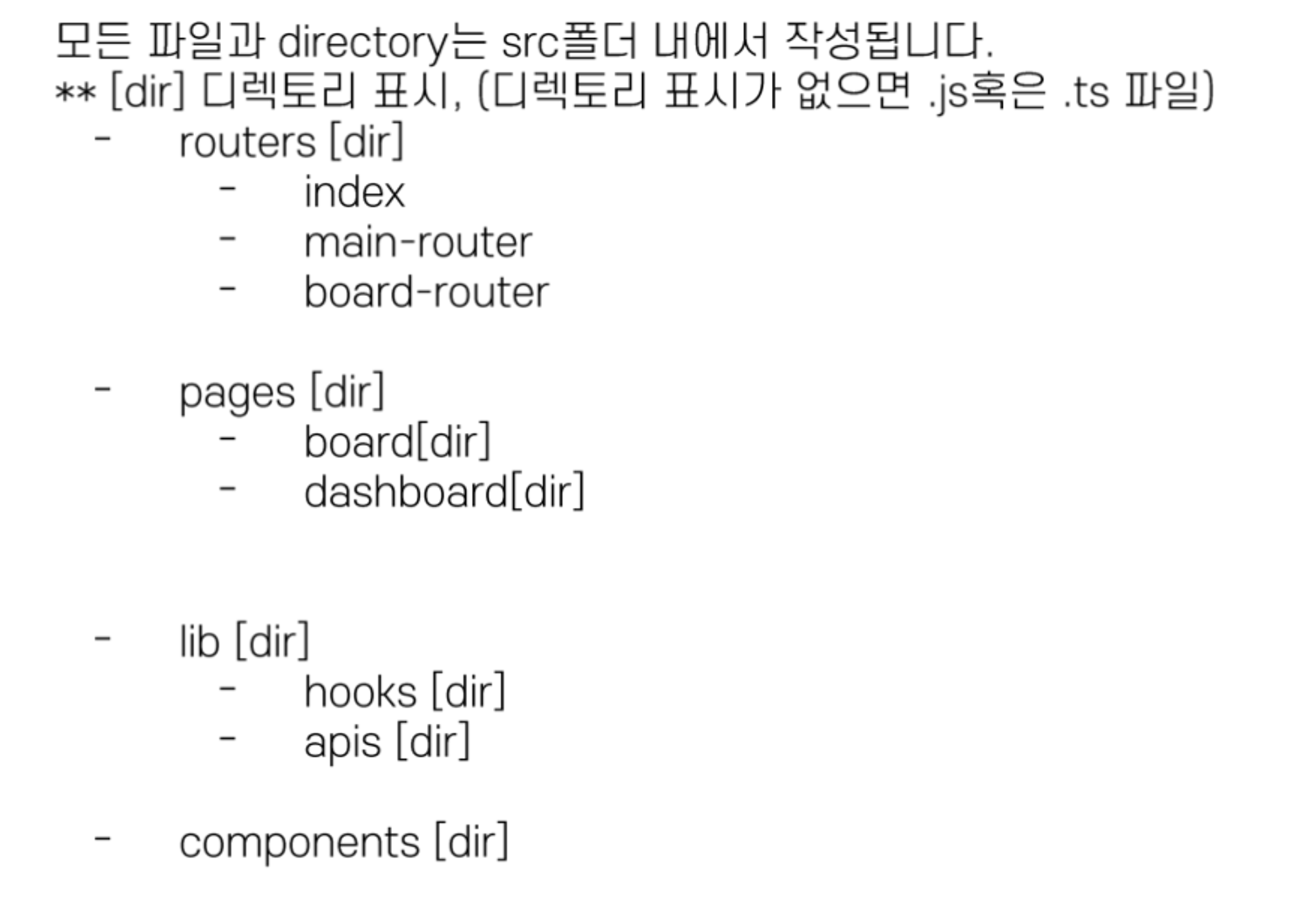
Instead of maintaining a single monolithic routes array spanning thousands of lines, decompose your routing configuration into domain-specific modules. Split complex sections into individual configuration files (such as authRoutes.js, dashboardRoutes.js, billingRoutes.js), and combine them into a primary application configuration array:
// Modular route composition pattern import { authRoutes } from "./domains/auth/routes"; import { dashboardRoutes } from "./domains/dashboard/routes"; import { billingRoutes } from "./domains/billing/routes"; export const appRoutes = [ ...authRoutes, ...dashboardRoutes, ...billingRoutes, { path: "*", element: } ];
Implementing Protected Routes via Configuration
Route objects can incorporate route guard components directly into their layout structures. By placing sensitive endpoints under a layout route that evaluates user session status, unauthorized attempts to access protected child paths are redirected automatically before content mounts:
// Protected route layout pattern { element: , children: [ { path: "account", element: }, { path: "settings", element: } ] }
Within ProtectedLayout, an authentication check checks user authorization credentials. If valid, it renders ; if invalid, it returns a component.
Frequently Asked Questions
What is the difference between useRoutes and createBrowserRouter?
useRoutes is a React hook that evaluates a route object configuration inside an existing JSX component tree powered by a legacy browser router. createBrowserRouter is a standalone data router factory that creates a complete router instance outside the component tree. createBrowserRouter supports advanced data primitives like loader, action, and hydrateFallback, whereas standard useRoutes hook setups inside legacy tags do not support native data loading.
Can I still use dynamic URL parameters in object configuration?
Yes. Dynamic parameters use standard colon syntax inside the object's path string (for example, path: "users/:id"). The parameter values are passed automatically to route loader and action functions via the params argument, and can be accessed inside components using the useParams() hook.
How do I define a 404 Not Found page in React Router config?
Define a route object with path: "*" at the top level of your route array. The asterisk acts as a wildcard catch-all that matches any URL string not captured by explicit static or dynamic paths in your configuration.
How does code splitting work with lazy in modern route configs?
The lazy property accepts an asynchronous function returning a dynamic import (such as () => import("./MyPage")). React Router automatically delays loading the JavaScript chunk associated with that component until the route matches the current browser URL path, keeping initial app bundle sizes lightweight.
Recommended Next Steps
To upgrade or implement an efficient React Router configuration in your project:
- Audit Existing Routes: Identify scattered
components across your application and map them into a structured tree diagram. - Migrate to Data Routers: Replace legacy
wrappers withcreateBrowserRouterandRouterProviderto unlock data prefetching capability. - Extract Data Loaders: Move component-level
useEffectdata fetching logic into dedicated routeloaderfunctions attached directly to route objects. - Modularize Route Modules: Split large route configurations into domain-specific configuration files to keep team code additions isolated and readable.
Image Gallery