Comprehensive Guide to Accessing and Managing Your Ohio State MyChart Account in 2026
The Ohio State University Wexner Medical Center MyChart portal is a secure online health management tool providing patients with 24/7 access to their medical records, test results, appointment scheduling, and direct communication with...
The Ohio State University Wexner Medical Center MyChart portal is a secure online health management tool providing patients with 24/7 access to their medical records, test results, appointment scheduling, and direct communication with clinical care teams. Understanding how to register, log in, and navigate this platform ensures seamless coordination of your healthcare needs across Ohio State's extensive regional network.
Contents
Understanding the Ohio State Wexner Medical Center Patient Portal Infrastructure
The Ohio State University Wexner Medical Center utilizes the Epic MyChart platform, an industry-standard electronic health record (EHR) ecosystem designed to streamline patient data management. By consolidating inpatient, outpatient, and emergency records into a single interface, the portal minimizes administrative friction and enhances clinical transparency.
Patients utilizing the system gain immediate visibility into ambulatory clinical notes, diagnostic imaging reports, pathology results, and prescribed medications. This technical architecture complies with federal Interoperability and Patient Access regulations, allowing third-party health applications to securely interface with your Ohio State medical records if desired.
Core Technological Specifications and Security Frameworks
- Encryption Protocols: All data transmitted between your browser or mobile application and the Ohio State servers is protected using 256-bit Secure Sockets Layer (SSL) encryption.
- Authentication Standards: The platform supports multi-factor authentication (MFA), requiring users to verify their identity via text message or email codes during login attempts from unrecognized devices.
- Session Management: Automatic timeout protocols terminate inactive browser sessions after a designated period to prevent unauthorized access in public or shared environments.
- Mobile Compatibility: Fully responsive web design paired with native mobile applications for iOS and Android platforms, ensuring consistent usability across smartphones and tablets.
Establishing Your Account: Registration and Activation Protocols
New users or established patients lacking an active online profile must complete the account setup sequence. Ohio State Wexner Medical Center provides multiple pathways to establish credentials, prioritizing security and patient verification.
Methods for Account Activation
- Activation Code from Clinical Visit: Following an appointment or hospital discharge, patients frequently receive an after-summary document containing a unique, time-sensitive MyChart activation code.
- Online Self-Service Sign-Up: Individuals without an activation code can verify their identity online by matching demographic data (Social Security number, date of birth, and home address) against the Master Patient Index (MPI).
- Clinic Assistance: Patients can request a fresh activation link or temporary password by contacting their primary care clinic or calling the dedicated MyChart patient support help desk.
Security Verification Notice Identity Protection Standards: To comply with federal Health Insurance Portability and Accountability Act (HIPAA) privacy mandates, automated identity verification systems cross-reference public records databases. If automated matching fails, users must verify their identity in person or via secure video confirmation with a registration specialist.
Step-by-Step Navigation of Key Portal Features
Once logged into your dashboard, the interface presents a centralized command center for your healthcare journey. Mastering the core modules reduces the need for phone calls and accelerates administrative workflows.
Appointment Scheduling and Management
The scheduling module displays available slots for established primary care providers and select specialists. Patients can view preparation instructions for upcoming procedures, add appointments directly to personal digital calendars, and execute electronic check-in up to seven days prior to the visit to minimize lobby wait times.
Test Results and Diagnostic Transparency
Laboratory and diagnostic imaging results post to the account automatically. While automated release ensures prompt access, certain sensitive results may incorporate a brief clinician-review delay. Normal reference ranges appear alongside your specific numerical values, accompanied by explanatory notes from the ordering physician when applicable.
Prescription Management and Renewal Requests
The medications tab lists all active prescriptions, dosages, and prescribing physicians. Patients can submit refill requests directly to their preferred retail or mail-order pharmacies or ask their care team for dosage adjustments or alternative medication options.
Financial Management, Billing, and Insurance Integration
Navigating healthcare costs represents a critical component of the patient experience. The Ohio State MyChart platform integrates billing and insurance data into a transparent financial management hub.
Financial Tools Available in the Portal
- Consolidated Statement Viewing: Review and download monthly statements covering hospital, emergency, and physician professional fees.
- Electronic Payment Processing: Securely pay balances using major credit cards, debit cards, or electronic funds transfer (EFT).
- Financial Assistance Applications: Access documentation requirements and submit applications for charity care or income-based sliding-scale discounts.
- Payment Plan Setup: Negotiate and enroll in automated monthly payment installments without incurring interest charges.
| Billing Feature | Description | Action Required |
|---|---|---|
| Paperless Billing | Opting out of physical mail delivery for statements. | Enable toggle in billing notification settings. |
| Guest Pay | Paying an outstanding balance without logging into a full account. | Enter Guarantor ID and last name on the public payment portal. |
| Estimate Generator | Requesting out-of-pocket cost projections for upcoming scheduled procedures. | Submit billing inquiry ticket through the messaging center 14 days prior to service. |
Network Access, Insurance Compatibility, and Regional Scope
The Ohio State University Wexner Medical Center maintains extensive contractual relationships with major commercial and public health plans. However, navigating specialized provider networks requires careful verification prior to receiving non-emergency care.
Insurance Participation Summary
- Commercial Plans: Broad acceptance across major national carriers including Anthem Blue Cross Blue Shield, UnitedHealthcare, Aetna, and Cigna. Specific narrow networks or tiered products may require prior authorization.
- Managed Medicaid Plans: Accepted through designated state programs including Buckeye Community Health Plan, Molina Healthcare, CareSource, and UnitedHealthcare Community Plan.
- Medicare and Medicare Advantage: Original Medicare is widely accepted across all Ohio State facilities. Selected Medicare Advantage HMO and PPO plans maintain active contracts; however, patients should confirm primary care physician (PCP) network alignment before booking.
Network Compliance Advisory Primary Care Designation: Patients enrolled in specialized HMO or Managed Care insurance products must verify that their assigned Ohio State physician is officially listed as their PCP with the insurance carrier to prevent claim denials and unexpected financial liability.
Troubleshooting Common Technical and Access Barriers
Technical friction can occasionally impede access to critical health data. Systematic troubleshooting resolves the vast majority of login, notification, and browser compatibility hurdles.
Common Issues and Corrective Measures
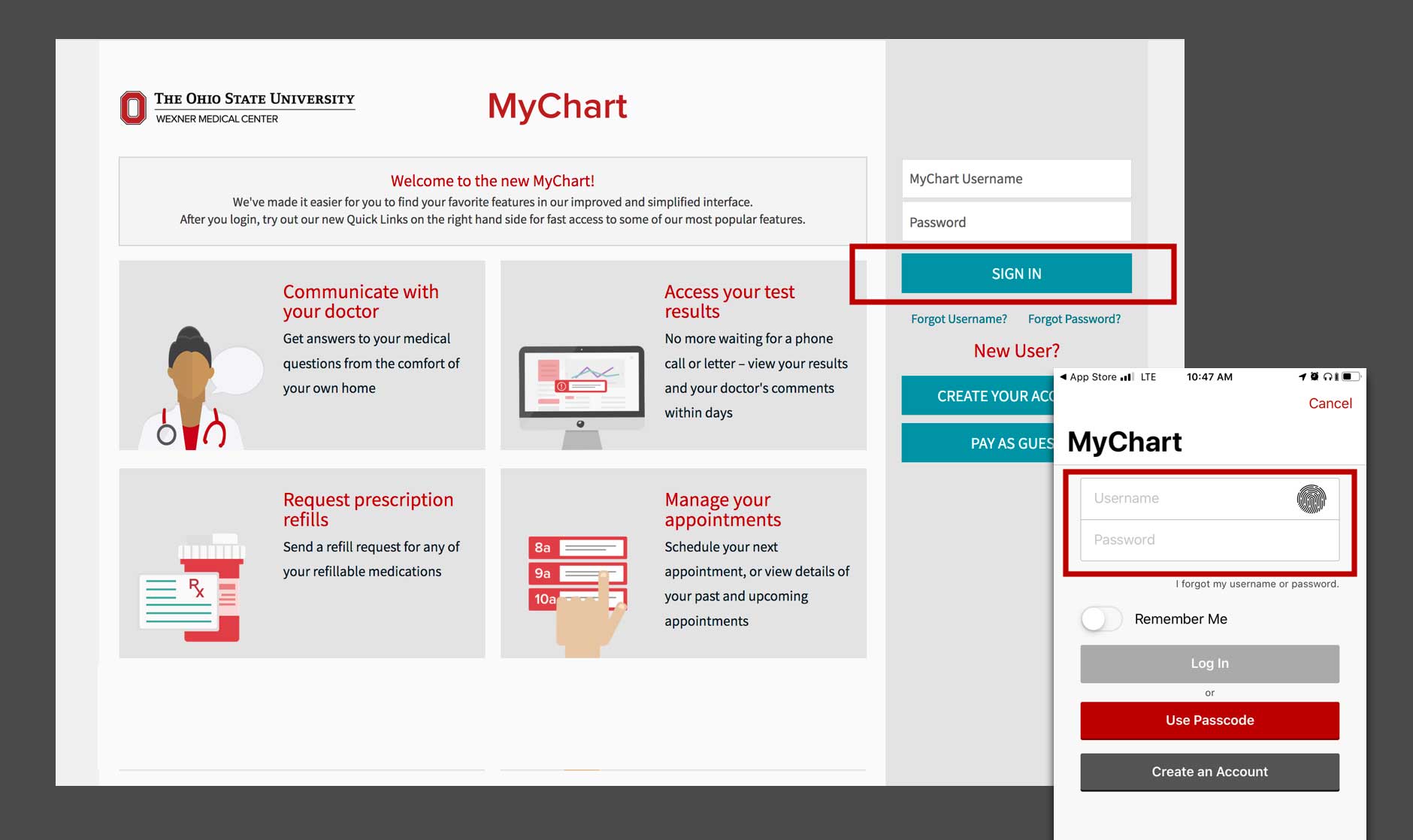
- Forgotten Username or Password: Utilize the self-service recovery links ("Forgot Username?" or "Forgot Password?") located directly beneath the login fields. Recovery instructions route to the email address on file.
- Expired Activation Codes: Activation codes generated during clinic visits expire after a specified duration (typically 14 to 30 days). Contact the help desk to request a regenerated code.
- Browser Compatibility Errors: Ensure your web browser (Google Chrome, Apple Safari, Mozilla Firefox, or Microsoft Edge) is updated to the latest available version. Clear your browser cache and cookies if pages fail to render properly.
- Proxy Access Limitations: Parents managing minor children's accounts or designated caregivers managing adult family members must submit formal proxy paperwork once authorization thresholds are reached (e.g., when a minor reaches age 18).
Frequently Asked Questions
How do I reset my Ohio State MyChart password if I no longer have access to my recovery email?
Click the "Forgot Password?" link on the login page and follow the prompts to verify your identity using security questions or an SMS verification code sent to your registered mobile device. If neither method is accessible, call the dedicated MyChart support desk to verify your identity verbally with a customer service representative.
Can I view my children's medical records through my personal account?
Yes, parents and legal guardians can request proxy access to view pediatric health records for children under the age of 12. Due to state and federal privacy laws regarding adolescent healthcare, full online access rules change automatically when the child reaches ages 12 and 18, requiring updated consent forms or separate adult accounts.
Why are some of my test results missing from the portal?
Certain sensitive diagnostic findings, complex pathology reports, or behavioral health notes may be withheld from immediate automated online release pending direct consultation with your physician. Contact your provider's office directly if a specific expected report is not visible within 72 hours of completion.
Is there a mobile application available for smartphones?
Yes, you can download the free MyChart application from the Apple App Store or Google Play Store. Once installed, search for and select "Ohio State Wexner Medical Center" as your healthcare organization before entering your standard portal login credentials.
Who should I contact if I encounter technical errors within the portal?
Technical support is available by calling the Ohio State MyChart patient assistance help desk number listed on the official login portal page. Support representatives can assist with account unlocking, password resets, and navigation troubleshooting during standard business hours.
How do I request an appointment cancellation or rescheduling online?
Navigate to the appointments section of your dashboard, select the upcoming visit you wish to modify, and click the rescheduling or cancellation button. Please note that appointments scheduled within 24 to 48 hours may require a direct telephone call to the clinic rather than online modification.
Practical Recommendations for Ongoing Portal Management
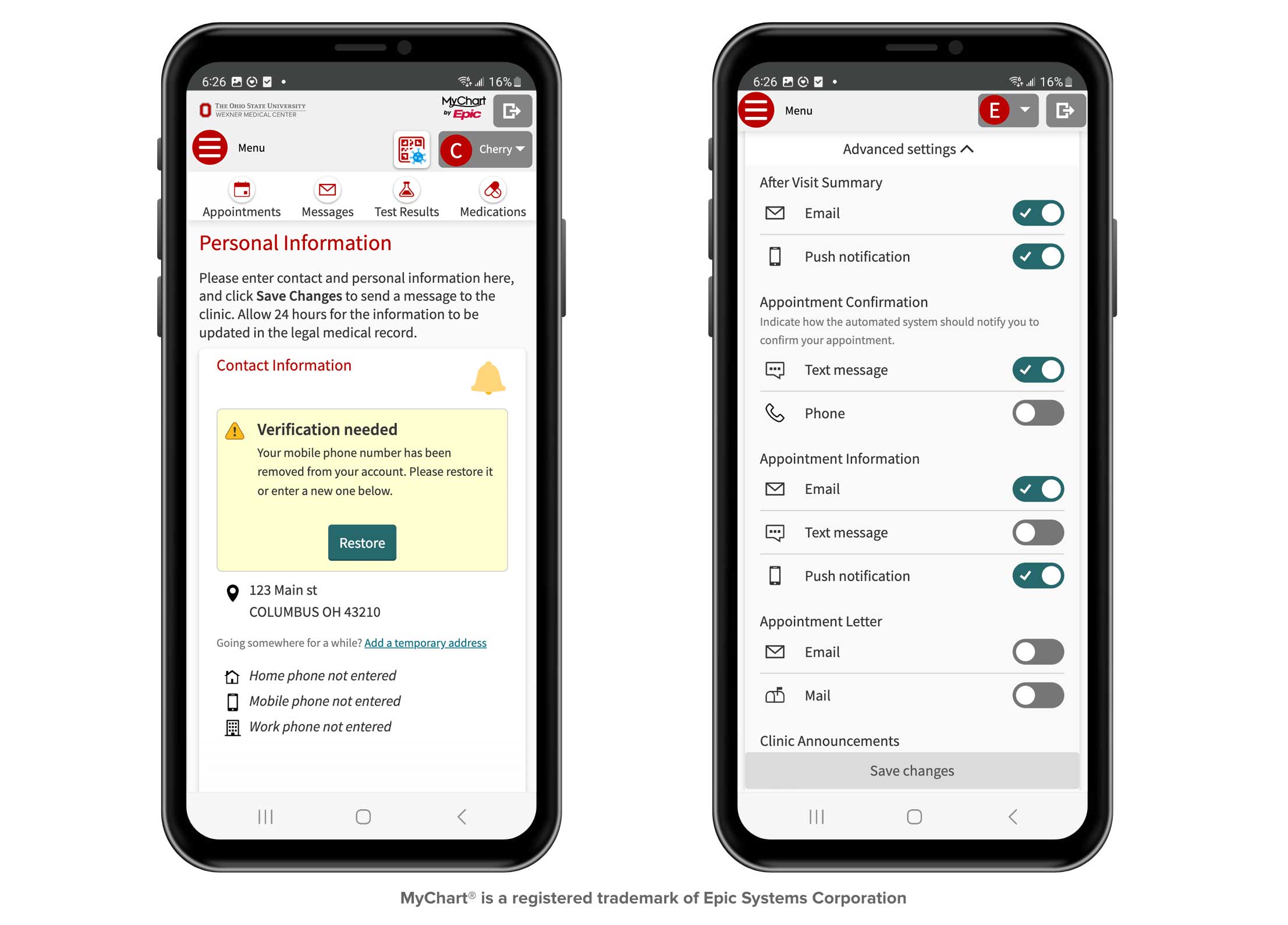
To maximize the utility of your Ohio State MyChart account, update your contact information, emergency contacts, and insurance details immediately whenever changes occur. Enable push notifications within the mobile application to receive real-time alerts regarding new test results, appointment reminders, and secure messages from your clinical care team, ensuring you remain actively engaged in your personal health management strategy throughout 2026 and beyond.
Image Gallery