The Best Top Rated Sales CRM Software for Growing Teams in 2026
Selecting the best top rated sales CRM software for growing teams involves balancing immediate usability with long-term scalability. In 2026, the ideal solution must offer automated lead management, predictive analytics, and seamless i...
Selecting the best top rated sales CRM software for growing teams involves balancing immediate usability with long-term scalability. In 2026, the ideal solution must offer automated lead management, predictive analytics, and seamless integrations. Top contenders like HubSpot, Salesforce, and Pipedrive remain the most reliable choices for teams transitioning from manual tracking to sophisticated, data-driven sales operations.
Contents
The Critical Transition: Why Growing Teams Need Specialized CRM Solutions
For a small team, a spreadsheet or a basic contact manager might suffice. However, as a sales organization scales—adding more representatives, increasing lead volume, and diversifying territories—the "information gap" begins to widen. Growing teams face unique challenges: lead leakage, inconsistent follow-up, and a lack of centralized data.
A top-rated sales CRM (Customer Relationship Management) acts as the "single source of truth." It ensures that every interaction, from the first marketing touchpoint to the final contract signature, is documented and actionable. In 2026, the distinction between a "basic" CRM and a "growth" CRM lies in its ability to automate the mundane so that representatives can focus on high-value closing activities.
Centralized Data and Visibility
When a team grows from three people to fifteen, the manager can no longer stay updated through casual conversations. Visibility becomes the primary requirement. A robust CRM provides real-time dashboards that show the health of the pipeline, individual performance metrics, and revenue forecasts. This visibility allows leadership to make informed decisions about hiring, budget allocation, and territory management.
Process Standardization
Growth often brings chaos if there is no standardized sales process. The best CRM software enforces a specific workflow. Whether it is a mandatory discovery call or a specific set of documents required for a "Proposal Sent" stage, the software guides the representative. This consistency is vital for maintaining brand quality and ensuring that new hires can be onboarded and productive in weeks rather than months.
Key Criteria for Evaluating Sales CRM Software
When evaluating software for a growing team in 2026, generic reviews are less helpful than specific technical benchmarks. A team that plans to double in size over the next 18 months needs to look at the following four pillars of CRM excellence.
1. Ease of Adoption and User Interface (UI)
The most powerful CRM in the world is useless if the sales team refuses to use it. Growing teams are often under high pressure to perform; they do not have time for overly complex interfaces. The software should require minimal "clicks" to log an activity. Look for platforms that offer intuitive drag-and-drop pipelines and mobile applications that are as functional as the desktop version.
2. Automation and AI Integration
By 2026, AI-driven features have moved from "nice-to-have" to essential. A top-rated sales CRM should offer:
- Automated Data Entry: Syncing with email and calendar to log interactions automatically.
- Predictive Lead Scoring: Using historical data to identify which leads are most likely to convert.
- Generative Outreach: Assisting reps in drafting personalized follow-up emails based on previous conversation transcripts.
- Workflow Automation: Automatically moving a lead to a new stage or assigning it to a different rep based on specific triggers.
3. Integration Ecosystem
A CRM does not exist in a vacuum. It must communicate with your marketing automation tools (like Mailchimp or HubSpot Marketing), your communication tools (Slack, Zoom, Microsoft Teams), and your accounting software (QuickBooks, Xero). The depth of the API and the quality of native integrations determine how much manual data transfer your team will have to perform.
4. Scalability and Pricing Structure
Many "affordable" CRMs become prohibitively expensive as you add users or reach certain record limits. Growing teams must analyze the total cost of ownership at 10, 50, and 100 users. Look for "Pro" or "Enterprise" tiers that offer the advanced reporting and security features (like Single Sign-On and advanced permissions) that larger organizations require.
Top Rated Sales CRM Software Analysis for 2026
Based on current performance standards, feature depth, and user satisfaction, the following platforms represent the best choices for teams in a growth phase.
HubSpot Sales Hub: The All-in-One Leader
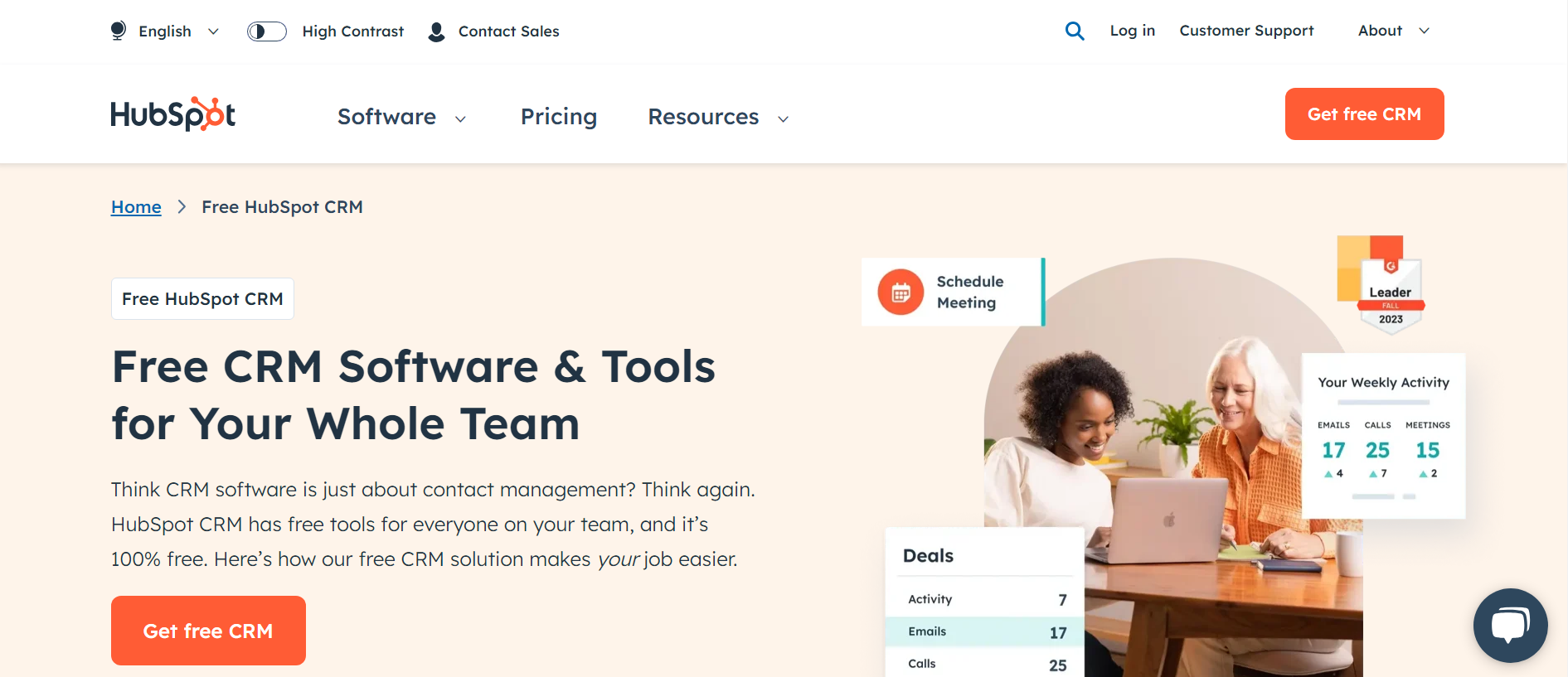
HubSpot remains the gold standard for teams that want a "plug-and-play" experience without sacrificing power. Its primary strength is its unified database; sales, marketing, and service all live in one ecosystem.
- Pros: Exceptional user interface, powerful free tier for testing, and one of the best mobile apps in the industry. Its "Sequences" tool is a favorite for automating personalized outreach at scale.
- Cons: Pricing can escalate rapidly as you move into the Enterprise tier or add more "marketing contacts" to the underlying database.
- Best For: Teams that want a seamless transition from marketing to sales and prioritize ease of use.
Salesforce Sales Cloud: The Scalability Powerhouse
Salesforce is the incumbent leader for a reason. While historically viewed as "too complex" for smaller teams, the 2026 versions of Salesforce Starter and Professional suites have significantly streamlined the onboarding process.
- Pros: Unmatched customization. If you can dream of a sales process, Salesforce can build it. Its reporting engine is the most powerful on the market, and its AppExchange offers thousands of third-party extensions.
- Cons: Often requires a dedicated administrator or an outside consultant to set up properly. The interface can still feel cluttered compared to "modern" competitors.
- Best For: Teams with complex sales cycles, multiple product lines, or those that anticipate growing into a global enterprise.
Pipedrive: The Activity-Based Specialist
Pipedrive was built by salespeople, for salespeople. It focuses heavily on "activity-based selling"—the philosophy that you cannot control results, only the actions that lead to them.
- Pros: The most intuitive visual pipeline on the market. It is very difficult to "lose" a deal because the system constantly nudges you to schedule the next activity. It is also generally more affordable than HubSpot or Salesforce.
- Cons: Lacks the deep marketing and service integration found in larger suites. Its reporting is sufficient for most, but lacks the granular depth of Salesforce.
- Best For: High-velocity sales teams that need to manage a large volume of deals with minimal administrative overhead.
Monday Sales CRM: The No-Code Innovator
Originally a project management tool, Monday.com has evolved its CRM offering into a top-tier competitor. Its "no-code" foundation allows teams to build their own CRM experience without technical knowledge.
- Pros: Highly visual and extremely flexible. It excels at managing post-sale processes, such as onboarding and project handoffs, because it shares the same DNA as the Monday project management tool.
- Cons: Because it is so flexible, it can be easy to "break" the workflow if it is not set up with clear rules. Some advanced sales-specific features (like built-in dialers) may require third-party integrations.
- Best For: Creative teams or organizations that want a single platform for both sales and project execution.
Comparative Analysis of Top Sales CRMs
The following table compares the primary attributes of the leading sales CRM platforms as of 2026.
| CRM Platform | Ideal Team Size | Key Growth Feature | Integration Strength | Learning Curve |
|---|---|---|---|---|
| HubSpot | 5–500+ | Unified Marketing/Sales Data | Excellent (Native) | Low to Medium |
| Salesforce | 20–10,000+ | Advanced AI Forecasting | Unmatched (AppExchange) | High |
| Pipedrive | 2–50 | Activity-Based Reminders | Good (Marketplace) | Very Low |
| Monday CRM | 5–200 | Customizable No-Code Boards | Very Good | Low |
| Zoho CRM | 10–1,000 | Comprehensive Business Suite | Deep (Zoho Ecosystem) | Medium |
Implementation Strategies for Scaling Teams
Buying the software is only the first step. To ensure the CRM actually fuels growth rather than hindering it, teams must follow a structured implementation plan.
Data Hygiene from Day One
The phrase "garbage in, garbage out" is the most important rule in CRM management. Before migrating to a new system, clean your existing data. Remove duplicates, standardize naming conventions (e.g., decide between "USA" and "United States"), and ensure all mandatory fields are populated. In 2026, AI tools can help with data cleansing, but human oversight remains necessary to set the initial logic.
Define Your Sales Stages
A growing team cannot operate on "vague" deal stages. You must define exactly what triggers a deal to move from "Discovery" to "Qualified." For example, a deal might only be "Qualified" once a budget has been confirmed and a decision-maker has been identified. Defining these exit criteria within the CRM prevents reps from bloating the pipeline with low-probability deals.
Training and Documentation
Do not assume that the software is intuitive enough to require no training. Create a "Sales Playbook" that includes screen recordings of how to log a call, how to create a quote, and how to request a discount approval within the CRM. Regular "office hours" with a CRM lead can help address friction points before they lead to user abandonment.
Common Pitfalls to Avoid
Even with the best software, many teams fail their CRM implementation due to predictable mistakes.
- Over-Engineering: Do not try to use every feature on day one. Start with the basics (contact management, email sync, pipeline) and add complexity as the team matures.
- Neglecting Mobile: Sales reps are increasingly mobile. If the CRM is difficult to use on a phone, reps will wait until they are back at their desks to log data, leading to forgotten details and delayed updates.
- Ignoring the Feedback Loop: If the sales team says a specific required field is useless and slowing them down, listen to them. A CRM should be an enablement tool, not a bureaucratic hurdle.
Frequently Asked Questions
What is the best sales CRM for a team of under 10 people?
For teams under 10, Pipedrive or HubSpot Starter are usually the best choices. They offer the lowest barrier to entry and require the least amount of technical setup. Pipedrive is particularly effective for teams focused on outbound sales, while HubSpot is better if you are generating leads through content and inbound marketing.
How much should a growing team expect to spend on a CRM?
In 2026, professional-grade sales CRMs typically range from $45 to $150 per user per month. While there are cheaper options, growing teams usually require features (like automated workflows, advanced reporting, and multiple pipelines) found in the mid-to-high tiers. Always budget for an additional 20% in "implementation costs" for training or third-party integrations.
Can we switch CRMs easily as we grow?
While data migration tools have improved significantly by 2026, switching CRMs is still a major undertaking that involves downtime and retraining. It is better to choose a "scalable" platform like HubSpot or Salesforce early on, even if you only use 20% of the features initially, rather than having to migrate everything two years later when you outgrow a basic tool.
Does our CRM need built-in AI?
Yes. By 2026, AI is no longer a luxury. It is necessary for tasks like call transcription, sentiment analysis, and automated follow-up. Using a CRM without integrated AI capabilities puts your team at a significant disadvantage regarding productivity and response times compared to competitors.
How long does it take to implement a new sales CRM?
For a growing team of 15–30 people, a standard implementation takes 4 to 8 weeks. This includes data migration, workflow configuration, integration with existing tools, and initial team training. Larger enterprise deployments involving Salesforce can take 3 to 6 months.
Recommendation and Next Actions
For most growing teams in 2026, HubSpot Sales Hub offers the best balance of power, scalability, and user experience. Its ability to grow with your company—from a free CRM to a global enterprise solution—makes it a safe and effective long-term investment.
Next Steps:
- Audit your current process: Document every step of your sales cycle before looking at software.
- Request a demo: Sign up for a trial of HubSpot and Pipedrive to see which interface aligns better with your team's culture.
- Identify a "Champion": Assign one person on your team to be the CRM lead who will handle the initial setup and internal questions.
- Clean your data: Start the process of deduplicating your current contact lists to ensure a smooth migration.
Image Gallery