How to Stream Local CBS: Complete Guide to Live Broadcasts and Streaming Services
Streaming your local CBS affiliate live can be accomplished through Paramount+ with SHOWTIME, virtual MVPD live TV services like YouTube TV, Hulu + Live TV, Fubo, and DIRECTV STREAM, or by pairing an Over-The-Air (OTA) digital antenna...
Streaming your local CBS affiliate live can be accomplished through Paramount+ with SHOWTIME, virtual MVPD live TV services like YouTube TV, Hulu + Live TV, Fubo, and DIRECTV STREAM, or by pairing an Over-The-Air (OTA) digital antenna with a network tuner. Access requires verified local geolocation, and device compatibility varies by service provider.
Contents
Overview of Ways to Stream Local CBS Channels
Watching local CBS programming without a traditional cable subscription has become straightforward as digital broadcast rights and streaming infrastructures have matured. Local CBS affiliates broadcast regional news, local emergency alerts, syndication content, and major sporting events, including NFL national broadcasts, college basketball tournament games, and PGA Tour rounds. Because broadcast rights are tied to regional markets, streaming local CBS requires tools that verify your physical location to deliver the correct affiliate feed.
Viewers have four primary paths to stream their local CBS feed:
- Standalone Direct-to-Consumer Apps: Subscribing to Paramount+ (specifically the top-tier plan).
- Live TV Streaming Platforms (vMVPDs): Subscribing to multichannel services like YouTube TV, Hulu + Live TV, Fubo, or DIRECTV STREAM.
- Over-The-Air (OTA) Antennas paired with Network Tuners: Capturing free digital broadcast signals over the air and distributing them across your home internet network using devices like Tablo or HDHomeRun.
- TV Everywhere Authentication: Logging into the official CBS app or website using valid credentials from an eligible cable, satellite, or live TV provider.
Method 1: Streaming Local CBS via Paramount+
Paramount+ is the direct-to-consumer streaming application owned by Paramount Global, the parent company of CBS. It offers the most economical subscription-based method to access a live local CBS stream without purchasing a broader multi-channel bundle.
Plan Requirements: Paramount+ with SHOWTIME Tier
To watch your live local CBS affiliate 24/7, you must subscribe to the Paramount+ with SHOWTIME tier. The entry-level Paramount+ Essential tier does not include a live 24/7 stream of your local CBS affiliate. While the Essential plan does include live NFL on CBS games and select select sports events broadcast on CBS, general local news, daytime programming, and regional shows require the SHOWTIME tier.
- Paramount+ Essential: Ad-supported plan; includes live NFL on CBS and UEFA Champions League streams, but excludes the live local 24/7 affiliate feed.
- Paramount+ with SHOWTIME: Includes your local live 24/7 CBS affiliate broadcast, on-demand SHOWTIME original content, commercial-free on-demand library titles, and offline downloads on mobile devices.
Setting Up Location Permissions
Because CBS affiliates are regional television stations, Paramount+ must confirm that your device is located within your affiliate's Designated Market Area (DMA).
To configure location settings for Paramount+:
- Mobile Devices (iOS/Android): Enable location services in system settings when prompted during initial setup.
- Smart TVs and Streaming Media Players (Roku, Apple TV, Fire TV, Google TV): Ensure your device's home address and Wi-Fi IP address correspond to your physical residence. Paramount+ uses IP geolocation to assign the correct regional CBS station.
- Web Browsers: Allow browser location access prompts when logging into the Paramount+ website.
Method 2: Live TV Streaming Services (vMVPDs)
Virtual Multichannel Video Programming Distributors (vMVPDs) function like digital cable providers delivered over an internet connection. Most major vMVPDs carry local network affiliates, including CBS, in nearly all U.S. television markets.
YouTube TV
YouTube TV offers comprehensive local network coverage, carrying local CBS affiliates across almost 100% of U.S. markets.
- Features: Unlimited cloud DVR storage, up to 6 family accounts per household, and 3 simultaneous streams.
- Local CBS Access: Includes the live broadcast of your regional affiliate, along with automatic access to local sports and local news broadcasts.
Hulu + Live TV
Hulu + Live TV integrates traditional live multichannel television with Disney's on-demand streaming portfolio.
- Features: Includes access to local live networks (CBS, NBC, ABC, FOX), Disney+, Hulu's on-demand library, and ESPN+.
- Local CBS Access: Provides full live streams of local CBS affiliates across virtually all media markets, along with cloud DVR capabilities.
Fubo
Fubo was built with a primary emphasis on sports broadcasting, making it a popular choice for viewers targeting local CBS sports broadcasts, such as NFL games and college athletics.
- Features: Extensive regional sports networks (RSNs), multi-view options on supported devices, and robust sports scheduling features.
- Local CBS Access: Carries local CBS affiliates in most U.S. markets.
DIRECTV STREAM
DIRECTV STREAM offers packages ranging from basic entertainment lineups to high-tier sports and regional channel collections.
- Features: Unlimited Cloud DVR (when ordered online), traditional channel-guide user interface, and optional custom hardware.
- Local CBS Access: Provides live local CBS affiliate streaming across almost all broadcast regions in the United States.
Important Note on Sling TV: Sling TV does not carry local CBS affiliate channels in any market. Viewers considering Sling TV must complement their service with an over-the-air antenna or a standalone Paramount+ subscription to stream local CBS programming.
Method 3: Over-the-Air (OTA) Antenna with Local Network Streaming
If you want to stream local CBS broadcasts across your home devices without paying a recurring monthly subscription fee, an Over-The-Air (OTA) HD antenna combined with a network tuner offers a permanent solution.
How Network Tuners Work
A standard digital HD antenna plugs into a TV's coaxial port to display local channels on a single screen. However, by connecting the antenna directly to a network tuner (such as an HDHomeRun, Tablo, or AirTV device), the broadcast TV signal is converted into an encoded digital stream and broadcast across your home Wi-Fi network.
- Local CBS Broadcast Tower
- Over-the-Air Signal
- Digital HD Antenna
- Coaxial Cable
- Network Tuner (HDHomeRun / Tablo)
- Ethernet / Home Wi-Fi
- Smart TVs / Mobile Devices / Streaming Sticks
Setup Steps for OTA Streaming:
- Check Local Signal Availability: Visit antenna range verification tools (such as the FCC DTV Maps tool) to determine the distance and direction of your local CBS transmission tower.
- Install the Antenna: Position an indoor or outdoor antenna in a location with minimal physical obstruction (near a window or mounted high on a wall/roof).
- Connect to a Network Tuner: Plug the antenna's coaxial cable into the network tuner device, and connect the tuner to your Wi-Fi router using an Ethernet cable.
- Install the Streamer App: Download the corresponding application (such as the Tablo app or HDHomeRun app) onto your smart TV, Roku, Fire TV, Apple TV, or mobile device.
- Scan for Channels: Run a channel scan through the tuner app to discover your local CBS channel. Once scanned, you can stream the live signal over your local network to any device.
Method 4: CBS App with Cable or Satellite Provider Logins
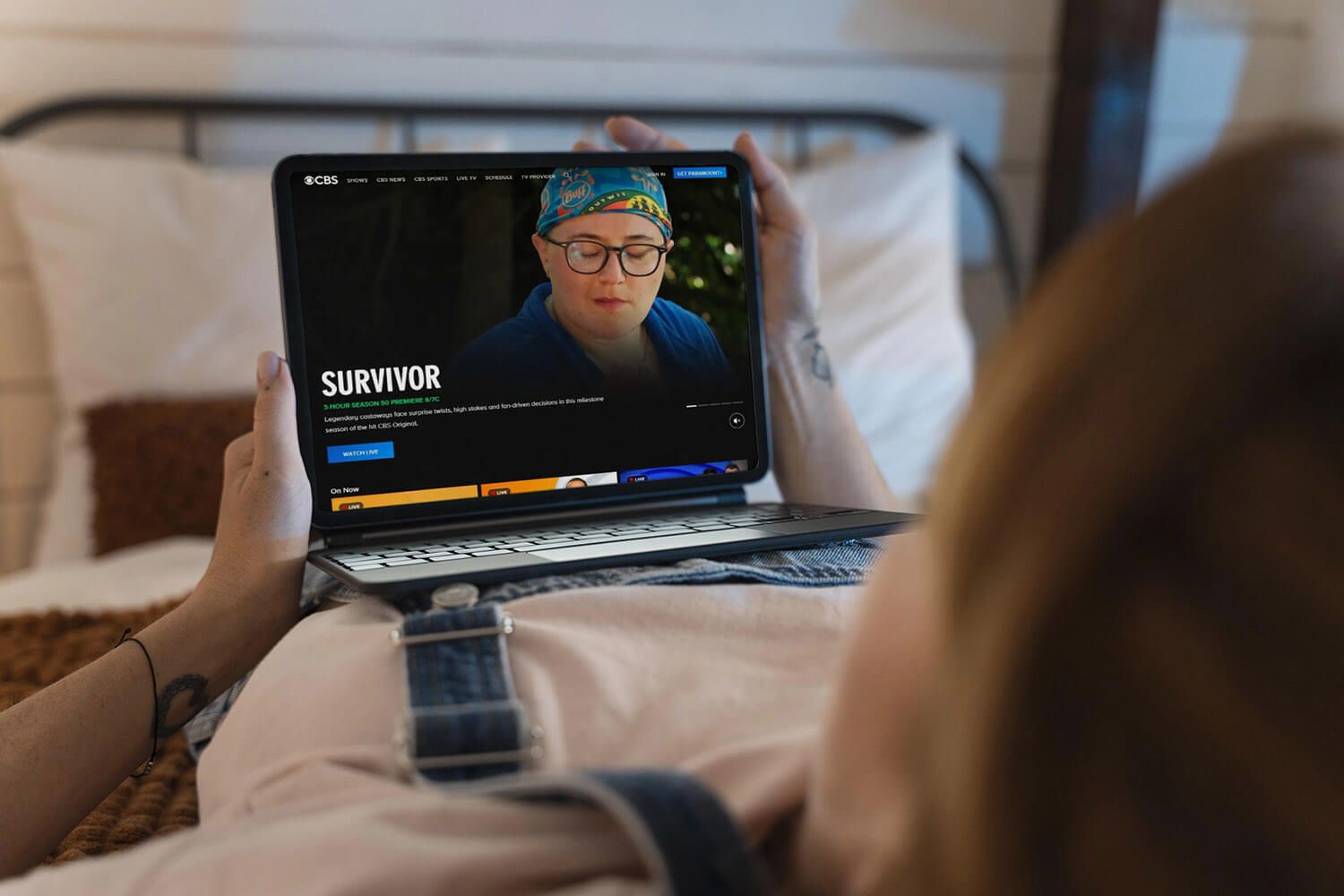
If you already pay for a traditional TV package through a cable provider (such as Xfinity, Spectrum, or Cox) or a satellite service (such as DIRECTV or DISH), you can stream your local CBS station through the CBS App or CBS.com.
- Download the CBS App on your device or navigate to CBS.com/live-tv.
- Select the option to log in with a TV Provider.
- Authenticate using your cable, satellite, or live TV streaming login credentials.
- Once verified, the app will grant live streaming access to your regional CBS affiliate based on your device's location.
Comparison of Local CBS Streaming Options
The table below compares the primary methods for streaming live local CBS channels, detailing costs, plan requirements, and platform highlights.
| Streaming Method | Monthly Base Cost | Local CBS Included? | Plan Requirement / Hardware | Key Advantage |
|---|---|---|---|---|
| Paramount+ | $12.99/mo | Yes | Requires Paramount+ with SHOWTIME plan | Most affordable subscription method; includes on-demand SHOWTIME |
| YouTube TV | $72.99/mo | Yes | Base Plan | Unlimited DVR; seamless multi-device support; 100% market coverage |
| Hulu + Live TV | $76.99/mo | Yes | Live TV Base Plan | Includes bundled access to Disney+, Hulu on-demand, and ESPN+ |
| Fubo | $79.99/mo | Yes | Pro or higher plan | Optimized for sports viewers; high channel count |
| DIRECTV STREAM | $79.99/mo | Yes | Entertainment or higher plan | Cable-like guide interface; strong regional programming support |
| OTA Antenna + Tuner | $0/mo (After hardware cost) | Yes | HD Antenna + Network Tuner ($80–$200 upfront) | No recurring subscription fees; uncompressed HD signal quality |
| Sling TV | $40.00/mo | No | N/A (CBS not offered) | Cannot stream CBS; requires supplemental antenna or Paramount+ |
Location Verification and Blackout Rules
Because CBS operates on a local broadcast affiliate system, rights to live programming are granted regionally. When streaming CBS live, the streaming service must establish your physical presence within the affiliate's broadcast boundary.
How Geolocation Works
- Device GPS: Mobile apps utilize the GPS hardware inside phones and tablets to pinpoint your local market.
- IP Address Mapping: Smart TVs, streaming sticks, and desktop computers rely on your Internet Service Provider's (ISP) IP address. If your ISP routes your internet connection through a hub in a neighboring city, your streaming service may show a neighboring market's affiliate instead of your immediate local station.
- Home Market Lock: Services like YouTube TV and Hulu + Live TV require you to check in from your primary home network periodically to maintain access to local channels when traveling.
Blackout Restrictions
While network programming (such as primetime shows, soap operas, and national news) is uniform across affiliates, regional broadcasts—particularly sports events—are subject to blackout policies:
- NFL Regional Coverage: NFL Sunday afternoon games broadcast on CBS depend on your local broadcast market schedule. You will receive the game designated by CBS Sports for your specific region.
- International and Special Events: Certain non-sports programs may lack digital streaming rights, causing the live stream to display a blackout notice while local broadcast TV continues airing the program.
Troubleshooting Common CBS Streaming Issues
Missing Local Channel or Incorrect Regional Affiliate
- Cause: Incorrect location permissions or an out-of-date IP location assignment.
- Fix: Open the settings menu on your streaming app, locate the location/profile section, and select "Update Current Location." If using a mobile device, toggle location services off and back on. Restart your Wi-Fi router to request a refreshed IP address allocation from your ISP.
Video Buffering or Low Broadcast Quality
- Cause: Insufficient home network bandwidth or Wi-Fi interference.
- Fix: HD live streaming generally requires a stable download speed of at least 10–15 Mbps per device. Connect your streaming media device via an Ethernet cable, or switch your Wi-Fi connection from a 2.4 GHz band to a 5 GHz band to minimize wireless congestion.
"Location Access Denied" Error
- Cause: The app does not have permission to read system geolocation data.
- Fix: Go to your device's system settings (iOS, Android, Fire OS, or Roku), navigate to Privacy/Permissions, select the specific streaming application (Paramount+ or vMVPD app), and grant "While Using the App" location permissions.
Frequently Asked Questions
Can I stream local CBS for free?
Yes, you can stream local CBS for free across your home network by purchasing an over-the-air (OTA) HD antenna paired with a network tuner device like Tablo or HDHomeRun. This setup requires an initial hardware purchase but eliminates monthly subscription fees. You can also log into the CBS app for free if you already pay for a cable or satellite package that includes CBS.
Does the basic Paramount+ plan include live local CBS?
No. The basic plan (Paramount+ Essential) does not include your local 24/7 CBS live affiliate feed. To stream your local station continuously, you must subscribe to the Paramount+ with SHOWTIME plan. However, the Essential plan does include access to select live sports events, such as NFL on CBS broadcasts.
Why does Sling TV not have local CBS channels?
Sling TV focuses on low-cost channel bundles and has chosen not to negotiate carriage agreements with local CBS affiliate ownership groups. As a result, CBS is absent from all Sling TV packages. Sling TV subscribers must use an OTA antenna or a standalone subscription like Paramount+ to watch local CBS channels.
Can I watch my home local CBS channel while traveling?
It depends on the service. Paramount+ streams the local CBS affiliate of your current physical location based on device GPS or IP data. vMVPDs like YouTube TV and Hulu + Live TV allow you to stream live networks away from home, but they may switch your live feed to the local affiliate of the city you are visiting, while restricting local recording playback until you return home.
Final Recommendation: Choosing the Best Option
- For the Lowest Monthly Cost: Choose Paramount+ with SHOWTIME ($12.99/month). It provides direct, reliable access to your live local CBS affiliate alongside on-demand programming without requiring a costly TV package.
- For a Complete Cable Replacement: Choose YouTube TV or Hulu + Live TV. These services offer complete broadcast network coverage (CBS, NBC, ABC, FOX), combined with extensive cloud DVR functionality and family profile sharing.
- For Zero Recurring Monthly Fees: Invest in an OTA HD Antenna paired with a Network Tuner (such as HDHomeRun or Tablo). After a one-time hardware setup, you can stream free broadcast HD channels to any phone, tablet, or smart TV connected to your home network.
Image Gallery