Understanding the iSCSI Port: A Comprehensive Technical Guide
The iSCSI port is the specific logical endpoint, traditionally TCP port 3260, used by the Internet Small Computer Systems Interface protocol to transport block-level storage data across Internet Protocol networks. Understanding how thi...
The iSCSI port is the specific logical endpoint, traditionally TCP port 3260, used by the Internet Small Computer Systems Interface protocol to transport block-level storage data across Internet Protocol networks. Understanding how this port functions, how to configure it, and how to secure it is critical for managing modern Storage Area Networks.
Contents
Introduction to iSCSI and Network-Attached Storage
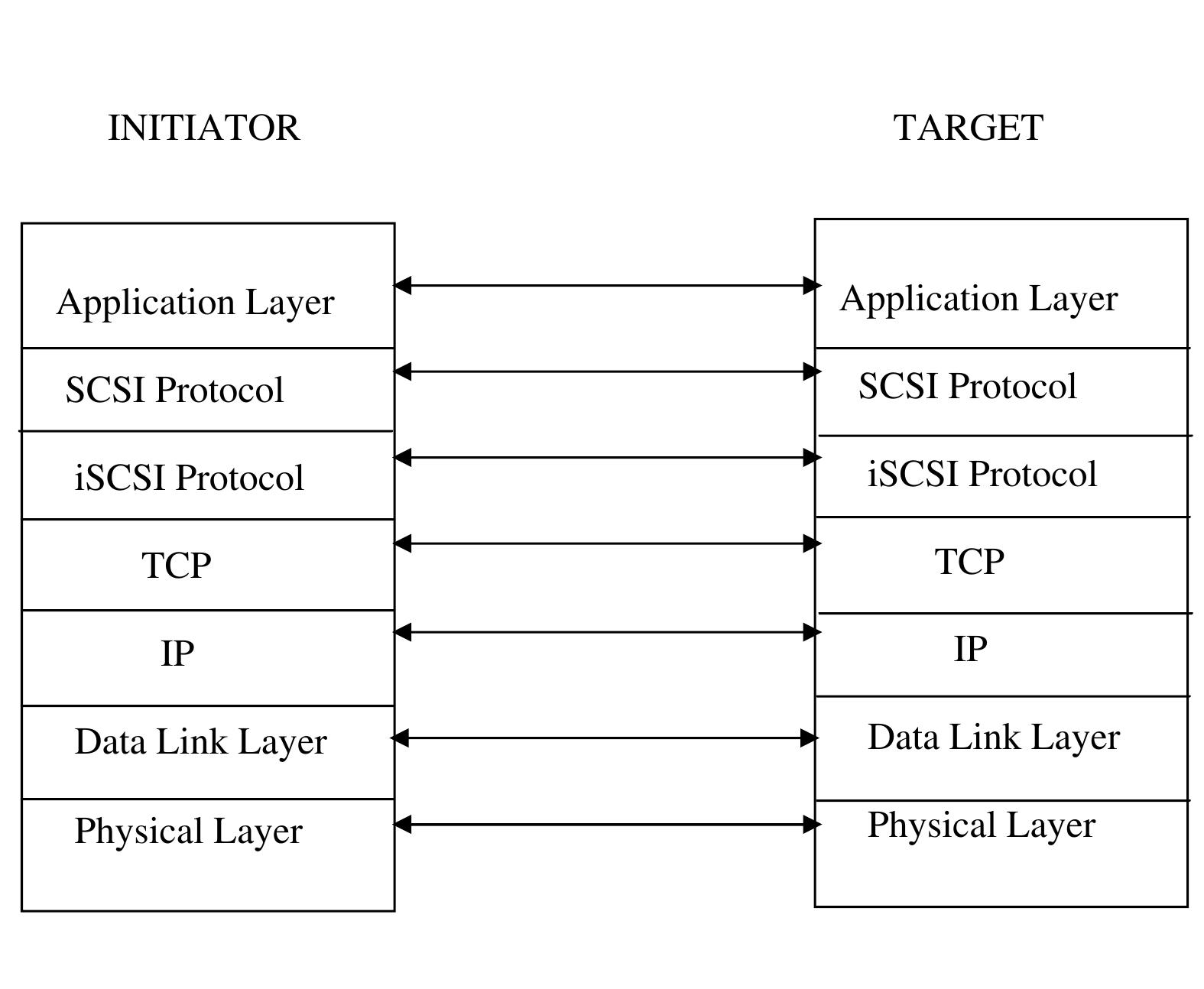
In enterprise environments, data storage architecture has evolved far beyond local hard drives and legacy parallel SCSI cables. As organizations demand higher scalability, centralized management, and disaster recovery capabilities, network-based storage has become the standard. Among the prominent protocols powering these environments is the Internet Small Computer Systems Interface (iSCSI). By encapsulating SCSI commands within IP packets, iSCSI allows servers (initiators) to send storage requests to storage arrays (targets) over standard Ethernet networks.
At the core of this network communication lies a fundamental component: the port. While physical network ports on switches and network interface cards (NICs) handle hardware-level data transmission, logical ports—specifically TCP and UDP ports—dictate how operating systems and storage controllers route traffic to the correct applications. Understanding the iSCSI port is essential for network administrators, storage engineers, and systems architects who must design, deploy, and troubleshoot high-performance storage environments without compromising security.
What is an iSCSI Port?
In networking, a port is a virtual point where network connections start and end. For iSCSI, the Internet Assigned Numbers Authority (IANA) officially assigned TCP and UDP port 3260 as the standard listening port for iSCSI target devices. When an iSCSI initiator attempts to connect to a storage target, it directs its connection request to port 3260 on the target IP address.
However, the concept of an iSCSI port extends beyond just a single number. It encompasses how the storage stack interacts with the network layer:
- Default Port Allocation: Port 3260 is the default for both incoming and outgoing control and data traffic in standard iSCSI implementations.
- Discovery Sessions: During the initial discovery phase, the initiator queries the target on port 3260 to identify available logical unit numbers (LUNs) and storage pools.
- Login and Operational Phases: Once discovery is complete, the session transitions to a login phase, followed by the operational phase where block-level read and write commands stream over the same established port connection.
While port 3260 is the universal default, enterprise environments often allow administrators to reconfigure target listeners to use alternative ports for security through obscurity or specific network segmentation requirements. However, changing default ports requires explicit configuration changes on both initiator and target ends to prevent connection failures.
How iSCSI Communication Works: Initiators and Targets
To fully grasp the role of the iSCSI port, one must examine the client-server relationship inherent in the protocol. The architecture relies on two primary entities: the iSCSI initiator and the iSCSI target.
- iSCSI Initiator (Host Server) connects via TCP Port 3260 to iSCSI Target (Storage Array)
- iSCSI Target (Storage Array) responds with Data Stream to iSCSI Initiator (Host Server)
The iSCSI Initiator
The initiator is the client software or hardware residing on the host server (such as a hypervisor like VMware ESXi or Microsoft Windows Server). Its job is to translate operating system storage requests into SCSI commands, encapsulate them into TCP/IP packets, and transmit them across the network. Initiators come in three primary forms:
- Software Initiators: Operating system drivers that utilize standard Ethernet network interface cards (NICs). These consume host CPU cycles to handle the TCP/IP and iSCSI overhead.
- Hardware iSCSI Host Bus Adapters (HBAs): Dedicated physical expansion cards that offload all iSCSI and network processing from the host CPU.
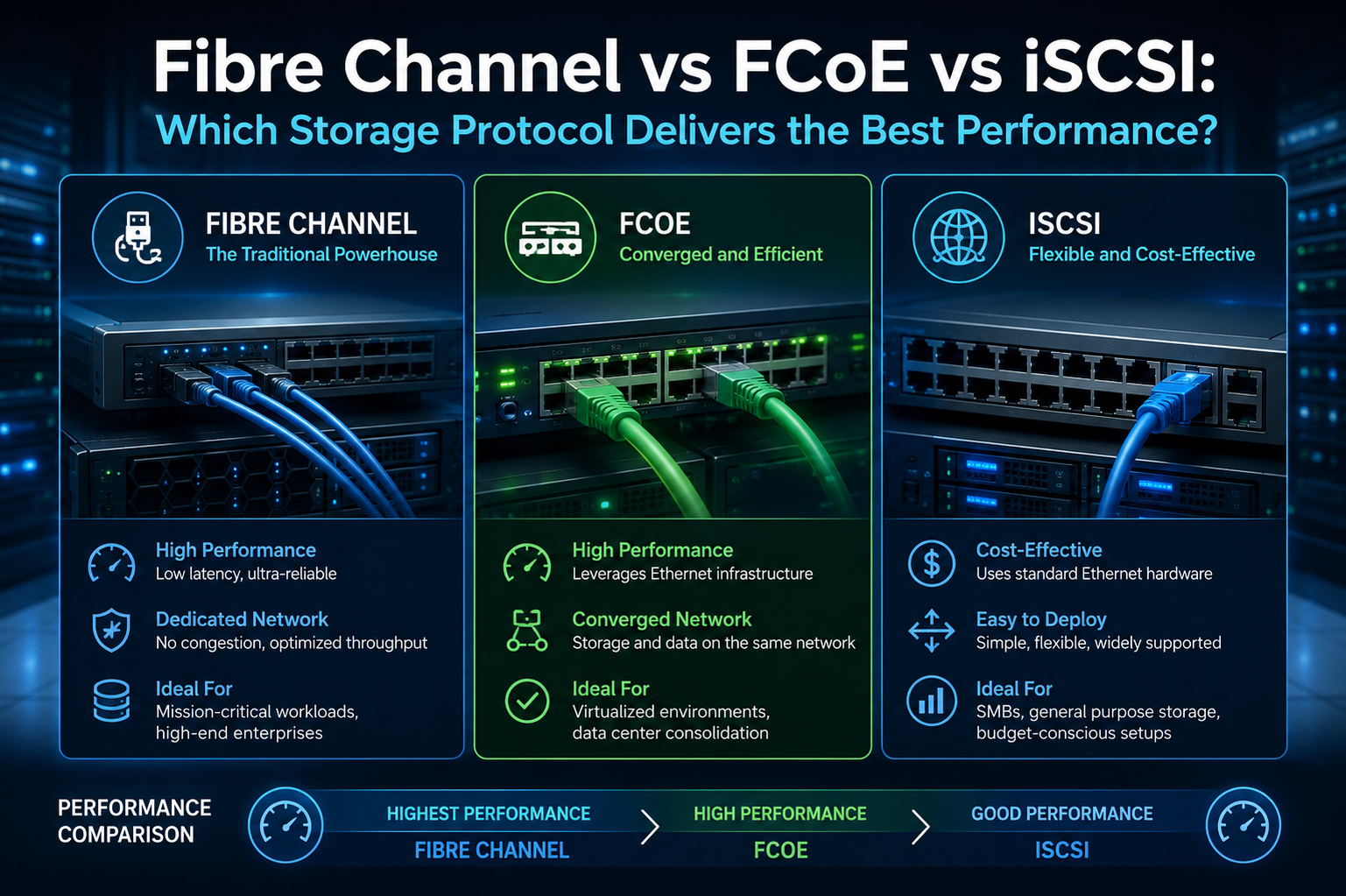
- Converged Network Adapters (CNAs): Specialized network adapters that combine Fibre Channel over Ethernet (FCoE) and iSCSI processing onto a single physical card.
The iSCSI Target
The target is the server, network-attached storage (NAS) device, or dedicated storage array that exposes storage volumes (LUNs) to the network. It listens continuously on the iSCSI port for incoming connection requests. When a request arrives on port 3260, the target authenticates the initiator, manages session state, and executes the read and write commands directly against physical storage media.
Network Requirements and Performance Considerations
Because iSCSI transmits raw block-level storage data—often including operating system boot volumes and high-transaction database files—network latency and bandwidth directly impact application performance. Operating an iSCSI infrastructure requires careful planning of the underlying network layers.
Bandwidth and Speed
Standard Gigabit Ethernet (1GbE) can suffice for small-scale deployments or backup targets, but modern enterprise environments predominantly rely on 10GbE, 25GbE, or higher speeds. Because block storage traffic is sensitive to dropped packets and latency spikes, network congestion can cause application timeouts and operating system crashes.
Jumbo Frames
Enabling Jumbo Frames (typically setting the Maximum Transmission Unit or MTU to 9000 bytes) on the network switches, storage targets, and initiator NICs significantly reduces CPU overhead. By allowing larger packets to traverse the network, the system processes fewer total packets for the same volume of data, lowering CPU utilization and improving throughput.
Network Isolation and VLANs
iSCSI traffic should never share an untagged network with general office traffic or guest Wi-Fi. Best practices dictate isolating iSCSI traffic onto dedicated Virtual Local Area Networks (VLANs) or entirely separate physical switches. Furthermore, implementing Multipath I/O (MPIO) using multiple network paths and separate subnets ensures high availability and load balancing if a switch or cable fails.
Security Implications of the iSCSI Port
By default, the iSCSI protocol does not encrypt data in transit. If an attacker gains access to the network segment carrying iSCSI traffic, they can potentially capture block storage data or execute unauthorized commands against the storage arrays. Consequently, securing the iSCSI port and its surrounding environment is paramount.
Firewall and Perimeter Defense
Because port 3260 is well-known, it represents a prime target for network scanners and malicious actors. Under no circumstances should port 3260 be exposed directly to the public internet. Enterprise firewalls must block inbound and outbound traffic on port 3260 at the network perimeter, restricting iSCSI communication strictly to internal, trusted storage network segments.
Authentication Mechanisms
To prevent unauthorized hosts from connecting to storage targets, administrators should enforce robust authentication protocols supported by the iSCSI standard:
- Challenge Handshake Authentication Protocol (CHAP): CHAP uses a three-way handshake to verify the identity of the initiator to the target (One-Way CHAP) and optionally the target to the initiator (Mutual CHAP) without sending plaintext passwords across the network.
- IPsec: For environments requiring data confidentiality and integrity, Internet Protocol Security (IPsec) can be implemented to encrypt all TCP packets traversing the iSCSI port, safeguarding data against eavesdropping and man-in-the-middle attacks.
| Security Feature | Primary Function | Implementation Recommendation |
|---|---|---|
| Network Isolation (VLANs) | Separates storage traffic from general enterprise data. | Mandatory for all production deployments. |
| CHAP Authentication | Validates initiator and target identities before session creation. | Enable Mutual CHAP across all targets and initiators. |
| Firewall Rule Enforcement | Blocks unauthorized external access to TCP port 3260. | Restrict port access to designated storage subnet ranges only. |
| IPsec Encryption | Protects data payloads from packet sniffing and tampering. | Implement where regulatory compliance demands end-to-end encryption. |
Troubleshooting Common iSCSI Port Connection Issues
When an iSCSI initiator fails to connect to a storage target, administrators must systematically diagnose network paths, service states, and configuration parameters. Below are the most frequent issues encountered when working with the iSCSI port and their resolutions.
1. Firewall Blocks and Port Closed Errors
If a connection times out or is explicitly refused, network firewalls or host-based software firewalls may be blocking TCP port 3260.
- Verification: Use network diagnostic utilities such as
telnet,nc(netcat), or PowerShell commands (Test-NetConnection) to check port reachability from the initiator to the target IP. - Resolution: Update firewall rules on intermediate routers, firewalls, and local operating system security profiles to permit TCP traffic on port 3260 between authorized IP addresses.
2. CHAP Authentication Failures
If the network path is open but the session fails during login, mismatched CHAP credentials are often the culprit.
- Verification: Review system event logs on the initiator and target audit logs for authentication rejection codes.
- Resolution: Verify that the secret keys, target names (IQNs), and initiator names match precisely on both ends. Ensure that target restrictions are not blocking specific initiator Qualified Names (IQNs).
3. Target Discovery Timeouts
Sometimes an initiator can ping the target IP address, but target discovery returns no available LUNs.
- Verification: Check whether the iSCSI service (such as
msiSCSIon Windows oriscsidon Linux) is actively running on the host system. - Resolution: Restart the iSCSI service, verify that the correct target portal IP address is entered into the discovery tab, and check storage array zoning or masking rules to ensure the host has been granted access to the storage pool.
Best Practices for Managing iSCSI Infrastructure
Deploying a resilient, high-performing iSCSI environment requires adhering to established industry best practices regarding network design, redundancy, and maintenance.
- Implement Multipath I/O (MPIO): Configure at least two independent network paths from the host to the storage array using separate NICs, switches, and subnets. This prevents single points of failure and allows automatic failover during hardware maintenance or path degradation.
- Disable Unused Initiators: On servers where iSCSI is not utilized, stop and disable the iSCSI initiator service to reduce the local attack surface.
- Regular Firmware Updates: Keep network interface card drivers, switch firmware, and storage controller operating systems updated to patch known vulnerabilities and performance bugs.
- Monitor Port Traffic and Latency: Utilize network monitoring tools (such as SNMP, NetFlow, or dedicated storage analytics platforms) to track packet loss, latency, and throughput on port 3260, establishing baselines to quickly identify anomalous behavior or impending hardware failure.
Frequently Asked Questions
What is the default port number for iSCSI?
The default port number for iSCSI is TCP and UDP port 3260. This port is used by initiators to discover, log into, and exchange block-level storage data with iSCSI targets across an IP network.
Can I change the default iSCSI port for security?
Yes, many enterprise storage arrays and initiator operating systems allow administrators to configure alternative port numbers instead of 3260. However, doing so requires manually updating the port configuration on every connecting initiator, and it provides only minimal security benefits compared to robust authentication and network segmentation.
Is iSCSI traffic encrypted by default?
No, standard iSCSI traffic transmits data in plaintext over TCP/IP networks. To protect sensitive data from interception, administrators should implement IPsec encryption or utilize secure tunneling protocols across the storage network fabric.
Why is network latency critical for iSCSI performance?
Because iSCSI operates at the block storage level rather than the file level, operating systems and hypervisors wait for storage write confirmations before completing application transactions. High latency on port 3260 directly degrades application responsiveness and can trigger cluster heartbeats to fail.
How do I test if the iSCSI port is open and reachable?
You can test connectivity to the iSCSI port from a host machine using command-line tools like Test-NetConnection target_ip -Port 3260 in PowerShell or nc -zv target_ip 3260 in Linux. If the connection succeeds, the port is open and accessible through the network path.
Conclusion
The iSCSI port serves as the critical gateway for modern block-level storage communication over standard Ethernet networks. By understanding its reliance on TCP port 3260, establishing rigorous network isolation, enforcing strong authentication protocols like CHAP, and configuring redundant paths through MPIO, organizations can build robust, high-performance storage architectures. Diligent management of these components ensures that enterprise data remains accessible, secure, and performant under demanding operational workloads.
Image Gallery