M&T Bank Online Banking: Secure Access, Enrollment, and Features Guide
M&T Bank Online Banking provides digital access to personal, business, and commercial accounts via mtb.com and the M&T Mobile App. Account holders can view real-time balances, pay bills, transfer funds via ACH or Zelle, review eStateme...
M&T Bank Online Banking provides digital access to personal, business, and commercial accounts via mtb.com and the M&T Mobile App. Account holders can view real-time balances, pay bills, transfer funds via ACH or Zelle, review eStatements, and manage card security features. Access requires an enrolled User ID, passcode, and multi-factor authentication.
Contents
Getting Started: Prerequisites and Online Enrollment
Enrolling in M&T Online Banking establishes a secure digital link to your checking, savings, money market, certificate of deposit (CD), credit card, auto loan, or mortgage accounts. The enrollment process takes less than ten minutes and can be completed through a web browser or the mobile application.
Information Required for Registration
Before initiating online enrollment, gather the following verification details:
- Social Security Number (SSN) or Individual Taxpayer Identification Number (ITIN).
- M&T Account Number (found on your physical paper check, account opening documentation, or monthly statement).
- M&T Debit Card or ATM Card Number along with the associated 4-digit PIN (if registering a deposit account).
- Active Mobile Phone Number capable of receiving SMS text messages for identity verification.
- Valid Email Address to receive security alerts and digital documentation.
Step-by-Step Enrollment Instructions
- Navigate to the official website at mtb.com and select the Enroll Now link located within the primary login portal.
- Select your account type: Personal, Small Business, or Commercial.
- Choose your primary verification method (Debit/ATM Card details or Account Information).
- Enter your SSN/ITIN, date of birth, and account number into the secure verification fields.
- Establish a unique User ID adhering to M&T security credentials (8–20 characters, containing letters and numbers).
- Create a strong Passcode that includes upper and lowercase letters, numbers, and special symbols.
- Set up Multi-Factor Authentication (MFA) by registering a trusted mobile number or authentication app to receive One-Time Passcodes (OTP).
- Review and accept the M&T Digital Services Agreement to finalize access.
Business accounts requiring multi-user administrative rights or dual-control payment authorizations must enroll through M&T Treasury Center or M&T Online Banking for Business rather than standard consumer portal workflows.
How to Securely Log In and Manage Your M&T Account
Accessing your M&T account requires maintaining strict digital security hygiene across web browsers and mobile platforms.
(Mental Check: Avoid code blocks or ASCII art. Narrative text and markdown tables only.)
Accessing via Desktop Web Browser
To log into your account from a desktop computer, open a secure browser (such as updated versions of Chrome, Safari, Edge, or Firefox) and visit mtb.com. Verify that the browser address bar displays a valid SSL encryption icon alongside the correct domain. Enter your User ID and Passcode into the login module on the homepage and select Log In.
If logging in from an unrecognized device or IP address, M&T system security protocols will prompt a secondary verification step requiring an OTP sent via text message, phone call, or push notification.
Accessing via Mobile Banking App
The M&T Mobile App provides native iOS and Android access. After downloading the official app from the Apple App Store or Google Play Store:
- Launch the app and enter your standard User ID and Passcode for the initial login.
- Enable biometric authentication options, such as Apple Face ID/Touch ID or Android Fingerprint/Face Unlock, for faster, secure subsequent access.
- Ensure device-level OS updates are maintained to support active security patches required by the app.
Security Advisory on Public NetworksAccessing financial portals over unsecured public Wi-Fi networks poses significant interception risks. Always utilize a trusted cellular network or a private Virtual Private Network (VPN) with strong encryption when logging into your M&T Online Banking portal from mobile devices.
Core Features and Tools in M&T Digital Banking
M&T Online Banking aggregates daily liquidity management, recurring bill payments, person-to-person payments, and statement archiving into a unified dashboard.
Internal and External Money Transfers
Account holders can transfer funds between eligible M&T accounts instantly. For transfers involving external accounts at other U.S. financial institutions, M&T utilizes the Automated Clearing House (ACH) network.
- Internal Transfers: Real-time movement of funds between M&T checking, savings, and credit accounts. No fee.
- Standard External ACH Transfers: Outbound transfers to external accounts typically settle within 2 to 3 business days.
- Next-Day External ACH Transfers: Expedited transfer options are available for eligible accounts, subject to daily cut-off times and transaction limits.
Zelle Integration for Person-to-Person (P2P) Payments
M&T integrates Zelle directly within its mobile app and online portal. This allows users to send and receive money using only a recipient’s registered U.S. mobile phone number or email address.
Money sent via Zelle is typically available within minutes when the recipient is already enrolled. M&T does not charge service fees for standard consumer Zelle transactions, though daily send limits (typically ranging between $500 and $2,500 depending on account history and tier) apply to mitigate fraud risk.
Online Bill Pay and Electronic Billing (eBills)
M&T Online Bill Pay allows users to settle invoices with companies, utilities, and individuals nationwide without paper checks.
- eBills: Connect participating utility providers, credit card issuers, and lenders to receive digital invoices directly inside your M&T dashboard.
- Scheduled Payments: Set up one-time, future-dated, or automated recurring payments.
- Payment Guarantee: M&T guarantees that properly scheduled payments will be delivered on the selected target date, protecting account holders against late fees if delays occur within the bank's processing network.
eStatements and Tax Document Access
Enrolling in eStatements replaces physical mailings with secure PDF downloads. M&T retains up to 7 years of historical checking and savings statements and up to 2 years of credit card statements within the portal. Annual tax forms, including Form 1099-INT for earned interest and Form 1098 for mortgage interest paid, are published to the portal every January for easy retrieval during tax season.
M&T Bank Regional Routing Numbers and Transaction Limits
When setting up electronic direct deposits (such as payroll or tax refunds) or authorizing external ACH debits, you must supply M&T Bank's 9-digit ABA routing transit number alongside your specific account number. M&T operates across multiple Mid-Atlantic and Northeastern states using regional routing numbers derived from historical bank charters and state branch locations.
| Region / State Branch Location | Primary ABA Routing Number | Service Availability |
|---|---|---|
| New York (Western NY / HQ - Buffalo) | 022000046 | Online Banking, Direct Deposit, Wire, ACH |
| New York (Downstate / NYC / Long Island) | 021001088 | Online Banking, Direct Deposit, Wire, ACH |
| Pennsylvania / Delaware | 031302953 | Online Banking, Direct Deposit, Wire, ACH |
| Maryland / Washington D.C. / Virginia | 052000113 | Online Banking, Direct Deposit, Wire, ACH |
| New Jersey | 021202339 | Online Banking, Direct Deposit, Wire, ACH |
| Connecticut / Massachusetts / New England | 011103093 | Online Banking, Direct Deposit, Wire, ACH |
Note: Always verify your specific routing number on a printed M&T paper check or by navigating to the "Account Details" section inside your M&T Online Banking portal before initiating electronic transfers.
Digital Security Features and Fraud Prevention Controls
M&T deploys multi-layered protection measures to safeguard digital customer balances and secure sensitive account data.
Multi-Factor Authentication (MFA)
MFA adds a critical layer of defense beyond your baseline User ID and Passcode. When the system detects an anomalous login attempt—such as a request from an unrecognized internet browser, new physical location, or secondary device—it requires confirmation via a time-sensitive passcode delivered via SMS, voice call, or push notification.
Advanced M&T Card Controls
Through the M&T Mobile App, debit and credit cardholders can actively manage physical card parameters in real time:
- Instant Card Lock/Unlock: Temporarily freeze a misplaced debit card to block all new point-of-sale and online transactions while leaving recurring ACH auto-pays active. Unfreezing restores full functionality immediately upon finding the card.
- Transaction Alerts: Receive real-time push notification alerts whenever your card is used for online purchases, international transactions, ATM cash withdrawals, or transactions exceeding designated dollar thresholds.
- Merchant Restrictions: Restrict card usage at specific merchant categories or disable international usage entirely.
M&T Custom Account Alerts
Account holders can configure automated notifications via email or SMS text message to monitor balance thresholds and transaction triggers. Key customizable alerts include:
- Low Balance Warnings: Triggers when your checking balance falls below a designated dollar amount, helping prevent overdrafts.
- Large Transaction Notifications: Alerts you whenever a debit, credit, or withdrawal exceeding your chosen limit hits your account.
- Security Alerts: Automatic notifications sent when contact information, passcodes, or external linked accounts are updated.
Crucial Fraud Prevention RuleM&T Bank representatives will never call, text, or email you asking for your Online Banking Passcode, complete debit card PIN, or one-time security authentication codes. If you receive an unsolicited call requesting this information, hang up immediately and call M&T Fraud Support directly at 1-800-724-2440.
Troubleshooting Common M&T Online Banking Access Issues
Account access disruptions typically stem from credential errors, browser cache conflicts, or security locks.
Account Lockouts and Resetting Passcodes
Entering an incorrect Passcode three consecutive times triggers an automatic security lock on your digital access to protect against brute-force intrusion attempts. To unlock your account:
- Click the Forgot User ID or Passcode? link on the mtb.com login screen.
- Select whether you need to recover your User ID, reset your Passcode, or both.
- Enter your SSN/ITIN, date of birth, and account or debit card number.
- Complete the SMS or phone verification step to receive a temporary reset authorization.
- Establish a brand-new passcode distinct from your last five historical passcodes.
If self-service reset tools fail due to outdated contact information on file, contact M&T Digital Customer Support at 1-800-724-2440 (Monday–Friday 6:00 AM to 9:00 PM ET, Saturday–Sunday 9:00 AM to 5:00 PM ET).
Resolving Technical Browser and App Errors
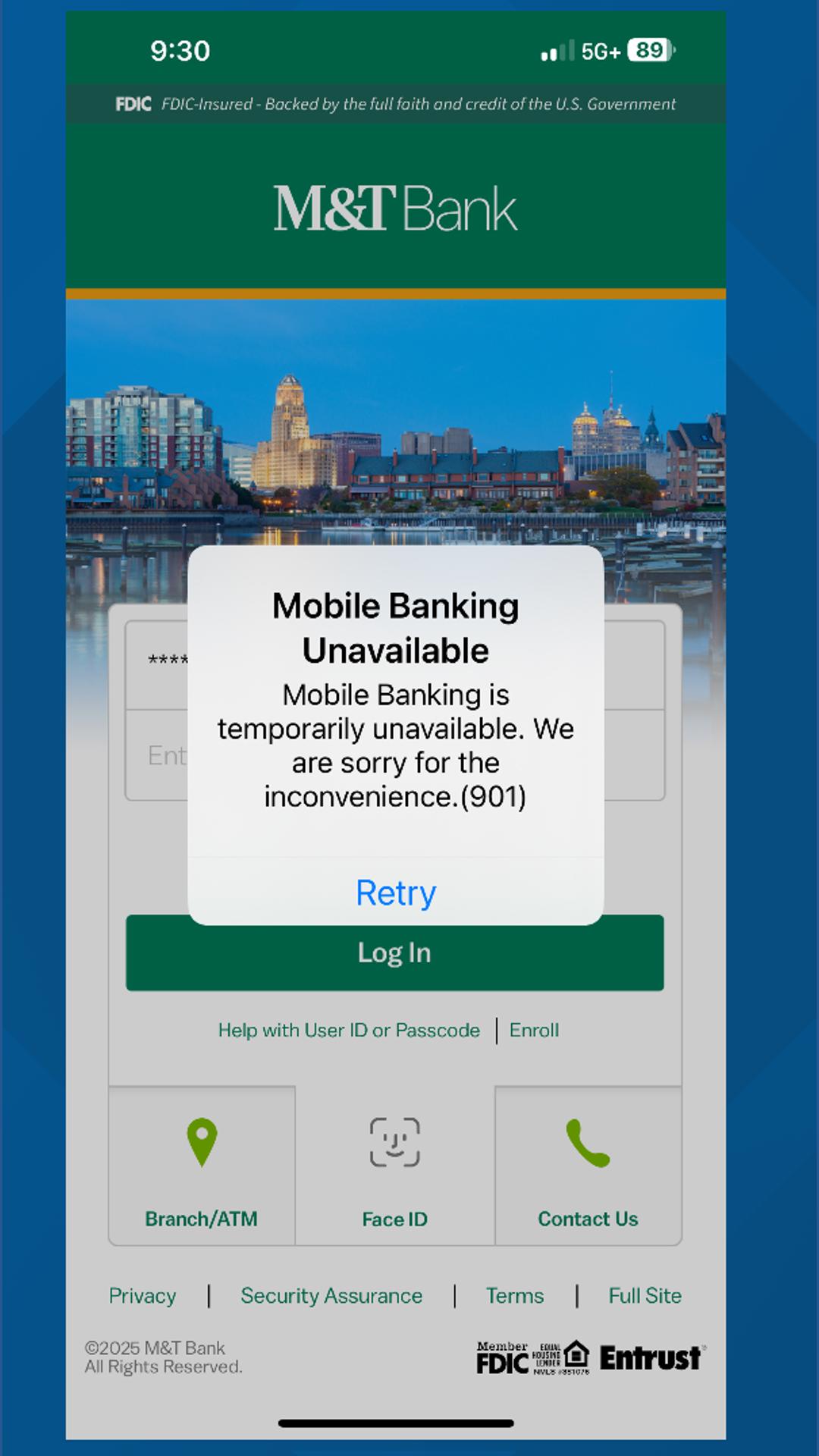
- Clearing Cache and Cookies: Outdated cache files can cause authentication loops or blank pages during login. Clear your browser history, cache, and cookies, then restart the browser.
- Disabling Extension Conflicts: Third-party browser extensions, particularly aggressive ad-blockers or script-blocking privacy plugins, can interfere with security validation scripts at mtb.com. Temporarily pause extensions if login buttons fail to respond.
- Mobile App Crashing: Ensure the M&T Mobile App is updated to the latest version available in your app store. If stability issues persist, uninstall the app, restart your mobile device, and perform a fresh re-installation.
Comparing M&T Web Portal vs. M&T Mobile Banking App
While both digital platforms allow comprehensive account oversight, key features differ based on hardware capabilities and interface design.
| Operational Feature | Desktop Web Portal (mtb.com) | M&T Mobile App (iOS / Android) |
|---|---|---|
| Real-Time Balance & History Viewing | Supported | Supported |
| Mobile Check Deposit (Check Capture) | Not Supported (Requires Camera) | Supported (Via smartphone camera) |
| Zelle Person-to-Person Payments | Supported | Supported |
| Debit / Credit Card Instant Lock | Supported | Supported (Optimized for quick access) |
| Biometric Authentication (Face/Fingerprint) | Not Supported | Supported |
| eStatement PDF Downloads & Printing | Supported (Full multi-year archive) | Supported (View and save mode) |
| Wire Transfers (Domestic/International) | Supported (Enrolled accounts) | Restricted / Read-only status |
| Detailed Financial Management Tools | Supported (Full dashboard view) | Supported (Streamlined mobile view) |
Step-by-Step Guide: Depositing Checks via the M&T Mobile App
Mobile Check Deposit enables account holders to deposit physical paper checks into eligible checking or savings accounts using a smartphone or tablet camera.
- Open the M&T Mobile App and log into your account.
- Select Deposit from the bottom navigation toolbar.
- Choose the target M&T account where the funds should be credited.
- Enter the exact net dollar amount written on the paper check.
- Endorse the back of the physical check by signing your name and writing "For M&T Mobile Deposit Only" clearly beneath your signature. Unendorsed checks will be rejected.
- Place the check flat on a dark, well-lit, non-reflective surface.
- Follow the in-app prompts to capture clear images of both the Front and Back of the check. Ensure all four corners are visible within the viewfinder guides.
- Review the transaction details and submit the deposit.
- Retain the physical check in a secure location for 14 days until the deposit posts to your account history, then shred the paper document safely.
Standard deposits submitted before 10:00 PM ET on business days generally become available on the next business day, subject to standard hold policies for new accounts or large check amounts.
Frequently Asked Questions About M&T Online Banking
How do I unlock my locked M&T Online Banking account?
You can unlock your account by selecting "Forgot User ID or Passcode?" on the mtb.com login screen and completing the identity verification process using your SSN, debit card info, and a one-time passcode. Alternatively, call M&T Customer Service at 1-800-724-2440 for assistance.
If self-service passcode resets fail, an M&T customer representative can verify your identity over the phone and issue a temporary credentials token.
What is the daily transfer limit for Zelle on M&T Online Banking?
For standard consumer checking accounts, M&T typically imposes a daily send limit ranging between $500 and $2,500, with monthly rolling limits applied based on account history and tier.
Limit adjustments are calculated automatically by system security models based on tenure, deposit balances, and past transaction patterns. You can view your specific daily remaining limit directly on the send screen within the Zelle menu of the M&T app.
Where can I find my M&T Bank account and routing number online?
Log into your M&T Online Banking portal or app, select the specific account from your main dashboard, and click on "Account Details" or "Services" to view your full 10-digit account number and state ABA routing number.
Your routing and account numbers are also printed at the bottom of your physical checks. The 9-digit routing number appears as the left-most group of numbers, followed by your specific account number.
Does M&T Bank charge a monthly fee to use Online Banking or Online Bill Pay?
No, M&T Bank offers standard Online Banking, Mobile Banking, and Online Bill Pay features to personal deposit account holders at no additional monthly charge.
While standard digital services are free, fees may still apply for optional premium transactions such as expedited overnight check delivery via Bill Pay, outgoing wire transfers, or out-of-network non-M&T ATM transactions.
How long does an ACH transfer take between M&T and another bank?
Standard external ACH transfers initiated within M&T Online Banking typically take 2 to 3 business days to complete and settle into the receiving account.
Transfers initiated before the daily cut-off time (typically 5:00 PM ET) begin processing on the same business day. External transfers submitted on weekends, federal holidays, or after the cut-off time begin processing on the subsequent business day.
Elevating Your Digital Banking Experience
M&T Online Banking delivers robust control over your personal and business accounts through secure digital interfaces. To optimize your security profile, log into mtb.com or the M&T Mobile App today to set up Multi-Factor Authentication, enroll in eStatements, configure custom low-balance alerts, and set up debit card controls to ensure your financial accounts stay protected 24 hours a day.
Image Gallery