5 Reasons the MacBook Pro Early 2013 Still Beats Newer Models
The Early 2013 MacBook Pro continues to outshine newer laptop models in specific practical areas: built-in legacy I/O ports, a reliable scissor-switch keyboard, user-upgradable storage, native x86/32-bit software compatibility via Boot...
The Early 2013 MacBook Pro continues to outshine newer laptop models in specific practical areas: built-in legacy I/O ports, a reliable scissor-switch keyboard, user-upgradable storage, native x86/32-bit software compatibility via Boot Camp, and exceptional repairability at a fraction of modern replacement costs.
Contents
Technical Profile: The Early 2013 Retina Era Explained
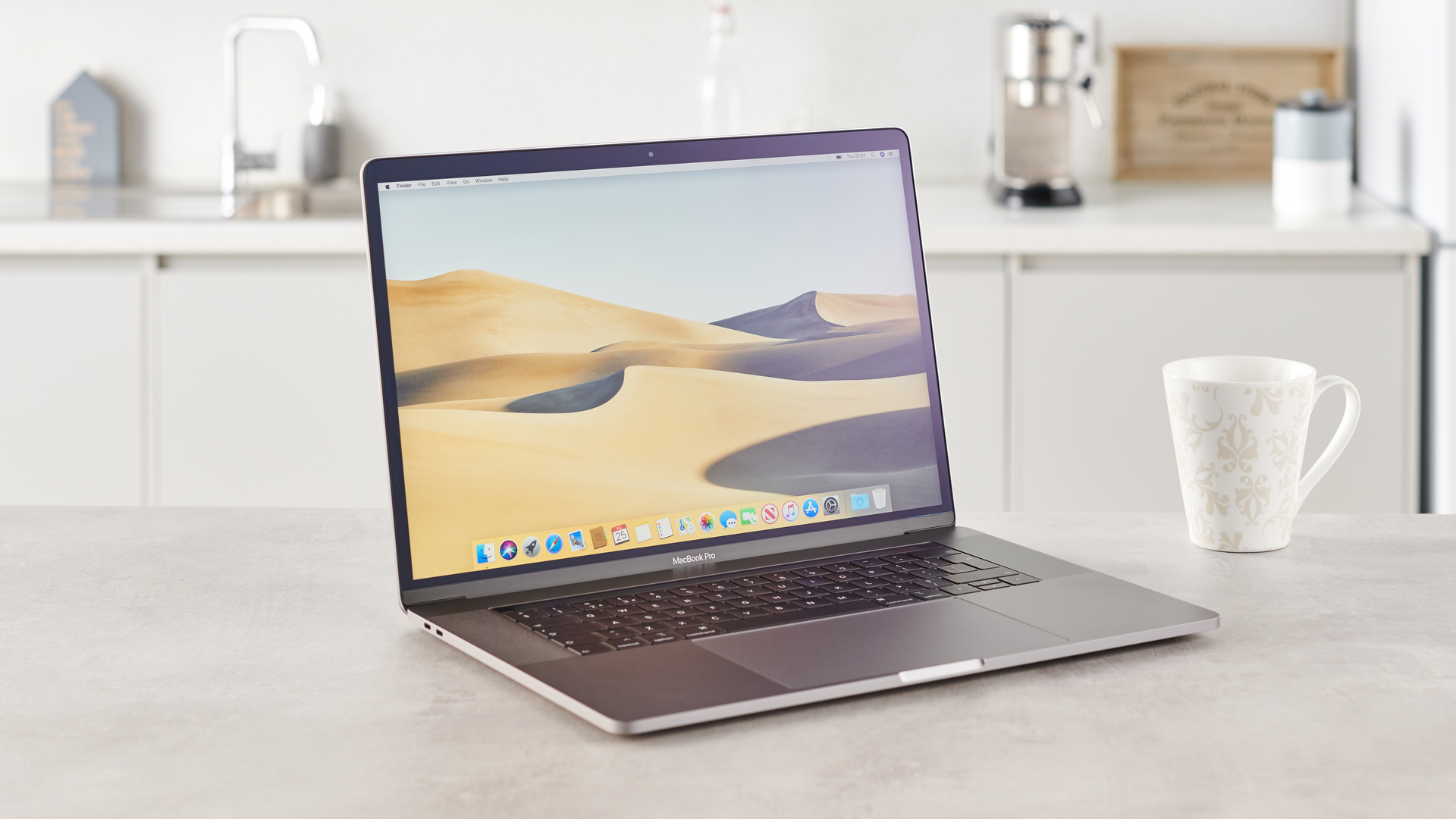
When Apple released the Early 2013 MacBook Pro lineup (available in both 13-inch and 15-inch Retina display configurations), it marked a transitional high-water mark for portable workstation design. Powered by 3rd-generation Intel Core "Ivy Bridge" processors—ranging from dual-core Core i5 chips up to quad-core Core i7 configurations—and paired with integrated Intel HD Graphics 4000 or discrete NVIDIA GeForce GT 650M graphics, these machines delivered high-density pixel displays without sacrificing physical utility.
While newer MacBooks featuring Apple Silicon (M1 through M4 series) or late-stage Intel chips boast superior raw compute power, power efficiency, and neural processing capabilities, hardware design choices made over the subsequent decade stripped away several user-centric features. For technical professionals, retro-computing enthusiasts, audio engineers, and budget-conscious creators, the Early 2013 MacBook Pro retains specific mechanical and architectural advantages that modern machines have either replaced with software abstractions or eliminated entirely.
- Early 2013 MacBook Pro (Retina Era)
- Left Side: MagSafe 2, Thunderbolt 2, USB 3.0, 3.5mm Jack
- Right Side: USB 3.0, HDMI Output, SDXC Card Reader
Reason 1: Built-In Legacy I/O Ports and Dongle-Free Connectivity
One of the most immediate advantages of the Early 2013 Retina MacBook Pro is its comprehensive array of native input/output ports. Modern laptop designs prioritizing ultra-thin chassis profiles have increasingly migrated toward uniform USB-C and Thunderbolt 4 ports, requiring users to carry external hubs, multiport adapters, and dongles to connect standard peripherals.
The Early 2013 MacBook Pro housing includes a complete suite of physical interfaces directly integrated into its aluminum unibody chassis:
- MagSafe 2 Power Port: Features a magnetic quick-release power disconnect that prevents catastrophic desk falls if a charging cable is accidentally snagged. While Apple reintroduced MagSafe 3 on modern High-End Pro models, mid-tier and lightweight MacBooks still rely exclusively on USB-C power delivery.
- Dual USB 3.0 Type-A Ports: Allows direct connection of standard flash drives, legacy audio interfaces, hardware security keys (such as YubiKeys), mouse receivers, and external hard drives without needing Type-C-to-Type-A converters.
- Native HDMI Output: Enables immediate connection to monitors, televisions, and projectors in conference rooms and lecture halls without carrying a dedicated DisplayPort-to-HDMI adapter.
- Full-Sized SDXC Card Reader: Offers direct photo and video ingestion for camera memory cards, operating at full bus speeds without external card readers.
- Dual Thunderbolt 2 Ports & 3.5mm Headphone Jack: Supports high-bandwidth legacy storage arrays, FireWire adapters via Thunderbolt bridging, and analog audio output.
For field technicians, audio engineers working with legacy rack gear, and educators who constantly interface with varied audiovisual systems, having full-sized native ports eliminates single-point adapter failures during critical tasks.
Reason 2: The Scissor-Switch Keyboard and Physical Function Keys
Keyboard ergonomics and switch reliability remain central to typing productivity. The Early 2013 MacBook Pro features Apple's traditional scissor-switch keyboard mechanism, offering approximately 1.5mm of key travel, tactile feedback, and structural stability.
Key Travel Comparison:
- Early 2013 Scissor Switch: 1.5mm (Tactile, High Reliability)
- 2016-2019 Butterfly Switch: 0.5mm (Prone to Debris Failure)
This structural architecture stands out when compared to laptop designs released between 2016 and 2019, which featured the infamous "Butterfly" switch mechanism. The Butterfly keyboard suffered from ultra-low key travel (around 0.5mm), harsh bottom-out responses, and high vulnerability to minute dust particles that caused sticky or double-registering keys—issues that prompted extended manufacturer recall programs.
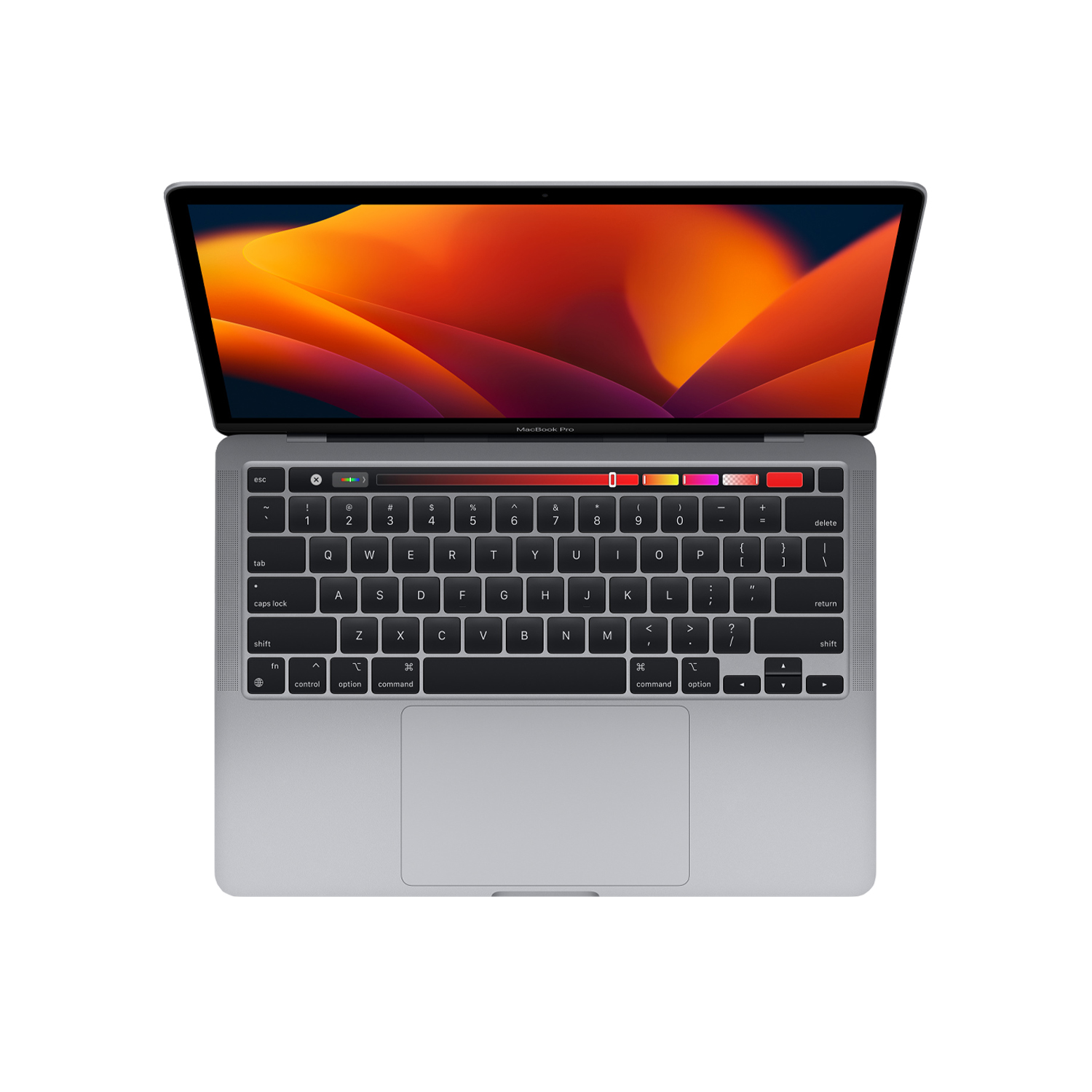
Furthermore, the Early 2013 MacBook Pro incorporates a dedicated physical F1 through F12 function row, alongside hardware keys for Escape, screen brightness, keyboard backlighting, and media playback control. Modern laptops that replaced physical function rows with dynamic OLED touch strips (the Touch Bar) introduced latency, accidental touches, and the loss of blind tactile muscle memory for developers and terminal users who rely heavily on key combinations involving the Escape and function keys.
Reason 3: User-Upgradable SSD Storage and Modular Repairability
In current portable computer architecture, memory (RAM), central processing units (CPU), and solid-state storage drives (SSD) are permanently soldered directly onto the main logic board or integrated into a single System-on-Chip (SoC) package. While this integration improves memory latency and board compacting, it eliminates post-purchase hardware upgrades and makes data recovery from a dead motherboard extraordinarily complex.
The Early 2013 Retina MacBook Pro uses a removable, proprietary blade-style PCIe/SATA SSD interface. While not standard M.2 out of the box, inexpensive passive adapter pins allow users to install modern NVMe M.2 solid-state drives (such as PCIe 3.0 x4 drives) directly into the logic board.
Storage Upgrade Path:
- Standard M.2 NVMe SSD
- Passive Pin Adapter
- Early 2013 PCIe Slot
This modular storage design provides three distinct benefits:
- Cost-Effective Expansion: Users can upgrade storage capacity from 128GB or 256GB to 1TB or 2TB using affordable consumer NVMe drives rather than paying expensive factory configuration markups.
- Simple Data Extraction: If the logic board suffers a power circuit failure, the SSD can be unbolted in minutes and placed into an external enclosure or secondary machine to retrieve critical files without specialized micro-soldering equipment.
- Component Replacement: Internal components such as the trackpad, battery assembly, cooling fans, display assembly, and I/O daughterboards can be replaced individually using standard Torx and Pentalobe screwdrivers.
Reason 4: Native x86 Dual-Booting and 32-Bit Legacy Software Support
The transition of modern computing platforms toward ARM-based SoC architectures (such as Apple Silicon M-series chips) brought incredible power-per-watt efficiency gains. However, ARM architectures cannot natively execute x86-64 instruction sets or run legacy x86 operating systems without software translation layers like Rosetta 2 or virtualization tools like QEMU and Parallels.
The Early 2013 MacBook Pro relies on native Intel x86-64 architecture, making it an exceptional machine for multi-OS environments and legacy software preservation:
- Native Windows via Boot Camp: Users can install Microsoft Windows 10 natively on bare-metal hardware using Apple's official Boot Camp Assistant. This provides 100% hardware graphics acceleration and direct access to x86 Windows applications, industrial diagnostic tools, and legacy CAD software.
- Linux Distribution Support: Standard 64-bit Linux distributions (such as Ubuntu, Debian, or Fedora) install directly on the hardware with native kernel support for the Intel graphics stack, Wi-Fi modules, and power management.
- 32-Bit macOS Application Compatibility: Operating systems compatible with the Early 2013 model (such as macOS Mojave 10.14 and earlier) maintain full execution support for 32-bit applications. Modern macOS versions completely dropped 32-bit application binaries, rendering legacy music production plugins, classic games, and vintage enterprise databases completely unusable on newer operating systems.
For specialized industrial engineers, retro gamers, and software archivists who require bare-metal execution of x86 software without translation overhead, the Early 2013 platform remains natively capable.
Reason 5: Exceptional Structural Durability and Cost-to-Performance Value
The structural integrity of Apple's third-generation aluminum unibody design has proven unusually resilient over time. Constructed from a single block of machined aluminum, the top case and display enclosure resist chassis flex, palm-rest bowing, and hinge loosening better than many modern plastic or thin-gauge alloy laptops.
From an economic perspective, the secondary market valuation of an Early 2013 MacBook Pro creates a compelling cost-to-utility ratio:
- Low Initial Capital Outlay: Pre-owned units in functional condition routinely sell for a small fraction of the price of a entry-level modern laptop.
- High Utility for Basic Workflows: For web browsing, document drafting, terminal operations, Python coding, audio playback, and light photo editing, the quad-core Intel Core i7 processor and high-density Retina Display (2880x1800 resolution on the 15-inch model) provide sharp text rendering and adequate responsiveness.
- Low-Risk Deployment: Due to its low replacement value, the Early 2013 MacBook Pro serves as an ideal laptop for rugged field operations, automotive diagnostics in garages, outdoor workshop environments, or child educational use where high-end equipment would be exposed to theft or physical damage risks.
Comparing Hardware Generations: Early 2013 vs. Modern MacBooks
To evaluate how the Early 2013 MacBook Pro holds up across key architectural categories, the following table compares it against the intermediate USB-C/Butterfly era (2016–2019) and modern Apple Silicon laptops.
| Hardware Feature | Early 2013 Retina MacBook Pro | Intel USB-C Era (2016–2019) | Modern Apple Silicon (M-Series) |
|---|---|---|---|
| Keyboard Architecture | Scissor-switch (1.5mm travel) | Butterfly switch (0.5mm travel) | Magic Keyboard (Scissor-switch) |
| Function Row | Physical tactile keys | OLED Touch Bar (Select models) | Physical tactile keys |
| Native Storage Upgrade | Upgradable via PCIe NVMe adapter | Soldered to motherboard | Soldered / Integrated SoC |
| Built-in Port Selection | USB-A, HDMI, SDXC, MagSafe 2, TB2 | USB-C / Thunderbolt 3 only | Thunderbolt 4, HDMI, SDXC, MagSafe 3 |
| Native x86 Windows (Boot Camp) | Yes (Full bare-metal support) | Yes (Full bare-metal support) | No (ARM Virtualization only) |
| 32-Bit macOS App Support | Yes (macOS Mojave 10.14 & lower) | Partial (Depends on macOS version) | No (64-bit ARM/x86 translated only) |
| Magnetic Power Charging | Yes (MagSafe 2) | No (USB-C only) | Yes (MagSafe 3 on Pro/Air models) |
| Secondary Market Cost | Low | Moderate | High |
Real-World Limitations and Mitigation Strategies
While the Early 2013 MacBook Pro maintains distinct physical and software advantages, running a legacy laptop requires clear awareness of its hardware limits.
| Challenge | Root Cause | Mitigation Strategy |
|---|---|---|
| Unmaintained macOS | End of Official Apple Security Updates | Use OpenCore Legacy Patcher or Linux OS |
| Battery Degradation | Chemical Aging (3000+ cycles) | Install Aftermarket High-Capacity Cell |
| Thermal Throttling | Dried Thermal Paste & Dust Accumulation | Clean Dust & Reapply Non-Conductive Compound |
Official OS Support & Security Mitigation
Apple officially stopped major OS update support for the Early 2013 MacBook Pro with macOS Catalina (10.15). Running unsupported operating systems online can expose users to security vulnerabilities if web browsers are not kept up to date.
- OpenCore Legacy Patcher (OCLP): Advanced users utilize the open-source OpenCore Legacy Patcher project to install modern versions of macOS (such as macOS Monterey, Ventura, or Sonoma) onto legacy hardware. OCLP injects necessary graphics drivers and kernel extensions to enable modern OS features on Ivy Bridge processors.
- Linux Migration: Installing a lightweight Linux distribution (e.g., Linux Mint or Ubuntu LTS) provides up-to-date security patches, modern web browser support (Chrome, Firefox), and low memory overhead without patching macOS files.
Battery Lifespan and Thermal Management
After years of ownership, original lithium-polymer batteries inevitably suffer from capacity degradation, reduced runtimes, or swelling.
- Thermal Paste Replacement: The original thermal compound between the Intel CPU/NVIDIA GPU die and the copper heatpipes often dries out, leading to thermal throttling under load. Disassembling the cooling assembly, clearing dust from the radiator fins, and applying fresh thermal compound (such as Arctic MX-4 or Noctua NT-H1) drastically drops idle temperatures and fan noise.
- Aftermarket Battery Replacement: Battery packs in the Retina series are secured with adhesive to the palm rest assembly. High-quality aftermarket replacement battery kits (which include adhesive remover solvent and safety tools) can restore original 5-to-7 hour battery runtimes.
Frequently Asked Questions
Can the Early 2013 MacBook Pro run modern web browsers securely?
Yes. If running macOS Catalina, Firefox Extended Support Release (ESR) and Google Chrome third-party forks provide ongoing web security updates. Alternatively, booting a modern Linux distribution or updating the laptop via OpenCore Legacy Patcher allows you to run the latest native versions of Chrome, Safari, and Firefox.
How do you upgrade the internal SSD in an Early 2013 MacBook Pro?
Upgrading requires removing the lower aluminum bottom case using a Pentalobe P5 screwdriver. Once inside, disconnect the battery for safety, unscrew the single T5 Torx retaining screw on the factory SSD, and pull the drive straight out. Install a passive M.2 NVMe adapter board onto a standard M.2 2280 PCIe NVMe SSD, insert the assembly into the drive slot, and secure the retaining screw.
Is the RAM (system memory) in the Early 2013 MacBook Pro upgradable?
No. Unlike the non-Retina Mid 2012 MacBook Pro models (which used SO-DIMM memory slots), all Retina MacBook Pro models—including the Early 2013 lineup—have RAM chips soldered directly onto the logic board. Memory configurations (8GB or 16GB) were fixed at the time of factory assembly and cannot be expanded after purchase.
Can an Early 2013 MacBook Pro output to modern 4K monitors?
Yes, but with refresh rate constraints. The built-in HDMI port on the Early 2013 model supports HDMI 1.4 output standards, which limits 4K displays (3840x2160) to a 30Hz refresh rate. To achieve smoother performance, users typically connect external monitors via Mini DisplayPort to DisplayPort cables at 1440p resolution at 60Hz.
Does the NVIDIA GeForce GT 650M GPU still work with modern apps?
The discrete NVIDIA GeForce GT 650M graphics processor (found on the 15-inch model) supports Metal 1 graphics APIs in macOS. While it lacks modern hardware acceleration for AV1 or HEVC video codecs and lacks Metal 3 support for modern AAA gaming, it handles standard UI rendering, 2D vector editing, multi-track audio processing, and 1080p video playback without performance bottlenecks.
Final Verdict: Who Should Still Use an Early 2013 MacBook Pro?
The Early 2013 MacBook Pro remains a testament to hardware engineering focused on physical versatility and physical maintenance. While it cannot match the extreme battery life, silent fanless operation, or sheer raw processing power of Apple Silicon laptops, it continues to beat newer models in key areas of practical utility.
If your workflow requires direct hardware ports (USB-A, HDMI, SD Card), native x86 operating system dual-booting, a reliable full-travel scissor keyboard, and low-cost storage upgradability, the Early 2013 MacBook Pro remains a useful tool.
Next Steps for Users:
- If purchasing pre-owned, ensure you select a 16GB RAM model, as system memory cannot be upgraded post-purchase.
- Pair the machine with an inexpensive passive M.2 NVMe adapter and a 1TB PCIe SSD to modernize drive speed and capacity.
- Clean the internal cooling fans, reapply high-grade thermal paste, and install either Linux LTS or utilize OpenCore Legacy Patcher to keep software dependencies secured and up to date.
Image Gallery