BrandSource Bill Pay Guide: Secure Payment Options and Account Management for 2026
Managing your appliance and furniture financing through BrandSource bill pay requires a clear understanding of available payment channels, account portals, and security practices. Whether you are settling monthly installments on a new...
Managing your appliance and furniture financing through BrandSource bill pay requires a clear understanding of available payment channels, account portals, and security practices. Whether you are settling monthly installments on a new kitchen suite or managing a revolving store credit line, utilizing the correct digital infrastructure prevents processing delays and safeguards your financial data.
Contents
Understanding BrandSource Financing and Payment Structures
BrandSource operates as a massive retail network of independently owned appliance, electronics, and furniture stores. Because these storefronts function independently under a cooperative umbrella, consumer financing and billing operations are typically handled through major third-party financial institutions rather than a single centralized corporate ledger.
When you make a purchase using financing at a local BrandSource dealer, your account is generally serviced by a partnered credit provider. Recognizing your specific lending partner is the foundational step before initiating any bill payment workflow. The most common financing partners associated with BrandSource purchases include Wells Fargo Retail Services, Synchrony Financial, and specialized regional consumer credit entities.
Knowing your exact creditor ensures that your funds route to the correct destination. Sending a payment to the wrong portal or mailing address can result in processing delays, late fees, and negative credit reporting. Always inspect your monthly billing statement or online account dashboard to verify the exact name of the financial institution servicing your BrandSource debt.
Core Payment Methods for BrandSource Accounts
Consumers have access to multiple secure channels to settle their monthly obligations. Selecting the right method depends on your preference for digital convenience, processing speed, and whether you require immediate posting to avoid impending due dates.
Online Portal Management
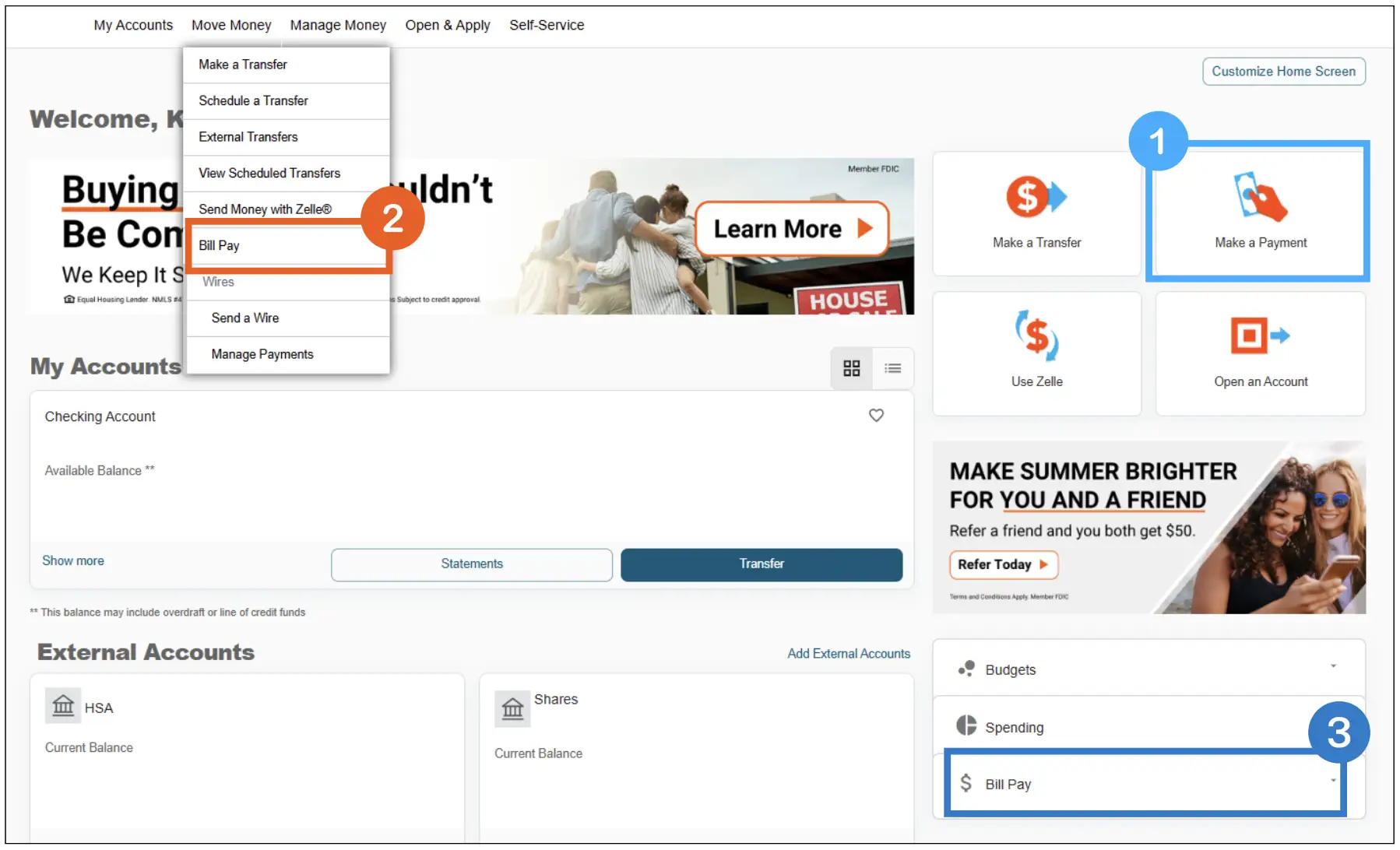
The digital portal remains the most efficient method for managing and paying your BrandSource-related financing. Once registered with the underlying lending institution (such as Wells Fargo or Synchrony), cardholders can access their accounts 24 hours a day, 7 days a week.
- One-Time Payments: Execute instant ACH transfers directly from your checking or savings account.
- Auto-Pay Enrollment: Schedule recurring monthly payments to automatically deduct the minimum amount or full balance on your specified due date.
- Paperless Billing: Opt out of physical mail statements to reduce clutter and review your ledger instantly via PDF downloads.
Phone-Based Automated Systems
If you prefer not to use a web browser, financial institutions servicing BrandSource accounts provide automated interactive voice response (IVR) phone lines.
- Call the customer service number printed on the back of your financing card or listed on your billing statement.
- Follow the automated prompts to enter your account number and banking details securely.
- Note that while automated phone systems are available around the clock, speaking with a live customer service representative is typically restricted to standard weekday business hours.
Traditional Mail-In Remittance
For those who prefer physical checks or money orders, mail-in payments remain fully supported by all major creditors.
- Write your specific account number clearly on the memo line of the check.
- Include the payment remittance slip provided at the bottom of your monthly paper statement.
- Mail the payment to the precise lockbox address listed on your statement, allowing 5 to 7 business days for postal delivery and processing.
Comparison of BrandSource Payment Channels
Evaluating the speed, convenience, and cost of each available payment method helps optimize your personal financial routine.
| Payment Method | Processing Speed | Convenience Level | Recommended Use Case |
|---|---|---|---|
| Online Portal | Instant to 1 Business Day | High | Routine monthly payments and setting up auto-pay |
| Mobile App | Instant to 1 Business Day | High | Checking balances and paying on the go |
| Phone (IVR) | 1 to 2 Business Days | Medium | Quick payments when away from a computer |
| Mail (Check) | 5 to 7 Business Days | Low | Preferred method for non-digital users |
| In-Store Pay | Varies by Dealer | Low/Moderate | Direct payments at participating local dealer locations |
Step-by-Step Guide to Setting Up Your Online Payment Portal
Establishing digital access to your BrandSource financing account eliminates reliance on postal mail and provides real-time visibility into your remaining balance and payment due dates.
- Locate your most recent billing statement or credit card agreement to find the name of the issuing financial institution and your exact account number.
- Navigate to the official web portal of the servicing bank or credit provider, avoiding third-party redirect links to protect your personal information.
- Select the registration option, usually labeled as "Register" or "Sign Up for Online Access," and input your account number, Social Security number, and zip code.
- Create a secure username and a complex password that combines uppercase letters, lowercase letters, numbers, and symbols.
- Link your preferred checking or savings account by entering your bank routing number and account number, ensuring all digits match your bank's records.
- Verify your payment setup by making a small initial payment or scheduling your first automatic monthly transfer.
Security Best Practices for Digital Bill Pay
Protecting your sensitive financial data is paramount when managing credit accounts online. Implementing rigorous security hygiene prevents unauthorized access and financial fraud.
Network Safety: Always verify HTTPS encryption. Never input your banking credentials or account passwords on public Wi-Fi networks without utilizing a secure Virtual Private Network (VPN). Ensure the browser address bar displays a closed padlock icon next to the official domain URL of your financial institution.
- Enable Multi-Factor Authentication (MFA): Turn on text message or email verification codes whenever you log in from a new device.
- Monitor Statements Regularly: Review your monthly ledger line-by-line to catch unauthorized charges or processing anomalies immediately.
- Shred Physical Documents: Cross-cut physical billing statements and credit agreements before disposing of them in household waste.
Troubleshooting Common BrandSource Billing Issues
Navigating credit accounts occasionally presents technical hurdles. Addressing these challenges swiftly prevents unnecessary credit score damage.
- Forgotten Passwords: Use the automated password recovery tool on the servicing bank's login page. Never share your password with retail store associates.
- Processing Delays: If a payment does not reflect within 48 hours, contact your bank to verify that the ACH routing and account numbers were entered without typographical errors.
- Late Fee Disputes: If a payment was delayed due to a verified outage on the creditor's online portal, contact customer service immediately to request a courtesy fee waiver.
Frequently Asked Questions
Can I pay my BrandSource bill directly at my local retail store?
Many independently owned BrandSource member stores accept local account payments, but policies vary by location. It is always best to call your specific dealer ahead of time or use the official online portal provided by your financing institution.
Who services BrandSource financing accounts?
BrandSource credit lines are generally issued and serviced by major financial institutions like Wells Fargo Retail Services or Synchrony Financial. Check your specific credit card or monthly statement to identify your exact lender.
How do I set up auto-pay for my BrandSource financing?
Log into your servicing bank's online payment portal, navigate to the auto-pay or recurring payments section, and link your checking account to automatically cover your minimum monthly payment or full statement balance.
What should I do if my online payment portal login is locked?
Account lockouts typically occur after multiple failed password attempts. Use the automated "Forgot Password" feature on the bank's login page or call customer support to verify your identity and restore access.
Are there any fees for paying my bill online?
Standard online ACH transfers and recurring auto-pay setups processed through the official financial institution portal are generally free of charge. Avoid using unverified third-party bill payment services that charge hidden convenience fees.
Practical Recommendation
To maintain optimal financial health and avoid late penalties, prioritize setting up automatic minimum payments through your creditor's official online portal while manually reviewing your account statement each month to pay down the principal balance. This balanced approach protects your credit score and ensures seamless account management throughout the year.
Image Gallery