Ulta Buy Online Pick Up In Store: Complete Guide, Policy Rules, and Savings Strategies
Ulta’s Buy Online, Pick Up In Store (BOPIS) service allows beauty shoppers to purchase items via the Ulta website or mobile app and collect them at a local store—typically within two hours. This free omnichannel option eliminates shipp...
Ulta’s Buy Online, Pick Up In Store (BOPIS) service allows beauty shoppers to purchase items via the Ulta website or mobile app and collect them at a local store—typically within two hours. This free omnichannel option eliminates shipping fees, accelerates order retrieval, grants full Ultamate Rewards points, and permits valid promotional coupon redemptions at checkout.
Contents
Understanding how store fulfillment works, how long your order will be held, and how to combine promotional offers ensures a smooth pickup experience while maximizing retail savings.
How Ulta Store Pickup Works: Core Rules and Operational Mechanics
Ulta Beauty’s store pickup system links online inventory systems directly to localized retail inventory database records. When an order is placed for store pickup, store associates receive a digital picking slip, retrieve the items from retail shelves or backroom stock, and stage the package in a dedicated fulfillment station near the register or guest services desk.
Note: Standard pickup processing times range from one to two hours during normal retail operating hours. Orders placed within two hours of store closing are generally prepared for pickup the following morning.
Essential Requirements for Store Pickup
To complete an online order pickup, shoppers must meet specific operational criteria before arriving at the retail store location:
- Confirmation Notification: Customers must wait for the explicit email or app push notification stating "Your order is ready for pickup" before heading to the store. The initial order confirmation email only verifies payment authorization, not inventory staging.
- Valid Identification: The primary person picking up the order must present a government-issued photo ID (driver's license, state ID, or passport) matching the name on the order account, or display the order confirmation barcode on a smartphone.
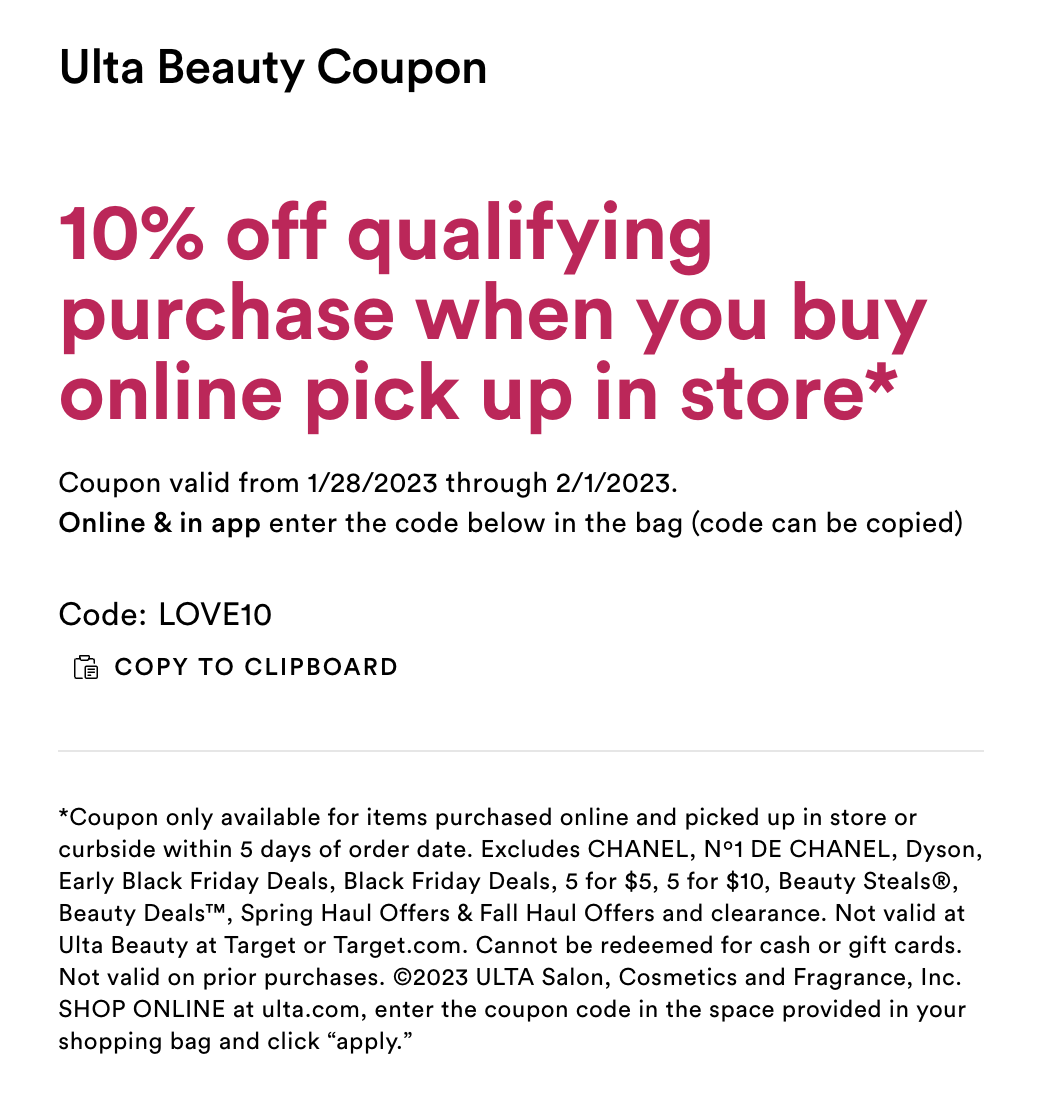
- Pickup Timeframe: Ulta holds store pickup orders for 5 calendar days from the time the "Ready for Pickup" notification is issued. If the items are not retrieved within this window, the system automatically cancels the order and issues a full refund to the original payment method.
Step-by-Step Guide: Placing and Collecting an Ulta Pickup Order
Navigating the store pickup option on Ulta.com or the Ulta Beauty mobile app requires precise store selection prior to digital checkout.
Pro Tip: Always set your preferred store location on the website or app header BEFORE adding items to your digital shopping bag. This prevents adding items that are out of stock at your local storefront.
1. Store Selection and Item Staging
Visit Ulta.com or launch the official mobile app. Enable location services or input a ZIP code to select your target retail location. Browse for items and ensure the toggle or radio button is set to "Pickup In Store" rather than "Ship to Address." If an item is out of stock locally, the system will indicate that pickup is unavailable for that specific product at your selected location.
2. Digital Cart Review and Coupon Application
Proceed to your cart. Review the list to confirm that all items display the "Store Pickup" tag along with the store's street address. Insert any applicable promo codes (such as the standard $3.50 off $15 non-prestige coupon code) and apply accumulated Ultamate Rewards points to reduce your out-of-pocket balance.
3. Placing the Order and Alternate Pickup Authorization
Complete payment using a credit card, debit card, Ulta Beauty Rewards Credit Card, or valid electronic gift card. During checkout, you can opt to designate an Alternate Pickup Person. You must supply their full legal name and email address so they receive the pickup authorization barcode.
4. Retrieving Your Items In-Store
Upon receiving the "Ready for Pickup" notification:
- Travel to the designated Ulta Beauty store location.
- Proceed directly to the main cashier desk or guest service area.
- Show the store associate your digital barcode from the mobile notification email or app.
- Show your valid photo ID if requested.
- Sign the electronic terminal to confirm receipt of the order.
Ulta Delivery & Pickup Method Comparison
Choosing the best retail fulfillment option depends on urgency, item availability, and spending thresholds. The following framework outlines how Store Pickup compares directly to Curbside Pickup and Standard Home Delivery.
| Operational Feature | In-Store Pickup (BOPIS) | Curbside Pickup | Standard Home Shipping |
|---|---|---|---|
| Average Fulfillment Time | 1 to 2 Hours | 1 to 2 Hours | 3 to 7 Business Days |
| Service Fee | Free (No Minimum) | Free (No Minimum) | Free over $35 (or $6.95 standard) |
| Ulta Rewards Points Earning | Full Points Earned | Full Points Earned | Full Points Earned |
| Coupon & Promo Code Usage | Fully Supported | Fully Supported | Fully Supported |
| Prestige Product Availability | Subject to Local Store Stock | Subject to Local Store Stock | Full Warehouse Stock Availability |
| ID / Verification Requirement | Order Barcode or Photo ID | Mobile App Check-In / Barcode | None (Delivered to Door) |
| Holding Period / Limit | 5 Calendar Days | 5 Calendar Days | N/A (Carrier Tracking) |
Maximizing Savings and Rewards on Pickup Orders
Using store pickup does not limit your ability to leverage promotional incentives or loyalty program perks. In fact, combining local store pickup with digital promotions is one of the most efficient strategies for beauty shopping on a budget.
Ultamate Rewards Program Integration
Store pickup orders qualify for standard earnings within the Ulta Beauty Rewards Program.
- Base Points: Member tier earns 1 point per $1 spent; Platinum tier earns 1.25 points per $1 spent; Diamond tier earns 1.5 points per $1 spent.
- Bonus Points Events: Online pickup orders qualify for promotional multiplier events (e.g., 2x, 3x, or 5x point promotions on specific product categories or brands). You must activate these bonus point offers in your app dashboard before completing checkout.
- Point Redemption: You can redeem earned reward points directly toward store pickup orders to lower digital cart totals.
Coupon Rules and Exclusions
Digital promo codes enter seamlessly into the online checkout workflow for pickup orders:
- Standard Dollar-Off Coupons: Codes such as "$3.50 off $15" apply to qualifying non-prestige products.
- Percentage-Off Coupons: Sitewide 20% off promotions (including prestige brands and fragrance when active) can be redeemed on store pickup orders, provided local inventory is available.
- Gift with Purchase (GWP): GWP offers will automatically populate in your digital shopping bag for pickup orders as long as promotional inventory exists at the local store or warehouse link.
Curbside Pickup: App-Based Contactless Staging
Curbside pickup is integrated directly into the standard store pickup system at participating Ulta Beauty locations.
Safety Note: Curbside pickup service depends on safe weather conditions and daytime/evening daylight schedules. Always follow local store signage and pull into designated curbside parking spaces.
Executing a Curbside Pickup Step-by-Step
1. Install and Update the Mobile App Ensure the latest version of the Ulta Beauty Mobile App is installed on your mobile device with location permissions enabled.
2. Arrive at the Retail Location Park in one of the clearly marked "Ulta Curbside Pickup" parking spots situated near the store entrance. Note the designated spot number.
3. Initiate App Check-In Open your "Ready for Pickup" notification within the app or email link and select "I'm Here." Input your vehicle's make, model, and color, along with your parking spot number.
4. Receive Order at Vehicle A store associate will bring the packaged order to your car. Display your pickup confirmation barcode through your closed car window for scanning, then pop your trunk or unlock your rear doors for contactless loading.
Managing Pickups: Designated Persons and Troubleshooting
Understanding order edge cases prevents unexpected cancellations, inventory delays, or security issues when collecting your items.
Adding an Alternate Pickup Person
If you cannot personally collect your purchase, you must designate an authorized collector during digital checkout.
- The alternate person's full legal name and email address must be submitted on the order confirmation screen.
- The system sends a duplicate digital authorization barcode directly to the alternate person's email.
- Upon arrival, the designated individual must present their personal legal ID alongside the barcode.
- You cannot add or change an alternate pickup person after an order has been officially submitted; you must contact Ulta Customer Support to make manual adjustments to open pickup orders.
Common Issues and Operational Solutions
- Partial Stock Cancellations: If a store associate discovers that an item is out of stock while picking your order, that specific item will be removed from your order, and your payment authorization will be adjusted downward accordingly. The remaining in-stock items will be processed for pickup.
- Unclaimed Orders (Expired 5-Day Window): If you fail to retrieve your order within 5 calendar days, the store system automatically marks the package as returned. The digital system releases the temporary authorization hold or issues a full credit refund back to your payment card within 3 to 7 business days.
- Modifying an Order Post-Checkout: Once a store pickup order is placed, line items cannot be modified or added digitally. If you need to cancel an order immediately after placement, you must use the self-service cancellation option in the app within the brief 15-minute post-checkout window, or call the local store directly to ask an associate to cancel the order manually.
Frequently Asked Questions
How long does Ulta take to get a store pickup order ready?
Most store pickup orders are picked, packaged, and marked ready within 1 to 2 hours during normal business operation. Orders placed within two hours of store closing are typically completed the following business morning.
How long will Ulta hold my store pickup order?
Ulta holds store pickup orders for 5 calendar days after issuing the "Ready for Pickup" email notification. If unclaimed after 5 days, the order is canceled, returned to inventory, and fully refunded.
Can someone else pick up my Ulta store pickup order?
Yes, but you must designate them as an alternate pickup person during the online checkout process. They must present a valid government ID matching the name provided at checkout, along with the order confirmation barcode.
Are promo codes and coupons allowed on Ulta pickup orders?
Yes, valid promotional codes, standard dollar-off coupons, and Ultamate Rewards point redemptions can all be applied at digital checkout when choosing store pickup.
Is there a minimum spending requirement for Ulta store pickup?
No, Ulta store pickup is completely free on all eligible in-stock items with no minimum purchase requirement.
Practical Final Recommendations
Utilizing Ulta’s Buy Online, Pick Up In Store option offers a predictable, fee-free strategy for acquiring beauty and skincare items quickly while retaining access to loyalty rewards. To ensure a seamless transaction, always set your preferred store location prior to adding products to your shopping bag, verify that you receive the secondary "Ready for Pickup" notification before driving to the store, and monitor the 5-day retrieval window to avoid automatic order cancellation.
Image Gallery