How to Submit Form W-2 to the Social Security Administration and IRS
To submit Form W-2, employers must file Copy A of the form along with a Form W-3 transmittal to the Social Security Administration (SSA) by January 31. While often associated with the IRS, the SSA processes these forms first to record...
To submit Form W-2, employers must file Copy A of the form along with a Form W-3 transmittal to the Social Security Administration (SSA) by January 31. While often associated with the IRS, the SSA processes these forms first to record earnings before sharing the data with the IRS.
Contents
The process of submitting Wage and Tax Statements (Form W-2) is a cornerstone of American tax administration. It serves as the primary mechanism for reporting annual wages paid to employees and the taxes withheld from their paychecks. For business owners, payroll managers, and tax professionals, understanding the nuances of this submission is critical for maintaining regulatory compliance and ensuring that employees receive proper credit for their Social Security and Medicare contributions.
Although the phrase "submit W-2 to IRS" is the common search term, the technical reality is that the Social Security Administration acts as the gateway. This guide provides a comprehensive breakdown of the 2026 requirements, the electronic filing landscape, and the procedural steps necessary for both employers and employees to fulfill their obligations.
Understanding the W-2 Submission Framework
The submission of W-2 forms is a multi-directional process. It is not a single transmission but rather a distribution of information to various stakeholders. As an employer, you are responsible for providing copies to the employee, the SSA, and often state or local tax agencies.
The SSA uses the information on Form W-2 to calculate an individual's future Social Security benefits. Once the SSA has processed the records, they transmit the federal tax information to the Internal Revenue Service (IRS). This is why the filing is sent to the SSA first. The IRS uses this data to verify the income and withholdings reported by individual taxpayers on their Form 1040. If there is a discrepancy between what the employer reports to the SSA and what the employee reports to the IRS, it triggers an automated flagging system that can lead to audits or delayed refunds.
The Role of Form W-3
You cannot submit a W-2 to the government in isolation. If you are filing paper forms, you must include Form W-3, "Transmittal of Wage and Tax Statements." This form serves as a summary or cover sheet, totaling all the aggregate wages and withholdings contained in the batch of W-2s being submitted. When filing electronically, the system generates an electronic equivalent of the W-3, so a physical form is usually not required for digital submissions.
Key Deadlines for the 2026 Filing Season
For the 2026 tax season (reporting on the 2025 calendar year), the deadline for filing W-2s is January 31, 2026. This deadline applies regardless of whether you are filing electronically or via mail.
Failure to meet this deadline results in graduated penalties. In 2026, the IRS continues to enforce strict penalties for late filing to encourage timely data matching. These penalties are typically assessed per form and increase based on how late the filing is submitted. For example, a small business that misses the deadline by a few weeks will face a lower per-form penalty than one that fails to file by August. If the IRS determines there was "intentional disregard" for the filing requirements, the penalties can exceed $600 per form with no maximum cap.
Employer Requirements for Electronic Filing (E-filing)
In recent years, the threshold for mandatory electronic filing has been significantly lowered. As of 2026, almost all employers are required to file electronically. The IRS and SSA mandate e-filing for any employer filing 10 or more information returns in a calendar year. This count includes not just W-2s, but also 1099s and other information forms.
Why E-filing is the Standard
Electronic filing is preferred because it reduces the margin for error. The SSA's Business Services Online (BSO) portal includes built-in validation checks that flag common errors—such as mismatched Social Security Numbers (SSNs) or mathematical inconsistencies—before the submission is finalized.
To file electronically, employers must use the Social Security Administration’s Business Services Online (BSO) portal. This requires a registered account and a specific User ID. The registration process includes identity verification steps, so it is advisable to set up the account well before the January 31 deadline.
Step-by-Step Guide to Submitting W-2s to the SSA
The submission process varies depending on the size of the business and the software being used.
1. Verification of Employee Data
Before generating forms, verify the name and SSN for every employee. A mismatch can lead to a "no-match" letter from the SSA, which requires a formal correction process (Form W-2c). The SSA provides a free Social Security Number Verification Service (SSNVS) for employers to ensure their records match the government’s database.
2. Choosing a Submission Method
There are three primary ways to handle the actual submission:
- W-2 Online: Ideal for small businesses with 50 or fewer employees. You can manually type the W-2 data directly into the SSA’s web-based forms. The system then automatically generates the W-3.
- Wage File Upload: Best for larger businesses or those using specialized payroll software. You create a file formatted according to the SSA's "Specifications for Filing Forms W-2 Electronically" (EFW2) and upload it to the BSO portal.
- Third-Party Payroll Services: Most modern payroll providers (like Gusto, ADP, or QuickBooks) handle the submission entirely. They collect the data throughout the year and transmit it to the SSA on your behalf.
3. Submission via Business Services Online (BSO)
Once logged into BSO, navigate to the "Report Wages to Social Security" section. If you are uploading a file, use the "AccuWage" tool first. AccuWage is a free software provided by the SSA that checks your W-2 submission file for formatting errors before you upload it. This prevents the SSA from rejecting the entire file later.
4. Printing and Distribution
After the government submission is confirmed, you must provide the employee copies.
- Copy B: For the employee to file with their federal tax return.
- Copy C: For the employee’s personal records.
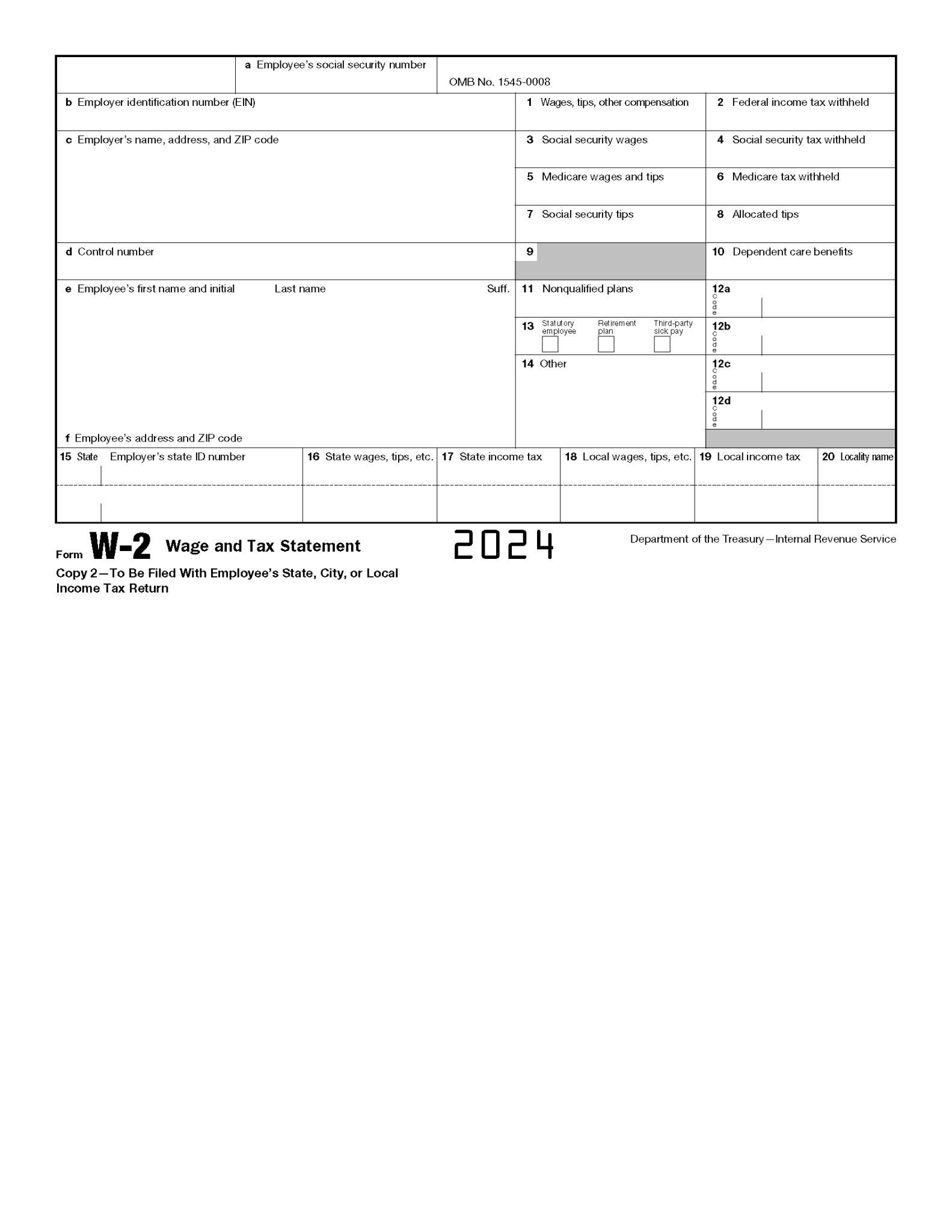
- Copy 2: For the employee to file with their state or local tax return.
Comparison of Submission Methods
| Feature | W-2 Online (Manual Entry) | Wage File Upload (EFW2) | Paper Filing (Mailing) |
|---|---|---|---|
| Best For | Very small businesses (<50 forms) | Mid-to-large businesses | Only those with a waiver |
| Cost | Free via SSA website | Free via SSA website | Cost of forms and postage |
| Submission Limit | Up to 50 forms at a time | No limit | Discouraged; restricted |
| Confirmation | Immediate receipt | Batch processing receipt | No immediate confirmation |
| W-3 Requirement | Automatically generated | Included in data file | Must be manually filled |
Correcting Errors: The W-2c Process
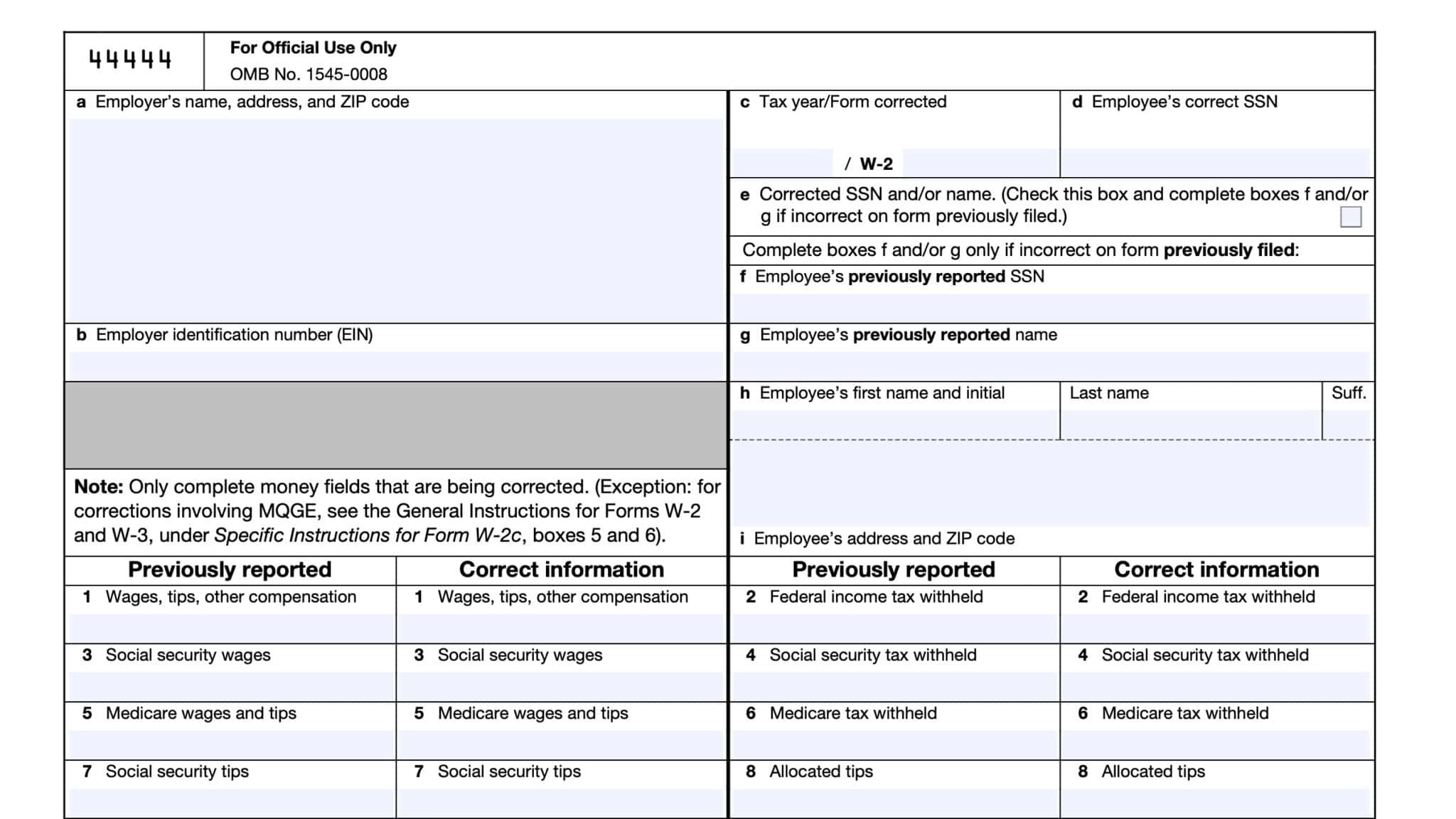
If you discover an error after you have submitted the W-2 to the SSA, you must file Form W-2c (Corrected Wage and Tax Statement). You must also file Form W-3c (Transmittal of Corrected Wage and Tax Statements) to summarize the changes.
Common errors requiring a W-2c include:
- Incorrect wages or tax withholding amounts.
- Incorrect employee name or Social Security Number.
- Checkboxes marked in error (such as the "Retirement Plan" box).
It is important to provide the corrected copy to the employee as soon as possible, especially if they have already filed their personal tax return, as they may need to file an amended return (Form 1040-X).
Employee Instructions: Submitting W-2s to the IRS
From the employee’s perspective, "submitting" a W-2 is much simpler. When you prepare your federal income tax return (Form 1040), the information from your W-2 is the foundation of your filing.
Electronic Filing for Individuals
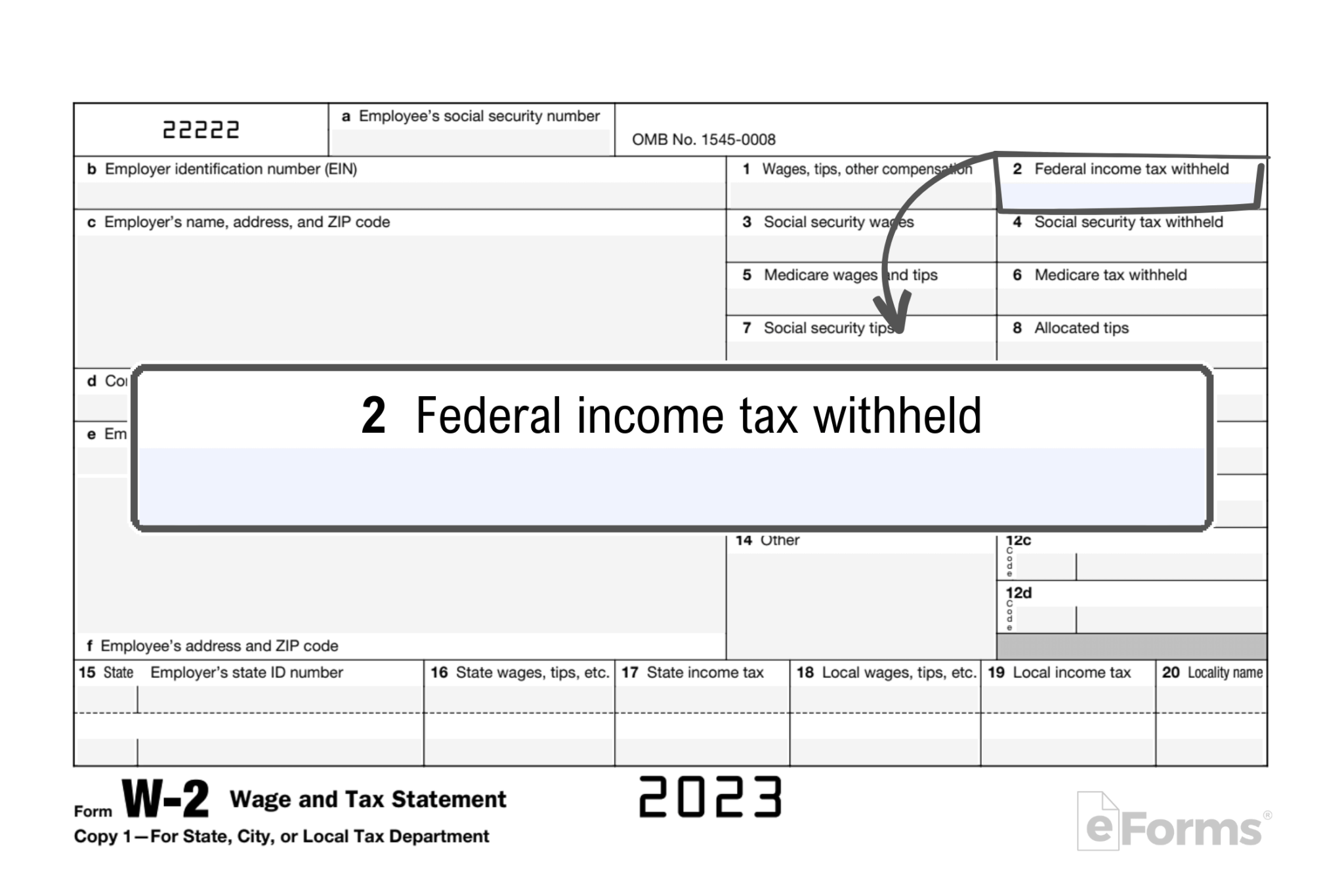
If you use tax software (such as TurboTax, H&R Block, or Free File), you generally do not need to "send" the physical W-2. You or the software will enter the data from the form—specifically the Employer Identification Number (EIN), wages in Box 1, and federal tax withheld in Box 2. When you e-file your 1040, the W-2 data is transmitted digitally as part of your return package. The IRS then compares this to the data they received from the SSA.
Paper Filing for Individuals
If you choose to mail a paper tax return, you must physically attach Copy B of every W-2 you received to the front of your Form 1040. If you do not attach the W-2, the IRS will likely delay your refund and send a notice requesting the missing documentation.
What to Do if You Don't Receive a W-2
If by mid-February 2026 you have not received your W-2, you should first contact your employer to ensure they have your correct address. If the employer is unresponsive or has gone out of business, you can contact the IRS at 800-829-1040. The IRS will contact the employer on your behalf. If you still do not receive it in time to file, you may use Form 4852, "Substitute for Form W-2," which allows you to estimate your income and withholding based on your final pay stub for the year.
FAQ: Common W-2 Submission Questions
Can I fax my W-2 forms to the IRS or SSA? No. Neither the IRS nor the SSA accepts W-2 forms via fax. Submissions must be made electronically through the BSO portal or mailed as physical copies to the specific SSA address in Wilkes-Barre, Pennsylvania. Faxed forms are not scannable by the government’s optical character recognition (OCR) systems and will not be processed.
What happens if I submit a W-2 to the IRS instead of the SSA? If an employer mistakenly mails W-2s to the IRS, the IRS may forward them to the SSA, but this is not guaranteed and often leads to significant processing delays. These delays can result in "Late Filing" penalties for the employer. Always ensure the destination address is the SSA's data operations center.
Are state W-2 requirements the same as federal? Not necessarily. While the SSA shares data with the IRS, it does not automatically share it with all state tax agencies. Many states participate in the Combined Federal/State Filing (CFSF) Program, but some require separate electronic submissions directly to the state’s Department of Revenue. You should check the specific payroll tax requirements for every state in which you have employees.
Is there a fee to file W-2s electronically? The Social Security Administration does not charge a fee to use the Business Services Online portal or the W-2 Online manual entry tool. However, third-party payroll software providers often charge a fee for this service, though it is usually bundled into their annual or monthly subscription costs.
Can I use a photocopied Form W-2 for paper filing? No. The "Copy A" that goes to the SSA must be a "scannable" version. The IRS and SSA use special red ink for the official forms that their machines can read. If you print a black-and-white PDF of Copy A from the IRS website and mail it, you may be penalized because the form cannot be processed by their scanners. You must use official pre-printed forms or SSA-approved software that prints the scannable red-ink equivalent.
Practical Recommendation for 2026
To ensure a seamless filing experience, employers should perform a "payroll audit" in December 2025. Verify that every employee’s legal name and Social Security Number are accurate and that you have a registered, active account on the SSA’s Business Services Online portal.
For the vast majority of businesses, the most efficient and least error-prone method is to use a reputable payroll service that automates the transmission. If you are handling it manually, aim to submit by January 20th. This provides a ten-day buffer to resolve any unexpected technical issues with the BSO portal or file formatting before the January 31 deadline.
Image Gallery