Best Free App to Track iPhone: Native Tools and Top Verified Alternatives
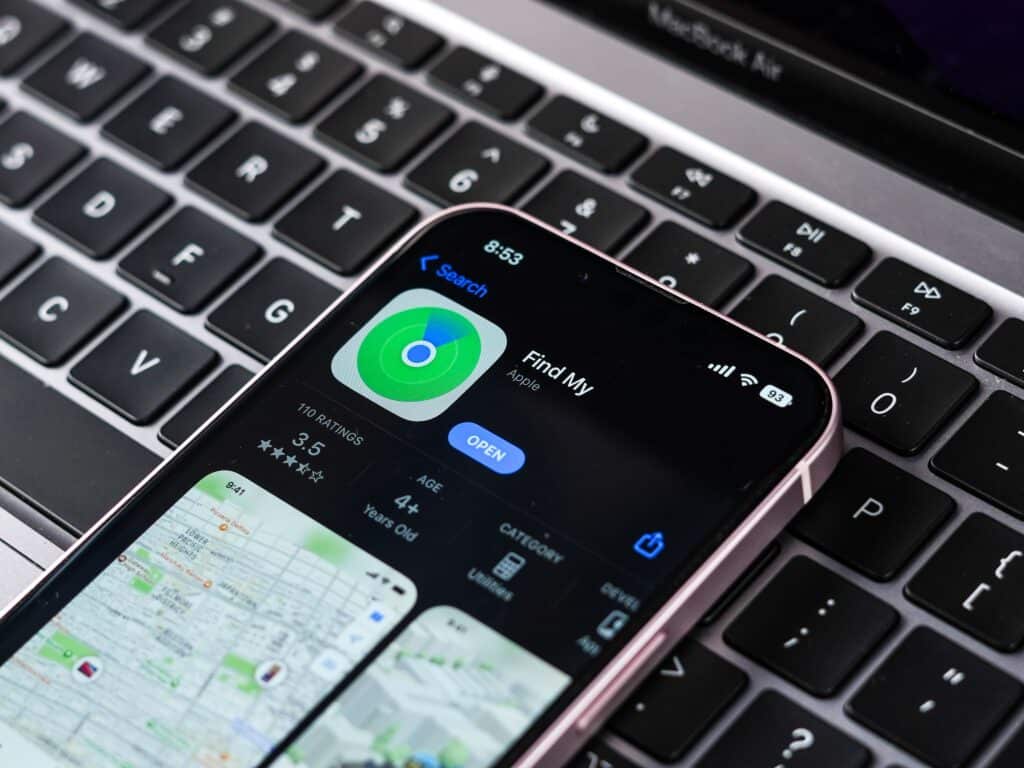
The most reliable free app to track an iPhone is Apple’s native Find My application, which comes pre-installed on all iOS devices. It provides real-time GPS tracking, offline location reporting through encrypted Bluetooth mesh networks...
The most reliable free app to track an iPhone is Apple’s native Find My application, which comes pre-installed on all iOS devices. It provides real-time GPS tracking, offline location reporting through encrypted Bluetooth mesh networks, remote erasure, and family location sharing without subscription fees, third-party ads, or data-broker tracking risks.
Contents
Native Architecture: Why Apple Find My Outperforms Third-Party Tracking Apps
Third-party software developers frequently monetize location tracking through recurring in-app subscriptions, aggressive advertising, or consumer location data aggregation. Apple’s Find My ecosystem operates at the firmware and operating system levels, delivering tracking performance that independent apps cannot replicate due to iOS sandboxing restrictions.
The Find My service functions through two distinct operational frameworks:
1. Active Location Tracking via CoreLocation
When an iPhone is powered on and connected to cellular data or Wi-Fi, the device queries a combination of GPS satellite constellations, local Wi-Fi access point BSSIDs (Basic Service Set Identifiers), and cellular tower triangulation. The CoreLocation daemon processes these inputs locally and securely pushes encrypted coordinates to the Apple Push Notification service (APNs). This allows friends and family members with explicit permissions to view live updates with minimal battery consumption.
2. The Offline Find My Network
Unlike standalone third-party apps that fail the moment an iPhone loses data connectivity or runs out of battery, Apple leverages a crowdsourced, end-to-end encrypted mesh network. Hundreds of millions of active Apple devices relay encrypted Bluetooth Low Energy (BLE) signals emitted by an offline or powered-down iPhone.
Devices with modern Apple Silicon (including models featuring second-generation Ultra Wideband chips) retain reserved power states even when powered down or placed into power reserve mode. These devices emit rotating cryptographic public keys that nearby bystander iPhones detect and upload to Apple’s servers along with the bystander’s current coordinates. Only the target iPhone's owner holds the private cryptographic key required to decrypt and read that location report in iCloud.
Step-by-Step Setup: Configuring Native iPhone Tracking for Maximum Reliability
To guarantee that an iPhone remains trackable under adverse conditions—such as device theft, power loss, or network disconnection—specific system-level toggles must be configured in advance.
- Activate Find My iPhone: Open the Settings application, tap your Apple Account profile at the top of the screen, and select Find My. Tap Find My iPhone and ensure the primary switch is set to enabled.
- Enable Find My Network: On the same configuration screen, switch the Find My Network toggle to active. This enables the crowdsourced Bluetooth beaconing system, allowing the device to broadcast its location even when offline, in low-power reserve, or powered down.
- Turn On Send Last Location: Activate the Send Last Location setting. This commands the iPhone to transmit its final GPS fix to Apple’s servers immediately before the battery drops below critical operational thresholds.
- Authorize System Location Services: Navigate to Settings > Privacy & Security > Location Services. Verify that Location Services are enabled globally, scroll down to Find My, and verify that access is set to While Using the App with Precise Location switched on.
- Establish Family Sharing or Persistent Location Sharing: To allow a spouse, parent, or trusted partner to track your device from their own device without sharing master account passwords, open the Find My app, select the People tab, tap the Plus (+) symbol, and select Share My Location. Choose the contact and select Share Indefinitely.
Alternative Free Apps to Track an iPhone Across Platforms
While Apple Find My is the definitive tool for iOS-to-iOS tracking and device recovery, cross-platform requirements (such as tracking an iPhone from an Android handset) necessitate alternative solutions. The following applications provide legitimate, free-tier functionality without requiring paid upgrades for basic location reporting.
Google Maps (Cross-Platform Real-Time Sharing)
Google Maps offers an integrated, free location-sharing feature that operates reliably across iOS and Android ecosystems. By granting Google Maps continuous background location permissions (Always Allow), an iPhone user can broadcast their live location directly to any Google contact.
- Strengths: Completely free, eliminates platform barriers between Android and iOS, includes persistent sharing timelines, and displays the iPhone's current battery percentage to authorized viewers.
- Operational Constraints: Does not provide device recovery capabilities, cannot track an iPhone that has been powered off, and relies entirely on an active internet connection.
Life360 (Free Tier Family Circles)
Life360 provides dedicated geofencing and family safety monitoring. The basic, non-subscription tier permits users to create a private "Circle" and view real-time location tracking for all connected devices.
- Strengths: Delivers cross-platform group mapping, provides two automated geofence place alerts (e.g., notifying parents when a child arrives at school or home), and features basic battery level reporting.
- Operational Constraints: Advanced features like unlimited driving diagnostics, extended location history, and crash dispatch are locked behind paid subscriptions. Background battery consumption is higher than native iOS tools.
Apple Messages (Direct Native Location Ping)
For situational tracking rather than persistent device recovery, the native Messages application provides immediate location pings through the Check In and continuous sharing utilities.
- Strengths: Zero third-party app installations required, end-to-end encrypted, directly integrates with native emergency dispatch features, and allows temporary sharing intervals (1 Hour, Until End of Day, or Indefinitely).
- Operational Constraints: Limited to Apple hardware ecosystems and does not assist in locating a lost or stolen iPhone on its own.
Detailed Comparison: Free iPhone Tracking Solutions
The following table evaluates the leading verified methods to track an iPhone without monthly subscription charges.
| Feature / Metric | Apple Find My | Google Maps Sharing | Life360 (Free Tier) | Native Messages Sharing |
|---|---|---|---|---|
| Primary Use Case | Device recovery, anti-theft, and personal safety | Cross-platform navigation & group tracking | Family location management & arrival alerts | Situational, point-to-point location sharing |
| Direct Cost | 100% Free (Built into iOS) | 100% Free (Ad-supported ecosystem) | Free (Upsells premium tiers) | 100% Free (Native iOS utility) |
| Offline Tracking Capability | Yes (Encrypted Bluetooth mesh) | No (Requires active cellular/Wi-Fi) | No (Requires active data network) | No (Requires active data network) |
| Powered-Off Tracking | Yes (Via Find My Network & Reserve) | No | No | No |
| Cross-Platform Accessibility | Limited (Web access via iCloud.com) | Full (Native iOS, Android, Desktop) | Full (Native iOS & Android apps) | None (Apple devices only) |
| Geofencing / Arrival Alerts | Yes (Unlimited notification triggers) | No (Manual updates only) | Limited (2 Places in free tier) | Automatic via Check In utility |
| Remote Erase & Lockout | Yes (Activation Lock & Lost Mode) | No | No | No |
| Battery Impact | Negligible (System-daemon managed) | Moderate (Standard background polling) | Moderate to High (Constant polling) | Low (Push-notification dependent) |
| Data Privacy Standard | Zero-knowledge end-to-end encryption | Google Account data policies | Aggregated consumer telemetry | Zero-knowledge end-to-end encryption |
Technical Constraints, Anti-Stalking Protocols, and Battery Management
Location tracking on iOS is governed by strict privacy controls implemented by Apple to prevent unauthorized surveillance and unwarranted battery drain.
Anti-Stalking and Safety Alerts
iOS includes robust anti-stalking protections. If a third-party app attempts to track an individual without clear system indicators, or if an unauthorized AirTag or Find My accessory travels with an individual, the operating system triggers a persistent warning banner on the target iPhone.
Furthermore, iOS requires explicit permission prompts:
- When an app requests continuous background location access, iOS displays an interactive map revealing precisely where that app recorded coordinates.
- System status indicators display an active location arrow (hollow or solid) in the Dynamic Island or status bar whenever the CoreLocation daemon is engaged by an active or background process.
Operational Reality of Covert Tracking
Modern iOS architectures strictly prohibit undetectable background tracking. Any commercial application claiming to offer invisible or secret iPhone tracking without jailbreaking is either deceptive, violating consumer protection standards, or non-functional. Legitimate iPhone tracking requires physical authorization, Apple Account credentials, or active consent from the device user.
Battery Optimization Realities
GPS hardware modules require significant power to maintain radio frequency locks with satellite arrays. Native Find My minimizes battery drain by relying on opportunistic polling—using cached cell tower IDs and ambient Wi-Fi beacons rather than constantly energizing the device's internal GPS chip.
Third-party tracking applications that maintain independent background threads often cause measurable battery drain unless configured with conservative geofencing intervals. For maximum battery longevity, users should adjust third-party location settings to While Using the App unless persistent safety tracking is mandatory.
Troubleshooting Location Inaccuracies and Offline States
If an iPhone appears offline, displays stale location coordinates, or reports inaccurate positions within a tracking tool, use this sequential diagnostic workflow:
Issue Identified: Inaccurate or Missing Location
- Step 1: Verify Core Settings
- Settings > Privacy & Security > Location Services (Turn ON)
- Ensure "Precise Location" is toggled ON for Find My/Target App
- Step 2: Clear Network Stalls
- Toggle Airplane Mode ON for 10 seconds, then OFF
- Reconnect to known cellular or Wi-Fi network
- Step 3: Check Power & Low Power Mode States
- Low Power Mode limits background app refresh for third-party tools
- Find My continues background tracking regardless of battery mode
- Step 4: Validate System Date & Time
- Settings > General > Date & Time > Set Automatically (Turn ON)
- (Time desynchronization breaks TLS/SSL secure server handshakes)
- Step 5: Test Hardware Location Performance
- Open native Apple Maps; check if current blue dot has wide radius
- Wide grey radius indicates obstructed GPS satellite signals
1. Correcting the "Location Not Available" Error
This status typically occurs when an iPhone enters an area with zero cellular reception, dead battery status without Find My Network enabled, or disabled location permissions. If tracking via iCloud.com, verify that two-factor authentication requirements are bypassed correctly by using the dedicated tracking portal at iCloud.com/find, which allows location tracking without requiring a secondary verification code from the lost device.
2. Resolving Imprecise Location Geofences
When location reports show an expansive blue circle rather than a pinpoint pin, the iPhone is relying solely on cellular tower trilateration because satellite and Wi-Fi signals are shielded (e.g., inside basements or commercial steel-reinforced buildings). Enabling Wi-Fi—even without connecting to a specific local network—allows the iPhone to scan ambient router broadcasts, immediately sharpening location precision down to several meters.
Frequently Asked Questions
Can I track an iPhone for free without the other person knowing?
No. Apple’s privacy architecture prevents covert tracking. Any app accessing the iPhone's location triggers regular operating system prompts, dynamic status-bar indicators, and periodic notifications reminding the user that their location is being actively monitored or shared.
How do I track an iPhone from an Android phone for free?
You can track an iPhone from an Android device by navigating to iCloud.com/find in any mobile web browser and signing in with the target device’s Apple Account credentials. Alternatively, both users can install Google Maps, allowing the iPhone user to share their persistent location directly with the Android user's Google account at no charge.
Does the Find My app work if the iPhone is turned off?
Yes, modern iPhone models (iPhone 11 and later) remain trackable via the Find My Network for up to 24 hours after being powered off or running out of battery. The device enters an ultra-low-power reserve state, functioning like an AirTag by continuously broadcasting encrypted Bluetooth beacons to neighboring Apple devices.
What is the best free app to track a child’s iPhone?
The native Apple Find My application combined with Apple Family Sharing is the best free option for tracking a child's iPhone. It provides direct location updates, geofenced arrival and departure notifications, requires no monthly subscription, and cannot be deleted or disabled by the child if parental controls (Screen Time permissions) are locked.
Final Recommendation: Securing Your Device
For reliable, cost-free iPhone tracking, rely on Apple's native Find My ecosystem. It is completely free, runs natively without degrading battery life, and provides the unique ability to pinpoint lost, offline, or discharged devices through crowdsourced Bluetooth encryption. Third-party options like Google Maps and Life360 serve as effective supplements for cross-platform Android integration, but native iOS tools remain the gold standard for personal safety, anti-theft management, and device recovery.
Image Gallery