How Residential VoIP Phone Service Works: A Technical Overview
Residential VoIP (Voice over Internet Protocol) phone service transmits voice communications as digital data packets over your home internet connection rather than through traditional copper-wire analog lines. When you initiate a call,...
Residential VoIP (Voice over Internet Protocol) phone service transmits voice communications as digital data packets over your home internet connection rather than through traditional copper-wire analog lines. When you initiate a call, the service converts your analog voice signals into compressed data, routes them through the internet to the provider’s network, and ultimately translates them back into an audio signal for the recipient, enabling reliable telephony without the costs associated with legacy landline infrastructure.
Contents
The Underlying Mechanism: Packet-Switched Communication
Unlike the Public Switched Telephone Network (PSTN), which requires a dedicated physical circuit to be opened between two parties for the duration of a call, VoIP operates on a packet-switched model. This architecture is the same technology that powers web browsing and email.
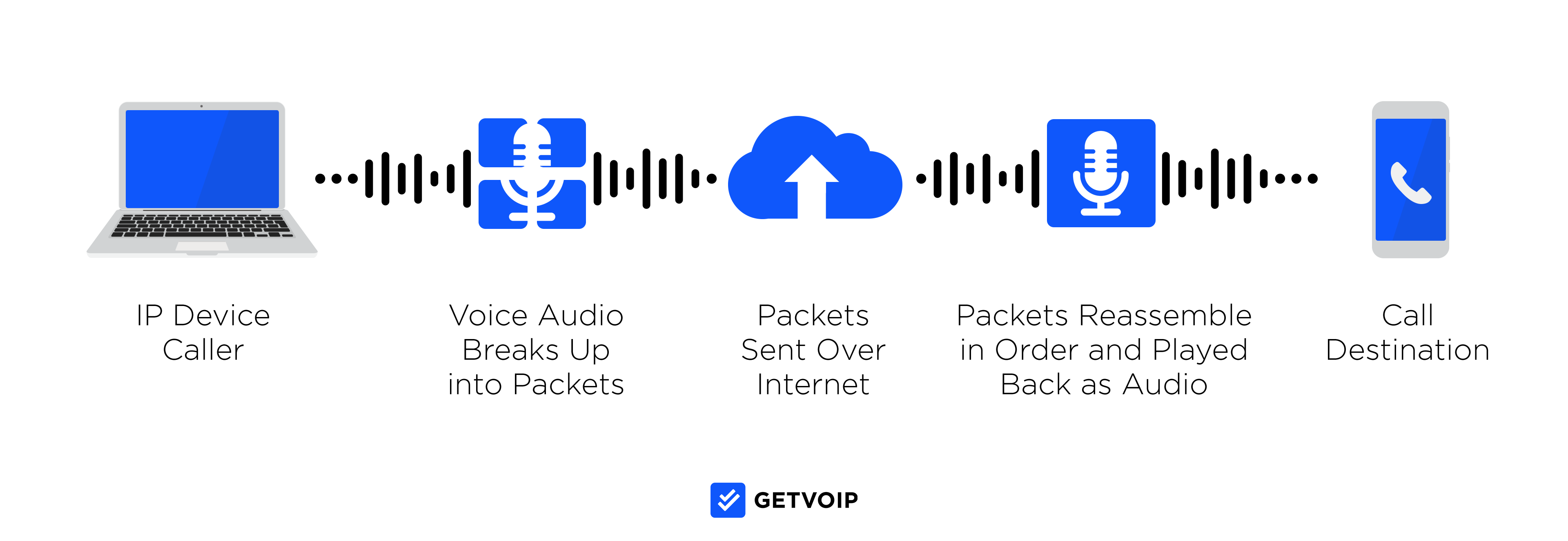
When you speak into your phone, an Analog Terminal Adapter (ATA)—or an IP-enabled phone—samples your voice. It breaks this audio stream into small, manageable digital packets. Each packet contains a destination address, identifying where it needs to go within the network. These packets travel across your local area network (LAN) and through the internet, often taking different paths to reach their destination. Upon arrival, the receiving equipment reassembles these packets in the correct sequence, translating them back into an audible voice signal in real-time.
Essential Components for VoIP Setup
To replace a traditional landline with a VoIP service, you must have a specific set of hardware and software components working in harmony.
1. High-Speed Broadband Connection
Because VoIP relies entirely on data throughput, your internet service provider (ISP) must offer consistent upload and download speeds. While modern fiber and cable connections are typically more than sufficient, jitter—the variation in the delay of received packets—can negatively impact audio quality. Most residential VoIP services require a stable connection with a low-latency ping to prevent dropped calls or robotic-sounding audio.
2. VoIP Hardware
Depending on your provider and preference, you will typically use one of three methods to connect:
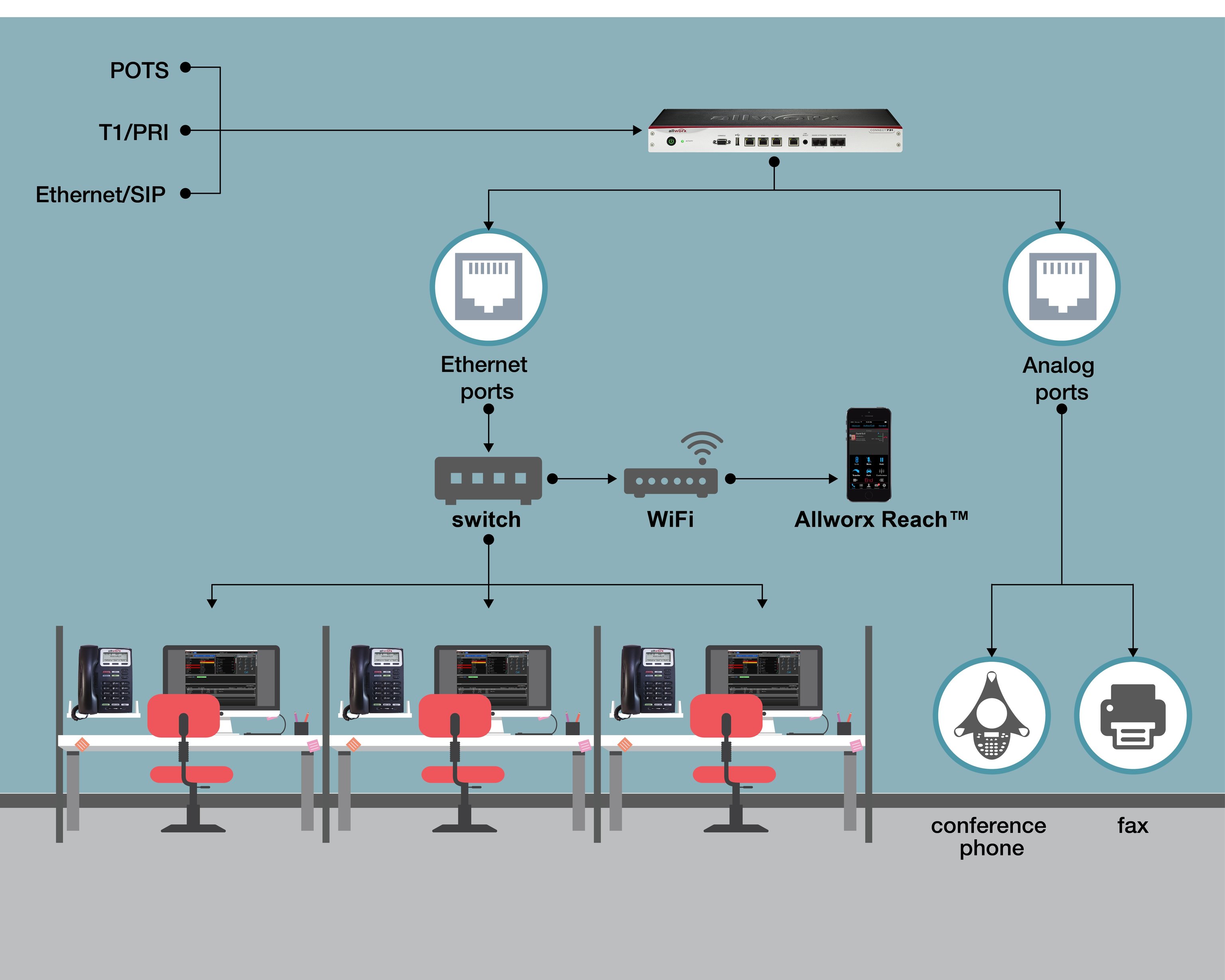
- Analog Terminal Adapter (ATA): A small device that plugs into your router and allows you to use your existing analog desk phone. The ATA acts as a bridge, handling the digital-to-analog conversion locally.
- IP Phones: Specialized hardware telephones designed to plug directly into an Ethernet port. These phones contain built-in codecs and software to handle call processing, eliminating the need for an external adapter.
- Softphones: Software applications installed on your smartphone, tablet, or desktop computer. These rely on the device’s microphone and speaker (or a headset) to function, essentially turning your computer into a telephone.
3. The Service Provider
The provider acts as the gatekeeper. They manage the "handshake" between your home network and the broader telephone system. When you dial a number, the provider’s servers verify your account, route the call to the PSTN or another VoIP endpoint, and handle features like call forwarding, voicemail, and E911 services.
Comparison of Connection Methods
| Method | Equipment Required | Pros | Cons |
|---|---|---|---|
| ATA | Existing analog phone + ATA | Retains familiar handsets | Requires additional hardware |
| IP Phone | Ethernet-connected phone | High voice quality; features | Cost of new hardware |
| Softphone | App on laptop or mobile | Portability; no extra hardware | Reliant on device battery/OS |
The Role of Codecs and Quality of Service (QoS)
VoIP quality is heavily influenced by "codecs"—the algorithms used to compress and decompress voice data. High-quality codecs, such as G.722, provide wideband audio that sounds significantly clearer than traditional landline phone calls. Conversely, bandwidth-efficient codecs may compress audio further, which can lead to a slight loss in fidelity but ensures functionality on slower internet connections.
To ensure your phone calls remain clear even when other members of your household are streaming video or downloading files, many modern routers support Quality of Service (QoS). Enabling QoS allows you to prioritize VoIP traffic on your home network. By assigning voice data a higher priority than bulk data transfers, your router ensures that your phone packets are sent and received first, preventing lag during high-bandwidth usage periods.
Emergency Services and E911
One critical distinction in residential VoIP is the implementation of E911 (Enhanced 911). Because VoIP services are digital and mobile, the network does not automatically know your physical location like a traditional copper landline would. Most residential providers require you to register your home address within your account portal. When you dial 911, the provider transmits this address to the local Public Safety Answering Point (PSAP). You must keep this address updated; if you move your VoIP hardware to a different residence, you must update your profile immediately to ensure emergency responders are dispatched to the correct location.
Common Troubleshooting Steps
If you experience degraded service, follow these steps to isolate the issue:
- Check Internet Stability: Use an online speed test tool to verify both your download and upload speeds. Ensure your latency (ping) is below 100ms.
- Power Cycle Hardware: Disconnect your modem, router, and VoIP adapter. Wait 30 seconds and plug them back in, starting with the modem.
- Bypass the Router: If possible, connect your ATA directly to the modem to determine if the router's firewall settings are interfering with your service’s SIP (Session Initiation Protocol) traffic.
- Check Physical Connections: Ensure all Ethernet cables are securely seated. A damaged or poorly shielded Ethernet cable can introduce packet loss that specifically degrades voice quality.
Frequently Asked Questions
Can I keep my existing phone number?
Yes, most residential VoIP providers offer "number porting." This legal process allows you to transfer your current landline number to your new VoIP provider. During the registration process, you will provide your current account details, and the providers will coordinate the transfer, which typically takes 5 to 10 business days.
Will my VoIP phone work during a power outage?
Unlike traditional analog phones that receive power directly from the telephone company's central office, residential VoIP depends on your home electricity. If the power goes out, your modem and router will shut down, disabling your phone service. It is recommended to use an Uninterruptible Power Supply (UPS) to keep your networking equipment running during short outages.
How does VoIP affect home security systems?
Some older alarm systems rely on traditional landlines to communicate with monitoring stations. VoIP’s data compression can sometimes interfere with these signals. If you have an alarm system, verify with your security provider that their equipment is compatible with VoIP or consider upgrading to a system that uses cellular or dedicated internet-based monitoring.
Is VoIP secure?
VoIP traffic can be vulnerable to interception if left unencrypted. Most reputable residential services now use protocols like SRTP (Secure Real-time Transport Protocol) to encrypt voice data between your device and their servers. Always ensure your home Wi-Fi network is protected with strong WPA3 encryption to prevent unauthorized access to your devices.
Do I need a special "VoIP-ready" router?
Most standard consumer-grade routers handle VoIP traffic effectively. However, some older routers have aggressive firewalls that block SIP traffic. If you face constant one-way audio issues, it may be necessary to enable "SIP ALG" (Application Layer Gateway) or port forwarding, though this should only be done if you are comfortable with basic network configuration.
Can I use VoIP with a satellite or cellular internet connection?
While technically possible, satellite internet often has high latency, which can cause significant delays during a conversation. Cellular-based home internet (4G/5G) is generally better, but signal fluctuations can impact stability. For the best experience, a wired connection such as fiber or cable is preferred.
Next Steps for Setting Up Your Service
To begin using residential VoIP, first verify that your current internet service meets the minimum requirements provided by your chosen VoIP carrier. Once you have confirmed your bandwidth, purchase the necessary hardware—often provided as a bundled package—and complete the registration through the provider’s online portal. Be sure to register your physical address immediately for E911 compliance, and configure your router settings to prioritize voice packets for the most reliable performance.
Image Gallery