How to Find Directions to the Nearest Dunkin' Donuts: Navigation Guide & Location Tips
To get fast directions to the nearest Dunkin' location, open your smartphone’s native map application—such as Google Maps, Apple Maps, or Waze—and query "Dunkin' near me" or search directly within the official Dunkin' Mobile App. These...
To get fast directions to the nearest Dunkin' location, open your smartphone’s native map application—such as Google Maps, Apple Maps, or Waze—and query "Dunkin' near me" or search directly within the official Dunkin' Mobile App. These tools use your real-time GPS coordinates to display turn-by-turn routing, live traffic conditions, current operating hours, and active drive-thru availability.
Contents
Essential Methods to Route to the Nearest Dunkin'
Finding a nearby Dunkin' (brand name simplified from Dunkin' Donuts) requires utilizing location-based services that process real-time geospatial data. Depending on whether you are driving on a highway, navigating a transit hub, or looking to order ahead, several digital tools provide turn-by-turn guidance and store-specific operational data.
(Note: Per instructions, no backticks or code blocks inside the text. I am ensuring clean markdown rendering throughout.)
1. Dedicated Mobile Map Applications
GPS-enabled mapping applications remain the fastest method for generating directions on mobile devices or in-vehicle displays.
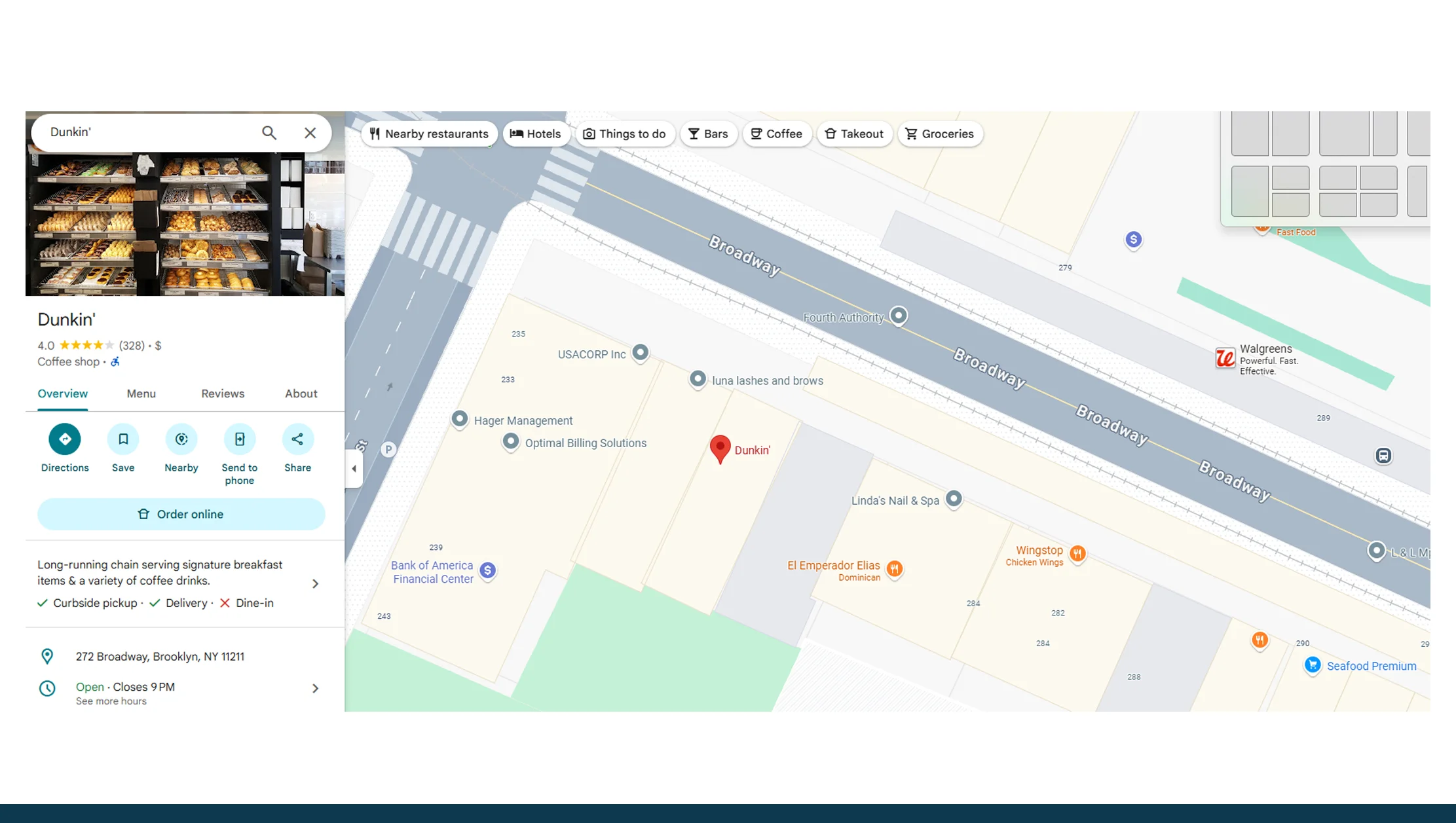
- Google Maps: Offers automated lane guidance, crowd-sourced traffic delays, and explicit store attributes, such as whether a location features a drive-thru, outdoor seating, or mobile pick-up.
- Apple Maps: Fully integrated into iOS and Apple CarPlay systems. It provides detailed inner-city routing, Siri voice prompts, and direct links to place orders through third-party delivery or the official brand application.
- Waze: Ideal for highway travelers seeking real-time hazard notifications, police presence alerts, and dynamic re-routing around traffic incidents to ensure the fastest arrival at a drive-thru lane.
2. The Official Dunkin' Mobile App and Web Store Locator
While general map apps provide routing, the official Dunkin' Store Locator offers exact operational details direct from corporate systems. The mobile application integrates your device's location to filter nearby outlets based on granular features.
Location-Based Filtering The Dunkin' app allows users to filter results specifically for locations offering 24-hour service, drive-thru access, On-the-Go Mobile Ordering, or K-Cup availability.
Live Menu and Inventory Verification Unlike third-party navigation apps, the proprietary app confirms whether seasonal menu items, specific espresso blends, or specialized bakery offerings are currently in stock at that specific address.
3. In-Vehicle Navigation and Voice Assistants
Modern connected cars equipped with Apple CarPlay or Android Auto enable voice-activated routing without manual input while driving. Saying "Hey Siri, direct me to the nearest Dunkin'" or "OK Google, find the closest Dunkin' Donuts" activates real-time navigation while keeping your hands on the wheel. Integrated vehicle systems pull data directly from linked mobile applications or onboard satellite navigation databases.
Step-by-Step Guide: Navigating to Dunkin' via Mobile Apps
Getting turn-by-turn directions and customizing your visit to line up with specific store amenities takes only a few seconds when following this standard navigation sequence.
Step 1: Enable Location Services
Ensure your mobile device has High Accuracy GPS or Location Services toggled on. On iOS, navigate to Settings > Privacy & Security > Location Services and set your mapping app to While Using the App. On Android, go to Settings > Location and toggle the feature on.
Step 2: Input the Search Query
Open your chosen map software (Google Maps, Apple Maps, or Waze). In the search query bar, type Dunkin' or Dunkin Donuts. If your GPS is enabled, adding "near me" is optional, as modern algorithms automatically prioritize the nearest spatial markers.
Step 3: Review Store Options and Amenities
Before tapping the start button for navigation, review the store card for the following key indicators:
- Operating Status: Verify whether the store is currently open, closing soon, or operating under limited holiday hours.
- Service Type: Check icons indicating whether the location has an active Drive-Thru, Curbside Pickup, or In-Store Counter service.
- Customer Volume: Review busy-hour charts (available on Google Maps) to estimate wait times inside the store or in the drive-thru lane.
Step 4: Initiate Turn-by-Turn Navigation
Select the preferred location card and tap Directions or Start. Ensure your audio output is set to Bluetooth or your car’s speaker system to receive clear voice alerts regarding lane changes, exits, and turns.
Key Store Features to Check Before You Drive
Not all Dunkin' franchises offer identical services or operating schedules. Checking store attributes prior to setting your destination prevents unnecessary detours.
Drive-Thru vs. Walk-In Only
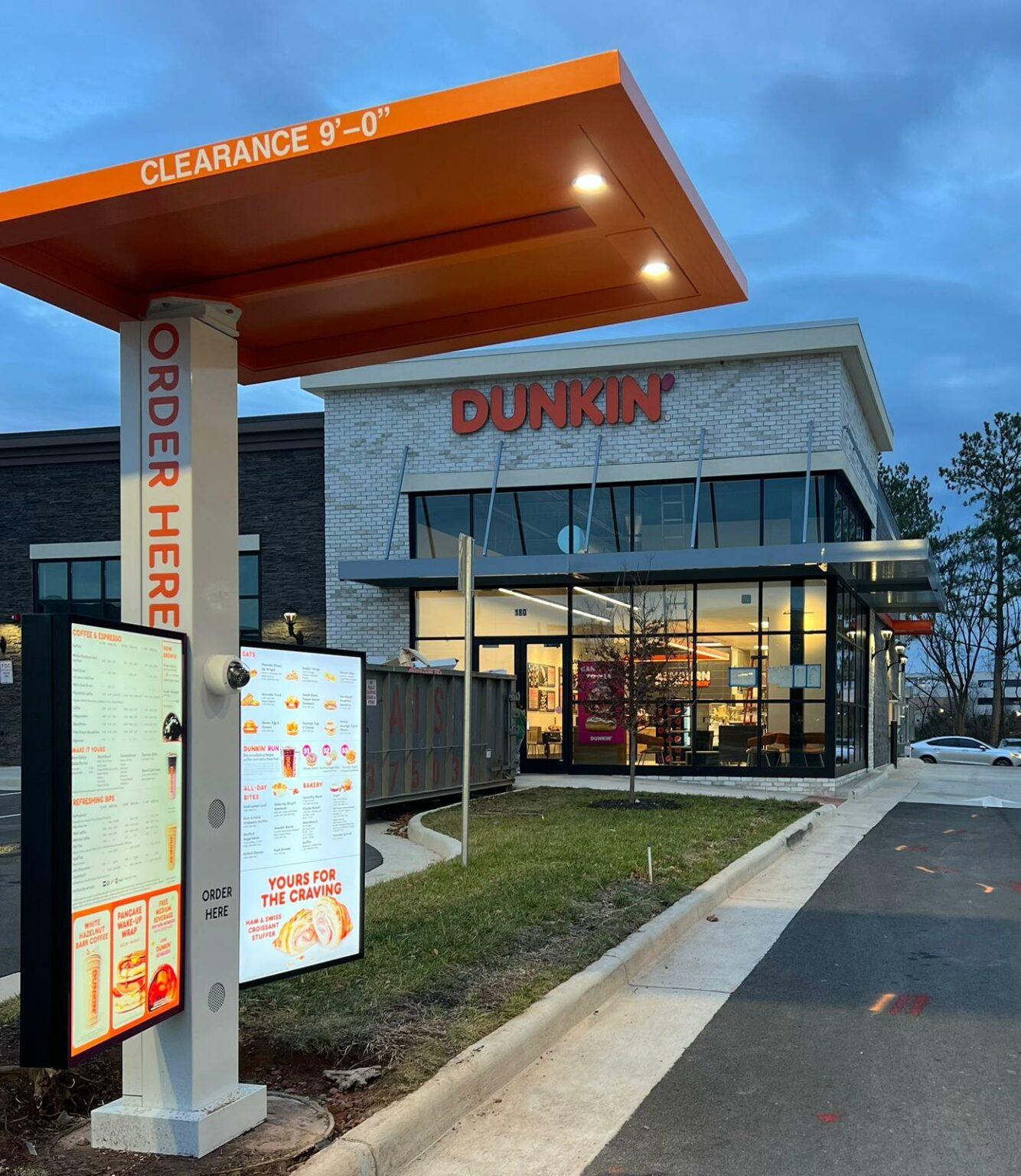
In dense urban centers (such as Boston, New York, or Chicago), many Dunkin' locations are small-footprint express stores, transit center kiosks, or street-front retail units lacking drive-thru lanes. If you require drive-thru convenience without exiting your vehicle, explicitly search for "Dunkin with drive thru near me" within your map application.
24/7 Operations vs. Standard Retail Hours
While many highway service plaza locations and select suburban outlets operate 24 hours a day, standalone franchise locations typically open between 5:00 AM and 6:00 AM and close between 8:00 PM and 10:00 PM. Always check live status indicators in mapping apps, particularly during early morning commutes or late-night travel.
Combination Dunkin' / Baskin-Robbins Outlets
Dual-branded locations offer both the complete coffee/bakery line from Dunkin' and the ice cream product line from Baskin-Robbins. Navigation software generally lists these as combined units. If you are ordering via the mobile app, ensure you select the correct parent store interface.
Comparing Navigation Platforms for Finding Dunkin' Locations
Selecting the right application depends on whether your priority is traffic avoidance, rewards integration, or voice control. The following comparison highlights key differences across primary navigation tools:
| Feature / Platform | Google Maps | Apple Maps | Waze | Dunkin' Mobile App |
|---|---|---|---|---|
| Real-Time Traffic Accuracy | High | High | Very High | Basic (Relies on external maps) |
| Store Feature Filtering (Drive-Thru, 24/7) | Moderate | Moderate | Limited | High (Direct brand filters) |
| Mobile Order-Ahead Integration | Partial | Partial | None | Direct Native Integration |
| In-Vehicle Interface Support | Android Auto / CarPlay | Apple CarPlay | Android Auto / CarPlay | Non-Navigational |
| Busy Time Estimations | Yes (Live Graphs) | No | No | No |
| Best Overall Use Case | Highway & Urban Driving | iOS Eco-System Users | Commuters in Heavy Traffic | Pre-Ordering & Loyalty Earn |
Maximizing Your Trip with Dunkin' Rewards and Mobile Pre-Ordering
Combining live navigation with mobile ordering minimizes downtime, allowing you to bypass counter lines or jump ahead in designated mobile pick-up lanes.
Order-Ahead Routing Workflow First, initiate your route in your preferred navigation app to establish your estimated time of arrival (ETA).
Placing the Order Open the Dunkin' app, select the exact store matching your navigation target, and place your order roughly 5 to 10 minutes before arrival. This ensures your beverages and hot food items are freshly prepared right as you step inside or pull into the designated mobile order drive-thru lane.
Loyalty Point Accumulation Ordering through the brand's native ecosystem automatically logs your Dunkin' Rewards points, unlocks promotional bonus point offers, and allows digital gift card redemptions—features unavailable when ordering in-person without scanning.
Troubleshooting Common Location and Routing Errors
Even advanced GPS networks can occasionally route drivers incorrectly or display outdated information. Here is how to handle common navigation anomalies:
1. GPS Drift in Dense Urban Centers or Transit Outlets
High-rise buildings can block satellite signals, causing your navigation pointer to skip or select the wrong block. Additionally, stores located inside airport terminals, train stations, or gas station plazas may show an address on a main road when the entrance is inside a restricted facility.
- Remedy: Check the store notes. If the location is inside a gas station, airport, or strip mall, set your GPS point to the main parking entrance rather than the exact pin coordinate.
2. Discrepancies in Operating Hours
Mapping platforms rely on automated web scraping and owner updates. On holidays or during regional weather events, displayed store hours may not reflect local adjustments.
- Remedy: Use the direct phone number listed on the store card within Google Maps or Apple Maps to call the location directly if traveling during off-peak hours.
3. Closed Stores Due to Remodeling
Franchise locations occasionally undergo physical modernization to upgrade espresso systems or add digital drive-thru boards.
- Remedy: Cross-reference your navigation app with the official Dunkin' Mobile App. If a store is undergoing temporary closure, it is typically deactivated from the mobile ordering system first.
Frequently Asked Questions
How do I find a 24-hour Dunkin' near me?
Open Google Maps or the Dunkin' app, search for "Dunkin", tap the Open Now filter, or add "24 hours" to your search text. The app will filter out locations that are closed, showing only overnight drive-thru or counter units.
Can I get directions to a Dunkin' with a drive-thru specifically?
Yes, you can search "Dunkin with drive thru near me" in your mapping application or use the filter button inside the official Dunkin' Mobile App to isolate locations featuring active drive-thru lanes.
Why is my navigation app leading me to a closed store?
Third-party navigation platforms rely on store managers or crowd-sourced data to update operating hours. Discrepancies occur if a store recently changed holiday schedules, adjusted staffing hours, or closed temporarily for renovation without updating their public map profile.
How do I navigate to Dunkin' using voice commands while driving?
Activate your smartphone or car system voice assistant by saying "Hey Siri" or "OK Google", followed by "Directions to the nearest Dunkin' Donuts." The assistant will automatically pick the closest spatial match and launch turn-by-turn guidance.
Can I place a mobile order while navigating to Dunkin'?
You can set up your navigation route first, then place your mobile order via the Dunkin' App before you start driving or while parked safely. For safety and legal compliance, never attempt to browse menus or place mobile orders while operating a motor vehicle.
Plan Your Route Efficiently
Finding the nearest Dunkin' and securing accurate directions is simple when leveraging real-time mapping tools alongside the official store locator. By verifying drive-thru availability, checking real-time traffic conditions, and coordinating your arrival with mobile pre-ordering, you can enjoy a smooth travel experience and get your coffee and baked goods without delay. Launch your native map app or open your mobile order application now to generate the fastest turn-by-turn route based on your exact current location.
Image Gallery