What Is a Virtualization Appliance and Should You Use One?
A virtualization appliance is a pre-configured, turnkey solution—delivered either as dedicated hardware or as a packaged virtual machine—designed to run virtualized workloads with minimal configuration. It integrates hypervisor technol...
A virtualization appliance is a pre-configured, turnkey solution—delivered either as dedicated hardware or as a packaged virtual machine—designed to run virtualized workloads with minimal configuration. It integrates hypervisor technology, operating systems, and specialized application stacks into a single deployment unit, bypassing complex manual installation and optimization processes.
Contents
Understanding Virtualization Appliances: Hardware vs. Software
The term virtualization appliance describes two distinct delivery models in modern enterprise IT infrastructure: physical hardware appliances built specifically for virtualized workloads, and virtual (software) appliances designed to run atop existing hypervisors. Understanding this distinction is essential when evaluating infrastructure needs.
| HARDWARE APPLIANCE | VIRTUAL APPLIANCE (vApp) |
|---|---|
| • Turnkey physical node• Bare-metal hypervisor pre-loaded• Integrated storage & compute• Example: HCI nodes, SAN units | • Pre-packaged VM software• Delivered via OVA/OVF/VHD• Runs on existing hypervisor• Example: Virtual Firewalls |
1. Hardware Virtualization Appliances
A hardware virtualization appliance is a physical server or integrated node shipped directly from an original equipment manufacturer (OEM) with hypervisor software, storage drivers, and management firmware pre-installed and pre-tuned.
These devices are frequently deployed as core building blocks in Hyperconverged Infrastructure (HCI). Rather than requiring engineers to select, install, and validate separate server hardware, storage area networks (SANs), and hypervisors, the hardware appliance operates as a plug-and-play compute and storage node.
2. Virtual Appliances (Software Appliances)
A virtual appliance (often abbreviated as a vApp) is a software solution packaged within a virtual machine image file, such as an Open Virtualization Format (OVF) or Open Virtual Appliance (OVA) file.
Instead of delivering software as an executable installer that requires administrators to manually configure a host operating system, web servers, databases, and dependencies, the vendor packages the entire stack—including a hardened Linux or Windows guest OS—into a single virtual image. Administrators simply import this file into hypervisors like VMware ESXi, Microsoft Hyper-V, or KVM.
How Virtualization Appliances Work
Virtualization appliances eliminate standard configuration friction by shifting the burden of system architecture, dependency mapping, and environment tuning from the end-user to the solution vendor.
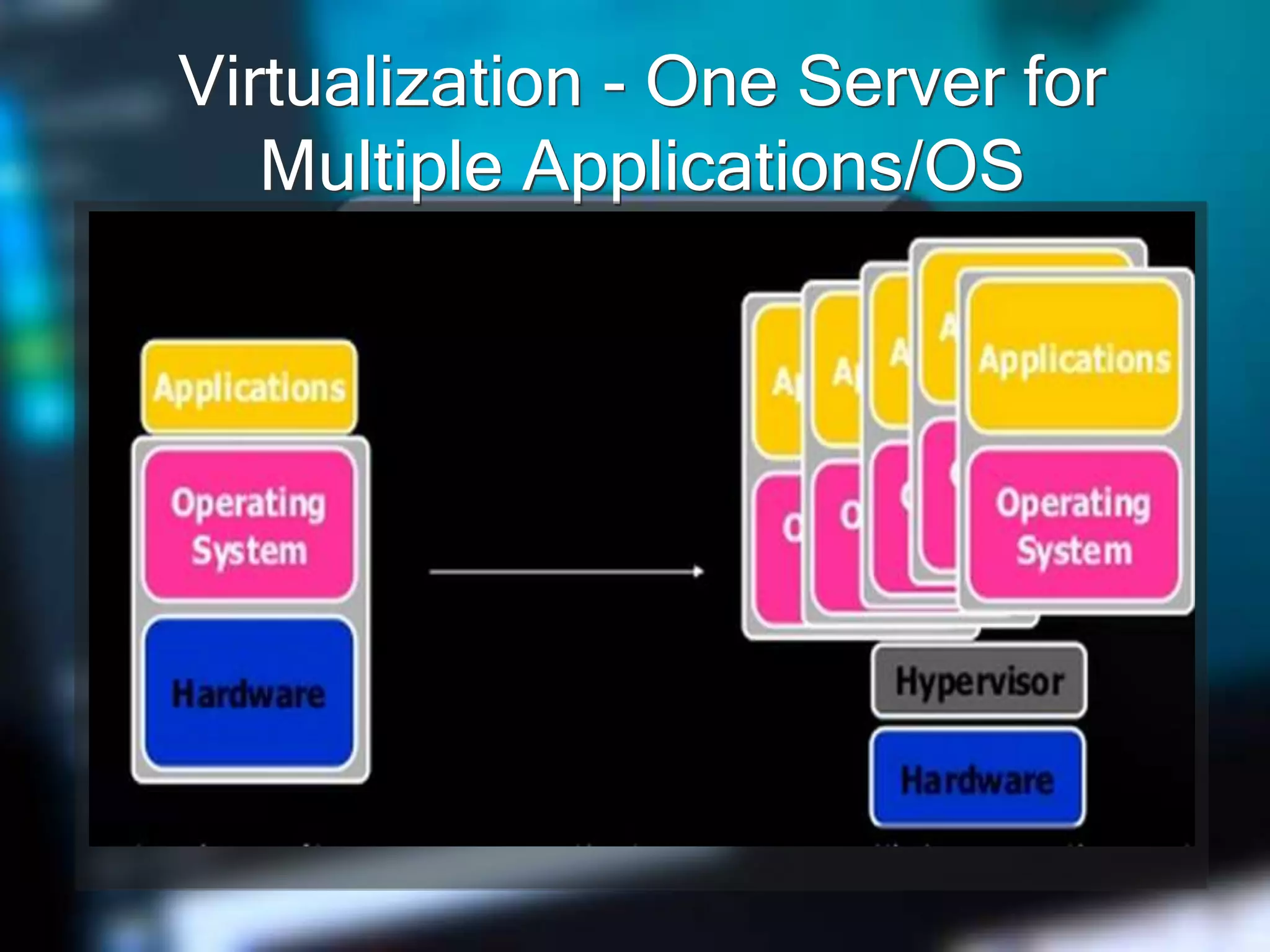
The Virtual Appliance Stack Architectural Layering
- The Infrastructure Layer: Physical CPU, RAM, networking, and storage components.
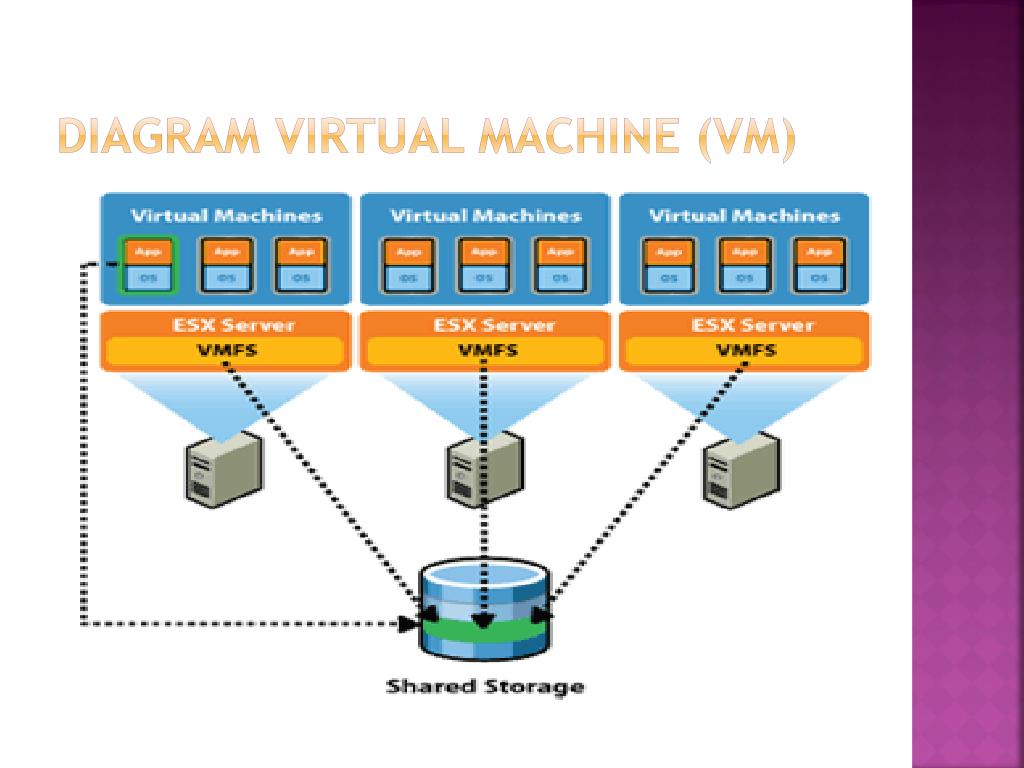
- The Hypervisor Layer: Type-1 (bare-metal) hypervisors like VMware ESXi, Proxmox VE, or Linux KVM manage resource allocation.
- The Pre-Configured Operating System: A minimal, security-hardened guest OS optimized specifically for the embedded application.
- The Application & Management Layer: The core application stack (such as a network firewall, backup controller, or monitoring system) alongside unified administrative interfaces.
When deploying a virtual appliance, the hypervisor reads the appliance's metadata manifest (the .ovf file), which specifies exact requirements for virtual CPUs, memory allocation, virtual disk sizing, and network interface bindings. The hypervisor provisions these virtual hardware boundaries automatically, allowing the appliance to boot into a fully operational state within minutes.
Key Benefits of Deploying Virtualization Appliances
Adopting virtualization appliances offers distinct operational advantages over custom, manually assembled infrastructure.
Rapid Deployment and Reduced Friction
Traditional enterprise software installations require provisioning a server, installing an operating system, configuring networking, resolving library dependencies, creating database schemas, and applying security patches. A virtual appliance condenses this process into an image import task. Operational readiness drops from days or weeks down to minutes.
Standardized Environment and Guaranteed Performance
Because the vendor controls the entire software stack—from the underlying kernel parameters to the application layer—virtualization appliances eliminate configuration drift and host-OS incompatibilities. Vendors test performance against specific virtual hardware profiles, providing predictable throughput, resource consumption, and stability.
Streamlined Maintenance and Lifecycle Management
Updating a traditionally built application requires patching the host OS, updating database engines, and modifying application binaries—a process prone to broken dependencies. Virtualization appliances are typically updated as atomic units. Vendors release comprehensive update bundles or entire replacement images, ensuring that patches never break baseline system requirements.
Simplified Vendor Support
When software runs on a custom OS installation, vendor support teams often default to troubleshooting underlying host configurations. With a virtualization appliance, the operating environment is fixed and vendor-certified. This single point of accountability eliminates fingerprint-pointing between software vendors, OS providers, and hardware suppliers.
Potential Drawbacks and Operational Limitations
Despite their advantages, virtualization appliances introduce operational trade-offs that organizations must weigh carefully.
- Vendor Lock-in: Hardware virtualization appliances often rely on proprietary storage management engines or cluster fabrics. Migrating away from a specific appliance vendor can require rebuilding storage architectures or re-licensing hypervisor platforms.
- Higher Upfront Capital Premium: Purpose-built hardware appliances command a cost premium over off-the-shelf commodity hardware due to pre-integration, specialized firmware validation, and single-source support contracts.
- Resource Overprovisioning: Virtual appliances ship with predefined RAM, CPU, and disk footprints designed to handle peak workloads. In smaller environments, this can lead to wasted virtual resources if the appliance cannot be downsized without invalidating vendor support.
- Limited System Customization: To maintain stability, vendors lock down shell access and administrative controls within virtual appliances. Administrators cannot freely install third-party agents, modify kernel settings, or run custom scripts on the underlying guest OS.
Virtualization Appliance vs. Traditional DIY Infrastructure
Comparing virtualization appliances to traditional "Do-It-Yourself" (DIY) server builds highlights where each model delivers maximum value:
| Evaluation Factor | Virtualization Appliance (Hardware/vApp) | Traditional DIY Virtualization Build |
|---|---|---|
| Deployment Time | 15 to 60 minutes | Hours to days |
| Configuration Overhead | Extremely Low (Pre-configured) | High (Manual OS, database, & app setup) |
| System Customization | Restricted / Vendor-Locked | Completely customizable |
| Patch Management | Monolithic update bundles | Component-by-component manual patching |
| Hardware Flexibility | Limited to vendor-certified nodes | Use any compatible commodity hardware |
| Support Model | Single point of contact | Split across hardware, OS, & app vendors |
| Initial Cost | Higher hardware/appliance margin | Lower hardware costs; higher labor costs |
Decision Framework: Should You Use a Virtualization Appliance?
Determining whether to adopt a virtualization appliance depends on your team's technical capacity, operational priorities, and deployment scope.
- Do you need rapid deployment & minimal maintenance?
- YES: Do you require custom OS configs or specialized HW?
- YES: Build DIY
- NO: Use Appliance
- NO: Do you have dedicated DevOps/SysAdmin labor to maintain?
- YES: Build DIY
- NO: Use Appliance
- YES: Do you require custom OS configs or specialized HW?
You Should Use a Virtualization Appliance If:
- You run remote branch offices (ROBO) or edge locations: Deploying standardized hardware or virtual appliances to edge environments allows non-technical staff to connect hardware while centralized IT pushes pre-configured appliance images remotely.
- Your IT team has limited administrative bandwidth: Organizations with small sysadmin teams benefit significantly from appliances because vendor support manages OS security hardening, dependency resolution, and core updates.
- You are deploying turnkey network or security software: Security tools like virtual firewalls, intrusion prevention systems (IPS), load balancers, and backup appliances perform best when delivered as hardened virtual appliances.
- You are migrating to Hyperconverged Infrastructure (HCI): If your goal is to consolidate SAN storage, compute, and hypervisors into unified nodes, hardware virtualization appliances offer seamless horizontal scalability.
You Should Avoid a Virtualization Appliance If:
- You require custom kernel modifications or custom software agents: If your security framework requires proprietary monitoring agents embedded directly inside the host operating system, locked virtual appliances will prevent installation.
- You operate at massive scale with hyper-optimized commodity hardware: Hyperscale cloud operators and large enterprises often build custom Linux compute nodes to optimize hardware costs down to the individual component level.
- You have strict hardware reuse mandates: If you must deploy new applications onto existing, older server hardware that does not match an appliance vendor's strict hardware compatibility list (HCL), software appliances may fail validation.
Frequently Asked Questions
What is the difference between a virtual machine and a virtual appliance?
A virtual machine (VM) is an empty virtual computer container requiring an operating system, drivers, and application software to be manually installed. A virtual appliance is a fully configured VM that includes the operating system, pre-installed software, dependencies, and application logic ready for immediate use upon import.
Does a virtualization appliance require a separate hypervisor license?
Software virtual appliances (vApps) run on top of hypervisors like VMware ESXi, Hyper-V, or KVM, meaning you must provide the underlying hypervisor host and its associated licensing. Hardware virtualization appliances often bundle hypervisor licensing directly into the purchase price or utilize open-source hypervisors (such as KVM or Proxmox VE) embedded within the node software.
Can virtual appliances run on public cloud platforms?
Yes. Major cloud platforms support importing virtual appliance images (such as OVA, VHD, or RAW formats) into services like AWS EC2, Microsoft Azure, and Google Cloud Platform. Additionally, software vendors publish pre-built virtual appliances directly to cloud provider marketplaces for one-click deployment.
How do you update or patch a virtualization appliance?
Updates are typically managed through the appliance’s built-in web management console. Instead of patching individual OS binaries, administrators download vendor-verified update packages or deploy an updated virtual appliance image, preserving data volumes while refreshing the application and OS layers automatically.
Are hyperconverged infrastructure (HCI) nodes considered virtualization appliances?
Yes. HCI nodes from vendors like Nutanix, Scale Computing, and Dell VxRail are hardware virtualization appliances. They combine compute resources, hypervisor software, and software-defined storage into a single, pre-configured physical appliance designed for seamless cluster expansion.
Summary and Next Steps
A virtualization appliance trades deep system customization for operational simplicity, rapid deployment, and validated stability. For most enterprise software roles—including firewalls, backup systems, storage nodes, and HCI clusters—virtualization appliances significantly reduce administrative labor and operational cost.
Next Steps for Evaluation:
- Audit Infrastructure Inventory: Determine if your current hypervisor hosts have available CPU, RAM, and storage to accommodate pre-allocated virtual appliance specs.
- Evaluate Vendor Compatibility: If choosing a hardware appliance, verify that its physical storage expansion and networking interfaces match your data center switching fabric.
- Test in a Sandbox Environment: Request an OVA or OVF trial image from the software vendor to test deployment speed and management features before purchasing hardware or enterprise licenses.
Image Gallery