5 Myths About sa www4 irs gov safe
The URL sa.www4.irs.gov is a legitimate, official subdomain of the Internal Revenue Service used primarily for the Online Employer Identification Number (EIN) Application. Despite its unconventional appearance, it is a secure portal pr...
The URL sa.www4.irs.gov is a legitimate, official subdomain of the Internal Revenue Service used primarily for the Online Employer Identification Number (EIN) Application. Despite its unconventional appearance, it is a secure portal protected by federal encryption standards, provided the user ensures the root domain is "irs.gov" and the connection is via HTTPS.
Contents
Understanding the sa.www4.irs.gov Subdomain
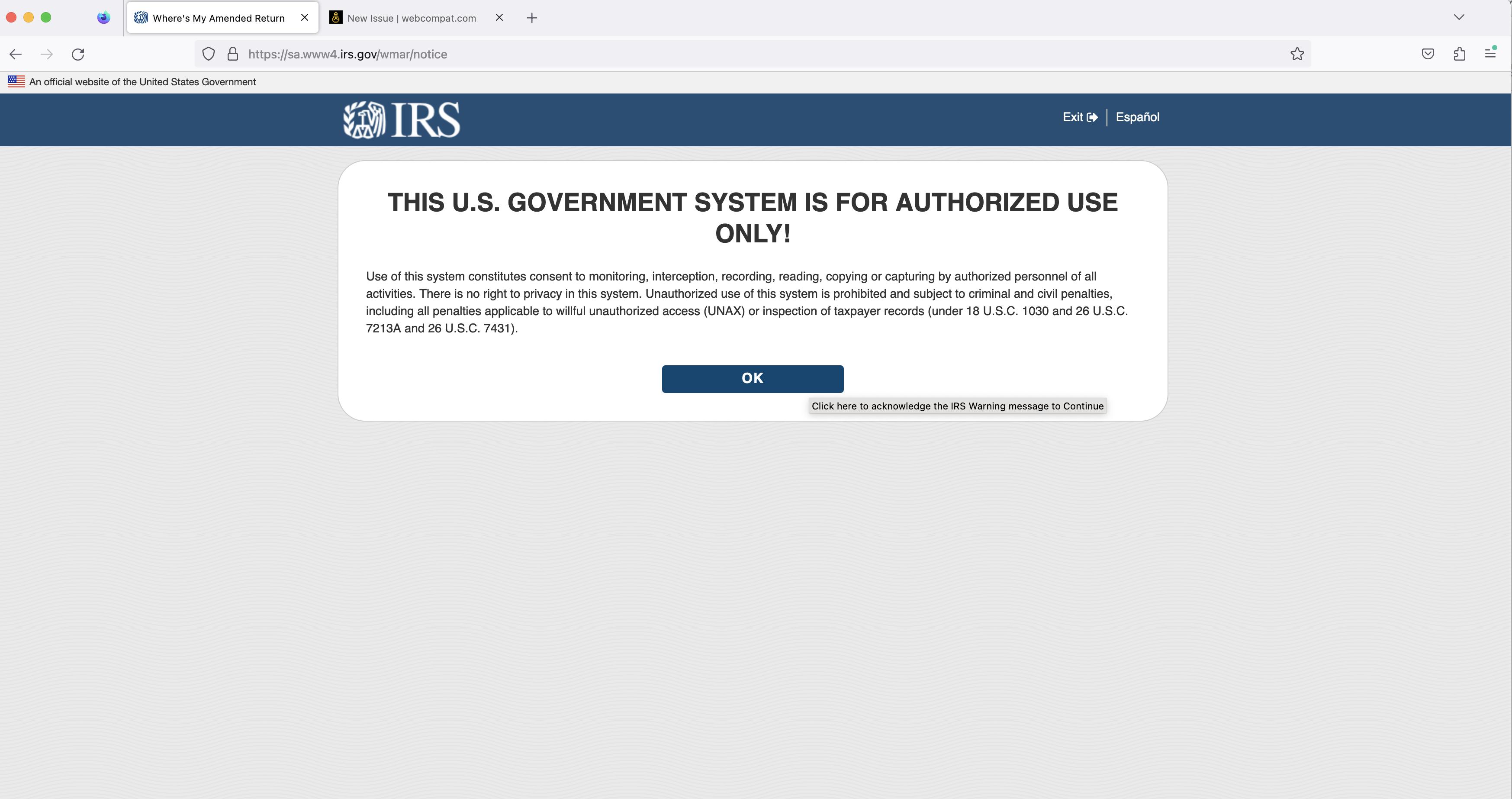
When taxpayers attempt to apply for an Employer Identification Number (EIN) or access specific transactional tools, they are often redirected to a URL that looks like https://sa.www4.irs.gov/modiein/individual/index.jsp. For many, this triggers an immediate "red flag" because the URL contains multiple prefixes like "sa" and "www4" which are not present on the standard IRS.gov homepage.
In the context of 2026 cybersecurity standards, users are more vigilant than ever. However, this specific URL structure is a byproduct of the IRS’s massive technical infrastructure. The Internal Revenue Service manages one of the world's largest databases and web traffic loads. To handle millions of concurrent requests—especially during peak tax seasons—the agency employs sophisticated load balancing and application-specific servers.
The "sa" typically stands for "Shared Application" or "Service Architecture," indicating a server cluster dedicated to interactive applications rather than static content. The "www4" is a load-balancer designation, showing that the user has been routed to the fourth web server cluster in a specific array to ensure the site remains responsive.
Myth 1: The "www4" Prefix Indicates a Fraudulent or Mirrored Site
One of the most persistent myths is that any prefix other than "www" on a government website indicates a phishing attempt. Users often believe that "www4" is a clever trick used by hackers to mimic the IRS.
The Reality of Load Balancing
In network engineering, load balancing is the process of distributing network traffic across multiple servers. This ensures that no single server bears too much demand. By spreading the work, load balancing improves application responsiveness and increases availability. The IRS uses "www," "www2," and "www4" to manage this distribution. If you see "www4," it simply means the primary and secondary clusters are either at capacity or the system has automatically assigned you to that specific node for your session.
Verifying the Root Domain
The critical factor in safety is not the "www4" prefix, but the root domain and the Top-Level Domain (TLD). For a site to be an official U.S. government entity, the domain must end in .gov. In the case of sa.www4.irs.gov, the root domain is irs.gov. Fraudulent sites often use variations like irs-gov.org, irs.net, or irs.tax-filing.com. As long as the characters immediately preceding the final ".gov" are "irs," you are on the official federal server.
Myth 2: The "sa" Subdomain is a Sign of a Phishing Redirect
When a user clicks "Apply Online Now" for an EIN, the browser redirects from the main informational page to the sa.www4 subdomain. Many users fear that this "jump" is a malicious redirect to a third-party site designed to steal Social Security Numbers (SSNs).
Application-Specific Architectures
The IRS website is divided into different "zones." The main www.irs.gov site is largely a Content Management System (CMS) designed to deliver articles, forms, and instructions. However, interactive tools—like the EIN Assistant or the "Where’s My Refund?" tool—require complex back-end logic and direct communication with IRS databases. These are hosted on separate application servers (the "sa" clusters) to keep the public-facing informational site fast and to isolate secure transactional data from the general web traffic.
Encryption Protocols in 2026
By 2026, the IRS has fully implemented TLS 1.3 (Transport Layer Security) across all "sa" subdomains. This protocol ensures that the data moving between your computer and the sa.www4 server is encrypted and cannot be intercepted by "man-in-the-middle" attacks. When you are on this page, you should see the padlock icon in your browser's address bar. Clicking this padlock will confirm that the certificate was issued to the Internal Revenue Service and verified by a trusted Certificate Authority (CA).
Myth 3: The Site is Unsafe Because it Looks "Outdated"
The Online EIN Application on sa.www4.irs.gov often retains a visual style that looks like it belongs to the early 2010s. It lacks the modern, fluid CSS and high-resolution graphics found on the primary IRS homepage. This leads many users to assume the site is a neglected, low-effort scam page.
Functionality Over Aesthetics
Government web development prioritizes stability, accessibility (Section 508 compliance), and legacy browser support over modern aesthetics. The EIN application is a "legacy-plus" system. While the back-end security is updated constantly, the front-end interface is kept simple to ensure it works on every possible device—from a brand-new 2026 smartphone to an older desktop in a rural library.
Security vs. UI
There is no correlation between a website's visual design and its underlying security. In fact, many phishing sites are highly "polished" and look more modern than the actual government sites they are trying to imitate. The safety of sa.www4.irs.gov is found in its Extended Validation (EV) SSL certificate and its integration with the IRS's internal security firewalls, not in its font choices or button styles.
Myth 4: If the Site is Safe, it Should be Available 24/7
A common source of confusion is the "operating hours" of the EIN application. The sa.www4.irs.gov portal for EINs is typically only available from 7:00 a.m. to 10:00 p.m. Eastern Time, Monday through Friday. If a user tries to access it on a Saturday, they may receive a "Service Unavailable" message. To a skeptical user, this looks like the behavior of a fly-by-night scam site that has been taken down.
Why a Website Has "Hours"
The IRS is not a purely digital entity; it relies on massive mainframe systems that have been in operation for decades. These mainframes require "down-time" for batch processing—where they reconcile the day's transactions, perform security audits, and back up data. Because the Online EIN tool needs to verify your Social Security Number or ITIN against these mainframes in real-time, the web portal can only function when the mainframes are "awake." This limitation is actually a security feature, ensuring that every EIN issued is immediately validated against official records.
Myth 5: Entering an SSN on sa.www4.irs.gov Leads to Identity Theft
The most significant hurdle for users is the requirement to enter a Social Security Number (SSN) or Individual Taxpayer Identification Number (ITIN) to act as the "Responsible Party" for a business. Because of the "www4" and "sa" prefixes, many users fear they are handing their most sensitive data to hackers.
The Role of the Responsible Party
Under federal law, the IRS must identify a human being responsible for any business entity receiving an EIN. This is a measure to prevent money laundering and tax evasion. The sa.www4.irs.gov portal is the ONLY official way to get an EIN instantly online.
Data Handling and Privacy
When you submit your SSN through this portal, the data is protected under the Privacy Act of 1974. The IRS does not "store" your SSN in a way that is accessible to the public web; it uses it to verify your identity against the Social Security Administration's database. Once the session is closed, the application data is moved behind highly secure federal firewalls.
| Feature | sa.www4.irs.gov (Official) | Phishing/Scam Site (Fake) |
|---|---|---|
| Root Domain | irs.gov | irs-tax-id.us, ein-portal.com, etc. |
| Connection | HTTPS (TLS 1.3) | Often HTTP or low-grade SSL |
| Cost | $0 (Free) | Often charges $50 - $300 |
| Operating Hours | Mon-Fri, 7am-10pm ET | Always "open" (to collect data) |
| SSL Certificate | Issued to Internal Revenue Service | Issued to "Cloudflare" or "Let's Encrypt" |
| Browser Padlock | Present and Valid | May be present but issued to wrong entity |
How to Safely Use sa.www4.irs.gov
To ensure you are using the legitimate service and not a sophisticated imitation, follow these operational steps:
- Start at the Source: Never click a link in an email or a text message to get to the EIN application. Always type
www.irs.govdirectly into your browser and search for "Apply for an EIN." - Verify the URL: Once you click "Apply Online Now," check the address bar. It should read
https://sa.www4.irs.gov/.... Pay close attention to the dots. There should be no hyphens between "irs" and "gov." - Check the Certificate: Click the padlock icon. In most modern browsers (Chrome, Firefox, Safari), you can view the certificate details. It should explicitly mention the U.S. Department of the Treasury or the Internal Revenue Service.
- Beware of Fees: The official IRS site will never ask for a credit card number or a fee to issue an EIN. It is a free service provided by the federal government. If you are asked for payment, you are on a third-party site or a scam site.
- Session Management: The
sa.www4portal has a strict timeout (usually 15 minutes of inactivity). If you step away and come back, the site will likely close your session for security. This is a sign of a high-security environment, not a broken website.
Frequently Asked Questions
Why does my browser say the connection to sa.www4.irs.gov is "Not Secure"?
This occasionally happens if your browser's security certificates are out of date or if you are using an older operating system that doesn't recognize the IRS's updated root certificate. However, it can also happen if a network (like a public Wi-Fi) is trying to intercept your traffic. If you see a "Not Secure" warning on a private, trusted network, double-check that you haven't mistyped the URL. If the URL is correct, update your browser. If it still says "Not Secure," do not enter your SSN.
Can I get an EIN on weekends?
No. The sa.www4.irs.gov system for EIN applications is unavailable on weekends and most federal holidays. This is because the application requires real-time connection to the IRS's master files for identity verification, which are taken offline for maintenance and batch processing during these times.
What is the "sa" in the URL?
In the context of the IRS web architecture, "sa" stands for "Shared Application." It represents a specific environment within the IRS network infrastructure designed to host interactive tax tools and applications separately from the static informational content on the main website.
Is it safer to apply by mail or fax?
Applying via sa.www4.irs.gov is actually considered safer and more accurate than mail or fax. Online applications use real-time validation, which catches errors immediately. Paper applications (Form SS-4) are handled by human clerks and sent through the mail, which carries its own set of physical security risks and can take 4-6 weeks to process.
Is there a "www2" or "www3" irs.gov?
Yes. The IRS uses multiple load balancers. You may see www2.irs.gov or www.irs.gov. These are all part of the same official network. The system automatically routes you to the one with the lowest current traffic load to ensure your session doesn't lag or crash.
Final Recommendation
When navigating the complexities of federal tax requirements in 2026, skepticism is a valuable tool for identity protection. However, in the case of sa.www4.irs.gov, the site is a verified and secure component of the IRS's digital infrastructure. To remain safe, always initiate your journey from the base irs.gov domain, confirm the presence of HTTPS encryption, and remember that the IRS will never charge you for an EIN. If you follow these protocols, you can use the Online EIN Assistant with confidence, knowing your personal and business data is handled according to federal security standards.
Image Gallery