How to Build a Cloud Secure Connection: Architecting Resilient Hybrid Infrastructures
Building a cloud secure connection requires establishing a protected tunnel between your local infrastructure and a cloud provider using encrypted protocols like IPsec or TLS. This involves deploying a virtual private gateway, configur...
Building a cloud secure connection requires establishing a protected tunnel between your local infrastructure and a cloud provider using encrypted protocols like IPsec or TLS. This involves deploying a virtual private gateway, configuring a customer gateway on-premises, and implementing strict identity and access management policies to ensure data integrity and confidentiality during transit.
Contents
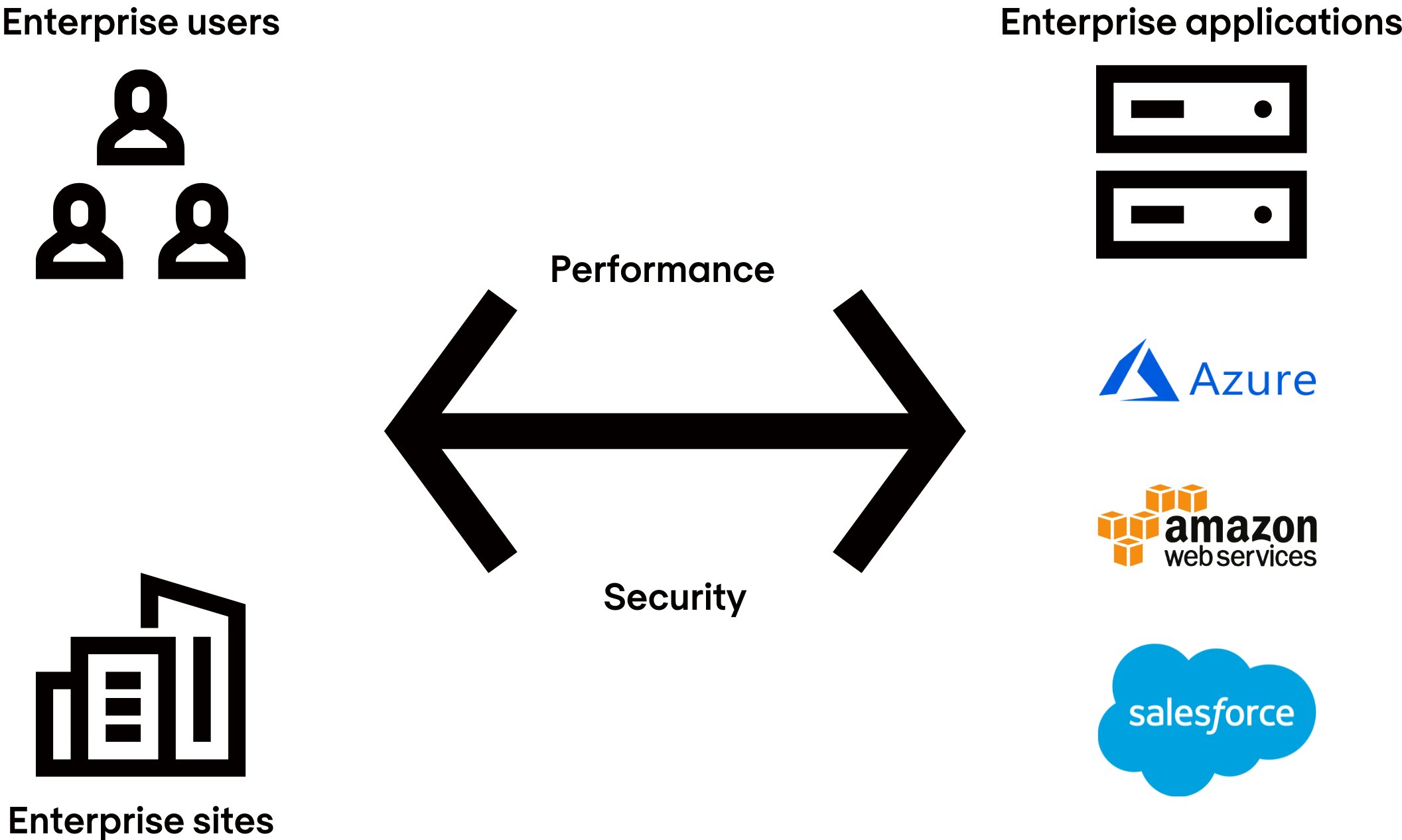
In the landscape of 2026, the necessity of securing data in transit has shifted from a best practice to a fundamental requirement for regulatory compliance and operational continuity. As organizations continue to distribute workloads across multi-cloud environments and edge locations, the "perimeter" has effectively vanished. Building a secure connection is no longer just about establishing a pipe between two points; it is about creating an intelligent, encrypted, and authenticated fabric that treats every packet with zero-trust scrutiny.
Assessing the Landscape: Prerequisites for Cloud Connectivity
Before deploying technical configurations, an organization must define the architectural requirements that dictate the type of connection needed. A secure connection is only as strong as the planning phase that precedes it.
First, identify the sensitivity of the data being transmitted. Organizations dealing with healthcare (HIPAA), financial records (PCI DSS), or government data (FedRAMP) often require higher tiers of encryption and physical path isolation. Second, evaluate the bandwidth and latency requirements. While a standard internet-based VPN is cost-effective, it lacks the deterministic performance required for real-time database synchronization or high-frequency financial applications.
Finally, verify the compatibility of your on-premises hardware. Most modern firewalls and routers support IPsec (Internet Protocol Security), but older legacy systems may lack the throughput capabilities to handle modern AES-256-GCM encryption at scale. Ensuring your local equipment can handle the overhead of encryption without bottlenecking CPU resources is a critical first step.
Choosing the Right Connectivity Model
There are three primary methods for building a cloud secure connection, each serving different use cases, budgets, and security postures.
1. Site-to-Site VPN (IPsec)
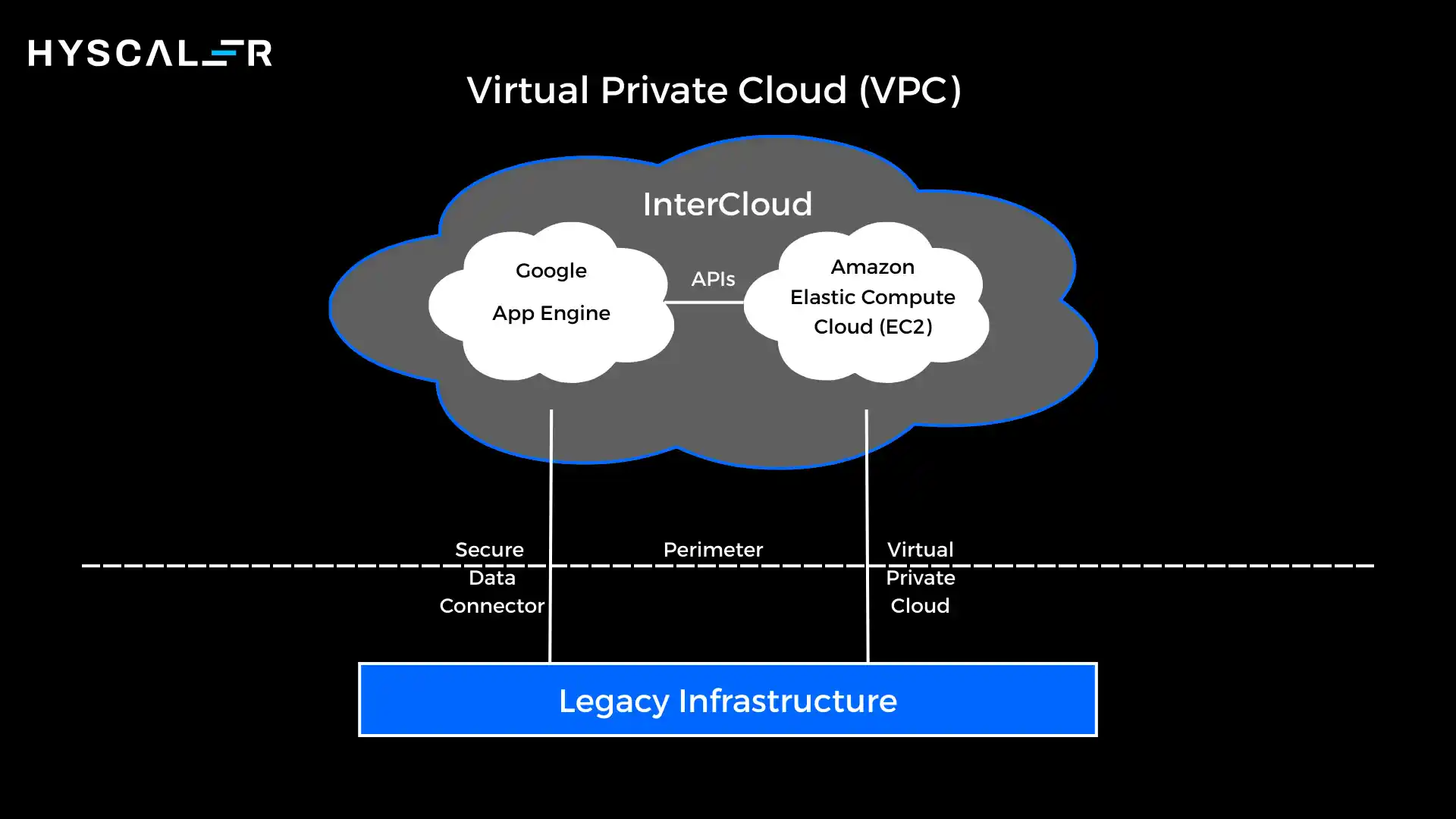
This is the most common method for connecting a corporate data center to a Virtual Private Cloud (VPC). It utilizes the public internet but wraps data in an encrypted tunnel.
- Best for: Small to medium enterprises, branch offices, and non-critical development environments.
- Pros: Rapid deployment, low cost, and support for high-encryption standards.
- Cons: Subject to internet fluctuations and latency spikes.
2. Dedicated Private Interconnect
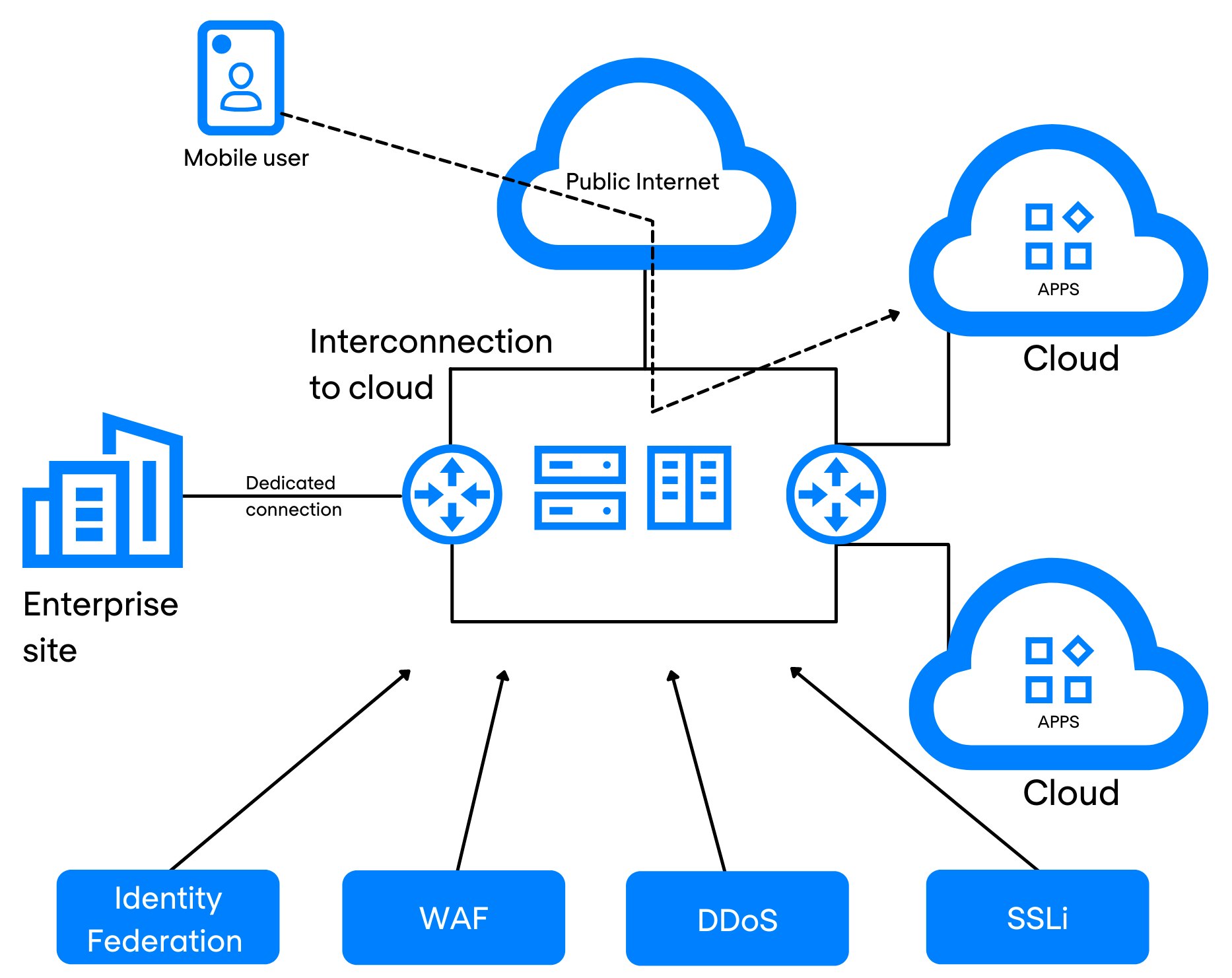
Services like AWS Direct Connect, Azure ExpressRoute, or Google Cloud Interconnect provide a physical connection from your facility to the cloud provider’s edge location.
- Best for: Large-scale data migration, high-throughput workloads, and strict compliance needs.
- Pros: Consistent performance, reduced egress costs, and bypasses the public internet entirely.
- Cons: High setup costs and longer lead times for physical provisioning.
3. Software-Defined Wide Area Network (SD-WAN) and SASE
In 2026, Secure Access Service Edge (SASE) has become the standard for distributed workforces. SD-WAN abstracts the underlying hardware, allowing for automated, policy-based routing across multiple connection types while integrating security stacks (like Firewalls-as-a-Service) directly into the connection path.
Step-by-Step Implementation of a Secure VPN Connection
If you are opting for a Site-to-Site VPN—the most frequent starting point for secure cloud integration—follow these technical steps to ensure a robust deployment.
Phase 1: Provisioning the Cloud Gateway
In your cloud management console (AWS, Azure, or GCP), you must create a Virtual Private Gateway or a VPN Gateway. This acts as the cloud-side "anchor" for your connection. During this phase, you will define the ASN (Autonomous System Number) if you are using BGP (Border Gateway Protocol) for dynamic routing. Dynamic routing is generally preferred over static routing because it allows the connection to automatically reroute traffic if a specific path becomes unavailable.
Phase 2: Defining the Customer Gateway
You must provide the cloud provider with the public IP address of your on-premises router or firewall. This is known as the Customer Gateway. Ensure that your local firewall allows traffic on UDP ports 500 and 4500, which are essential for IKE (Internet Key Exchange) and NAT Traversal.
Phase 3: Configuring the Encryption Tunnel
This is the most critical security step. You must align the parameters of the IKE policies and IPsec policies on both ends. In 2026, the recommended standards are:
- IKE Version: IKEv2 (Offers better stability and multi-homing support than IKEv1).
- Encryption: AES-256 or AES-GCM for superior performance on modern processors.
- Integrity: SHA-384 or SHA-512.
- Diffie-Hellman (DH) Group: Group 14 or higher (Groups 19, 20, or 21 are preferred for Elliptic Curve Cryptography).
Phase 4: Establishing Routing and Traffic Rules
Once the tunnel status is "Up," you must update your route tables. In the cloud VPC, add a route that directs traffic destined for your local IP range to the VPN gateway. Conversely, on your local router, point traffic destined for the cloud CIDR block to the tunnel interface.
Comparative Analysis of Secure Connection Methods
| Feature | Site-to-Site VPN | Dedicated Interconnect | SD-WAN / SASE |
|---|---|---|---|
| Medium | Public Internet | Private Fiber | Hybrid (Internet/Private) |
| Encryption | Mandatory (IPsec) | Optional (but recommended) | Native / Integrated |
| Latency | Variable | Low / Predictable | Optimized via Software |
| Setup Time | Minutes to Hours | Weeks to Months | Days (Software-driven) |
| Relative Cost | Low | High | Medium (Subscription-based) |
| Typical Use Case | Branch Offices | Core Data Centers | Remote & Hybrid Workforce |
Advanced Security: Moving Toward Zero Trust Network Access (ZTNA)
While a secure tunnel protects data in transit, it traditionally grants broad network access once the tunnel is established. Modern security frameworks in 2026 emphasize ZTNA (Zero Trust Network Access).
To build a truly secure cloud connection, you should integrate an Identity-Aware Proxy (IAP) or a ZTNA gateway. Instead of connecting a user to the entire network, ZTNA connects a specific user to a specific application after verifying their identity, device posture, and context. This prevents lateral movement—a technique where an attacker gains access to one part of the network and moves to another. Implementing Multi-Factor Authentication (MFA) at the connection entry point is no longer optional; it is the primary defense against credential theft.
Monitoring, Maintenance, and Troubleshooting
A connection is not "set and forget." Constant monitoring is required to maintain the security posture.
Logging and Auditing: Enable flow logs (such as VPC Flow Logs) to monitor the traffic passing through the connection. Use these logs to identify unauthorized connection attempts or unusual spikes in data egress, which could indicate a data breach or a misconfigured application.
MTU and Fragmentation Issues: A common technical hurdle in cloud secure connections is Maximum Transmission Unit (MTU) mismatch. Because VPN headers add size to a packet, a standard 1500-byte packet might become too large, leading to fragmentation and performance degradation. Setting the MSS (Maximum Segment Size) to 1350-1380 bytes often resolves "silent" connection drops where small packets (like PING) pass but large data transfers fail.
Certificate Management: If using certificate-based authentication rather than Pre-Shared Keys (PSK), implement an automated renewal system. Expired certificates are one of the leading causes of avoidable downtime in secure cloud architectures.
Frequently Asked Questions
Does a secure connection protect against all cyber threats? No. A secure connection only protects data while it is moving between two points (Data in Transit). It does not protect data while it is stored on a server (Data at Rest) or protect against application-layer attacks like SQL injection. You must still employ robust endpoint security and encryption for storage.
Can I use a secure connection for multi-cloud environments? Yes. You can build a "Cloud Hub" architecture where a central gateway connects multiple cloud providers (e.g., AWS to Azure) and your on-premises data center. This requires careful IP address management to avoid CIDR block overlaps between different cloud environments.
Is AES-128 sufficient for a cloud secure connection in 2026? While AES-128 is technically still secure against current brute-force methods, most regulatory bodies and enterprise standards now mandate AES-256. Given that modern hardware handles AES-256 with negligible performance impact, there is little reason to use the lower standard.
What is the difference between a VPN and a Private Link? A VPN provides a tunnel into a network (VPC). A Private Link (like AWS PrivateLink or Azure Private Link) allows you to access specific cloud services (like a database or storage bucket) privately within the provider's backbone without exposing that service to the internet or requiring a full network-to-network VPN.
How does "Post-Quantum" encryption affect my cloud connection? As of 2026, many cloud providers have begun offering post-quantum cryptographic (PQC) algorithms for key exchanges. While not yet mandatory for most, organizations with long-term data secrets are beginning to implement PQC-hybrid tunnels to protect against "harvest now, decrypt later" attacks by future quantum computers.
Practical Recommendation for Next Actions
To begin building your cloud secure connection, start by performing a Network Audit. Map out your local IP ranges and compare them against your intended cloud CIDR blocks to ensure there are no overlaps. Once the path is clear, deploy a Pilot VPN using IKEv2 and AES-256. Test this connection with a non-critical workload to measure latency and throughput. Once validated, layer on Identity and Access Management (IAM) policies that restrict connection usage to only authorized services and personnel, ensuring that your secure pipe remains a controlled gateway rather than an open door.
Image Gallery