Understanding Google AdSense: A Comprehensive Guide to Monetizing Digital Content in 2026
A Google AdSense account is a free-to-use advertising platform that allows digital publishers to earn revenue by displaying targeted advertisements alongside their online content. By acting as an intermediary between advertisers and cr...
A Google AdSense account is a free-to-use advertising platform that allows digital publishers to earn revenue by displaying targeted advertisements alongside their online content. By acting as an intermediary between advertisers and creators, Google automates the process of ad delivery, optimization, and payment processing for websites, blogs, and YouTube channels.
Contents
The digital landscape of 2026 has transformed how publishers perceive and manage their revenue streams. At the heart of this transformation is Google AdSense, a platform that has evolved from a simple text-ad delivery system into a sophisticated, AI-driven monetization engine. For content creators, an AdSense account is not merely a dashboard; it is the primary gateway to participating in one of the world's largest advertising ecosystems.
What is a Google AdSense Account?
At its core, a Google AdSense account is a publisher-side portal. While Google Ads is for advertisers who want to buy space, AdSense is for publishers who want to sell it. When you open an AdSense account, you are effectively giving Google permission to use specific areas of your digital real estate—be it a website, a mobile app, or a video—to display ads from businesses worldwide.
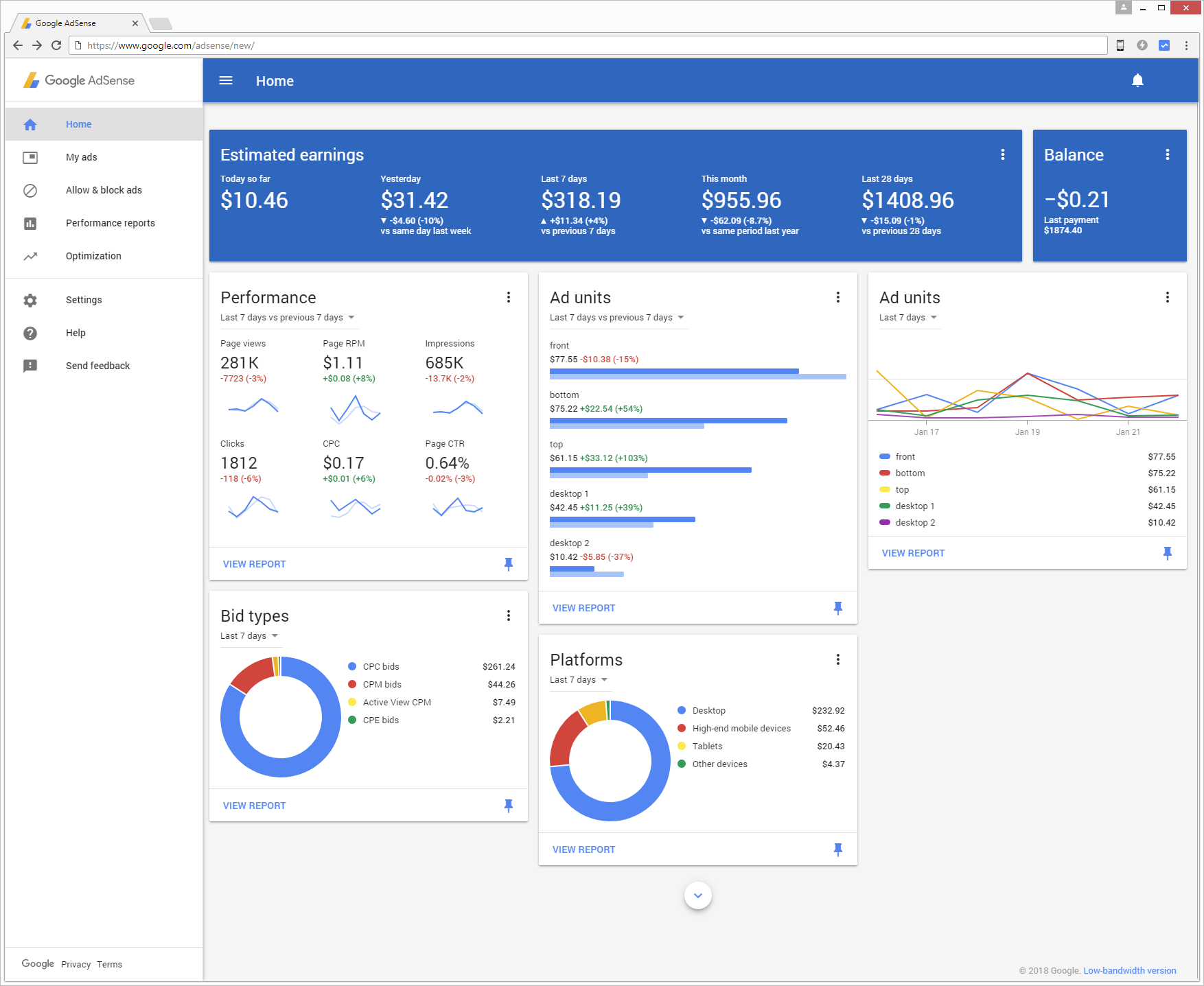
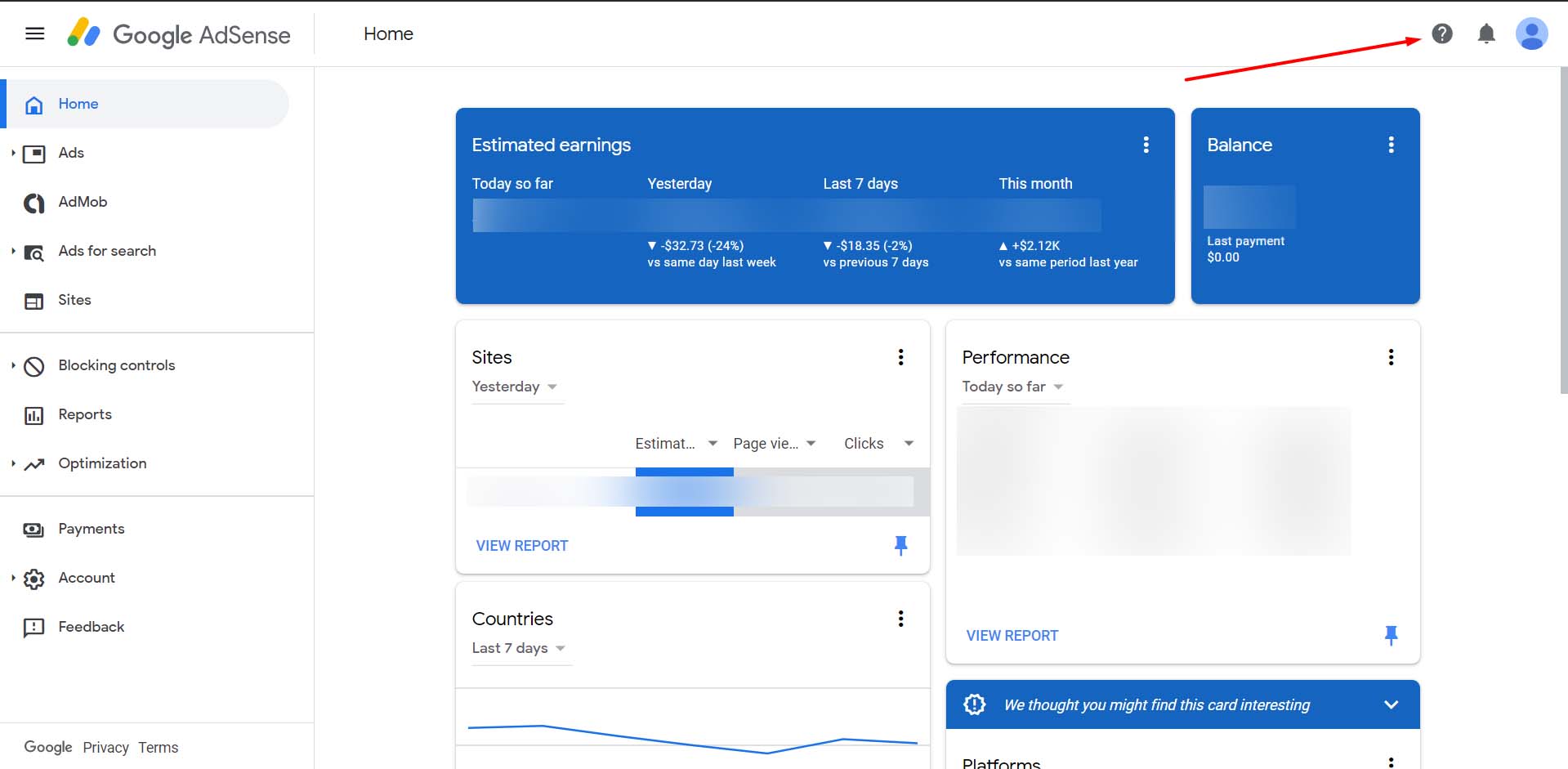
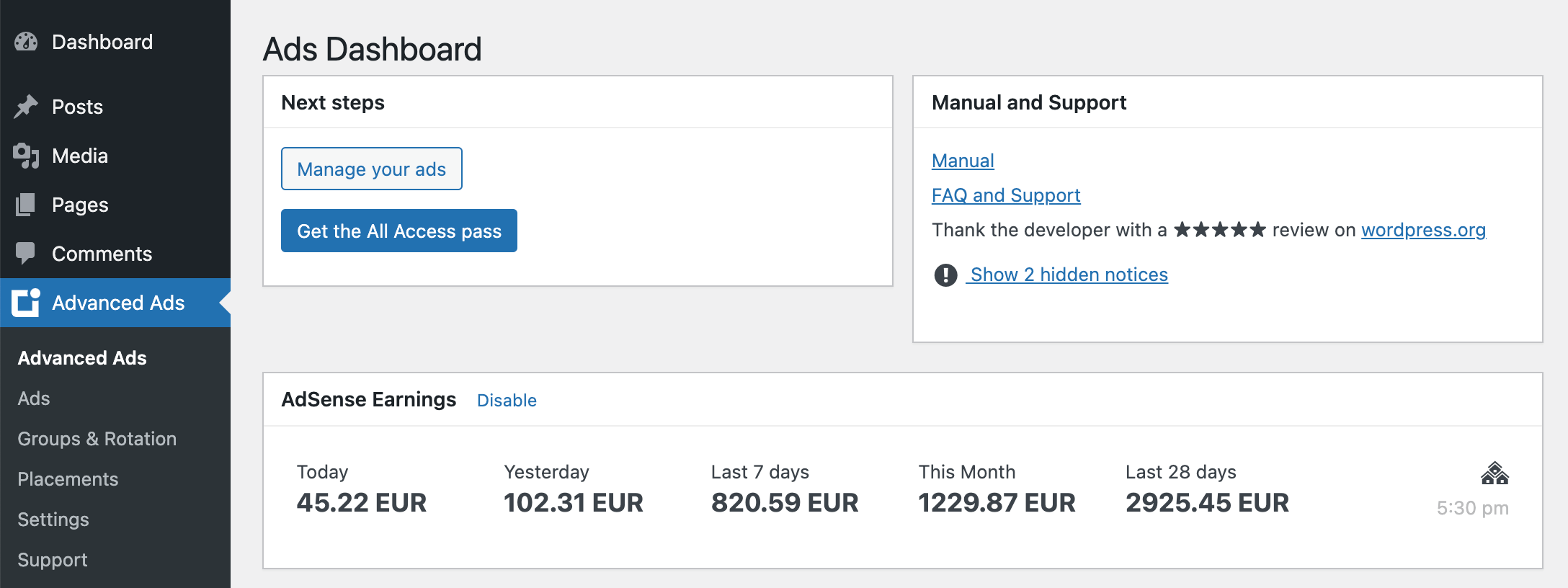
The account serves as a centralized hub where publishers manage their inventory, set preferences for the types of ads they allow, and track performance metrics. In 2026, these accounts are deeply integrated with the Google Privacy Sandbox and first-party data tools, ensuring that monetization remains viable in a world without third-party cookies. The account is linked to a Google Account and requires rigorous verification of both identity and property ownership.
How the AdSense Ecosystem Functions
The mechanics of an AdSense account rely on a sophisticated auction system known as Real-Time Bidding (RTB). When a user visits your site, an instantaneous auction occurs behind the scenes. Advertisers who have identified your audience as their target market bid for the right to show their ad on your page.
- The Ad Request: As your page loads, the AdSense code snippet sends a request to Google’s ad server.
- The Auction: Google evaluates the available ads and selects the highest-paying or most relevant ad based on the user’s interests and your site's content.
- Ad Delivery: The winning ad is served to the user.
- Revenue Generation: Depending on the ad type, you earn money when a user views the ad (CPM - Cost Per Mille) or clicks on it (CPC - Cost per Click).
By 2026, the system has become increasingly reliant on "Auto Ads." This feature uses machine learning to analyze your site’s layout and user behavior to place ads where they are most likely to perform well without disrupting the user experience. This reduces the technical burden on the publisher while maximizing the "fill rate"—the percentage of ad requests that are successfully met with an ad.
Eligibility and Technical Requirements
Gaining access to an AdSense account is not automatic; Google maintains strict quality standards to protect advertisers from low-quality or fraudulent traffic. Before applying, publishers must ensure they meet specific criteria that have become even more stringent by 2026.
Content Quality and Compliance
Google’s "Helpful Content" guidelines are the primary benchmark. An AdSense account will only be approved if the associated website provides original, high-quality content that offers a positive user experience. Sites with "thin" content, aggregated news without commentary, or AI-generated spam are routinely rejected. Furthermore, the content must adhere to the Google Publisher Policies, which prohibit illegal content, hate speech, and sexually explicit material.
Technical Prerequisites
- Property Ownership: You must have access to the HTML source code of the site you wish to monetize.
- The ads.txt File: Publishers are required to host an
ads.txtfile on their root domain. This file lists the authorized sellers of your ad inventory, preventing "domain spoofing" and ensuring that your AdSense account receives the correct credit for impressions. - Age and Legal Status: The account holder must be at least 18 years old. For younger creators, a parent or legal guardian must manage the account using their own verified identity.
- Site Maturity: While there is no official "age" for a website, Google typically prefers sites that have a consistent history of traffic and content updates, usually spanning at least three to six months.
AdSense Account Types and Comparison
When registering, users must choose between an Individual or Business account. While the functionality is largely the same, the payment structure differs. Individual accounts are paid to the name of the account holder, whereas Business accounts are paid to the legal company entity.
| Feature | AdSense (Standard) | AdSense for YouTube | Google Ad Manager (AdX) |
|---|---|---|---|
| Primary Audience | Bloggers & Website Owners | Video Content Creators | Large Enterprise Publishers |
| Minimum Traffic | No strict minimum | 1,000 subscribers / 4k watch hrs | 5M+ monthly pageviews |
| Control Level | High (Ad placement & types) | Moderate (Managed via YouTube) | Granular (Direct & Programmatic) |
| Payment Threshold | $100 (or local equivalent) | $100 (linked to AdSense) | Varies by contract |
| Key Advantage | Ease of setup and automation | Integration with video platform | Maximum revenue via competition |
The Application and Verification Process
The journey to a fully functional AdSense account involves several critical phases. It is not enough to simply sign up; you must navigate the verification gauntlet designed to prevent fraud.
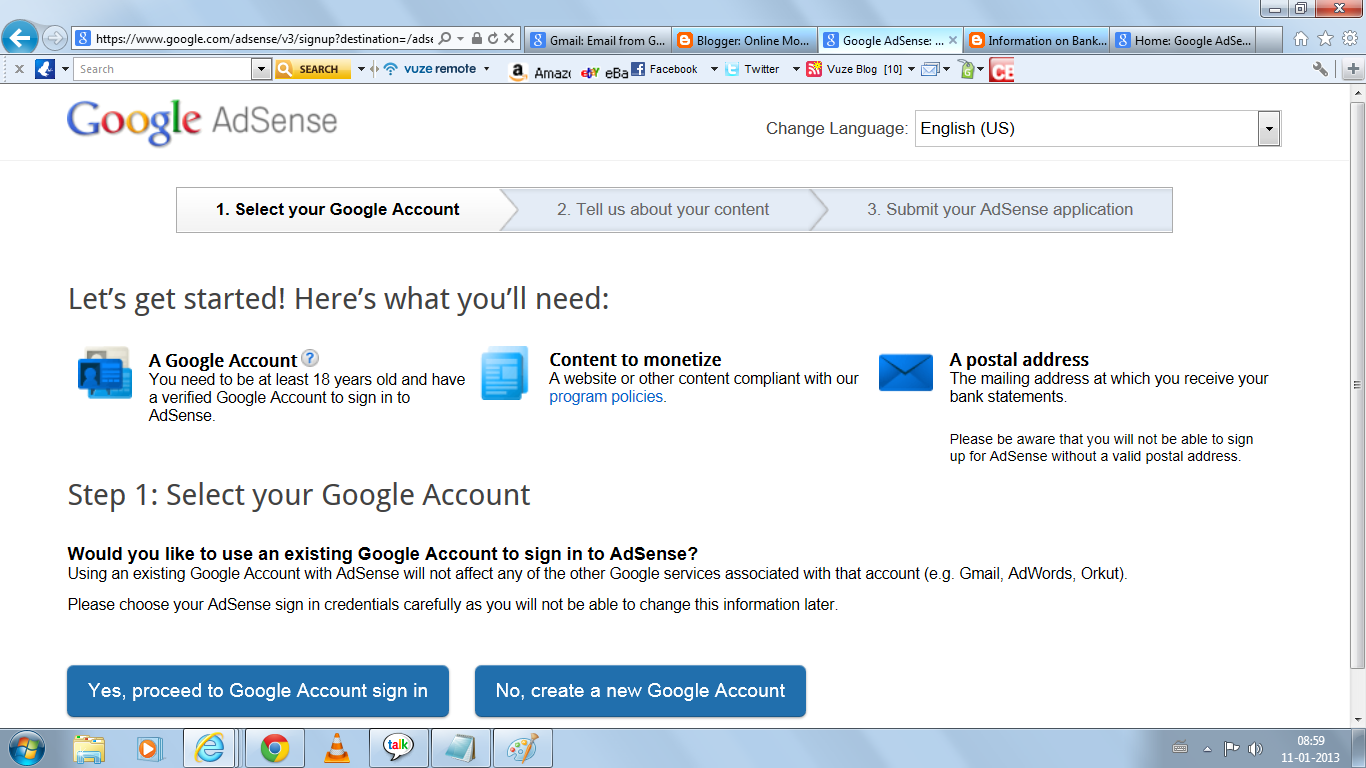
Step 1: Initial Sign-up and Integration
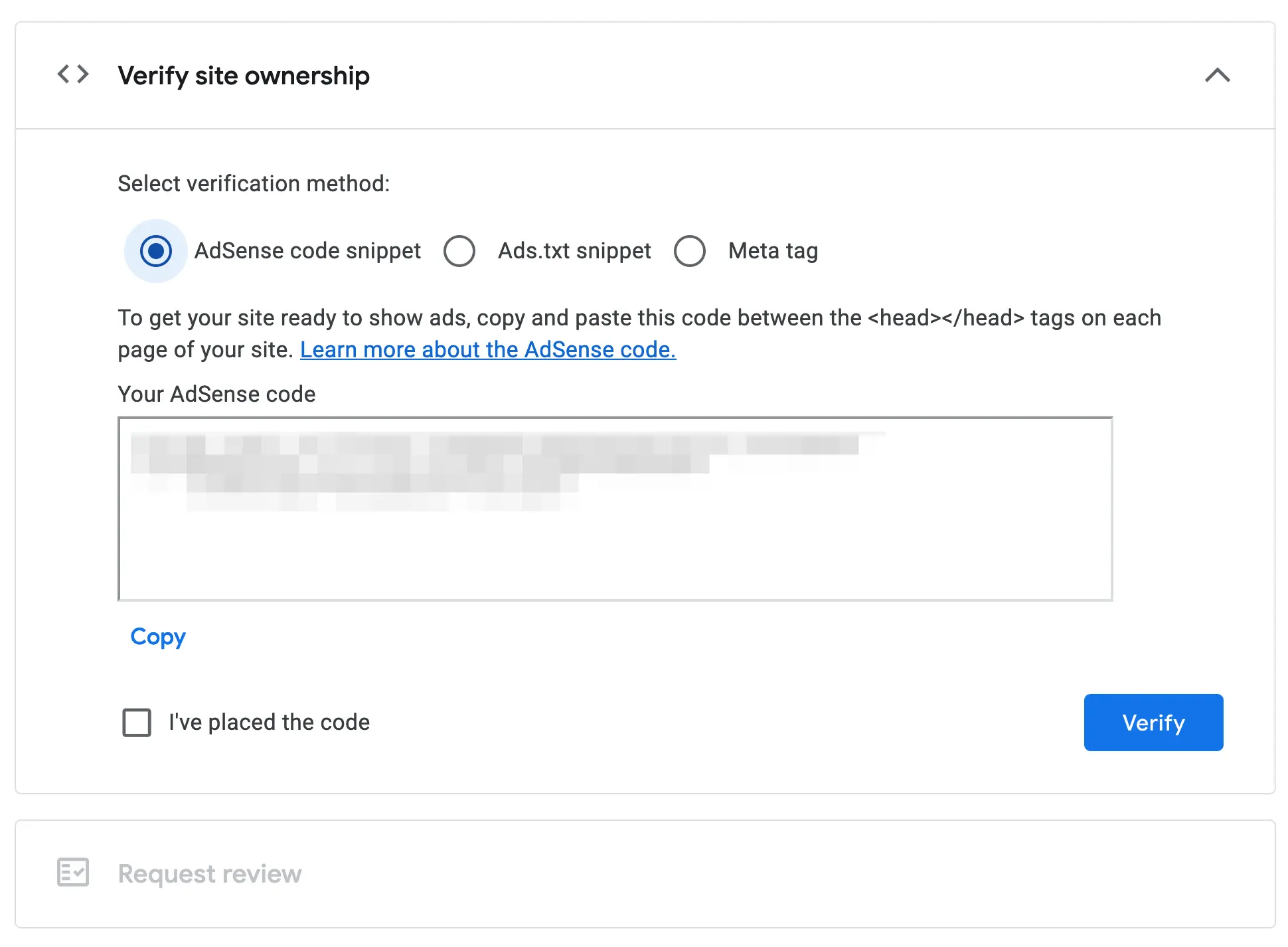
You begin by linking your Google Account to the AdSense platform. During this stage, you provide your site’s URL and your contact information. You are then provided with a snippet of JavaScript code that must be placed in the section of your website. This allows Google's "MediaBot" to crawl your site and evaluate its readiness.
Step 2: Site Review
Google’s review process can take anywhere from a few days to two weeks. During this time, they analyze your traffic patterns and content quality. If rejected, Google usually provides a broad reason (e.g., "Policy Violations" or "Low Value Content"), allowing you to make adjustments and reapply.
Step 3: Identity and Address Verification
Once you reach the $10 "verification threshold" in earnings, Google will require you to verify your identity. This often involves uploading a government-issued ID. Following this, Google will mail a physical Personal Identification Number (PIN) to your registered address. You must enter this PIN into your AdSense dashboard to unlock the ability to receive payments. This process ensures that the revenue is going to a legitimate person in a supported jurisdiction.
Managing Your Account for Long-term Success
Maintaining an active AdSense account in 2026 requires more than just "setting and forgetting." Publishers must actively monitor their "Policy Center" for any violations. Common issues include:
- Invalid Traffic (IVT): This is the most common cause of account suspension. It occurs when clicks or impressions are generated by bots, or if the publisher encourages friends and family to click ads.
- Ad Placement Violations: Placing ads too close to clickable elements (buttons/menus) or using "sticky" ads that obscure content can lead to penalties.
- Consent Management: With global privacy laws like GDPR and CCPA becoming more complex by 2026, publishers must use a Google-certified Consent Management Platform (CMP) to collect user permission before serving personalized ads.
FAQ: Frequently Asked Questions
Can I have multiple AdSense accounts?
No. Google’s terms of service strictly prohibit individuals from owning more than one AdSense account. If you need to manage multiple websites, you can add them all to a single account. If you run a separate business entity, that entity may have its own Business account, but the ownership must be clearly distinct.
How much does AdSense pay per click in 2026?
There is no fixed rate. The Cost Per Click (CPC) varies wildly based on the niche, the geographic location of the audience, and the current demand from advertisers. High-value niches like finance, insurance, and enterprise software typically command higher CPCs than general lifestyle or news content.
What is the "Revenue Share" for AdSense?
For AdSense for Content (websites), Google generally pays out 68% of the revenue collected from advertisers to the publisher. For AdSense for Search, the payout is typically 51%. These rates have remained relatively stable as Google balances platform maintenance with publisher incentives.
Why was my AdSense application rejected for "Low Value Content"?
This usually means your site does not have enough unique, indexable text. If your site is mostly images, videos, or very short articles (under 300 words), Google may deem it insufficient for displaying ads. To fix this, focus on creating comprehensive, long-form content that answers specific user queries.
How do I receive my payments?
Once you surpass the $100 payout threshold, Google issues payments via the method you selected in your account settings. Common options include Electronic Funds Transfer (EFT), Wire Transfer, or Check. In 2026, many regions also support direct digital wallet integrations.
Practical Recommendation for New Publishers
If you are just starting with an AdSense account, focus on Niche Authority before Monetization. Google’s 2026 algorithms are highly attuned to "Experience, Expertise, Authoritativeness, and Trustworthiness" (E-E-A-T). Build a repository of at least 20-30 high-quality articles that serve a specific audience before applying. Once approved, use the "Experiments" feature within the AdSense dashboard to run A/B tests on different ad formats. This data-driven approach will help you find the optimal balance between earning revenue and maintaining a clean, professional user experience on your site.
Image Gallery