Comprehensive Guide to Miami-Dade Clerk of Courts Search and Public Records Access (2026)
The Miami-Dade Clerk of Courts search is a centralized digital portal providing public access to legal records, including criminal cases, civil lawsuits, traffic citations, and property deeds. Managed by the Clerk of the Court and Comp...
The Miami-Dade Clerk of Courts search is a centralized digital portal providing public access to legal records, including criminal cases, civil lawsuits, traffic citations, and property deeds. Managed by the Clerk of the Court and Comptroller for the 11th Judicial Circuit of Florida, this system ensures transparency and administrative efficiency for legal professionals and the general public.
Contents
In 2026, the Miami-Dade County Clerk of the Court and Comptroller continues to serve as the primary custodian of county records and the chief financial officer of the county. Whether you are performing a background check, researching a property’s title history, or checking the status of a traffic ticket, understanding the nuances of the various search engines provided by the Clerk is essential for accurate results. The system is divided into several specialized databases to handle the high volume of data generated by one of the largest judicial circuits in the United States.
Navigating the Specialized Search Portals of Miami-Dade County
Unlike a singular search bar, the Miami-Dade Clerk’s system utilizes distinct databases tailored to specific record types. To ensure search accuracy and avoid missing critical information, users must select the correct portal based on the nature of the legal inquiry.
Civil, Family, and Probate Case Search
The Civil Court system handles disputes between parties involving monetary claims, family law matters (including divorce and child custody), and probate issues (estates and guardianships). In 2026, the digital interface allows for granular searches using:
- Party Name: Searching by individual or corporate name. It is recommended to use the "sounds like" feature if the exact spelling is uncertain.
- Case Number: The most direct way to find a record, formatted by year, sequence number, and court code (e.g., 2026-001234-CA-01).
- Date Filed: Useful for narrow legal research or finding recent filings within a specific timeframe.
Criminal and Traffic Records
Criminal records are categorized into Felonies, Misdemeanors, and Criminal Traffic violations. The Clerk’s office provides a robust search tool for these records, which are frequently used for employment screening and legal due diligence.
- Traffic Citations: Users can search for civil traffic infractions using a citation number or driver’s license number. This is the primary portal for paying fines or electing to attend traffic school in 2026.
- Criminal Cases: Accessing these records allows users to view charges, court dates, and final dispositions. Note that certain records involving juveniles or sealed/expunged cases will not appear in public searches.
Official Records Search for Property and Liens
The Official Records (OR) search is a separate, critical function of the Clerk’s office. This database contains documents related to real estate transactions and legal encumbrances. As of 2026, the OR database is the definitive source for verifying property ownership and debt obligations in Miami-Dade County.
Commonly searched documents in the OR database include:
- Deeds and Mortgages: Essential for title searches and real estate closings.
- Liens: Including construction liens, tax liens, and homeowners' association (HOA) liens.
- Marriage Licenses: Public records of marriage licenses issued within the county.
- Judgments: Court-ordered financial obligations that may affect property titles.
When searching Official Records, users can search by "Grantor/Grantee" (Seller/Buyer) names or by the "Book and Page" number assigned to the document upon recording. The 2026 system also supports searches by "Instrument Number," which is a unique identifier for every document filed.
Technical Requirements and Fee Schedules for 2026
While searching the online database is generally free for the public, obtaining official or certified copies of records involves specific statutory fees. The Miami-Dade Clerk’s office adheres to Florida Statutes regarding the costs of public records.
| Service Type | 2026 Estimated Fee | Delivery Method |
|---|---|---|
| Online Search/Viewing | $0.00 (Free) | Web Browser |
| Uncertified Electronic Copy | $1.00 per page | Email/Download |
| Certified Paper Copy | $1.00 per page + $2.00 per document | Mail/In-Person |
| Exemplified Copy | $7.00 per document | In-Person/Mail |
| Certified Electronic Copy (E-Cert) | $8.00 per document | Secure Email Link |
Security and Redaction Protocols
Under Florida’s Sunshine Law, most court records are public. However, the Clerk is required to redact sensitive information before documents are made available online. This includes Social Security numbers, bank account details, and specific information in domestic violence or juvenile cases. In 2026, automated AI-driven redaction tools are used to ensure compliance with privacy laws, but users should still exercise caution when sharing public record data.
Step-by-Step Guide to Performing a Case Search
To perform an effective search in 2026, follow these standardized steps to ensure no records are overlooked due to technical errors or formatting issues.
- Select the Database: Determine if you need "Court Records" (Civil/Criminal) or "Official Records" (Property/Marriage).
- Input Search Criteria: For name searches, enter the Last Name followed by the First Name. Avoid using punctuation unless the system specifically requests it.
- Refine by Date: If the search returns too many results (e.g., searching for a common name like "Smith"), use the date filter to narrow the results to a specific decade or year.
- Review the Case Summary: Click on the case number to view the "Register of Actions" or "Dockets." This provides a chronological history of everything that has happened in the case.
- Access Documents: If the document is public and has been imaged, a PDF icon will appear next to the docket entry. In 2026, most documents filed after 2015 are available for immediate viewing.
Understanding Case Number Formats in Miami-Dade
Miami-Dade uses a specific alphanumeric string for case numbers that conveys the court's jurisdiction. Understanding this format is vital for professional researchers.
- CA (Circuit Civil): Cases involving disputes over $50,000.
- CC (County Civil): Cases involving disputes between $8,000 and $50,000.
- SP (Small Claims): Disputes under $8,000.
- CF (Circuit Felony): Serious criminal charges.
- MM (County Misdemeanor): Less serious criminal charges.
- FL (Family/Domestic Relations): Divorces, child support, and injunctions for protection.
Troubleshooting Common Search Issues
If a search yields "No Results Found," it does not necessarily mean the record does not exist. Consider the following troubleshooting tips for the 2026 portal:
- Name Variations: Try searching with just the first three letters of the last name followed by an asterisk (*) if the system allows wildcard searches.
- Hyphenated Names: Many residents in Miami-Dade have hyphenated or multiple last names. Try searching for both parts of the name independently.
- Jurisdiction Check: Ensure the case was actually filed in Miami-Dade. Often, cases are filed in the neighboring Broward or Palm Beach counties if the incident occurred there.
- Sealed Records: If a case has been legally expunged or sealed by a judge, it will be removed from the public index entirely.
Comparison of Search Methods: Online vs. In-Person
While the online portal is the most convenient method for most users, certain tasks in 2026 still require physical interaction or specialized access.
| Feature | Online Portal | In-Person (Courthouse) |
|---|---|---|
| Availability | 24/7 Access | Business Hours Only |
| Search Speed | Instant | Variable (Wait times apply) |
| Document Depth | Recent images only | Historical archives (Microfilm) |
| Certification | Digital E-Cert available | Physical raised seal |
| Technical Support | Email/Chatbot | Clerk Staff Assistance |
The Role of the Clerk in 2026: Beyond Just Records
The Miami-Dade Clerk of Courts does not just store data; they facilitate the administrative backbone of the 11th Judicial Circuit. This includes managing jury summons, processing passport applications, and overseeing the distribution of court-ordered funds. For those searching for records related to "unclaimed funds" or "court registries," the Clerk maintains a separate database of monies held in trust, which is a common search intent for those settling estates or resolving old legal disputes.
The 2026 system is integrated with the Florida Courts E-Filing Portal, ensuring that as soon as an attorney files a motion, it is processed and becomes searchable within the Clerk's public portal, often within minutes or hours. This real-time synchronization is a hallmark of Miami-Dade’s commitment to judicial transparency.
FAQ: Miami-Dade Clerk of Courts Search
How can I find out if I have an active warrant in Miami-Dade? You can search the Criminal Justice database on the Clerk’s website by entering your name to see if there are any open criminal cases with an "Active" status. However, for a definitive warrant check, you should contact the Miami-Dade Police Department or a legal professional, as some warrants may not be immediately updated in the public court portal.
Can I view divorce records online in Miami-Dade County? Yes, divorce records (listed under Family Court) are generally public and can be searched by name. While you can view the docket (the list of filings), certain sensitive documents like financial affidavits or child custody agreements may be restricted from public online viewing and require a visit to the courthouse or a formal request.
What should I do if my traffic ticket doesn't show up in the search? It often takes 7 to 10 days for a manually issued citation to be uploaded into the Clerk’s system. If the ticket is still missing after two weeks, contact the Clerk’s Traffic Department directly to ensure the citation wasn't filed with a typo in your name or driver's license number.
How do I search for a property deed from the 1980s? For historical property records, use the Official Records (OR) search. While many older records have been digitized, some very old deeds may only be indexed by "Book and Page." If the digital search fails, you may need to visit the County Recorder’s Office at 22 NW 1st Street to access microfilm archives.
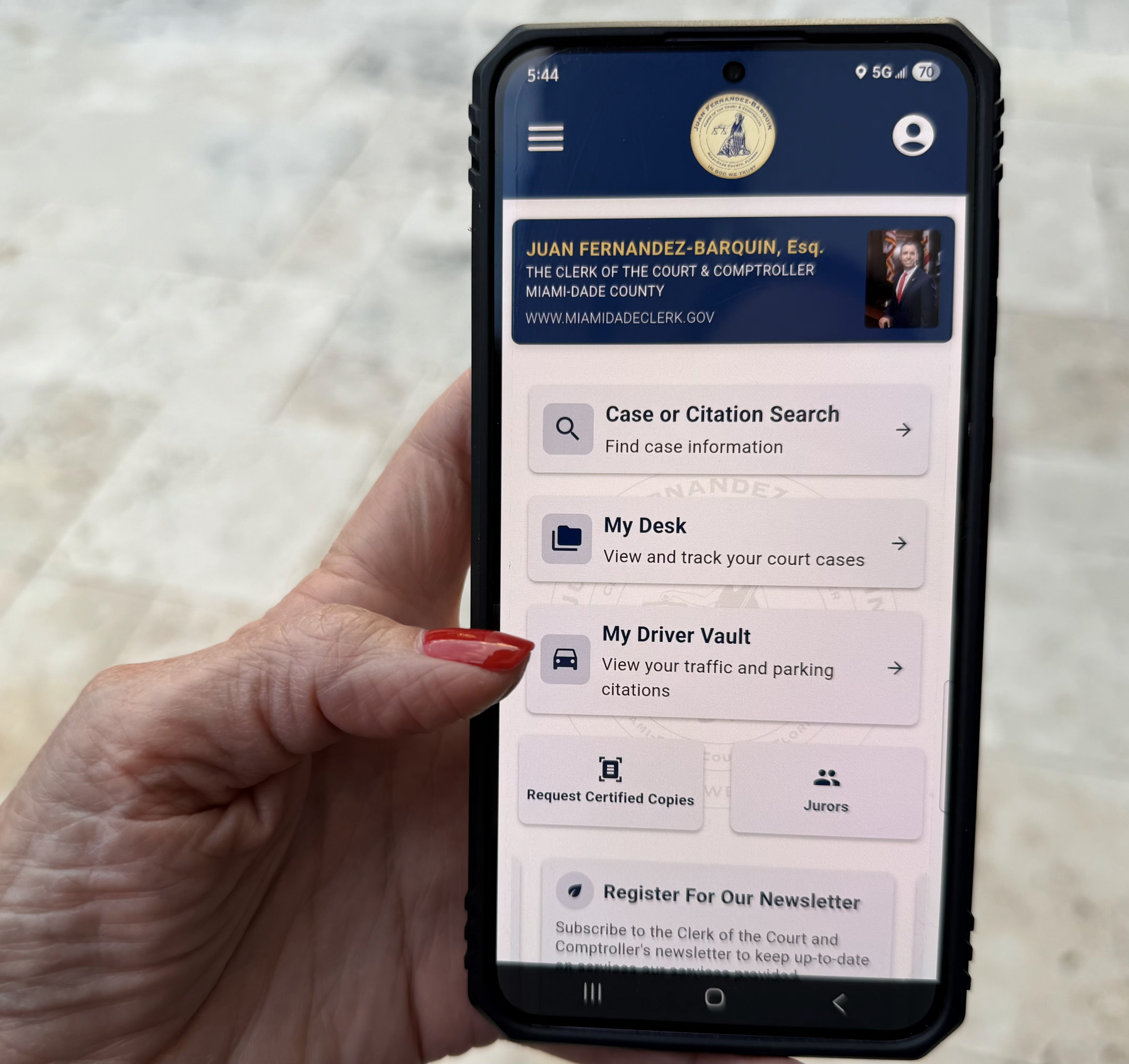
Is there a mobile app for the Miami-Dade Clerk of Courts? As of 2026, the Clerk provides a mobile-responsive web portal rather than a standalone app. This ensures that all users have access to the most up-to-date security patches and database features without needing to download frequent app updates.
Expert Practical Advice for Legal Research
When utilizing the Miami-Dade Clerk of Courts search for professional or legal purposes, always verify the "Last Updated" timestamp on the results page. In a high-volume jurisdiction like the 11th Circuit, filings occur every second. If you are preparing for a court hearing or a real estate closing, it is standard practice to perform a "gap search"—a second search conducted immediately before the transaction—to ensure no new liens or motions have been filed in the hours since your initial research. Furthermore, always utilize the "Case Number" search when available, as it eliminates the ambiguity inherent in name-based searches in a county with a large population and frequent name similarities.
Image Gallery