Managing Your AT&T Account: Complete Portal and App Guide for 2026
Managing your AT&T account efficiently requires understanding the official online portals, mobile applications, and self-service protocols designed for consumer and business subscribers. Whether you need to view your wireless or intern...
Managing your AT&T account efficiently requires understanding the official online portals, mobile applications, and self-service protocols designed for consumer and business subscribers. Whether you need to view your wireless or internet billing cycle, upgrade your smartphone device, alter your data plan limits, or update your security credentials, centralizing your administrative tasks through authenticated channels ensures data privacy and operational continuity.
Contents
Understanding the AT&T Account Ecosystem
The AT&T digital ecosystem categorizes services into distinct structural components. Knowing how your services integrate under a single ID or multi-account structure prevents administrative confusion when managing bundled fiber internet, digital television, and mobile lines.
Modern telecommunications account management relies on centralized user profiles. A single AT&T User ID can provision access across multiple product lines, but different permission tiers dictate what actions an authorized user can perform.
Core Account Components and Identifiers
- User ID and Password: The master credentials used to authenticate access across all web browsers and mobile application interfaces.
- Billing Account Number (BAN): The unique financial identifier assigned to your billing statements, essential for automated clearing house (ACH) setups and customer support verification.
- Performance Tier Codes: Internal markers identifying your subscribed speeds, such as Internet Air, AT&T Fiber 300, or unlimited wireless tiers like Unlimited Premium PL.
- Authorized Users: Secondary profiles assigned by the primary account holder with specific permissions to make changes, view bills, or make payments.
Prerequisites for Secure Account Access
Before attempting to administer your profile, gather the necessary verification items and ensure your technical environment meets basic security standards. AT&T enforces strict authentication protocols to prevent unauthorized SIM swaps and identity theft.
- Primary Email Address or Username: The exact string associated with your login profile.
- Passcode/PIN: The 4-to-8-digit security code established during account creation, frequently required for phone support and critical profile changes.
- Two-Factor Authentication (2FA) Device: Access to your trusted mobile number or recovery email to receive one-time passcodes (OTPs).
- Updated Browser or Official App: A modern web browser with JavaScript enabled or the latest version of the myAT&T application installed from an official app marketplace.
Step-by-Step Guide to Accessing and Managing Your Profile
Navigating the administrative dashboard requires a methodical approach to ensure you complete tasks without triggering security locks or session timeouts.
Step 1: Authentication and Login
- Navigate to the official AT&T login portal or open the myAT&T mobile application.
- Enter your AT&T User ID and corresponding password in the designated fields.
- Complete the multi-factor authentication prompt by entering the OTP sent via SMS or email to your registered recovery device.
- Verify that you are inside your personalized dashboard, confirming your active services are listed correctly.
Step 2: Navigating the Billing and Payment Interface
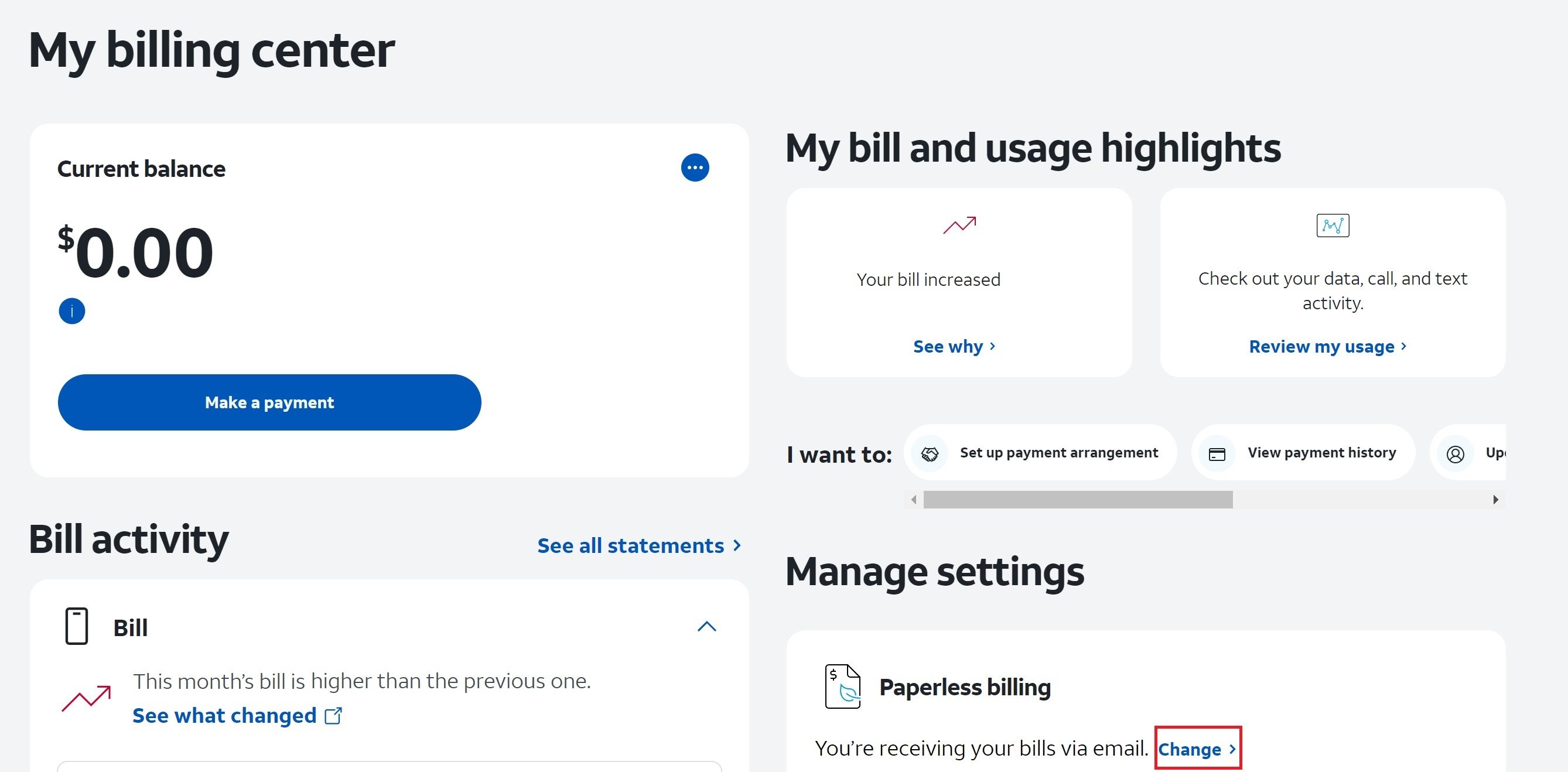
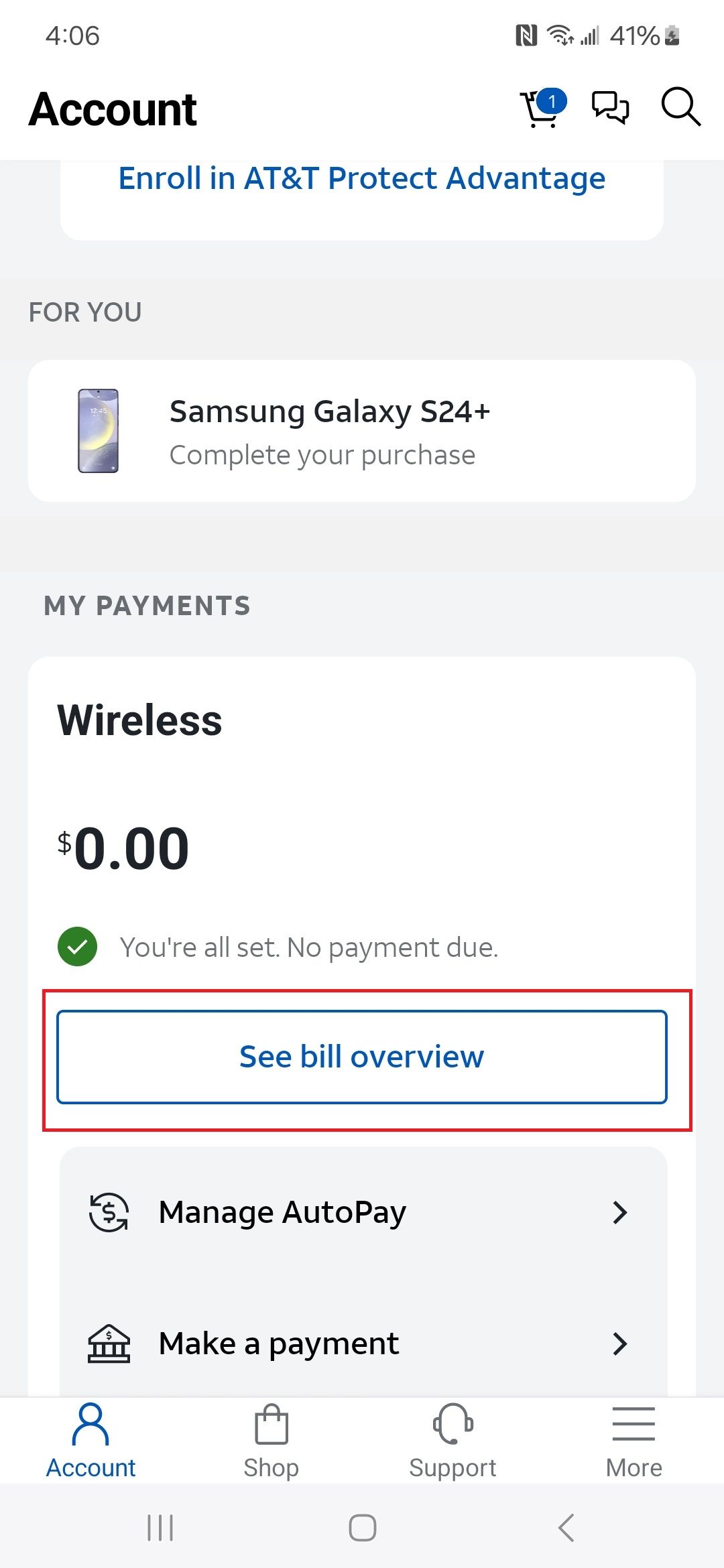
- Select the Billing & Payments tab from the primary navigation menu.
- Review your current balance, billing period dates, and itemized charges.
- Choose Make a Payment to settle your balance using saved payment methods, credit/debit cards, or bank routing numbers.
- Enroll in AutoPay and Paperless Billing if you wish to maintain recurring billing discounts associated with specific rate plans.
Step 3: Modifying Services and Rate Plans
- Access the Myプラン (My Plan) or Services section within your dashboard.
- Review your current feature allocations, add-on features, and data usage metrics.
- Select Change Plan or Manage Add-ons to evaluate alternative tiers that better fit your data consumption habits.
- Confirm any prorated cost changes or contractual commitments before finalizing the modification.
Feature Comparison: Web Portal vs. Mobile Application
Choosing the correct platform for your administrative tasks depends on the complexity of the action you wish to perform. While both environments share core functionalities, certain advanced configurations perform better in specific environments.
| Feature / Task | myAT&T Web Portal (Browser) | myAT&T Mobile App (iOS/Android) |
|---|---|---|
| Initial Account Setup | Fully Supported (Recommended) | Supported |
| Detailed PDF Bill Download | Optimal formatting and archival | Available via mobile PDF viewer |
| Biometric Quick Login | Not Applicable | Fully Supported (FaceID / Fingerprint) |
| Real-time Data Usage Tracking | Supported with graphical breakdowns | Optimized, instant widget view |
| Device Upgrade & Trade-in | Detailed device specification review | Streamlined camera-based trade-in scans |
| User Permission Management | Comprehensive multi-user control | Basic user viewing |
Security Best Practices and Troubleshooting Common Login Errors
Account security remains a top priority. Implementing robust credential management protects your personal data and financial instruments from malicious actors.
Protecting Your Digital Profile
- Credential Uniqueness: Never reuse passwords across your email, financial institutions, and your telecommunications portal.
- Passcode Discipline: Memorize your wireless account PIN and never share it with unverified callers claiming to be support agents.
- Activity Monitoring: Regularly check the notification logs within your profile to spot unauthorized profile modifications or device addition requests.
Troubleshooting Common Access Issues
- Forgotten User ID or Password: Utilize the automated recovery links on the login screen. You will need access to your recovery email or phone number to receive a verification reset link.
- Account Lockouts: Multiple consecutive failed login attempts will temporarily lock your profile for security reasons. Wait 15 minutes before attempting another login or use the password reset utility.
- Browser Cache Conflicts: If dashboard pages fail to load or display infinite loops, clear your browser cookies and cache, or attempt access via an incognito browsing window.
Frequently Asked Questions
How do I reset my forgotten AT&T password?
You can reset your password by clicking the "Forgot password?" link on the login page, entering your User ID, and following the verification prompts sent to your recovery email or phone. Immediate execution of this recovery workflow restores access within minutes.
Can I manage multiple AT&T services under a single login?
Yes, you can link multiple accounts—such as AT&T Fiber, wireless lines, and legacy digital home phone services—under one master User ID. This consolidation allows you to view unified billing statements and manage all services from a single dashboard.
Why is my AutoPay discount not showing on my bill?
AutoPay discounts typically require enrollment using an eligible debit card or checking account rather than standard credit cards. Verify your payment method settings under the billing section to ensure compliance with current promotion terms.
How do I add an authorized user to my account?
Log into your web portal, navigate to profile settings, select user management or authorized users, and input the requested details of the individual you wish to grant permissions to. Primary account holders retain full control over what secondary users can execute.
What should I do if I notice unfamiliar charges on my statement?
Review the itemized PDF bill for third-party purchases, international roaming fees, or device installment plan balances. If unauthorized charges persist, contact customer support immediately through the official support chat or verified phone line.
Conclusion
Maintaining complete control over your telecommunications services ensures you avoid unexpected service interruptions and billing discrepancies. By leveraging the official web portal and mobile tools with proper security hygiene, you can efficiently administer your services year-round. For direct assistance with complex account migrations or technical troubleshooting, log into your profile to initiate a secure support session or contact AT&T customer service through official channels.
Image Gallery