Frontier Fiber Optic Map: 2026 Coverage Guide and Availability Analysis
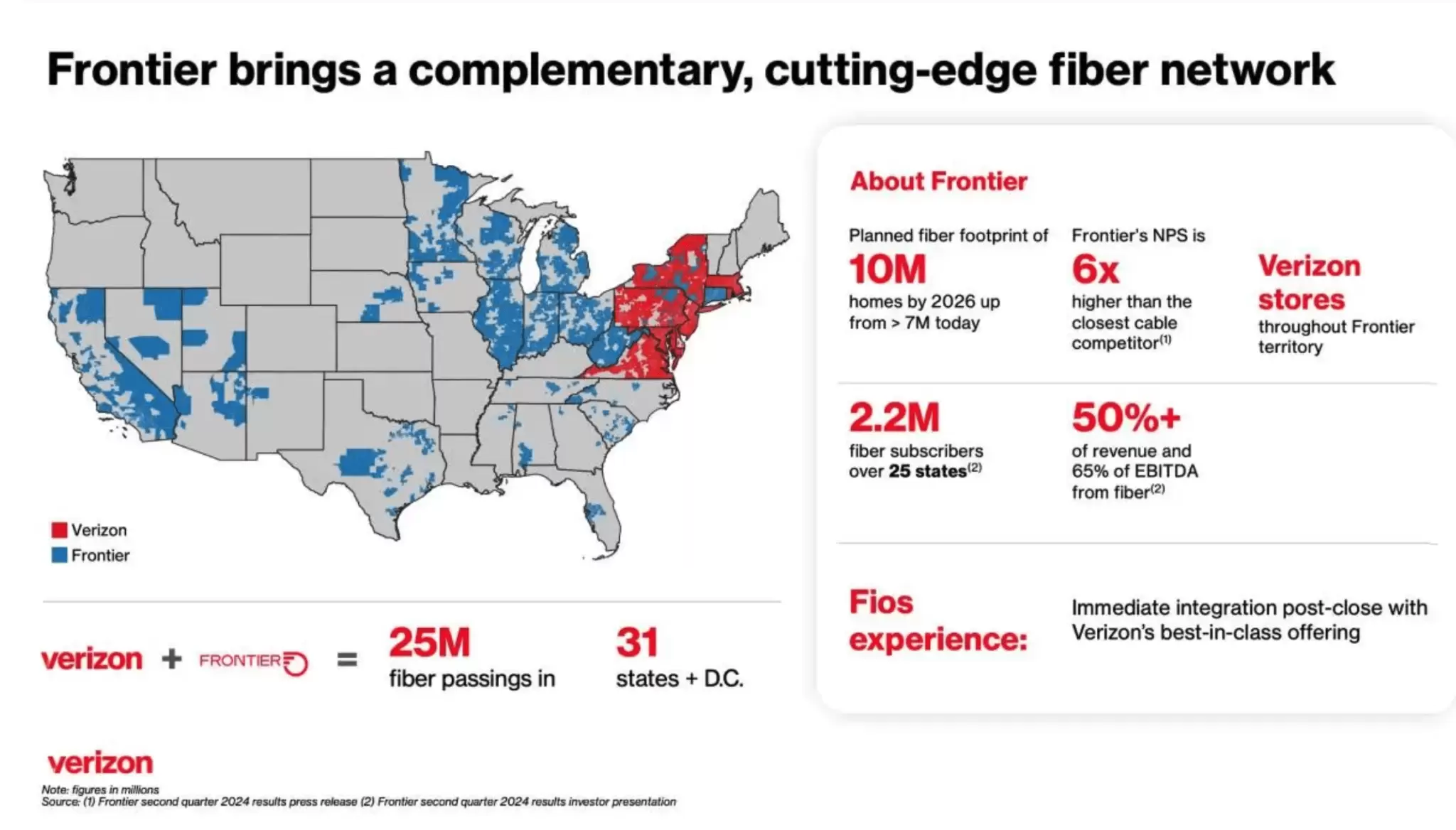
Navigating the Frontier fiber optic map in 2026 requires understanding that Frontier Communications operates a regional fiber-to-the-home (FTTH) network spanning parts of nearly 25 states. This guide explores how to read coverage maps,...
Navigating the Frontier fiber optic map in 2026 requires understanding that Frontier Communications operates a regional fiber-to-the-home (FTTH) network spanning parts of nearly 25 states. This guide explores how to read coverage maps, check specific address availability, understand network expansion milestones, and evaluate connection speeds and reliability standards.
Contents
Understanding the Frontier Fiber Optic Footprint
The telecommunications landscape features a mix of legacy copper infrastructure and modern passive optical networks (PON). Frontier has aggressively migrated its footprint from traditional DSL to pure fiber architectures, transforming its service areas across multiple states.
Geography dictates network availability down to the block level. Unlike cable networks that often serve entire municipalities through a shared coaxial framework, fiber builds depend heavily on central office upgrades, local utility pole access agreements, and municipal right-of-way permissions. Because of these localized deployment variables, checking a high-level state map only provides a generalized overview of where fiber exists. True verification requires inspecting spatial data at the parcel level.
The modern Frontier infrastructure utilizes Gigabit Passive Optical Network (GPON) and XGS-PON technologies. These architectures deliver symmetrical upload and download speeds, meaning data travels at identical rates in both directions. This capability separates fiber architectures from older cable networks, which historically prioritize downstream bandwidth at the expense of upstream capacity.
Key Regions and States on the Frontier Network Map
Frontier's operational footprint clusters primarily in select metropolitan, suburban, and rural sectors across the United States. While the company shed several properties in recent years, it solidified its core operating regions through multi-billion-dollar capital expenditure programs aimed at fiber deployment.
- Texas: Concentrated heavily in the Dallas-Fort Worth metroplex and surrounding North Texas communities, representing one of the densest FTTH deployments in the portfolio.
- California: Serves portions of Southern California, including parts of the greater Los Angeles basin and inland communities.
- Florida: Focuses primarily on the Tampa-St. Petersburg region, providing high-speed connectivity to dense residential and commercial corridors.
- Connecticut: Operates a statewide footprint inherited through historical acquisitions, serving a dense mix of suburban and urban residences.
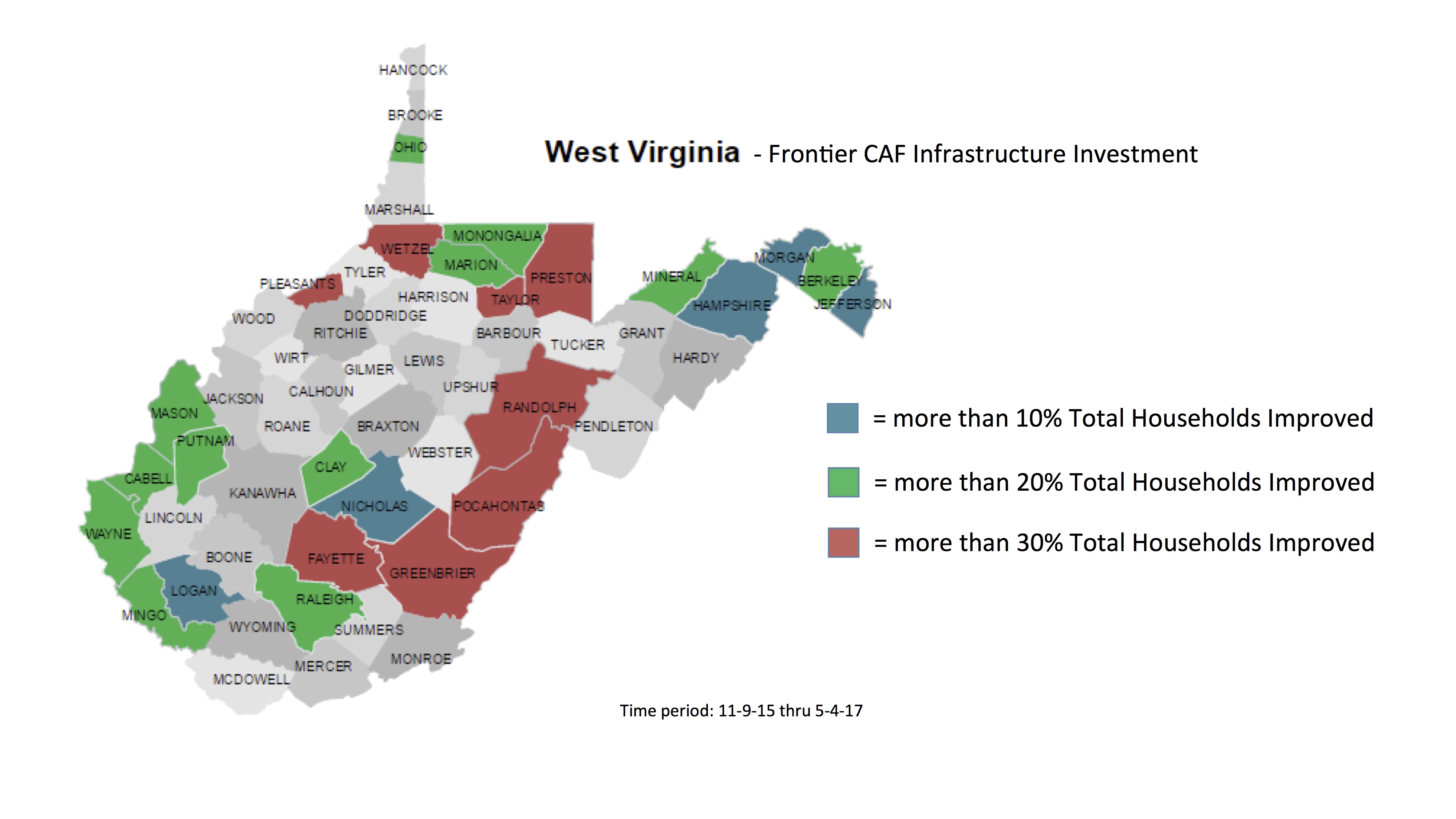
- Midwestern and Northeastern States: Includes significant pockets in Indiana, Ohio, Michigan, West Virginia, and Pennsylvania, where rural digital equity initiatives have accelerated fiber builds.
How to Check Exact Address Availability Using the Map Tool
Relying solely on regional coverage maps can lead to frustration, as a single neighborhood might feature fiber while an adjacent street relies on legacy copper infrastructure. Accurate service verification involves a systematic lookup procedure.
- Navigate to the official Frontier availability portal or interactive coverage mapping tool.
- Enter the complete street address, including unit or apartment numbers, along with the correct ZIP code.
- Review the returned service tier options to confirm whether symmetrical fiber speeds (such as 500 Mbps, 1 Gig, or 2 Gig) appear alongside legacy copper tiers (DSL).
- If the address returns fiber availability, note the specific installation requirements, such as whether an Optical Network Terminal (ONT) needs to be installed inside or outside the premises.
- If fiber is unavailable, register for construction notifications to receive automated alerts when local fiber nodes go live.
Frontier Fiber vs. Competitor Infrastructure Comparison
Evaluating broadband options requires comparing technical specifications, pricing structures, and architectural limitations across different provider types. The table below outlines how Frontier fiber compares to alternative connection methods found on modern broadband maps.
| Feature / Metric | Frontier Fiber (FTTH) | Cable Broadband (HFC) | 5G Home Internet (FWA) | DSL / Copper (Legacy) |
|---|---|---|---|---|
| Technology Type | Pure Glass Fiber to Premises | Hybrid Fiber-Coaxial | Cellular Radio Frequencies | Twisted-Pair Copper Wires |
| Download Speeds | 500 Mbps to 5+ Gbps | 300 Mbps to 1.2 Gbps | 100 Mbps to 400 Mbps | 10 Mbps to 100 Mbps |
| Upload Speeds | Symmetrical (Matches Download) | Asymmetrical (Low Upload) | Asymmetrical (Variable) | Highly Limited (1-10 Mbps) |
| Latency | Ultra-Low (2ms - 10ms) | Low to Moderate (15ms - 30ms) | Moderate to High (30ms - 80ms) | High (50ms - 100ms+) |
| Weather Susceptibility | Immune to Electrical/Weather Interf. | Minor susceptibility to line damage | High susceptibility to signal blockage | Prone to water damage in copper lines |
Infrastructure Expansion and Network Growth Strategy
Frontier's capital allocation strategy centers on expanding its fiber footprint by hundreds of thousands of new locations annually. This growth relies on data-driven deployment models that prioritize areas with high demand and aging copper infrastructure that incurs high maintenance costs.
Network Buildout Phases Engineering and Design: Engineers map out aerial and underground utility pathways, securing permits from local municipalities and power companies before laying physical cable. Middle-Mile and Backbone Construction: Crews install high-capacity fiber trunks connecting local central offices to regional data centers, establishing the core data pipeline. Drop and Distribution Deployment: Technicians run distribution cables through neighborhoods and install terminal splitters on utility poles or inside underground vaults. Service Activation: Individual customer premises are connected via drop cables to the local terminal, completing the end-to-end optical path.
Frequently Asked Questions
Does a Frontier fiber map guarantee that my specific house can get service?
No, a regional coverage map only indicates general availability within a zip code or neighborhood. Because fiber availability can change from one side of a street to the other, running an exact address lookup on the official Frontier website is required to confirm hookup eligibility.
What is the difference between Frontier fiber and Frontier DSL?
Frontier fiber utilizes pure light signals transmitted through glass strands to deliver symmetrical gigabit speeds and ultra-low latency. Frontier DSL uses legacy copper telephone lines, resulting in significantly slower, asymmetrical speeds and higher vulnerability to electromagnetic interference.
Why do some neighborhoods on the map show fiber while adjacent ones do not?
Fiber deployment requires upgrading local central offices and running dedicated physical lines to specific neighborhoods, a process completed in phased increments. Areas missing fiber are typically scheduled for future buildout phases based on capital availability and engineering priorities.
Can I request Frontier fiber if my address is currently outside the coverage map?
You can submit your address to the provider's notification registry to express interest in service expansion. While this does not trigger an immediate construction project, high demand in a specific unserved cluster can influence future infrastructure deployment schedules.
Do I need a special router or modem for Frontier fiber internet?
Frontier fiber requires an Optical Network Terminal (ONT) to convert light signals into electrical Ethernet packets, which is provided during professional installation. While you can connect your own compatible Wi-Fi router to the ONT, Frontier supplies an integrated gateway designed to support multi-gigabit throughput.
Optimizing Your Frontier Fiber Connection
Maximizing a fiber-optic connection requires paying attention to local home networking hardware. Because fiber delivers multi-gigabit throughput capable of saturating standard equipment, leverage wired Ethernet connections (Cat6 or Cat6a cables) for stationary devices like gaming consoles, desktop workstations, and smart TVs. For wireless devices, utilize Wi-Fi 6 or Wi-Fi 7 routers positioned in open, central areas away from heavy obstructions or electronic interference to maintain optimal signal integrity.
Image Gallery