Navigating the ODRC Gateway: Secure Access, System Architecture, and 2026 Operational Protocols
The ODRC Gateway serves as the centralized digital portal for the Ohio Department of Rehabilitation and Correction, securely connecting authorized personnel, vendors, and the public to vital correctional databases, visitation schedulin...
The ODRC Gateway serves as the centralized digital portal for the Ohio Department of Rehabilitation and Correction, securely connecting authorized personnel, vendors, and the public to vital correctional databases, visitation scheduling, and offender tracking systems. Navigating this platform requires specific adherence to authentication standards, multi-factor security policies, and official communication protocols.
Contents
Understanding the ODRC Gateway Infrastructure and User Access Roles
The Ohio Department of Rehabilitation and Correction manages dozens of institutional facilities, community-based correctional facilities, and parole regions across the state. The ODRC Gateway acts as the secure single-sign-on (SSO) and application launch point for various user segments. Because correctional networks handle sensitive public safety data, system access is strictly segregated based on user classification and credential validation levels.
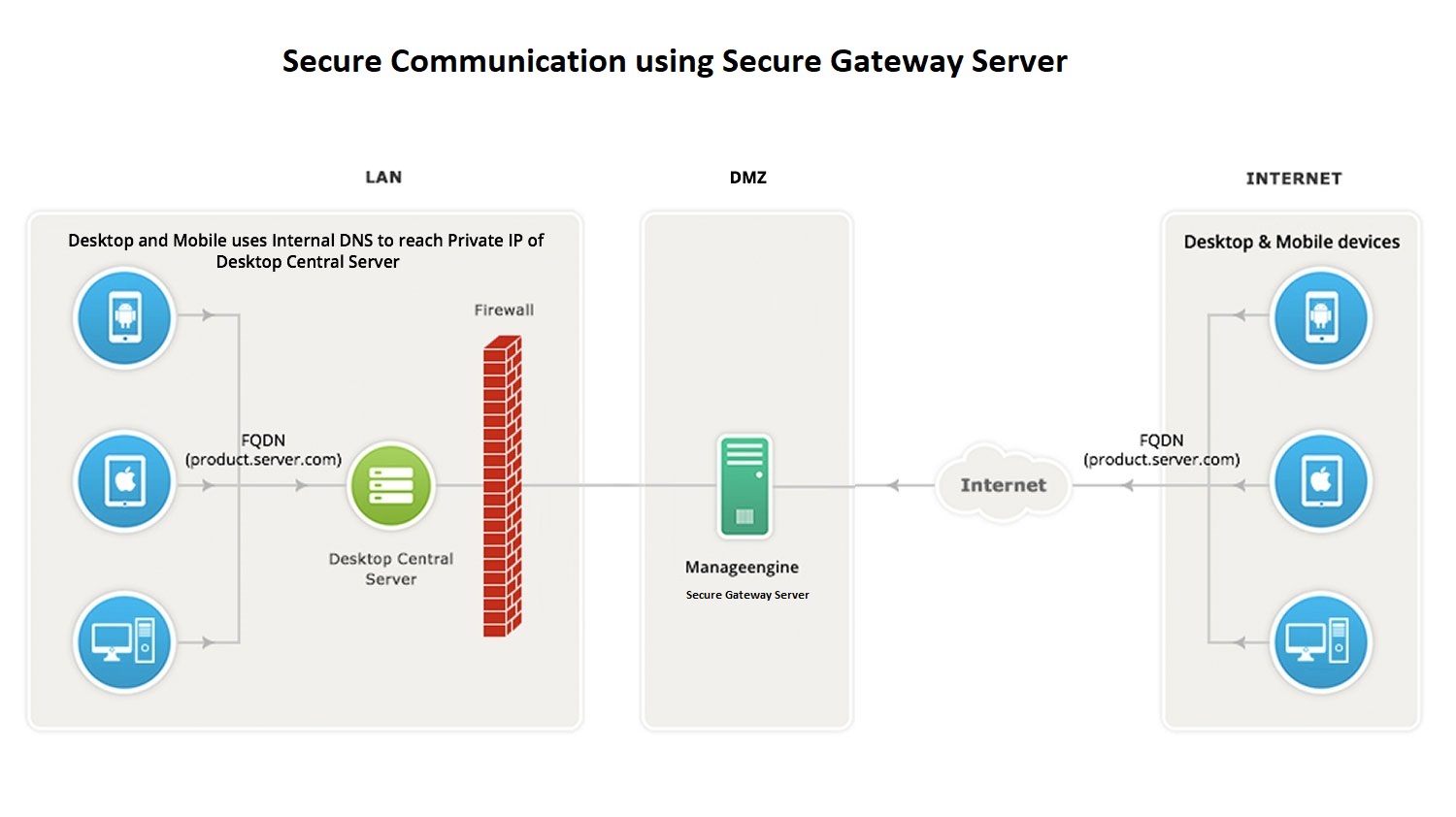
Proper system architecture ensures that internal operational tools remain shielded from public exposure while keeping public-facing interfaces like video visitation and offender search utilities highly available. Users must understand their specific gateway tier to avoid authentication lockouts or compliance violations.
- Internal Agency Personnel: Correctional officers, administrative staff, case managers, and medical professionals access internal databases, Offender Tracking System (OTS) modules, and secure internal messaging.
- External Law Enforcement and Justice Partners: County sheriffs, municipal police departments, courts, and legal counsel utilize verified channels for interstate compact data, warrant lookups, and legal document exchange.
- Family Members and General Public: Visitors, family members of incarcerated individuals, and researchers access public search tools, video visitation scheduling platforms, and trust fund deposit utilities.
- Vendors and Contractors: Approved educational service providers, medical contractors, and maintenance suppliers log in through vetted enterprise contractor portals with restricted domain permissions.
Core Features and Digital Services Available Through the Gateway Portal
The gateway consolidates multiple disparate state correctional applications into a unified dashboard interface. This consolidation reduces administrative overhead and minimizes the risk of credential compromise across multiple systems.
Offender Search and Public Tracking
The public-facing modules within the gateway ecosystem allow citizens to query the state's offender population database. By inputting an offender's name or institutional identification number (often referred to as an inmate number), users can view current housing locations, projected release dates, and general institutional status.
Visitation Scheduling and Management
Scheduling physical or video visitation requires strict adherence to institutional calendars and visitation rules. The gateway hosts the scheduling module where approved visitors can book time slots, verify identification requirements, and review dress code policies before arriving at a facility or logging into a remote session.
Trust Fund and Commissary Deposits
Family and friends seeking to deposit funds into an incarcerated individual's commissary account utilize integrated financial gateway services. These financial tools process electronic payments securely, enforcing state-mandated transaction limits and fee structures while updating account balances dynamically within the institutional banking ledger.
Security Architecture, Authentication Protocols, and Compliance Standards
Operating a state-level correctional gateway demands rigorous compliance with federal and state cybersecurity frameworks, including Criminal Justice Information Services (CJIS) security policies. Unauthorized access attempts trigger automated defensive measures, including rapid IP blacklisting and mandatory credential resets.
Security Compliance Notice: All users interacting with internal or restricted portions of the ODRC network must complete mandatory annual security awareness training. Multi-factor authentication (MFA) via hardware tokens, authenticator applications, or verified SMS is strictly enforced for all administrative and partner accounts. Sharing login credentials or attempting unauthorized data extraction violates Ohio state law and federal computer fraud statutes.
To maintain system integrity, administrators monitor session tokens and enforce strict session timeouts. Users experiencing persistent authentication failures must verify their browser compatibility, clear cached credential data, or contact the central IT help desk for identity verification.
Step-by-Step Guide: Accessing and Authenticating Within the Gateway Ecosystem
Successfully navigating the gateway depends on utilizing supported modern web browsers, maintaining active credentials, and following structured authentication workflows.
- Preparation and Verification: Ensure you are accessing the official state-managed domain. Verify that your web browser is updated to the latest stable release and that JavaScript and cookies are enabled.
- Navigate to the Portal: Open your browser and navigate to the official ODRC gateway landing page, avoiding unauthorized third-party aggregator sites that mimic state portals.
- Select Your User Classification: Choose the appropriate login portal corresponding to your role, whether internal staff, justice partner, registered vendor, or public user.
- Credential Entry: Input your unique username and secure password. For staff and partners, this step initiates the secondary multi-factor authentication challenge.
- MFA Challenge Completion: Enter the time-based one-time password (OTP) generated by your authenticator app or hardware token to complete identity confirmation.
- Dashboard Navigation: Once authenticated, use the application launcher dashboard to select the specific tool, such as the Offender Tracking System or visitation scheduler.
- Secure Session Termination: Always log out explicitly using the interface logout button and close your browser window upon completing your session, particularly on shared or public workstations.
Comparative Overview of Gateway User Portals and Access Levels
Different stakeholders interact with distinct modules inside the ODRC digital infrastructure. The following table outlines the permissions, authentication requirements, and primary functions associated with each major user tier.
| User Tier | Primary Gateway Functions | Authentication Requirement | Data Access Level |
|---|---|---|---|
| General Public | Offender search, visitation scheduling, commissary deposits | Standard username/password or public guest access | Publicly releasable records only |
| Registered Visitors | Video visitation booking, visitor application tracking | Verified email, password, and identity validation | Personal visitor profile and schedule |
| Justice Partners | Legal filings, warrant verification, interstate data exchange | Multi-factor authentication, agency digital certificate | Restricted law enforcement databases |
| Internal ODRC Staff | Case management, institutional operations, security logs | Enterprise SSO, hardware token MFA, network domain join | Full administrative and operational records |
Troubleshooting Common Gateway Access and Connectivity Issues
Users occasionally encounter technical obstacles when interacting with state portals due to strict security firewalls, expired passwords, or browser incompatibilities. Systematic troubleshooting resolves the vast majority of login roadblocks.
- Browser Cache Corruptions: If the login page fails to load properly or loops infinitely, clear your browser cache and cookies, or attempt access using an incognito/private browsing window.
- Password Expiration: Internal accounts enforce strict password rotation policies. If your account has expired, use the official self-service password reset utility or contact your institutional system administrator.
- MFA Sync Errors: If your authenticator app generates codes that are rejected by the gateway, check that your mobile device's time and date settings are set to automatic synchronization with network time servers.
- IP Restrictions: Internal tools and select partner applications block access originating from outside authorized domestic network ranges or unverified VPN endpoints. Ensure you are connecting through approved secure networks.
Frequently Asked Questions Regarding the ODRC Gateway
What should I do if my ODRC gateway account becomes locked?
Account lockouts typically occur after multiple consecutive failed password attempts or security policy violations. You must use the official password recovery tool or contact the designated IT support help desk to verify your identity and reset your account credentials.
Can the general public access internal offender medical or classification records?
No. Public access through the gateway is strictly limited to unclassified, publicly releasable demographic, housing, and sentence data. Medical, mental health, and detailed disciplinary records are confidential and protected by state and federal privacy regulations.
How do I schedule a video visitation session through the portal?
You must first have an approved visitor application on file with the specific institution. Once approved, log into the visitation module of the gateway, select an available time slot corresponding to the facility schedule, and confirm your reservation.
Are mobile devices fully supported for accessing administrative ODRC portals?
While public search and visitor scheduling modules function well on modern mobile browsers, internal administrative and justice partner applications often require desktop environments with certified enterprise security configurations and full browser capabilities.
Who should I contact if I encounter technical errors on the gateway website?
Technical support requests should be directed to the official ODRC Information Technology help desk via the contact numbers or support ticketing links provided on the official gateway landing page. Always provide specific error messages and browser details when reporting issues.
Establishing secure, reliable digital connections to the Ohio Department of Rehabilitation and Correction ensures that administrative workflows, legal proceedings, and family communications proceed without interruption. By adhering to official authentication protocols, maintaining strict security awareness, and utilizing designated portal channels, users safeguard sensitive information while maintaining effective institutional contact.
Image Gallery