Complete Guide to Accessing and Managing Your Health Records Through MyChart Bon Secours
Bon Secours MyChart serves as a secure, web-based patient portal powered by Epic Systems, providing patients across Virginia, Maryland, and surrounding regions with direct 24/7 access to their electronic health records (EHR). The platf...
Bon Secours MyChart serves as a secure, web-based patient portal powered by Epic Systems, providing patients across Virginia, Maryland, and surrounding regions with direct 24/7 access to their electronic health records (EHR). The platform empowers users to manage appointments, communicate directly with clinical care teams, review diagnostic results, and handle billing details from desktop and mobile devices.
Contents
Understanding the Bon Secours Health System and MyChart Infrastructure
Bon Secours operates an extensive network of acute-care hospitals, outpatient centers, primary care practices, and specialty clinics, primarily integrated under the Bon Secours Mercy Health (BSMH) umbrella. To maintain continuity of care and strict adherence to federal health data privacy mandates under the Health Insurance Portability and Accountability Act (HIPAA), the organization utilizes Epic Systems' MyChart framework as its central digital health interface.
The digital infrastructure links disparate clinical sites into a unified patient record. Whether an individual visits a primary care clinic in Richmond, an urgent care facility in Hampton Roads, or a specialist in the Bon Secours Baltimore health network, their health data synchronizes within the same central database. This unification minimizes duplicate testing, streamlines prescription refill workflows, and ensures that emergency personnel or authorized specialists can access critical medical histories when time is of the essence.
Core Features and Clinical Capabilities Available in the Portal
The platform functions as more than a simple repository for past medical summaries. It actively facilitates outpatient engagement by integrating clinical tools directly into the patient workflow.
- Test and Lab Result Notifications: Pathology reports, imaging summaries, and routine blood chemistry panels populate automatically as soon as attending physicians review and release them, typically within standard turnaround windows.
- Direct Provider Communication: Secure messaging allows patients to send non-urgent clinical inquiries directly to their primary care provider or specialist care teams, reducing the need for administrative phone calls.
- Appointment Management: Users can schedule routine office visits, view upcoming hospital procedures, cancel or reschedule past-due appointments, and join scheduled telehealth video visits directly through the interface.
- Prescription Renewal Requests: Active medications can be reviewed in real-time, allowing patients to submit electronic refill requests directly to their preferred retail or mail-order pharmacies through their designated care provider.
- Immunization and Health Maintenance Tracking: Comprehensive vaccination records, growth charts for pediatric patients, and preventive health milestone reminders are readily accessible for personal review or school and employment documentation.
Step-by-Step Instructions for Account Creation and First-Time Activation
Setting up a secure MyChart profile requires verification of identity to safeguard sensitive personal health information against unauthorized access. Patients can initiate this process using an activation code provided during a recent clinical encounter or through online identity verification.
- Locate the activation code printed near the bottom of a recent clinical visit summary, discharge paperwork, or appointment reminder email sent by a Bon Secours facility.
- Navigate to the official Bon Secours MyChart portal web address or open the downloaded MyChart mobile application on an iOS or Android device.
- Select the sign-up option, input the exact activation code, and enter your verified date of birth along with your Social Security number or zip code for identity matching.
- Create a unique username that does not rely on easily guessable personal information and establish a high-complexity password containing a mix of uppercase letters, lowercase letters, numbers, and symbols.
- Configure a multi-factor authentication (MFA) preference, such as receiving secure verification codes via text message or email each time a login attempt occurs from an unrecognized device.
- Review and accept the terms and conditions governing electronic communications, privacy practices, and portal usage policies to finalize the account activation process.
Managing Family Health Records Through Proxy Access
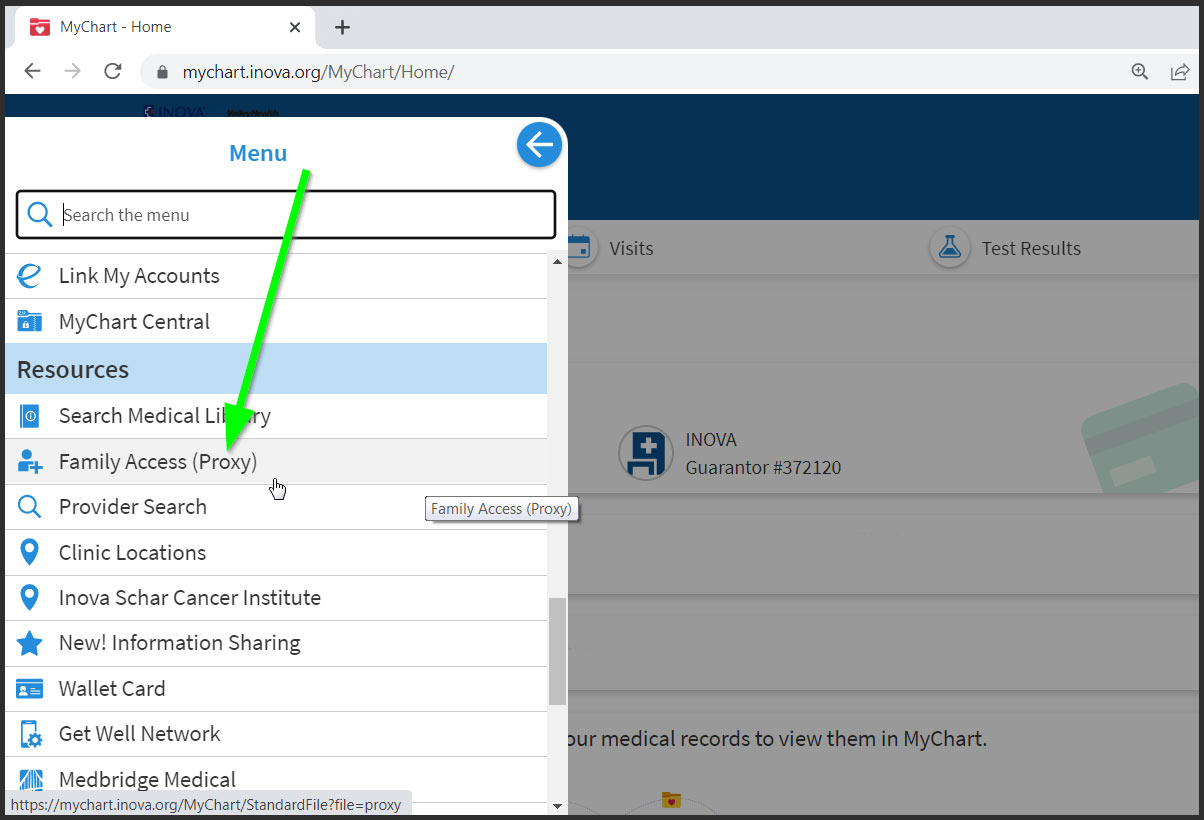
Navigating healthcare for dependents requires distinct permissions to comply with federal privacy statutes regarding minors and adult dependents. Bon Secours MyChart offers proxy access, allowing authorized individuals to view and manage health records on behalf of family members.
- Pediatric Proxy Access (Ages 0-11): Parents and legal guardians retain full access to view immunization records, schedule appointments, and message pediatric care teams for children under the age of 12.
- Adolescent Transition Period (Ages 12-17): In alignment with state and federal privacy laws protecting sensitive adolescent health matters, certain diagnostic categories and clinical notes become restricted or require specific consent parameters as children approach adulthood.
- Adult-to-Adult Proxy Access: Competent adult patients can grant designated family members, caregivers, or medical power of attorney agents secure access to their health records to assist with care coordination and chronic disease management.
Comparing Bon Secours MyChart with Third-Party Health Aggregators
Patients frequently weigh the benefits of using a dedicated provider portal against utilizing third-party health apps or general wellness trackers. The table below outlines how Bon Secours MyChart compares to independent health management tools across key operational metrics.
| Feature / Metric | Bon Secours MyChart (Epic Framework) | Third-Party Health Aggregators (e.g., Apple Health, CommonWell) |
|---|---|---|
| Data Source | Direct synchronization with official Bon Secours EHR systems | Aggregated via API connections from multiple disparate networks |
| Clinical Messaging | Direct, secure, two-way messaging with assigned physicians and care teams | Generally unavailable; communication is restricted to app-based wellness prompts |
| Appointment Scheduling | Direct real-time booking, cancellation, and telehealth integration | Limited or non-existent; typically requires visiting external provider sites |
| Billing & Financials | Direct access to itemized statements, payment plans, and financial assistance | Typically unsupported; financial records remain siloed within hospital portals |
| Identity Verification | Rigorous verification using internal clinical matching and activation codes | Varies widely; often relies on consumer-grade device authentication |
Troubleshooting Common Login and Technical Obstacles
Technical hurdles can occasionally interrupt access to crucial health information. Understanding standard troubleshooting procedures ensures uninterrupted platform utilization.
- Forgotten Usernames or Passwords: Utilize the automated recovery links located directly beneath the login fields on the portal homepage. The system will prompt for registered demographic details to verify identity before issuing a secure password reset link via email or SMS.
- Expired Activation Codes: Activation codes typically expire after a designated timeframe—often 14 to 30 days—for security purposes. If a code fails, patients can request a new code during their next clinical visit or contact the dedicated Bon Secours MyChart support help desk.
- Browser and App Compatibility: Ensure that web browsers are updated to their latest stable releases and clear browser cache or cookies if pages fail to render properly. For mobile users, check app stores for pending updates to the official MyChart application.
- Missing Test Results or Medical Notes: If specific diagnostic reports do not appear within the portal, remember that physicians must review and formally release results, which can introduce a brief administrative delay. Pathology results involving complex reviews may require direct clinical discussion before electronic release.
Frequently Asked Questions
How do I reset my Bon Secours MyChart password if I am locked out?
Click the "Forgot Password?" link on the main login screen and enter your username, date of birth, and zip code. The system will send a secure verification code to your registered email address or phone number, allowing you to establish new login credentials immediately.
Why are some of my recent lab results missing from my portal account?
Physicians must review and approve all diagnostic reports before they populate within the patient portal. This clinical review window typically takes between 24 and 72 hours, though certain specialized or sensitive test results may require a direct conversation with your provider prior to electronic release.
Can I use Bon Secours MyChart to schedule appointments with specialists?
Yes, provided you have an active referral from your primary care physician when required by your insurance carrier. You can browse available appointment slots for participating Bon Secours specialists directly within the appointment scheduling module.
Is there a mobile application available for managing my health records?
Yes, patients can download the official MyChart application from the Apple App Store or Google Play Store. Once installed, search for Bon Secours as your primary healthcare provider organization to connect securely to your existing profile.
How can I grant a family member access to view my medical records?
You can initiate proxy access by navigating to the sharing settings within your portal account or by requesting a proxy form at your next clinic visit. Both the patient and the designated proxy must complete identity verification steps to authorize secure account linkage.
Practical Recommendations for Ongoing Portal Management
Maximizing the utility of your health portal requires proactive digital hygiene and engagement habits. Keep your contact information, insurance policy details, and emergency contacts updated directly within the profile settings to prevent communication gaps with clinical staff. Turn on push notifications within the mobile application to receive instant alerts when new test results are posted or secure messages arrive from your care team. Finally, for complex medical conditions, print or electronically export your consolidated health summary before visiting out-of-network specialists to ensure seamless care continuity across distinct healthcare organizations.
Image Gallery