How to Answer "Is My CPU Outdated?" A Comprehensive Evaluation Guide for 2026
To determine if your CPU is outdated, you must evaluate its performance against your specific current workload, software requirements, and hardware bottlenecks. A processor is technically outdated when it can no longer maintain stable...
To determine if your CPU is outdated, you must evaluate its performance against your specific current workload, software requirements, and hardware bottlenecks. A processor is technically outdated when it can no longer maintain stable frame rates in modern applications, lacks essential instruction sets for new software, or significantly limits the potential of other components like your GPU.
Contents
Determining the relevance of a Central Processing Unit (CPU) involves more than just checking its release date. In 2026, the computing landscape has shifted toward AI-integrated workflows and highly efficient multi-core processing. A chip that was a flagship five years ago may now struggle not because of raw clock speed, but due to a lack of dedicated AI hardware or architectural inefficiencies. This guide provides a systematic framework to diagnose whether your processor is a "legacy" component or still a viable tool for your needs.
Defining "Outdated" in the 2026 Computing Landscape
The term "outdated" is often misused as a synonym for "old." However, in professional and enthusiast circles, a CPU is only outdated when it fails the "utility test." This test measures whether the hardware meets the minimum functional requirements of the user's primary software ecosystem.
In 2026, the baseline for a modern CPU includes support for DDR5 memory, PCIe 5.0 or 6.0 lanes, and integrated Neural Processing Units (NPUs). If your system is still relying on DDR4 memory or lacks hardware-level AI acceleration, you are likely experiencing a "functional lag." While these systems can still browse the web or perform basic office tasks, they are increasingly excluded from the latest features in creative suites, specialized gaming technologies, and OS-level enhancements found in Windows 11 and its successors.
Technical Indicators of an Aging Processor
Before making a purchase decision, you must look at the specific technical metrics that define modern performance. A CPU’s age is most visible in its architecture rather than its gigahertz (GHz) rating.
Architectural Efficiency and IPC
Instructions Per Clock (IPC) refers to how much work a CPU can do in a single cycle. A 2026-era processor running at 4.0 GHz will vastly outperform a 2019-era processor at the same clock speed because the newer architecture is more efficient. If your CPU belongs to an architecture older than Intel’s 12th Generation or AMD’s Zen 3, your IPC is likely 30-50% lower than current mid-range standards. This translates to sluggish system responsiveness, even if your "utilization" percentages look low in Task Manager.
Instruction Sets and Software Compatibility
Modern software often requires specific instruction sets to run efficiently. Advanced Vector Extensions (AVX-512) and newer AI-specific instructions are now standard requirements for video rendering, scientific simulations, and even modern gaming engines. If your CPU lacks these, the software may resort to "emulation" or "fallback" modes, which are significantly slower and can cause frequent crashes.
Physical Core Count vs. Thread Density
By 2026, the standard for a "mainstream" CPU has moved to an 8-core/16-thread minimum for productivity and a hybrid "Performance/Efficiency" (P-core and E-core) model for Intel users. If you are still operating on a 4-core processor without hyperthreading, you will experience significant stuttering during multi-tasking, such as having a browser with multiple tabs open while attending a high-definition video conference.
Performance Bottlenecks and Real-World Testing
The most practical way to answer "is my CPU outdated" is to look for a bottleneck. A bottleneck occurs when one component limits the potential of another. In most cases, a CPU bottleneck is identified when the Graphics Processing Unit (GPU) is sitting idle (low utilization) while the CPU is pegged at 90-100% during a task.
Analyzing the CPU-GPU Relationship
If you have paired a modern GPU (such as an NVIDIA RTX 50-series or equivalent) with a CPU from 2020, your GPU is likely "starving" for data. You can verify this using overlay tools like HWInfo or MSI Afterburner. If your GPU utilization stays below 80% while your CPU usage is maxed out, your CPU is outdated for that specific configuration.
Thermal Throttling and Power Consumption
Older CPUs were manufactured on larger process nodes (e.g., 10nm or 14nm). These chips generate significantly more heat and consume more power than the 2nm or 3nm chips common in 2026. If your CPU frequently hits its thermal limit and clocks down (throttling), it is a sign that the silicon is struggling to keep up with modern instruction demands, leading to a degraded user experience.
The Impact of Modern Operating Systems
Operating system requirements are the final arbiter of hardware longevity. Microsoft and other developers periodically raise the "hardware floor" for security reasons.
- Security Modules: Modern OS versions require TPM 2.0 and "Virtualization-Based Security" (VBS) to be handled at the hardware level. Older CPUs that lack hardware-accelerated VBS will see a 10-15% performance hit when these security features are enabled.
- NPU Integration: By 2026, OS-level search, image processing, and voice recognition are offloaded to the NPU. If your CPU does not have an integrated NPU, these tasks fall back to the CPU cores, slowing down your entire system for background processes that should be "free."
Comparison Table: Generational Viability in 2026
The following table categorizes CPU generations based on their expected performance and compatibility in the 2026 market.
| CPU Generation / Era | Primary Memory/Bus | 2026 Status | Recommended Use Case |
|---|---|---|---|
| Pre-2019 (e.g., Intel 9th Gen, Zen 1) | DDR4 / PCIe 3.0 | Obsolete | Basic web browsing, word processing only. |
| 2020-2022 (e.g., Intel 11th/12th Gen, Zen 3) | DDR4 / PCIe 4.0 | Legacy | Budget gaming, light office work, secondary PCs. |
| 2023-2024 (e.g., Intel 14th Gen, Zen 4/5) | DDR5 / PCIe 5.0 | Viable | Standard productivity, 1440p gaming, content creation. |
| 2025-2026 (e.g., Intel "Nova Lake," Zen 6) | DDR5+ / PCIe 5.0+ | Current | 4K gaming, AI development, professional rendering. |
When to Upgrade vs. When to Optimize
Before concluding that your CPU is outdated, consider if the issue is actually the surrounding ecosystem. Sometimes, a "slow" CPU is merely a symptom of other failures.
- Check Your RAM: If you have a decent CPU but only 8GB or 16GB of RAM, your CPU is likely waiting on memory swaps. In 2026, 32GB is the recommended standard for smooth operation.
- Storage Speed: A mechanical HDD or an early-generation SATA SSD can make the fastest CPU feel sluggish. Ensure you are running your OS on an NVMe M.2 drive.
- Thermal Maintenance: Over time, thermal paste dries out. If your CPU is several years old, simply cleaning the fans and applying new high-quality thermal paste can restore lost performance caused by thermal throttling.
When to definitely upgrade: If your motherboard socket is "dead" (meaning no newer, faster CPUs can be installed in it) and you are experiencing sub-60 FPS in your primary applications, it is time to move to a modern platform. Transitioning from an older socket (like AM4 or LGA1200) to a modern one (like AM5 or LGA1851/newer) provides a massive leap in platform features beyond just raw speed.
FAQ
1. Can I still use an "outdated" CPU for gaming?
Yes, but with limitations. An outdated CPU will often cause "1% low" frame rate drops, meaning your game might average 60 FPS but frequently stutter down to 20 FPS during intense action. If you play competitive e-sports titles at low resolutions, the CPU is even more critical; an outdated chip will prevent you from reaching the high refresh rates (240Hz+) required for professional play.
2. Does a CPU become outdated faster for creative work?
Generally, yes. Creative software like Adobe Creative Cloud or DaVinci Resolve is updated frequently to take advantage of new hardware encoders (like AV1). If your CPU lacks these hardware encoders, your export times could be five to ten times longer than on a modern system, directly impacting your productivity and billable hours.
3. How do I check my CPU's specific model and age?
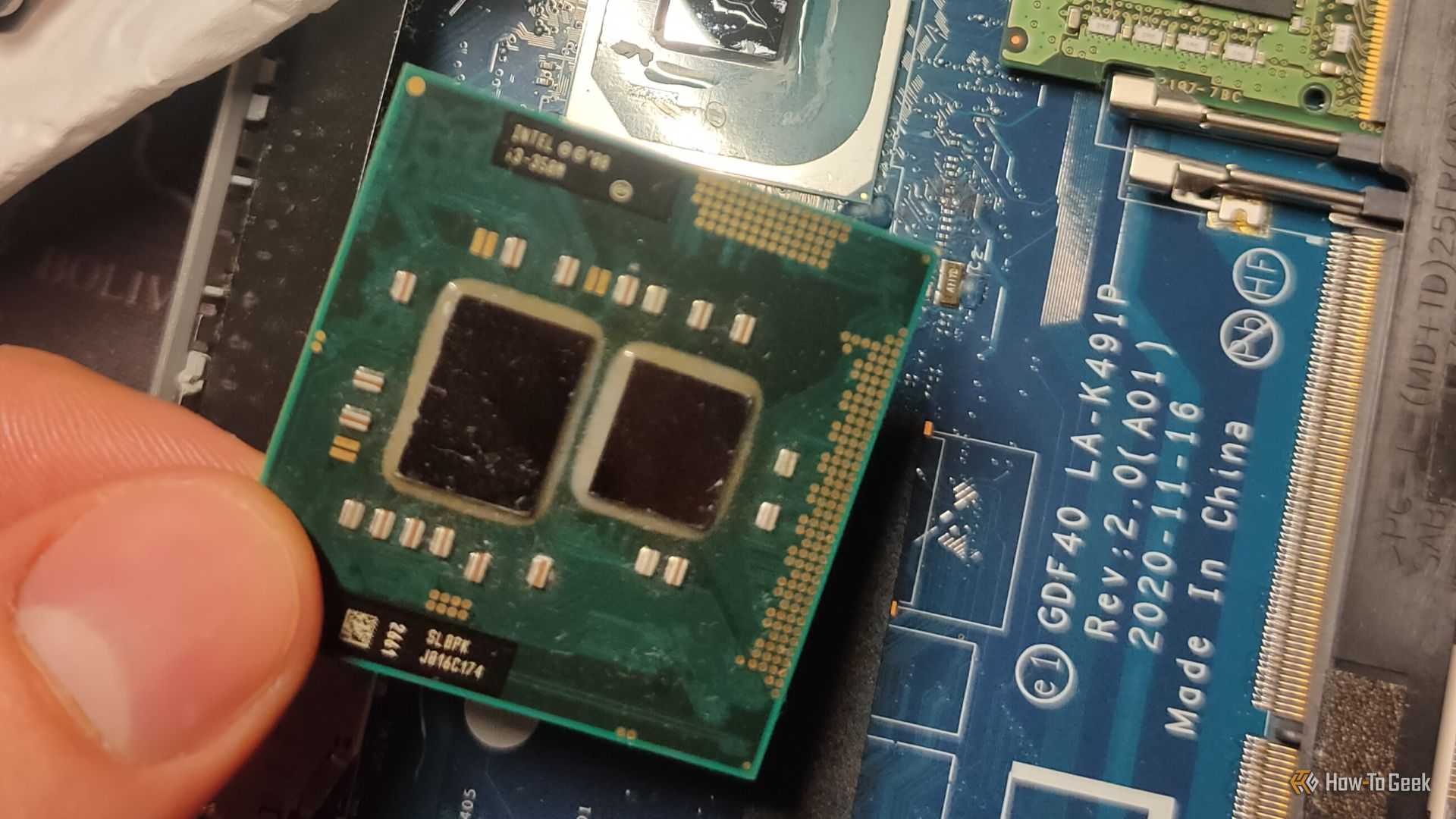
On Windows, you can right-click the Start button, select "System," and look under "Device specifications" for the Processor name. You can then use a database like Intel Ark or AMD Product Specifications to find the original launch date and supported technologies.
4. Is a high core count enough to keep a CPU from being outdated?
No. For example, an 18-core Intel chip from 2017 will be outperformed in almost every modern task by a 6-core chip from 2026. Architectural improvements, cache sizes, and memory speeds are more important for modern software than sheer core count.
5. What is the "AI PC" standard I keep hearing about?
Starting in late 2024 and becoming standard by 2026, "AI PCs" feature CPUs with an integrated NPU capable of a certain number of TOPS (Trillions of Operations Per Second). If your CPU lacks an NPU, you will be unable to run certain local AI features in Windows and creative apps, making the chip "outdated" for modern AI-driven workflows.
Practical Next Action
If you suspect your CPU is outdated, download a free benchmarking tool like Cinebench 2024 or Geekbench 6. Compare your scores against current mid-range processors (such as a Core i5 or Ryzen 5 from the 2025/2026 lineup). If your score is less than 50% of the current mid-range standard, you are likely losing significant time and energy to hardware inefficiency, and an upgrade is highly recommended.
Image Gallery