Google Analytics Users vs. New Users: The Definitive Technical Guide
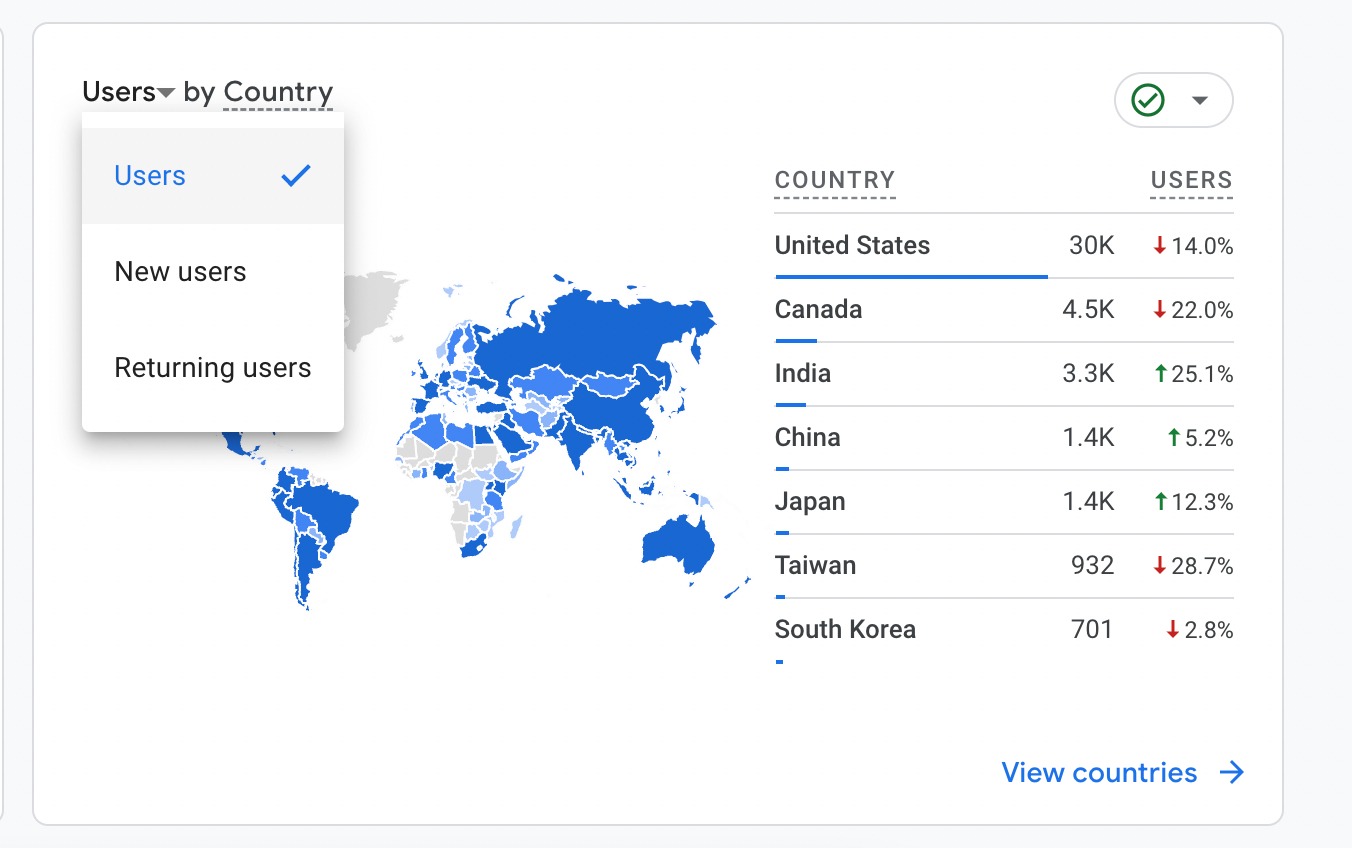
In Google Analytics, Users represents the total count of distinct individuals who initiated at least one engaged session on your site, whereas New Users measures only the individuals who interacted with your digital property for the ve...
In Google Analytics, Users represents the total count of distinct individuals who initiated at least one engaged session on your site, whereas New Users measures only the individuals who interacted with your digital property for the very first time within the selected reporting timeframe.
Contents
Understanding the technical boundaries between these two metrics is essential for accurate traffic attribution, conversion analysis, and user journey mapping. While the distinction sounds straightforward, the underlying measurement protocol, cookie lifecycles, cross-device identity spaces, and reporting aggregation logic create significant nuances in how your data is calculated and displayed.
Deconstructing GA4 User Metrics: Active, Total, and New
In modern Google Analytics (GA4), user tracking operates on an event-driven data model rather than the session-based model used in legacy Universal Analytics. To analyze your traffic accurately, you must distinguish between the three distinct user definitions present in the reporting interface.
1. Active Users (The Default "Users" Metric)
Whenever you see the primary label Users in standard GA4 reports, Google Analytics is almost always reporting Active Users.
An Active User is defined as any unique individual who has logged an engaged session, or for whom Google Analytics has captured:
- The
first_visitevent orfirst_openparameter (for native mobile applications). - The
engagement_time_msecparameter indicating focused interaction. - A session that lasted 10 seconds or longer, resulted in one or more conversion events, or triggered two or more page or screen views.
If a visitor lands on your website, sits idle on a tab in the background without interacting, and closes the browser after 5 seconds without triggering an event, that visitor is counted in raw hit logs but is excluded from the Active Users total.
2. Total Users
The Total Users metric represents the raw count of distinct user identifiers that logged any event whatsoever during the selected date range, regardless of engagement time or session quality.
While legacy analytics prioritized Total Users, standard GA4 reporting intentionally deprioritizes this metric in favor of Active Users. You can access Total Users primarily inside custom Exploration reports. For most high-performing sites, Active Users will run roughly 2% to 15% lower than Total Users due to accidental bounces and immediate bounces lacking an engaged event.
3. New Users
The New Users metric isolates the subset of unique visitors whose initial touchpoint occurred within the designated reporting window.
Technically, a visitor is classified as a New User when the platform records a first_visit event (for web tracking) or a first_open event (for iOS and Android apps). If an individual visited your site in August and returned in October, an October traffic report will log that person as 1 Active User, 0 New Users, and 1 Returning User.
How Google Analytics Identifies and Tracks Unique Visitors
Google Analytics determines user identity through a tiered framework known as Reporting Identity. The platform uses up to four identity spaces to stitch interactions together into a unified individual profile.
- User-ID (First-Party Authentication): If your site features an account login system, you can pass your internal, persistent, pseudonymous database user ID to Google Analytics via the configuration tag. This is the most accurate method because it persists across multiple browsers, laptops, smartphones, and operating systems.
- Google Signals: When enabled, this feature aggregates session data from Google accounts whose holders have opted into personalized advertising. It allows Google to map cross-device journeys even if the user is not logged into your proprietary database.
- Device ID (Client ID): For web properties, the Device ID is pulled directly from the first-party
_gabrowser cookie. This alphanumeric string (such asGA1.1.1894223940.1709238491) is stored locally within a specific browser profile. For native mobile apps, this is the unique Instance ID assigned upon application installation. - Behavioral Modeling: If users decline consent banners governed by Consent Mode, machine learning fills measurement gaps by extrapolating historical patterns from consenting user cohorts to estimate total visitor volumes.
The Mechanics of the Client ID and Cookie Expiration
When a visitor arrives at your site without an authenticated User-ID, Google Analytics reads the _ga cookie stored on their device.
- If no
_gacookie exists, the JavaScript library generates a new pseudo-random Client ID, writes it to the local storage or cookie jar, and fires afirst_visitevent alongside the initialpage_view. This visitor becomes a New User. - If a valid
_gacookie exists, Google Analytics extracts the identifier, associates the incoming hits with the historical profile, and logs the visitor as a Returning User, incrementing the Active Users count without firing afirst_visitevent.
Modern browser privacy defenses—such as Apple Safari’s Intelligent Tracking Prevention (ITP) and privacy-focused browsers like Brave—often truncate client-side first-party cookies to a 1-day or 7-day lifespan if the visitor arrived via URL parameters containing click IDs. When that cookie expires, the returning visitor receives a brand-new Client ID on their next visit, incorrectly inflating your New Users count.
Users vs. New Users: Structural and Operational Differences
Understanding the operational differences between these metrics prevents costly misinterpretations during quarterly reporting and performance attribution.
| Evaluation Metric | Users (Active Users) | New Users |
|---|---|---|
| Primary Trigger Event | user_engagement, first_visit, or any engaged session event |
first_visit (Web) or first_open (App) |
| Measurement Objective | Measures overall reach, audience interaction, and cohort health | Measures top-of-funnel acquisition, brand discovery, and net-new reach |
| Engagement Prerequisite | Requires a qualified engagement threshold (time or events) | Triggered immediately upon new identifier generation |
| Cross-Window Duplication | High: An individual visiting weekly is counted across every weekly window | Zero within the same window: A user is only "new" once per historical lifecycle |
| Attribution Focus | Evaluates retention, ongoing content consumption, and repeat sales | Evaluates prospecting campaigns, paid search discovery, and organic SEO reach |
| Impact of Cookie Purging | Artificially inflates count if returning visitors are classified under new IDs | Highly inflated by privacy tools, Safari ITP, incognito browsing, and manual clearing |
| Standard Report Location | Default traffic reports, User Acquisition, and Engagement tables | User Acquisition reports, Acquisition Overview, First User source dimensions |
Why New Users Can Equal or Exceed Users in Reports
A frequent source of confusion in digital analytics is encountering a report where New Users matches or even exceeds the number of Users for a specific dimension. While this seems counterintuitive at first glance, specific measurement dynamics explain the discrepancy.
Scenario A: New Users Exceeding Active Users
Because GA4 default tables show Active Users under the "Users" column, you may encounter low-engagement acquisition channels where New Users is higher than Active Users.
- If 1,000 people click an aggressive display ad, land on your page, create a
first_visitevent (1,000 New Users), but 400 of them bounce within 2 seconds without interacting, your data will reflect 1,000 New Users and only 600 Active Users.
Scenario B: Dimension Scoping Disconnects (Session vs. User Dimensions)
Google Analytics operates under strict metric and dimension scoping rules: User, Session, and Event scopes cannot always be mixed without unexpected aggregation results.
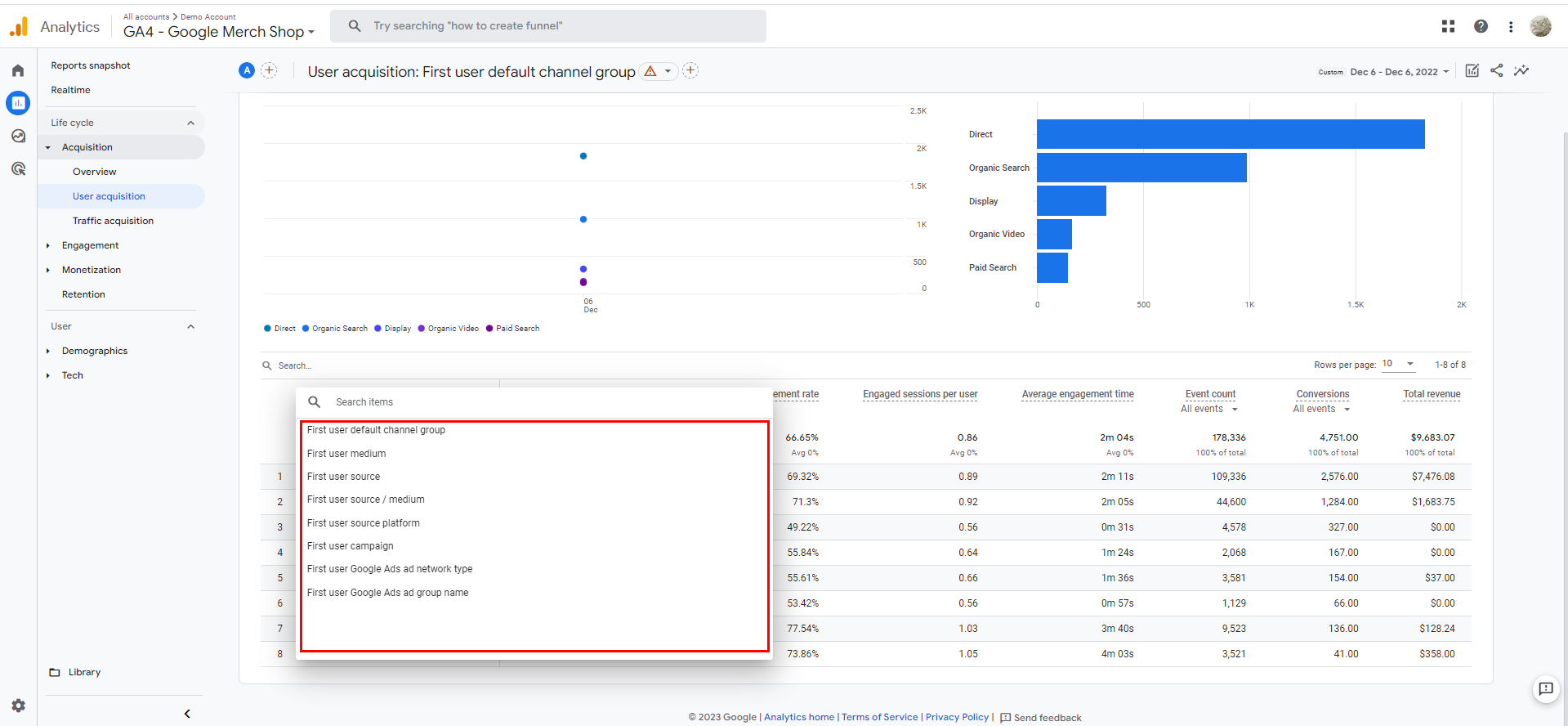
- The dimension First user source/medium isolates the original marketing channel that acquired the visitor on day one.
- The dimension Session source/medium attributes traffic to the channel that drove the specific session at hand.
If a user was originally acquired via Organic Search (making them a New User under Organic Search) and then returned three days later via an Email newsletter, reporting by Session Source/Medium will register that session under Email, but User Acquisition reports will permanently credit the acquisition to Organic Search.
Operational Insight on Data Discrepancies
When configuring acquisition dashboards, never compare the dimension
Session source/mediumagainst the metricNew Users. Doing so creates mismatched dimensional contexts. Always pairFirst user source/mediumwithNew Users, and pairSession source/mediumwithSessionsorActive Users.
Strategic Application: Acquisition vs. Retention Metrics
Accurate separation of Users and New Users is necessary for calculating your customer acquisition cost (CAC), optimizing content funnels, and troubleshooting conversion drop-offs.
Auditing Top-of-Funnel SEO Performance
When evaluating content marketing and organic search campaigns:
- High New Users + Low Total Conversions: Indicates strong informational visibility and effective keyword targeting, but reveals a missing middle-of-funnel conversion path. Your content solves an initial query, but lacks compelling lead magnets, internal links, or newsletter captures to prompt return visits.
- Low New Users + High Total Users: Indicates high brand loyalty or successful navigational search queries. Your content audience consists primarily of existing customers, signaling that your organic SEO strategy is failing to capture net-new non-branded market share.
Calculating Real Retention and Cohort Churn
To understand audience retention without paying for expensive enterprise product analytics tools, calculate the Audience Return Velocity:
- Pull Total Active Users for a 30-day window.
- Subtract New Users acquired during that exact 30-day window.
- Divide the remaining figure (Returning Users) by the Total Active Users count.
A healthy content ecosystem typically maintains a Returning User ratio between 25% and 45%. A site whose Returning User ratio sits permanently below 10% suffers from severe audience churn, forcing marketing teams to pay repeatedly to re-acquire the exact same audience.
Technical Troubleshooting: Fixing Common Reporting Distortions
If your analytics audit reveals improbable spikes in New Users, execute the following technical checks across your measurement setup:
1. The Cross-Domain Linker Failure
If you operate separate domains for your marketing site and checkout funnel (for instance, brand.com and checkout-brand.com), visitors who jump between them without proper measurement parameters will shed their cookie identity. The destination domain will generate a brand-new Client ID, firing a secondary first_visit event and artificially inflating New Users by 100% for every purchasing customer.
Resolution:
- In the Google Analytics interface, navigate to Admin > Data Streams > Web Stream > Configure tag settings > Configure your domains.
- Add all primary domains and subdomains involved in the transaction lifecycle into the cross-domain list to ensure the
_glcross-domain linking parameter is appended to outgoing links.
2. Aggressive Cookie Banner Settings
If your consent management platform (CMP) is configured to block analytics cookies until an explicit opt-in occurs, any internal page navigation executed prior to the user accepting the banner can fragment the user identity.
Resolution:
- Implement Google Consent Mode v2 with Advanced Settings enabled. This allows the GA4 library to fire cookieless pings before consent is granted, enabling server-side modeling to reconcile user state without relying on persistent client-side tracking cookies.
3. Subdomain Cookie Pathing Overrides
By default, the Google tag sets cookies at the highest possible domain level (domain-wide). If legacy scripts or third-party tag management tags manually hardcode the cookie path to a specific directory or subdomain, users moving from a subdomain to the main domain will be double-counted as New Users.
Resolution:
- Audit your tag implementation to verify that
cookie_domainis set toauto, allowing seamless cookie inheritance across all your web subdomains.
Frequently Asked Questions
What is the core difference between Users and New Users in Google Analytics?
Users (Active Users) counts every unique person who engaged meaningfully with your site during the timeframe, while New Users counts only those whose very first visit occurred within that specific timeframe. If an established customer returns to your site, they increment Users, but not New Users.
Why is my New Users count higher than my Users count in GA4?
This happens when new visitors fail to meet the platform's engagement criteria. GA4 displays Active Users as its standard "Users" metric; if a new visitor lands on your site and bounces immediately without spending 10 seconds or triggering a second event, they are counted as a New User, but excluded from Active Users.
Does a New User count as a User?
Yes. Every New User who completes an engaged session is automatically included within the Active Users metric. New Users is simply a distinct, isolated subset of your total user base representing newly acquired profiles.
How does incognito or private browsing affect these metrics?
Private browsing forces the browser to discard all cookies and session storage the moment the window closes. If an existing customer visits your site using an incognito window, the browser cannot locate their historical _ga cookie, causing Google Analytics to generate a new Client ID and count that customer as a brand-new user.
Can an individual be counted as a New User more than once?
Yes. An individual will be registered as a New User again if they clear their browser cookies, switch devices, browse through a different browser (such as switching from Chrome to Safari), or return after their device storage profile has been wiped by browser privacy restrictions.
Ensure your marketing investments are evaluated against the correct baseline metrics. Use New Users strictly to assess acquisition velocity, discovery campaigns, and top-of-funnel reach, while relying on Active Users to gauge true audience engagement, customer retention, and holistic platform performance. To secure full visibility into your customer journeys, audit your cross-domain measurement and User-ID tracking implementations across all active web and mobile data streams.
Image Gallery