San Francisco Case Lookup: Accessing SF Superior Court Dockets and Public Records
To perform an SF case lookup for legal proceedings in San Francisco County, visit the official online services portal of the Superior Court of California, County of San Francisco. You can search civil, probate, and family law dockets b...
To perform an SF case lookup for legal proceedings in San Francisco County, visit the official online services portal of the Superior Court of California, County of San Francisco. You can search civil, probate, and family law dockets by party name or case number. Note: If your search pertains to software support tickets rather than San Francisco court records, access your enterprise Salesforce administration portal.
Contents
Navigating the San Francisco Superior Court Public Record System
The Superior Court of California, County of San Francisco, serves as the state trial court for the City and County of San Francisco. Public access to judicial records is governed by California Rules of Court (Rules 2.500–2.507) and the California Public Records Act principles as applied to the judicial branch. Obtaining court records requires understanding which division handles the matter, as different case types are maintained under distinct docketing systems and courthouse locations.
San Francisco judicial proceedings are distributed across several primary facilities:
- Civic Center Courthouse (400 McAllister St, San Francisco, CA 94102): Houses Civil Court divisions (Unlimited and Limited Civil), Small Claims, Probate, Housing Court (Unlawful Detainers), and Family Law matters.
- Hall of Justice (850 Bryant St, San Francisco, CA 94103): Handles Criminal proceedings, traffic matters, and preliminary criminal hearings.
- Unified Family Court (400 McAllister St, 1st Floor): Manages juvenile dependency, juvenile justice, and specialized domestic relations cases.
Understanding these divisions ensures you target the correct index database during an SF case lookup. While civil indexed records are widely accessible online, certain sensitive records—such as adoption files, juvenile dependency matters, mental health proceedings, and sealed criminal records—are legally restricted from public inspection under California statutory mandates.
How to Perform an SF Case Lookup Online: Step-by-Step
Searching public court dockets online requires using the San Francisco Superior Court Online Services portal. The system allows users to search indices, review register of actions, check upcoming calendar hearing dates, and request electronic document copies.
Step-by-Step SF Case Lookup Process: 1. Identify the legal division (Civil, Criminal, Family, Probate, Traffic). 2. Gather search criteria (Case Number or exact Party Name format). 3. Access the SF Superior Court Online Services Portal. 4. Select the appropriate search parameter (Name Search or Case Number Search). 5. Review the Register of Actions and Docket Summary. 6. Order or download case documents (subject to remote access limitations).
Search by Case Number
Searching by official case number provides the most direct and accurate route to a file. Case numbers in San Francisco follow specific alphanumeric structures indicating the case type and filing year.
- Navigate to the online case query tool on the official court website.
- Select Case Number Search.
- Enter the full case format, including hyphenated prefixes (e.g.,
CGC-24-123456orFDI-25-654321). - Click submit to view the Register of Actions, scheduled hearings, judicial assignment, and list of filed pleadings.
Search by Party Name
When the specific case number is unavailable, you can locate filings using the names of individual parties or corporate entities.
- Select Party Name Search within the online portal.
- Enter the last name followed by the first name for individuals (e.g., "Smith, John"), or the full legal entity name for businesses.
- Apply date filters if available to narrow down results across multiple filing years.
- Review the returned search index matches, selecting the relevant matter to open its docket history.
Operational Insight for Name SearchesCommon surnames often return dozens of search results. To prevent missing relevant dockets, search for variations of corporate names (such as checking both "LLC" and "Inc." variants) and verify middle initials when researching individual litigants.
Decoding San Francisco Court Case Number Prefixes
San Francisco Superior Court assigns standardized alphanumeric prefixes to filings. Recognizing these prefixes helps identify the case type, assigned division, and filing courthouse immediately.
| Case Classification | Prefix Code Format | Courthouse Location | Online Index Search | Remote PDF Access Status |
|---|---|---|---|---|
| Civil Unlimited (> $35,000) | CGC-YY-XXXXXX |
Civic Center Courthouse | Available | Full Index & Documents |
| Civil Limited (≤ $35,000) | CCL-YY-XXXXXX |
Civic Center Courthouse | Available | Full Index & Documents |
| Unlawful Detainer (Evictions) | CUD-YY-XXXXXX |
Civic Center Courthouse | Available (Masked 60 Days) | Restricted per CCP 1161.2 |
| Civil Harassment | CCH-YY-XXXXXX |
Civic Center Courthouse | Available | Register of Actions Only |
| Family Dissolution / Divorce | FDI-YY-XXXXXX |
Civic Center Courthouse | Index Only | In-Person Terminal / Party Only |
| Parentage / Support | FSF-YY-XXXXXX |
Civic Center Courthouse | Restricted | Confidential by Law |
| Probate Estate | PES-YY-XXXXXX |
Civic Center Courthouse | Available | Full Index & Documents |
| Probate Guardianship | PGR-YY-XXXXXX |
Civic Center Courthouse | Index Only | Restricted Access |
| Criminal Felony / Misdemeanor | KXX-XXXXXX / Numeric |
Hall of Justice | Limited Index | Summary Only (In-Person Search Recommended) |
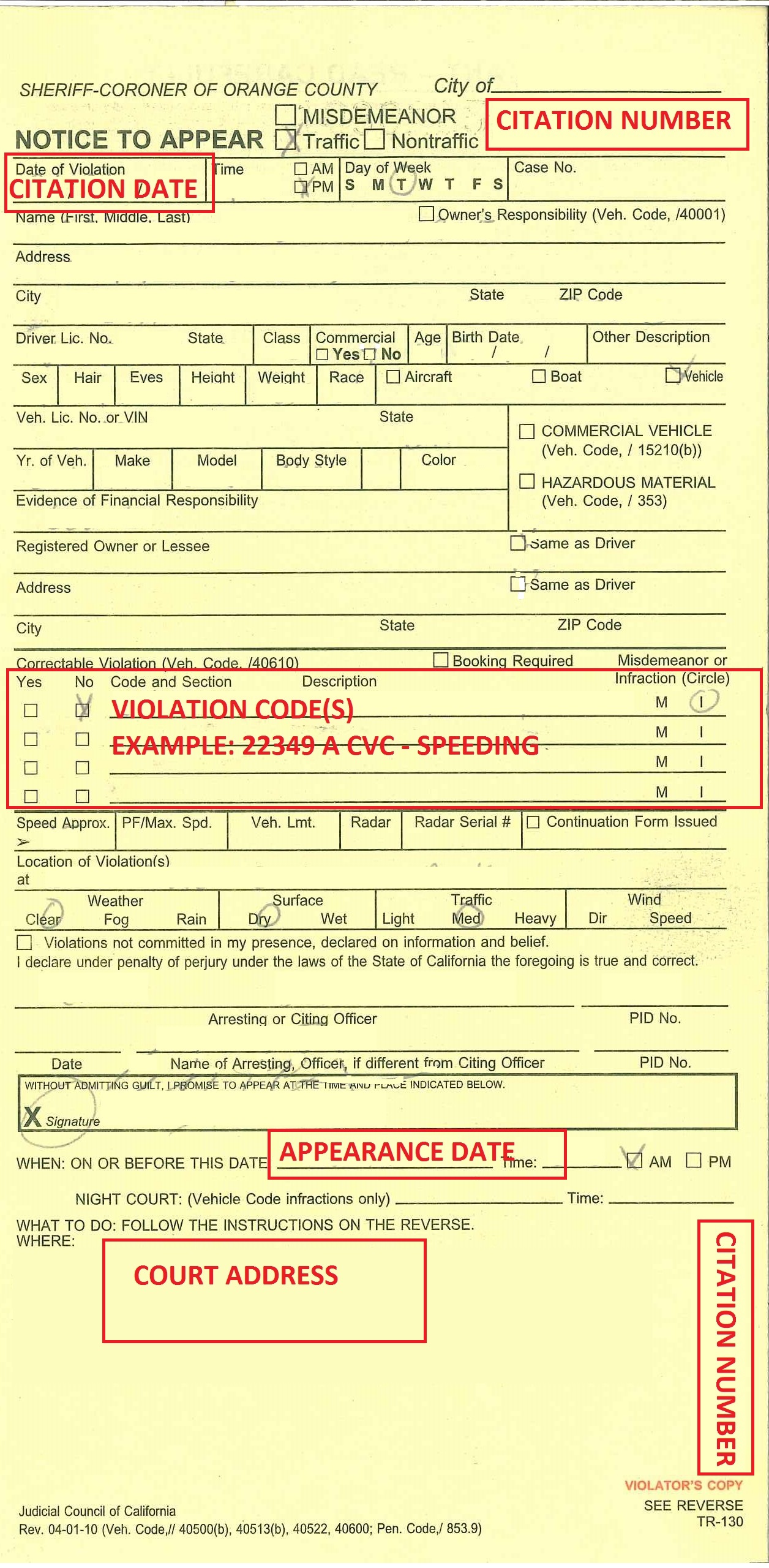
| Traffic Citations | Citation / ID Number | Hall of Justice / Online | Available | Pay / Schedule Hearing Online |
Accessing Case Files: Online Remote Viewing vs. In-Person Public Terminals
California Rules of Court Rule 2.503 explicitly defines what judicial records may be rendered accessible over the internet versus those restricted to public access computer terminals located inside the courthouse.
Online Remote Access Rules
The public can remotely view case indices, dockets, calendar schedules, and registers of actions for civil, probate, and small claims matters. Downloading actual document PDFs (such as complaints, motions, and court orders) may require paying a nominal search fee or creating a user portal account.
However, remote viewing of document images for family law, paternity, adoption, and mental health proceedings is strictly prohibited for non-parties to protect personal privacy.
In-Person Access at Courthouse Public Terminals
For records that cannot be downloaded remotely, or to conduct comprehensive record reviews without online search fees, members of the public can visit the courthouse record management departments:
- Civil & Family Records: Visit Civic Center Courthouse, 400 McAllister Street, Room 103, San Francisco, CA. Public computer terminals allow free docket viewing and document inspection.
- Criminal Records: Visit Hall of Justice, 850 Bryant Street, Room 101, San Francisco, CA. Criminal indexes, felony dockets, and misdemeanor records are searched via dedicated clerk terminals.
Statutory Restrictions and Confidentiality Rules
Not all court records in San Francisco County are accessible to the public. California state statutes mandate automatic sealing or restricting of specific case classifications:
Eviction Record Masking (CCP § 1161.2)
Under California Code of Civil Procedure Section 1161.2, unlawful detainer (eviction) actions are automatically electronic-masked and kept confidential for 60 days following the initial filing. Access during this initial period is restricted exclusively to named parties, their attorneys of record, or persons possessing a court order granted upon showing good cause. If the defendant prevails within 60 days, the record remains permanently masked from public view.
Family Law and Child Custody
While family law case indices (showing party names and filing dates) appear in general system lookups, the substantive motions, financial declarations, and custody evaluation reports are withheld from non-party remote access. Viewing these detailed case filings requires in-person authorization or party representation status.
Criminal Record Sealing and Expungement (PC § 851.8 & PC § 1203.4)
Criminal records subject to formal petitions to seal under Penal Code 851.8 or relief under Penal Code 1203.4/1203.4a are updated in court lookup databases. When a record is fully ordered sealed by a judge, it is removed from public lookup indices entirely.
Requesting Certified Copies of San Francisco Court Documents
Legal transactions, real estate closings, legal name changes, and appellate filings often require certified or exemplary copies of court records rather than standard downloaded summaries.
Certified Document Procedure
- Complete the official Records Request Form provided by the San Francisco Superior Court Clerk's Office.
- Include the exact Case Number, Party Names, and title of the specific document requested (e.g., "Judgment of Dissolution" or "Final Order").
- Submit the request in person at Room 103 (Civic Center Courthouse) or via mail with a self-addressed stamped envelope and applicable fee payment.
- Certification fees apply per standard statutory fee schedules (typically a per-document certification fee plus a per-page copying fee).
For remote mail requests, payment must be submitted using a check or money order made payable to "San Francisco Superior Court." Processing timelines for postal record requests generally range from 5 to 15 business days depending on clerk workload and archived record location.
Common Issues and Troubleshooting SF Case Lookup Errors
When conducting a case search, you may encounter system errors or unexpected results. The following solutions address common lookup obstacles:
1. "Case Number Not Found" Error
- Incorrect Format: Ensure you enter the hyphenated prefix correctly (e.g., using
CGC-24-XXXXXXinstead of entering raw numbers without dashes). - Recent Filing Delay: Documents filed within the last 24 to 48 hours may still be undergoing clerk processing and docket indexing.
- Wrong Division: Verify whether the case is a civil matter (Civic Center) or a criminal matter (Hall of Justice), as criminal dockets may not render through civil search portals.
2. Search Returns No Results for Known Party
- Name Spelling Variations: Try searching with a wild-card approach or partial string if the online interface supports it. Verify if compound last names or hyphenated names were indexed under a single word.
- Confidential Case Status: If the case involves juvenile issues, paternity, or an eviction within the statutory 60-day window, the system will deliberately return zero public hits.
3. Historical or Off-Site Archived Records
Cases resolved prior to modern electronic record conversion may be stored in off-site archives or preserved on microfilm. If an older case index entry indicates "Archived," you must submit a formal microfiche/archival retrieval request to the Clerk's Office in Room 103, which may require an additional processing period.
Frequently Asked Questions
Is performing an SF case lookup free of charge?
Basic searches for case indices, party names, hearing calendars, and dockets are free on the San Francisco Superior Court website. However, viewing, printing, or downloading electronic PDF copies of specific case documents online may incur nominal vendor viewing or download fees. Public terminals inside the courthouse allow free document viewing.
How do I find out when a San Francisco court hearing is scheduled?
You can look up scheduled court appearances by searching the case number or party name in the online court portal and reviewing the "Register of Actions" or "Calendar" tab. Alternatively, you can view the daily court calendar listings posted online and at the respective courthouse.
Can I search San Francisco criminal case records online?
Basic criminal calendar information and limited index records can be viewed online, but comprehensive criminal case files and detailed docket histories require searching public access terminals at the Hall of Justice (850 Bryant Street, Room 101) or submitting an official record request to the Criminal Clerk's Office.
What should I do if an eviction case does not appear in my search?
Under California Code of Civil Procedure Section 1161.2, unlawful detainer (eviction) cases are automatically masked from public access for 60 days following filing. Only the parties to the lawsuit and their attorneys can access the case during this period unless a judge orders the record unmasked.
How do I obtain a certified copy of a divorce decree in San Francisco?
To obtain a certified copy of a divorce judgment, submit a record request in person or by mail to the Family Law Records department at the Civic Center Courthouse (400 McAllister St, Room 103). You must provide the case number, party names, and the standard court copy and certification fees.
Navigating Your Next Steps
Conducting an accurate SF case lookup requires selecting the appropriate court division, understanding legal access restrictions, and utilizing correct case number structures. Whether researching civil litigation dockets, reviewing real property disputes, or securing certified court records for legal proceedings, using the official San Francisco Superior Court resources ensures accurate, up-to-date case tracking.
For complex legal filings, confidential record unsealing requests, or representation during scheduled court hearings, consult with a licensed attorney admitted to the California State Bar.
Image Gallery