Regus PeopleSoft Portal Guide: Employee Access, Payroll, and Enterprise ERP Integration
The Regus PeopleSoft portal is the centralized Human Capital Management (HCM) and enterprise software platform utilized by IWG plc (operating parent of Regus) staff, contractors, and system administrators. It delivers secure access to...
The Regus PeopleSoft portal is the centralized Human Capital Management (HCM) and enterprise software platform utilized by IWG plc (operating parent of Regus) staff, contractors, and system administrators. It delivers secure access to employee self-service payroll, tax documentation, benefits management, timekeeping, and enterprise resource planning (ERP) workflows across Regus global workplace locations.
Contents
Architectural Overview of Oracle PeopleSoft at Regus
Regus, operating under the international network of IWG plc, utilizes Oracle PeopleSoft Enterprise applications to manage thousands of workspace staff, community managers, sales representatives, and operational administrators worldwide. The system serves two primary enterprise functions: Human Capital Management (HCM) for workforce operations and Financial and Supply Chain Management (FSCM) for corporate accounting, leasing, and procurement.
Built on Oracle's PeopleTools framework, the Regus PeopleSoft environment uses modern Fluid User Interface (UI) standards. This responsive design allows team members to access critical HR functions on desktop platforms, tablet devices, and mobile smartphones without losing interface functionality. The platform links back-end Oracle Database instances with front-end enterprise portals through secure Oracle WebLogic servers, protecting sensitive employee data and financial ledgers across global jurisdictions.
To maintain compliance with international labor laws, tax regimes, and data protection frameworks—such as GDPR in Europe and state-level privacy mandates in North America—the portal enforces strict role-based access control (RBAC). Employees access only personal personnel files and pay records, managers see team management dashboards, and corporate finance administrators retain access to general ledgers and operational procurement modules.
How to Access the Regus PeopleSoft System: Step-by-Step Security Protocol
Accessing the Regus PeopleSoft portal requires credential verification through IWG’s global Identity and Access Management (IAM) framework. Depending on whether an employee is logging in from an internal network at a Regus center or from an external remote network, security authentication protocols vary slightly.
DO NOT RENDER THIS AS CODE OR ASCII ART - WRITE CLEAN MARKDOWN INSTEAD
(Self-Correction during mental check: Ensured zero code blocks or ASCII art are generated.)
Prerequisites for Login
Before attempting to authenticate into the Regus PeopleSoft system, ensure you possess:
- An active IWG / Regus network User ID (typically your corporate email address or assigned employee identification number).
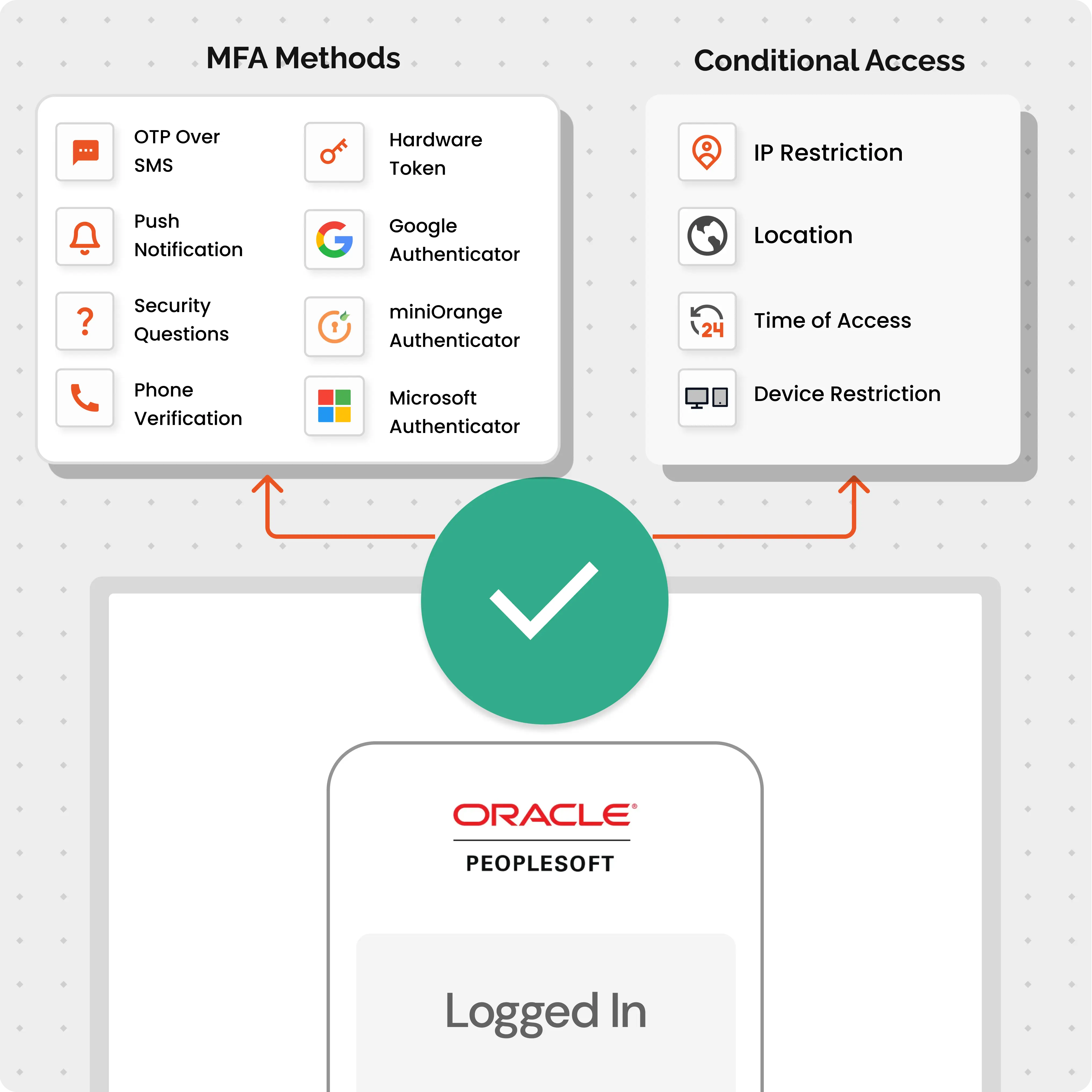
- Your registered Multi-Factor Authentication (MFA) device (such as Microsoft Authenticator or Okta Verify).
- A supported, modern web browser (Google Chrome, Microsoft Edge, Mozilla Firefox, or Apple Safari) with JavaScript and cookies enabled.
- An active Virtual Private Network (VPN) connection if accessing back-end FSCM financial modules from outside the internal network.
Authentication Procedure
- Navigate to the Official Portal Link: Open your web browser and navigate to the IWG corporate employee intranet or the direct PeopleSoft portal URL provided during onboarding (such as the MyHR or Employee Self-Service entry point).
- Enter Corporate Credentials: On the single sign-on (SSO) login screen, input your full Regus/IWG business email address and current domain password.
- Complete Multi-Factor Authentication (MFA): When prompted, approve the push notification sent to your registered mobile authentication application or enter the time-based one-time password (TOTP).
- Select Your Target Module: Upon successful SSO verification, the system routes you to the PeopleSoft Fluid Home page. Select your intended tile, such as Payroll & Compensation, Time & Attendance, or Personal Details.
Employee Self-Service (ESS) Core Capabilities
The Employee Self-Service (ESS) interface within PeopleSoft is the default dashboard for front-line center teams, general managers, and operational support staff. ESS consolidates personal data management and payroll tracking into a single dashboard.
Data Privacy Notice Updating personal address details or banking information within the PeopleSoft portal directly impacts tax withholdings and direct deposit routing. Ensure all direct deposit transit numbers and account credentials are double-checked prior to submitting changes to avoid payroll delays.
Key Self-Service Functions
- View and Download Paystubs: Employees can view historical digital pay statements, download printable PDF pay stubs, and review itemized deductions for taxes, benefits, and retirement contributions.
- Direct Deposit Management: Add, edit, or split paychecks across multiple personal bank accounts by updating routing numbers, account numbers, and percentage allocation rules.
- Tax Document Access (W-2, P60, 1095-C): Retrieve annual tax forms electronically. The system maintains archival access to annual tax statements for active and former employees in compliance with statutory records retention laws.
- Time and Attendance Tracking: Log daily hours, submit electronic timesheets, monitor accumulated paid time off (PTO) balances, and submit vacation requests directly to functional line managers.
- Personal Profile Updates: Maintain emergency contact information, home addresses, phone numbers, and marital status updates to ensure accuracy across benefit plans.
Manager Self-Service (MSS) & Administrative Functions
Managers across Regus centers and regional management groups utilize Manager Self-Service (MSS) tools within PeopleSoft HCM to oversee operational headcount, evaluate performance submissions, and process team schedule requests.
Approvals and Team Management
Managers receive real-time notifications on their Fluid dashboard when action is required. Common managerial tasks managed inside PeopleSoft include:
- Timesheet Approvals: Reviewing and approving weekly or bi-weekly operational timesheets for center teams, receptionists, and facilities maintenance staff before payroll processing deadlines.
- Absence Request Governance: Evaluating accrued leave availability and approving or denying vacation, sick leave, and personal time-off submissions.
- Compensation and Position Changes: Initiating job status updates, promotion requests, lateral location transfers between Regus business centers, and compensation adjustments.
- Delegation of Authority: Temporarily transferring approval permissions to a peer or senior manager during periods of annual leave or business travel.
Enterprise Integration: PeopleSoft FSCM in Regus Operations
Beyond human resources management, Oracle PeopleSoft forms an integral pillar of Regus's broader Enterprise Resource Planning (ERP) infrastructure. Operating hundreds of flexible workspace locations worldwide requires detailed integration between space management software, billing systems, and financial ledgers.
PeopleSoft Financial and Supply Chain Management (FSCM) interacts directly with IWG’s proprietary location management systems to handle multi-currency accounting, property lease records, vendor procurement, and corporate reporting.
Core FSCM Modules Deployed
- Lease Administration & Real Estate Management: Manages property lease contracts across thousands of landlord agreements, tracking rent obligations, CAM (Common Area Maintenance) adjustments, and escalation clauses.
- Accounts Payable & Vendor Management: Automates payments to third-party facility suppliers, utility providers, internet vendors, and maintenance contractors working across Regus business centers.
- General Ledger (GL) & Financial Reporting: Consolidates daily transactional data from global business centers into multi-currency general ledgers, facilitating financial reporting compliant with US GAAP and IFRS.
- Procurement and Inventory Management: Oversees corporate purchasing for office furnishings, technology hardware, center consumables, and marketing collateral across national operational zones.
Technical Specifications & Portal Feature Matrix
The table below outlines the core modules within the Regus PeopleSoft environment, detailing their functional scope, primary user base, and access requirements.
| PeopleSoft Module Name | Technical Functionality | Target User Audience | Security & Network Requirements |
|---|---|---|---|
| PeopleSoft HCM (ESS) | Direct deposit, paystubs, personal profile, tax documents | All Regus / IWG Employees | Standard Web SSO + Multi-Factor Authentication |
| PeopleSoft HCM (MSS) | Timesheet approvals, team leave management, promotion workflow | Center Managers, Regional Directors | Standard Web SSO + Role-Based Manager Permissions |
| Time & Labor (TL) | Clock-in/clock-out tracking, overtime calculation, shift scheduling | Non-exempt staff, Hourly employees | Standard SSO / Internal Kiosk Access |
| eBenefits | Annual open enrollment, life event changes, health policy selection | Active full-time employees | Standard Web SSO + MFA |
| PeopleSoft FSCM (GL) | General ledger entries, asset management, financial consolidation | Corporate Finance & Accounting teams | Enterprise VPN + High-Privilege RBAC Security |
| Lease Administration | Landlord contract tracking, rent schedules, ASC 842 compliance | Real Estate & Portfolio teams | Enterprise VPN + Specialized Finance Role |
| Payables & eProcurement | Purchase orders, invoice approvals, vendor payment processing | Procurement Officers, Operations Lead | Standard SSO + Financial Approval Delegation |
Troubleshooting Common Access and System Issues
Technical issues while accessing the Regus PeopleSoft platform typically stem from authentication failures, browser caching issues, or system maintenance windows. Below are standard technical remedies for common user scenarios.
1. Multi-Factor Authentication (MFA) Out-of-Sync
- Symptom: You enter your username and password correctly, but the MFA prompt times out or fails to send a push notification.
- Resolution: Ensure your mobile device has a stable internet or cellular connection. If using time-based passcodes, check that your device's date and time settings are set to automatic. If issues persist, contact the internal IWG IT Helpdesk to re-register your authentication device.
2. Web Browser Cache and Session Errors
- Symptom: The browser displays a "Page Expired," "Stale Session," or continuous redirection loop when accessing the Fluid interface.
- Resolution: PeopleSoft heavily relies on dynamic session cookies. Clear your browser's history, cache, and cookies. Alternatively, open a private or incognito window and attempt login again.
3. Missing Paystubs or Incomplete Employee Records
- Symptom: Logged-in users cannot see specific pay statements or notice missing menu options in their ESS dashboard.
- Resolution: Paystubs are typically published 24 to 48 hours prior to official paydays. If historic pay statements are missing, confirm that your employee ID is correctly linked to your network user profile via your regional HR administrator.
4. Restricted Access to Financial or Managerial Modules
- Symptom: An authorized manager receives an "Unauthorized Access" error when attempting to approve timesheets or open financial reports.
- Resolution: Access rights inside PeopleSoft are updated dynamically based on operational roles. If your role changed recently, your manager must submit a system access request ticket through the internal IT Service Portal to grant the appropriate security roles.
Frequently Asked Questions
How do I view my W-2 or tax forms on the Regus PeopleSoft portal?
Log into the Regus PeopleSoft portal, navigate to the Payroll & Compensation tile on your main home screen, and select View Tax Forms. From there, you can view, download, or print electronic copies of your W-2 or region-specific tax documents.
What should I do if I forget my Regus PeopleSoft password?
Because Regus uses Single Sign-On (SSO) authentication, your PeopleSoft password is identical to your IWG corporate network password. Reset your password using the automated IWG Self-Service Password Reset (SSPR) portal or contact your local IT Service Desk for assistance.
Can former Regus employees access their pay statements in PeopleSoft?
Yes, former employees generally maintain limited self-service access to historical paystubs and tax documents for a designated period following separation. Former staff should log in using the alumni portal link provided during offboarding or contact HR shared services to request archived documents.
How do I update my direct deposit information in PeopleSoft?
From the main Fluid dashboard, select Payroll & Compensation, then click on Direct Deposit. You can add a new bank account or update existing account and routing numbers. Be prepared to verify your identity via MFA before saving financial changes.
Why does PeopleSoft require a VPN for certain functions?
While general HR tools like Employee Self-Service (ESS) are accessible over the secure public internet using Single Sign-On and Multi-Factor Authentication, administrative modules such as general financial ledgers and real estate management tools contain sensitive corporate data and require an encrypted enterprise VPN connection.
Optimization Recommendations for Corporate Users
To maintain operational continuity, administrators and staff should verify that browser configurations meet current WebLogic enterprise compatibility standards. Registering multiple MFA recovery methods prevents account lockouts during mobile device upgrades. For persistent payroll discrepancies or complex role changes, coordinate directly with your regional HR operations representative or submit an internal service desk ticket.
Image Gallery