What Does 2TB Mean? A Comprehensive Guide to Storage Capacity
2TB stands for 2 Terabytes, a unit of digital data storage capacity equal to 2,000 gigabytes (GB) or approximately two trillion bytes. In 2026, it represents a standard high-capacity tier for consumer laptops, gaming consoles, and prof...
2TB stands for 2 Terabytes, a unit of digital data storage capacity equal to 2,000 gigabytes (GB) or approximately two trillion bytes. In 2026, it represents a standard high-capacity tier for consumer laptops, gaming consoles, and professional cloud storage plans, capable of holding hundreds of thousands of documents or dozens of high-definition movies.
Contents
The Technical Definition of 2TB: Bits, Bytes, and Terabytes
To understand what 2TB means, we must first look at the hierarchy of digital measurement. At the most fundamental level, computers operate using bits (binary digits), which are grouped into bytes (8 bits). As data grows, we use prefixes like Kilo, Mega, Giga, and Tera to denote larger magnitudes.
The prefix "Tera" comes from the Greek word for "monster," and in the International System of Units (SI), it represents $10^{12}$ or one trillion. Therefore, 1 Terabyte is 1,000,000,000,000 bytes. When a manufacturer sells a 2TB hard drive, they are using this decimal-based definition. However, the way a computer operating system "sees" this space is slightly different, leading to one of the most common points of confusion in personal computing.
Decimal vs. Binary: The "Missing Space" Mystery
If you purchase a 2TB drive and plug it into a Windows or Linux machine, you may notice that the operating system reports only about 1.81 TB of available space. This is not a defect; it is a result of the difference between Decimal (Base 10) and Binary (Base 2) calculations.
While hardware manufacturers use the SI decimal system (1 KB = 1,000 bytes), most operating systems traditionally use the binary system (1 KiB = 1,024 bytes). In binary terms, 2TB is actually measured in Tebibytes (TiB). To find the binary equivalent of a 2TB drive, you divide the two trillion bytes by 1,024 three times (for KB, MB, and GB).
- 2,000,000,000,000 / 1,024 / 1,024 / 1,024 ≈ 1,862 GB (or 1.81 TiB).
By 2026, most modern interfaces have become better at labeling these units correctly, but the discrepancy remains a fundamental aspect of how storage hardware is marketed versus how it is utilized by software. You can find more on these standards via the National Institute of Standards and Technology (NIST), which defines these mathematical prefixes.
How Much Data Can 2TB Actually Hold?
Visualizing "two trillion bytes" is difficult for most users. To make 2TB meaningful, it is helpful to translate that capacity into common media formats. As of 2026, file sizes have stabilized somewhat, though higher resolutions in photography and gaming continue to push the boundaries of storage.
Photos and Images
For a casual user, 2TB is effectively "infinite" storage for a lifetime of memories. A high-quality 12-megapixel smartphone photo averages about 3MB to 5MB. In this scenario, 2TB can hold roughly 400,000 to 600,000 photos. However, for professional photographers shooting in RAW format on 45MP or 60MP cameras, files can exceed 60MB each. Even then, 2TB provides enough room for approximately 33,000 professional-grade images.
Video and Cinematography
Video is the primary driver of storage consumption. A standard 1080p HD movie is roughly 2GB to 4GB, meaning 2TB can hold about 500 to 1,000 films. However, with 4K resolution being the standard in 2026, and 8K gaining traction, file sizes are much larger. A high-bitrate 4K video consumes about 20GB to 40GB per hour of footage. On a 2TB drive, you can store roughly 50 to 100 hours of high-quality 4K video.
Gaming and Software
In the gaming world, 2TB is often considered the "sweet spot." Modern AAA game titles frequently exceed 150GB due to high-resolution textures and uncompressed audio. A 2TB drive can comfortably house 12 to 15 massive game titles alongside the operating system and miscellaneous applications. This is why 2TB NVMe SSD upgrades are the most popular choice for consoles like the PlayStation 5 and high-end gaming PCs.
Documents and Professional Workflows
For office work, 2TB is immense. A typical PDF or Word document is less than 1MB. You could store millions of documents on a 2TB drive. For architects using CAD files or engineers using 3D modeling software, the files are larger, but 2TB still offers several years of project archives before requiring a migration to a larger NAS (Network Attached Storage) or cloud tier.
Storage Comparison: 2TB in Context
To decide if 2TB is right for your needs, it helps to compare it to other common storage sizes available in 2026.
| Storage Capacity | Best Use Case | Approx. Photo Capacity (5MB) | Approx. 4K Video Capacity |
|---|---|---|---|
| 512GB | Students, basic office work, web browsing. | 100,000 | 12 Hours |
| 1TB | Standard users, light gaming, small media libraries. | 200,000 | 25 Hours |
| 2TB | Prosumers, gamers, content creators, photographers. | 400,000 | 50 Hours |
| 4TB+ | Video editors, data hoarders, small business backups. | 800,000+ | 100+ Hours |
Types of 2TB Storage Solutions in 2026
When you see "2TB" on a spec sheet, the physical medium matters as much as the capacity. The performance and reliability vary significantly between hardware types.
NVMe SSDs (Internal)
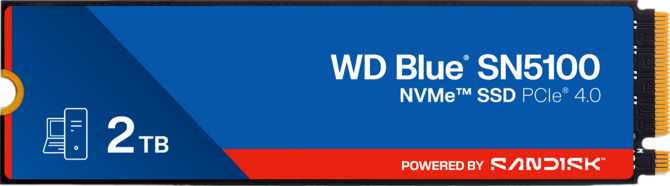
Non-Volatile Memory Express (NVMe) Solid State Drives are the gold standard for 2026. A 2TB NVMe drive is about the size of a stick of gum but offers transfer speeds exceeding 7,000 MB/s. These are used as primary "boot drives" in computers, ensuring that the operating system and apps load almost instantaneously. Manufacturers like Samsung and Western Digital lead this space.
External SSDs and HDDs
If you need 2TB of portable space, you have two choices:
- External SSDs: Fast, durable (no moving parts), and expensive. Best for editing video directly off the drive.
- External HDDs (Hard Disk Drives): Slower and fragile, but much more affordable. These are best used for "cold storage"—backups that you don't need to access every minute.
Cloud Storage
Services like Google One, iCloud+, and Dropbox offer 2TB plans as their primary "Premium" tier. Unlike a physical drive, 2TB of cloud storage is a subscription service. The advantage is that your data is accessible from any device and is protected against hardware failure. The disadvantage is the recurring monthly cost and the requirement for an internet connection to access large files. For more on cloud tiers, Google's storage guidelines provide a breakdown of how 2TB is shared across emails and photos.
Is 2TB Enough for You?
Determining if 2TB is the right investment depends on your digital habits. In 2026, storage needs are bifurcated between "cloud-first" users and "local-heavy" users.
- You should choose 2TB if: You are a dedicated gamer, you record 4K video of your family or hobbies, or you work with large creative files (Photoshop, Premiere, AutoCAD). It provides a "safety margin" so you don't have to delete files every month to make room for new ones.
- 2TB might be overkill if: You primarily stream music and movies (Spotify, Netflix), store most of your documents in the cloud, and use your computer mainly for web browsing and emails. In these cases, 512GB or 1TB is usually sufficient.
- 2TB might be too little if: You are a professional videographer shooting in 8K or 10-bit Log, or if you are a data scientist working with massive local datasets. In these professional niches, 2TB is often just a "scratch disk" for a single week's work.
Common Challenges and Troubleshooting with 2TB Drives
As drives get larger, the stakes for data loss increase. Managing 2TB of data requires a proactive approach to maintenance.
- File System Compatibility: Large drives must be formatted correctly. For 2TB drives used across both Mac and Windows, ExFAT is the standard. If you only use Windows, NTFS is preferred for its journaling and security features.
- The "Slow-Down" Effect: SSDs generally perform best when they are not completely full. If you fill a 2TB SSD to 1.9TB, you may notice a significant drop in write speeds because the drive's controller has less "slack space" to move data around during its wear-leveling processes.
- Backup Redundancy: A single 2TB drive is a "single point of failure." If it breaks, you lose 2,000GB of data at once. It is a best practice to follow the 3-2-1 backup rule: three copies of your data, on two different media types, with one copy stored off-site (cloud).
Frequently Asked Questions
Is 2TB a lot of storage for a laptop?
In 2026, 2TB is considered "high-end" for a consumer laptop. Most base models come with 512GB or 1TB. A 2TB laptop is ideal for power users, developers, and creative professionals who need to store large projects locally without relying on external dongles.
How many movies can 2TB hold?
It depends on the quality. For standard 1080p HD downloads, you can store about 800 to 1,000 movies. For 4K Ultra HD Blu-ray rips, which can be 50GB to 100GB each, you would only be able to store about 20 to 40 movies.
Can I upgrade my 512GB computer to 2TB?
In most desktop PCs and many older or "pro" laptops, yes. You can replace the internal M.2 SSD with a 2TB version. However, many modern ultra-thin laptops have storage soldered to the motherboard, making an internal upgrade impossible. In those cases, a 2TB external SSD is the best solution.
Does 2TB mean 2,000MB?
No. 2TB is much larger. 2,000MB is only 2GB. 2TB is actually 2,000,000MB (two million megabytes).
How long will it take to back up 2TB of data?
This depends on your connection speed. Over a modern USB-C (10Gbps) connection, you could theoretically transfer 2TB of data in about 30 to 40 minutes. However, backing up 2TB to the cloud on a standard 20Mbps upload connection would take nearly 10 days of continuous uploading.
Practical Recommendation
If you are buying a new device in 2026, 2TB is the recommended storage tier for anyone who plans to keep their computer for more than four years. While 1TB may seem like enough today, the increasing size of software updates, high-resolution media, and application caches means that storage fills up faster than anticipated. Investing in 2TB provides the peace of mind that you will not face "Storage Full" notifications in the middle of an important project. For those on a budget, a 512GB internal "speed" drive paired with a 2TB external "storage" drive offers the best balance of performance and cost.
Image Gallery