Is CloudConvert Secure? A Comprehensive Security and Privacy Analysis
CloudConvert is a reliable and secure file conversion platform that protects user data through HTTPS encryption during transit, automated file deletion within 24 hours, and compliance with major data privacy frameworks like GDPR. It do...
CloudConvert is a reliable and secure file conversion platform that protects user data through HTTPS encryption during transit, automated file deletion within 24 hours, and compliance with major data privacy frameworks like GDPR. It does not look at, share, or sell user files, making it a safe choice for standard personal and business conversions.
Contents
Evaluating the security of cloud-based file conversion tools is a critical step for individuals and enterprises handling sensitive documents, proprietary media, or confidential archives. When users upload files to a third-party server for format transformation, they trust the service provider with potentially private information.
This comprehensive review examines CloudConvert, dissecting its security infrastructure, data handling lifecycles, regulatory compliances, and inherent risks. By understanding how the platform protects your assets, you can make an informed decision about whether it meets your operational security requirements.
Understanding CloudConvert and Its Core Architecture
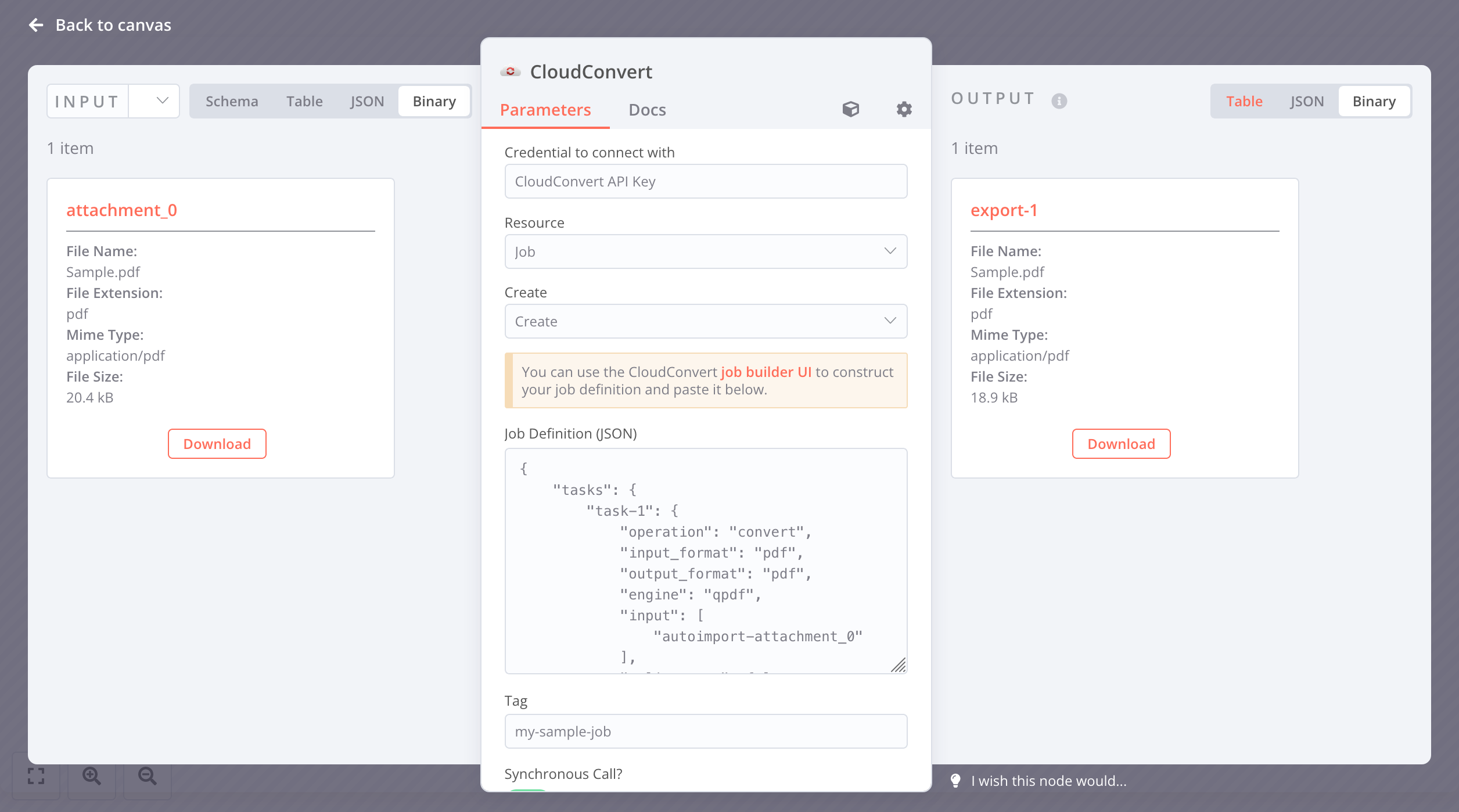
CloudConvert is a popular online file conversion utility supporting over 200 formats, including documents, images, audio, video, spreadsheets, and presentations. Rather than relying on local machine resources or installing potentially bloated desktop software, users interact with CloudConvert via a web browser, an API, or integrated cloud storage services.
The underlying architecture relies on scalable cloud infrastructure. When a user initiates a conversion, the file is transmitted to CloudConvert's remote servers, processed by specialized conversion engines (often open-source utilities like FFmpeg or LibreOffice running in isolated environments), and then made available for download.
Because this process happens remotely, security cannot be treated as an afterthought. A secure cloud converter must protect data in transit, safeguard data at rest, enforce strict access controls, and maintain a clear policy regarding data retention and permanent deletion.
Data Transmission and In-Transit Encryption
The first layer of security for any web-based service is how data moves between the user's device and the server. If this pathway is unencrypted, intercepted files can be easily read or modified by malicious actors via man-in-the-middle (MitM) attacks.
CloudConvert secures all inbound and outbound web traffic using Transport Layer Security (TLS), commonly referred to as HTTPS. When you visit the website, use their API, or connect via browser extensions, a cryptographic handshake establishes an encrypted tunnel using modern cipher suites. This ensures that even if data packets are intercepted across public Wi-Fi or complex network routing nodes, they remain completely unreadable without the decryption keys.
Furthermore, API integrations with CloudConvert enforce identical cryptographic standards. Developers utilizing the REST API must communicate exclusively over HTTPS, preventing credentials and payload data from being exposed in plain text during programmatic batch conversions.
Data Retention and Deletion Policies
One of the most pressing questions regarding cloud conversion tools is: How long do my files stay on their servers?
CloudConvert maintains a strict, automated data minimization and deletion policy designed to limit privacy exposure. According to their terms of service and privacy documentation:
- Automated Purging: Uploaded source files and converted output files are automatically deleted from CloudConvert's servers after 24 hours.
- Manual Deletion: Users do not need to wait the full 24 hours. The platform provides an explicit delete button next to completed jobs, allowing users to wipe their files from the servers immediately upon downloading them.
- API Job Cleanup: Files processed via the API can be configured to delete instantly via webhook triggers or automated parameter settings once the download pipeline finishes.
This short-lived retention window drastically reduces the risk of long-term data accumulation, minimizing the impact of potential unauthorized server access.
Privacy, Confidentiality, and Regulatory Compliance
Data security and data privacy are closely intertwined. Even if a server is technically secure from outside hackers, the service provider itself must adhere to ethical and legal data handling standards.
Do They View Your Files?
CloudConvert operates on an automated basis. Human employees do not manually review, open, or inspect user files unless explicitly requested by the user for technical support purposes, or when required by strict legal obligations (such as valid law enforcement requests).
GDPR and CCPA Compliance
For users operating within the European Union or California, privacy regulations mandate strict controls over personal data processing. CloudConvert aligns with the General Data Protection Regulation (GDPR) and the California Consumer Privacy Act (CCPA). This means users have the legal right to request information about data processing practices and ensure that data is not improperly monetized or shared with unauthorized third-party advertisers.
Monetization Model
Unlike free tools that monetize by harvesting user data, displaying aggressive tracking ads, or selling behavioral analytics, CloudConvert operates on a freemium and credit-based business model. Users purchase conversion minutes or subscriptions. Because the primary revenue stream comes directly from service fees rather than data brokerage, there is a distinct lack of commercial incentive to mine or sell user files.
Comparison of File Conversion Security Models
To understand how CloudConvert stacks up, it is helpful to contrast its cloud-based approach with local desktop software and unverified online converters.
| Security Feature | CloudConvert | Unverified Free Online Converters | Local Desktop Software (e.g., VLC, HandBrake) |
|---|---|---|---|
| Data in Transit | Encrypted via HTTPS/TLS | Often insecure (HTTP) or weak TLS | N/A (Local processing) |
| Data Retention | Deleted automatically within 24 hours | Unknown, potentially stored indefinitely | N/A (Stored locally on your drive) |
| Data Privacy | GDPR/CCPA compliant; no data selling | Often tracks users and monetizes data | Complete privacy (depends on OS security) |
| Malware Risk | Low (isolated server environments) | High (frequent malvertising and risk of infected downloads) | Low (if downloaded from official developer sites) |
| Internet Requirement | Required | Required | Not required after installation |
Potential Security Risks and Edge Cases
While CloudConvert employs robust technical safeguards, no internet-connected service is entirely without risk. Users must evaluate potential vulnerabilities based on their specific operational context:
- Third-Party Integrations: CloudConvert allows integration with cloud storage providers like Google Drive, Dropbox, and OneDrive. While these integrations use secure OAuth tokens (meaning CloudConvert does not see your password, only temporary access permissions), linking cloud drives always expands your overall digital attack surface.
- Highly Classified Data: If an organization handles state secrets, defense contracts, or ultra-sensitive intellectual property governed by strict compliance frameworks (such as HIPAA for healthcare data or ITAR for defense), routing files through a public cloud converter—even a secure one—may violate internal compliance mandates. In such scenarios, air-gapped local software is always preferred.
- Account Credentials: The security of your CloudConvert account depends heavily on your own password hygiene. If a user utilizes a weak password or reuses credentials compromised in a separate data breach, unauthorized actors could access their account dashboard and view recent conversion history before deletion occurs.
Best Practices for Using CloudConvert Safely
If you choose to use CloudConvert for personal or professional tasks, you can maximize your operational security by implementing a few straightforward precautions:
- Leverage Manual Deletion: Always click the delete button immediately after downloading your converted files, rather than waiting out the default 24-hour window.
- Avoid Highly Sensitive Data: Refrain from uploading files containing unencrypted Personally Identifiable Information (PII), financial account numbers, or health records. If you must convert such files, redact or password-protect them locally before uploading.
- Secure Your Account: Use a strong, unique password and enable multi-factor authentication (MFA) if available to protect your user profile and API keys.
- Audit API Keys: If you integrate CloudConvert into custom web apps using their API, store your API keys securely in environment variables rather than hardcoding them into client-side code repositories.
Frequently Asked Questions
Does CloudConvert sell my data or files?
No, CloudConvert does not sell, rent, or trade user data or uploaded files. Their business model relies on paid subscriptions and conversion credits, eliminating any commercial incentive to monetize user content.
Are my files encrypted while being converted?
Yes. All files are transferred to CloudConvert via secure HTTPS/TLS connections. Once on their servers, they are processed in secure, isolated containers and deleted automatically after 24 hours.
Can CloudConvert employees view my documents?
No. File processing is entirely automated. Employees do not access user files unless a user explicitly requests technical assistance involving a specific failed job or corruption issue.
Is CloudConvert safe for business use?
CloudConvert is widely trusted by businesses for everyday document, image, and media conversions. However, organizations handling ultra-sensitive data subject to strict regulatory frameworks (like HIPAA or PCI-DSS) should evaluate whether third-party cloud processing aligns with their internal data governance policies.
What happens if I forget to delete my file?
If you do not manually delete your file after downloading it, CloudConvert's automated maintenance systems will permanently purge both the original upload and the converted output from their servers within 24 hours.
Conclusion and Recommendations
CloudConvert represents a secure, professional-grade solution for users needing reliable file format transformations without the hassle of installing heavy local software. Its adherence to strict encryption standards, transparent 24-hour deletion policies, and privacy regulations like GDPR make it one of the safest options available in the cloud conversion market.
For standard business documents, media files, and academic projects, CloudConvert is safe and dependable. However, for extremely classified, legally restricted, or highly sensitive enterprise data, internal local conversion utilities remain the most secure operational choice.
Image Gallery