Mastering RBC Digital Banking: A Comprehensive Guide to Features, Security, and Setup in 2026
RBC Digital Banking is a unified financial ecosystem comprising the RBC Mobile app and Online Banking portal, providing clients 24/7 access to account management, AI-driven insights, and secure global transfers. In 2026, this platform...
RBC Digital Banking is a unified financial ecosystem comprising the RBC Mobile app and Online Banking portal, providing clients 24/7 access to account management, AI-driven insights, and secure global transfers. In 2026, this platform serves as the primary interface for the Royal Bank of Canada’s personal and business clients, integrating advanced biometrics and real-time financial tracking to ensure a seamless user experience across all devices.
Contents
The Evolution of RBC Digital Banking into 2026
The landscape of Canadian finance has shifted toward a "digital-first" philosophy, and RBC has remained at the forefront of this transition. As of 2026, RBC Digital Banking is no longer just a secondary tool for checking balances; it is a sophisticated financial command center. The integration of the RBC Vantage program ensures that digital users receive maximum value through tiered benefits, automated savings, and consolidated reward tracking.
The platform has moved beyond transactional utility to focus on predictive financial health. By leveraging massive datasets and secure cloud infrastructure, the system anticipates user needs, from identifying potential duplicate charges to suggesting optimal times for high-value currency exchanges. This evolution ensures that both retail customers and commercial enterprises can manage liquidity with precision.
Core Features of the RBC Mobile App and Online Portal
The 2026 iteration of the RBC Digital Banking suite is built upon four pillars: accessibility, intelligence, speed, and comprehensive integration. Whether you are accessing the portal via a desktop browser or the native mobile application, the feature parity ensures you never lose functionality when switching devices.
NOMI: AI-Powered Financial Intelligence
NOMI remains the crown jewel of the RBC digital experience. By 2026, its capabilities have expanded to provide even more granular control over personal cash flow.
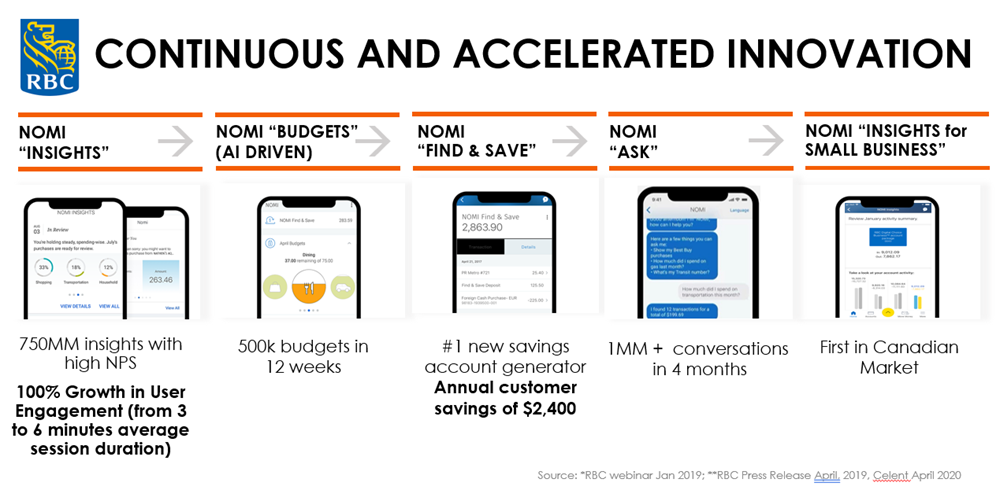
- NOMI Insights: Automatically categorizes every transaction and alerts users to unusual activity or upcoming subscription price hikes.
- NOMI Find & Save: Uses predictive algorithms to identify "extra" money in a checking account and moves it into a savings vehicle automatically, maximizing interest without impacting daily spending.
- NOMI Budgets: Eliminates the need for manual spreadsheets by creating dynamic, flexible budgets based on historical spending patterns and real-time income data.
Real-Time Transaction Management
Speed is the standard in 2026. RBC Digital Banking provides instantaneous updates for all account types, including credit cards, mortgages, and investment portfolios.
- Interac e-Transfer Enhancements: Support for higher limits and request-for-pay features that integrate directly with small business invoicing.
- Mobile Cheque Deposit: Enhanced high-resolution capture technology that processes funds with improved verification speed.
- Global Money Transfers: A streamlined interface for sending funds to over 120 countries, featuring transparent exchange rates and real-time tracking of funds in transit.
Advanced Security Protocols and the RBC Digital Safety Guarantee
Security is the primary concern for digital banking users in 2026. RBC employs a multi-layered defense strategy designed to protect assets against evolving cyber threats while maintaining user convenience.
The RBC Digital Safety Guarantee
RBC provides a comprehensive commitment to its clients regarding unauthorized transactions. If an unauthorized transaction is conducted through your RBC Digital Banking profile, the bank guarantees 100% reimbursement, provided the user has fulfilled their basic security responsibilities. These responsibilities include protecting passwords and notifying the bank immediately upon the loss or theft of a mobile device.
In 2026, security measures have moved toward "Invisible MFA" (Multi-Factor Authentication). The system analyzes behavioral biometrics—such as typing cadence, device orientation, and geolocation—to verify identity without constantly prompting for SMS codes. For high-risk transactions, passkey support and hardware security key integration offer the highest level of protection currently available in the banking sector.
Step-by-Step: Enrolling in RBC Digital Banking
Getting started with RBC’s digital suite is a streamlined process that can be completed in under five minutes. Before beginning, ensure you have your RBC Client Card or a valid credit card number ready.
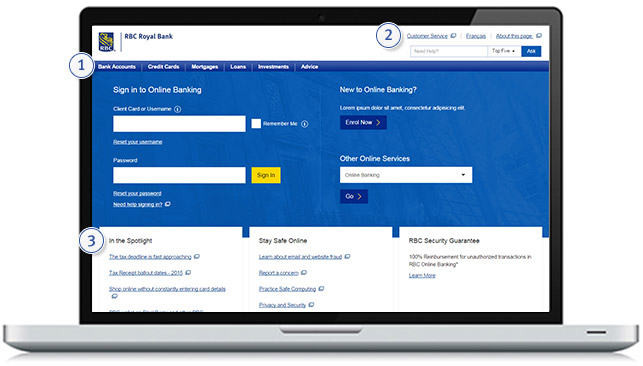
- Download or Navigate: Download the RBC Mobile app from the official app store or visit the RBC Royal Bank homepage and select the "Sign In" button followed by "Enroll in Online Banking."
- Identity Verification: Enter your 16-digit Client Card or Credit Card number. You will be required to answer security questions or verify your identity via a one-time passcode sent to your registered mobile number.
- Credential Creation: Choose a unique username and a strong password. In 2026, RBC encourages the use of passphrases rather than simple passwords for enhanced entropy.
- Security Setup: Enable biometric login (Face ID, Fingerprint, or Touch ID) on your mobile device. This is highly recommended for both security and ease of access.
- Agreement Review: Review and accept the Electronic Access Agreement which governs the use of digital services.
- Feature Customization: Set up your "Dashboard" to highlight the accounts you use most frequently and toggle on NOMI Insights for immediate financial tracking.
Comparing Digital Capabilities Across RBC Account Tiers
RBC offers various account structures under the RBC Vantage umbrella. The digital experience is tailored to the specific needs of each tier.
| Feature | RBC Advantage Account | RBC Signature No Limit | RBC VIP Banking | RBC Express (Business) |
|---|---|---|---|---|
| NOMI Insights | Included | Included | Included | Premium Dashboard |
| Mobile App Access | Full Access | Full Access | Full Access | Specialized Interface |
| Digital Wire Transfers | Standard Fees | Discounted Fees | $0 Fees (Select) | Bulk Processing |
| Fraud Monitoring | 24/7 AI | 24/7 AI + Alerts | Priority Protection | Multi-User Approval |
| Digital Rewards Tracking | Ion/Avion | Full Avion | Full Avion | Business Rewards |
| Investment Integration | View Only | Integrated Trading | Wealth Management | Corporate Liquidity |
Troubleshooting Common Technical Issues
Even with the robust infrastructure of 2026, users may occasionally encounter technical hurdles. Most issues can be resolved through basic maintenance of the application or browser settings.
- Login Failures: Ensure your app is updated to the latest 2026 version. RBC frequently pushes security patches that may disable older versions of the application.
- Biometric Mismatch: If Face ID or Fingerprint recognition fails, clear your device cache and re-enroll your biometrics within the device settings, then re-enable the feature in the RBC app.
- Transaction Delays: While most transfers are instant, Interac e-Transfers can occasionally take up to 30 minutes depending on the receiving institution's security filters. Check the "Status" tab in your digital portal for real-time updates.
- Missing Accounts: If a newly opened account (like a mortgage or GIC) does not appear, use the "Link Account" feature in the settings menu or contact digital support to refresh your client profile profile.
Maximizing Rewards via RBC Ion and Avion Integration
One of the most significant advantages of using the RBC Digital Banking platform in 2026 is the seamless management of the Avion Rewards program. The digital portal allows users to track points in real-time and provides personalized "Power Up" offers based on spending habits.
Users can toggle between "Ion" and "Avion" point structures within the app, allowing for flexible redemption options. Whether you are converting points to pay down a credit card balance or booking travel via the integrated Avion Rewards portal, the digital interface provides a transparent view of the value of your points. For 2026, RBC has introduced "Instant Redemption" at partner retailers, where users can scan a QR code at checkout to pay with points directly from the mobile app.
Frequently Asked Questions
Is RBC Digital Banking safe to use on public Wi-Fi?
While RBC uses end-to-end encryption, it is always safer to use a cellular connection or a VPN when accessing financial data on public networks. RBC’s 2026 security protocols include automatic session termination if a network is deemed insecure or if a "man-in-the-middle" threat is detected.
How do I reset my password if I am locked out?
You can use the "Forgot Password" link on the login screen. You will need your Client Card number and access to the email or phone number on file for multi-factor verification. If you are unable to verify electronically, you must visit an RBC branch with two pieces of government-issued ID.
Can I manage my RBC InvestEase and Direct Investing through the same app?
Yes, in 2026, RBC offers a "Single Sign-On" (SSO) experience. Once logged into the RBC Mobile app, you can flip between your everyday banking, InvestEase (automated investing), and Direct Investing (self-directed) without needing separate credentials.
What are the system requirements for the RBC Mobile app in 2026?
The 2026 version of the RBC Mobile app requires iOS 18.0 or later for Apple devices and Android 14.0 or later for Android devices. This ensures the hardware can support the latest biometric and encryption standards.
How do I stop a pre-authorized payment digitally?
Within the Online Banking portal, navigate to the "Payments" section and select "Pre-authorized Payments." From there, you can view, modify, or place a stop-payment on specific recurring debits. Note that stop-payment fees may apply depending on your account tier.
Can business owners manage employee access via the digital portal?
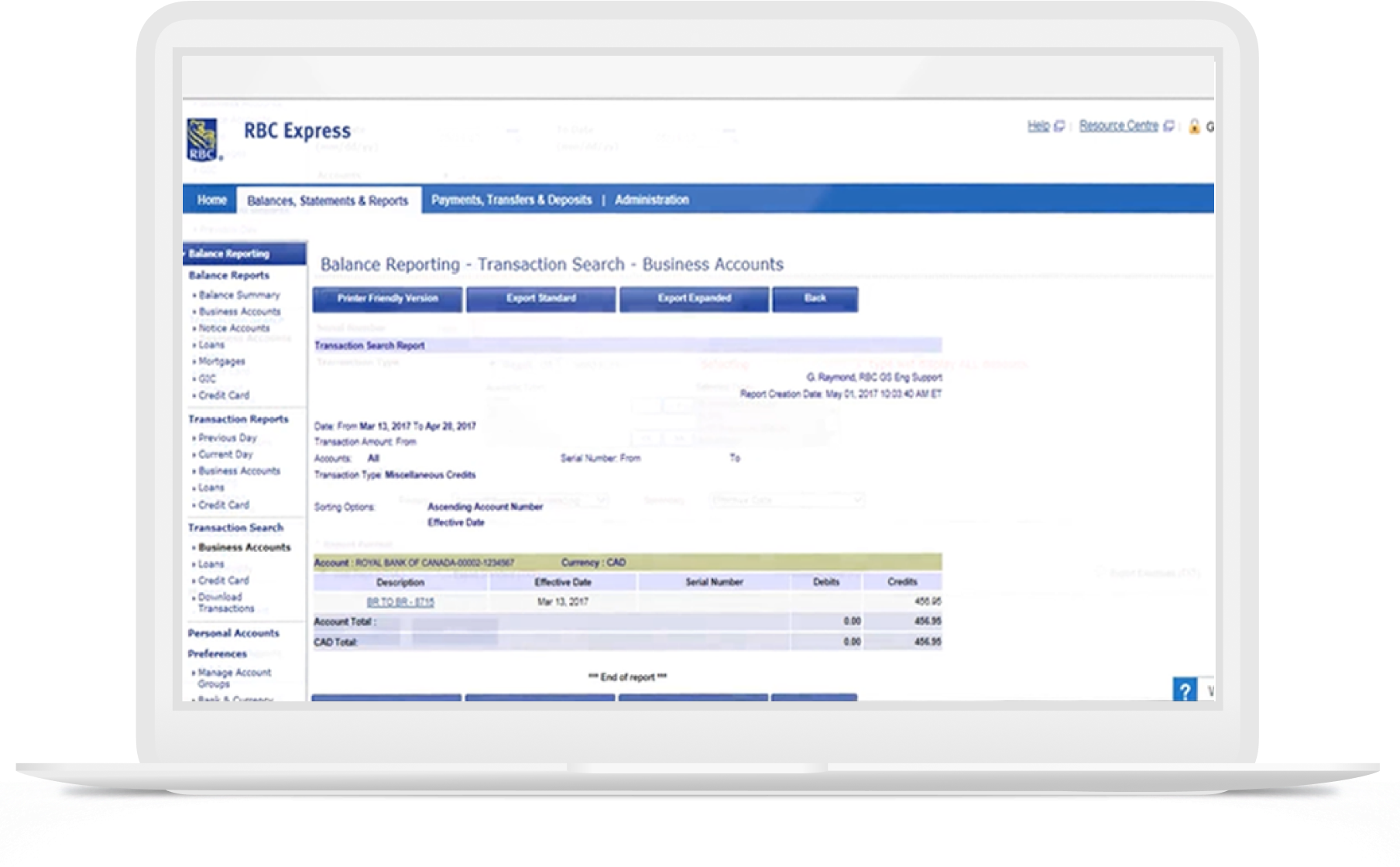
Yes, using the RBC Express or the "Business Owner" view in the standard app, you can assign different levels of access to employees. This includes "view-only" access for bookkeepers or "initiate-only" access for staff members who need to prepare payments for your final approval.
Strategic Recommendations for RBC Users
To get the most out of RBC Digital Banking in 2026, users should move beyond basic transactions and embrace the platform’s proactive features. Start by setting up "Smart Alerts" for balance thresholds and large purchases to maintain constant awareness of account activity.
Furthermore, leverage the "NOMI Find & Save" feature even if you only have a small amount of discretionary income; the algorithm is remarkably efficient at building a "rainy day" fund without affecting your lifestyle. Finally, ensure that your contact information is updated every six months within the app to prevent any delays in receiving critical security notifications or one-time passcodes.
Image Gallery