Comprehensive Guide to the 2026 ADP Tax Calculator for Payroll and Take-Home Pay
The ADP tax calculator is a professional-grade financial tool used to estimate net take-home pay by calculating federal, state, and local tax withholdings against gross earnings. For 2026, these calculators incorporate the latest IRS t...
The ADP tax calculator is a professional-grade financial tool used to estimate net take-home pay by calculating federal, state, and local tax withholdings against gross earnings. For 2026, these calculators incorporate the latest IRS tax brackets, Social Security wage bases, and state-specific payroll legislative updates to provide employees and employers with precise income forecasts.
Contents
Whether you are a salaried professional, an hourly worker, or a business owner managing payroll through ADP RUN or Workforce Now, understanding the mechanics of tax estimation is critical for financial planning. In 2026, tax regulations continue to evolve, making the accuracy of ADP’s proprietary calculation engine an industry standard for compliance and personal budgeting.
The Architecture of the 2026 ADP Tax Calculation Engine
The ADP tax calculator functions as a specialized logic engine that applies the Internal Revenue Code (IRC) and state tax statutes to individual earnings records. To produce an accurate result, the tool processes data through several layers of subtraction and statutory limitations.
Gross Pay and Taxable Income Determination
The process begins with Gross Pay, which is the total compensation earned before any deductions. The ADP calculator then identifies "Adjusted Gross Pay" by subtracting pre-tax contributions. In 2026, these typically include:
- Retirement Contributions: 401(k), 403(b), and Simple IRA contributions are deducted from the gross total before federal and state income taxes are applied.
- Section 125 Plans: Also known as cafeteria plans, these include Health Savings Accounts (HSA), Flexible Spending Accounts (FSA), and employer-sponsored health insurance premiums.
- Qualified Transportation Fringe Benefits: Deductions for mass transit or parking, subject to 2026 IRS limits.
Federal Income Tax Withholding (FIT)
For 2026, the ADP calculator utilizes the data provided on your Form W-4. Unlike the pre-2020 system of "exemptions," the current system focuses on filing status (Single, Married Filing Jointly, Head of Household), multiple job adjustments, and specific dollar amounts for dependents. The engine applies the 2026 tax brackets—which have been adjusted for inflation—to determine the percentage of each dollar that must be remitted to the IRS.
FICA and Statutory Deductions
The Federal Insurance Contributions Act (FICA) remains a fixed component of the ADP calculation.
- Social Security: For 2026, the Social Security wage base has been adjusted. The calculator applies a 6.2% tax on earnings up to this limit. Once an employee exceeds this threshold, the ADP tool automatically ceases Social Security withholding for the remainder of the calendar year.
- Medicare: A 1.45% tax is applied to all earnings. For high earners, the ADP engine also calculates the "Additional Medicare Tax" of 0.9% on earnings exceeding the statutory thresholds (e.g., $200,000 for single filers).
Comparative Analysis of ADP Calculator Varieties
ADP provides several distinct calculators tailored to different employment structures. Choosing the correct tool is essential for maintaining subject fidelity to your specific financial situation.
| Calculator Type | Primary User | Key Variables Tracked | Best Use Case |
|---|---|---|---|
| Salary Paycheck | Exempt Employees | Annual base, filing status, 401(k) % | Standard bi-weekly or monthly budgeting. |
| Hourly Paycheck | Non-Exempt Workers | Hours worked, OT rate, shift differentials | Variable income forecasting and OT planning. |
| Gross-Up Calculator | Employers/HR | Net desired amount, tax burden | Determining the gross bonus needed to yield a specific net. |
| Bonus (Aggregate) | All Employees | Supplemental tax rates vs. regular rates | Calculating one-time commission or holiday pay. |
| W-4 Assistant | New Hires | Dependents, other income, tax credits | Ensuring the 2026 W-4 is optimized for $0 refund/balance. |
2026 State and Local Tax (SIT/LIT) Nuances
A primary reason for the ADP calculator's dominance is its ability to handle complex nexus rules. In 2026, "multi-state taxation" is a common challenge for remote workers.
Reciprocal Agreements
The ADP engine accounts for reciprocal agreements between states (e.g., Virginia and Maryland). If you live in one state but work in another, the calculator applies the correct withholding based on the specific state's 2026 tax treaty.
State-Specific Payroll Taxes
Certain states have mandatory employee-paid taxes that the ADP tool integrates into the final net pay:
- SUI/SDI: State Unemployment Insurance or State Disability Insurance (notably in California, New Jersey, and New York).
- Paid Family Leave (PFL): Many states have updated their 2026 PFL rates, which are often a small percentage of gross pay.
- Local Income Tax: The tool drills down into municipal and county taxes, such as those found in Pennsylvania, Ohio, or New York City.
Step-by-Step Guide: Using the ADP Calculator for 2026 Projections
To achieve the highest level of accuracy, follow this technical workflow when inputting data into the ADP interface.
Step 1: Gather Your Documentation
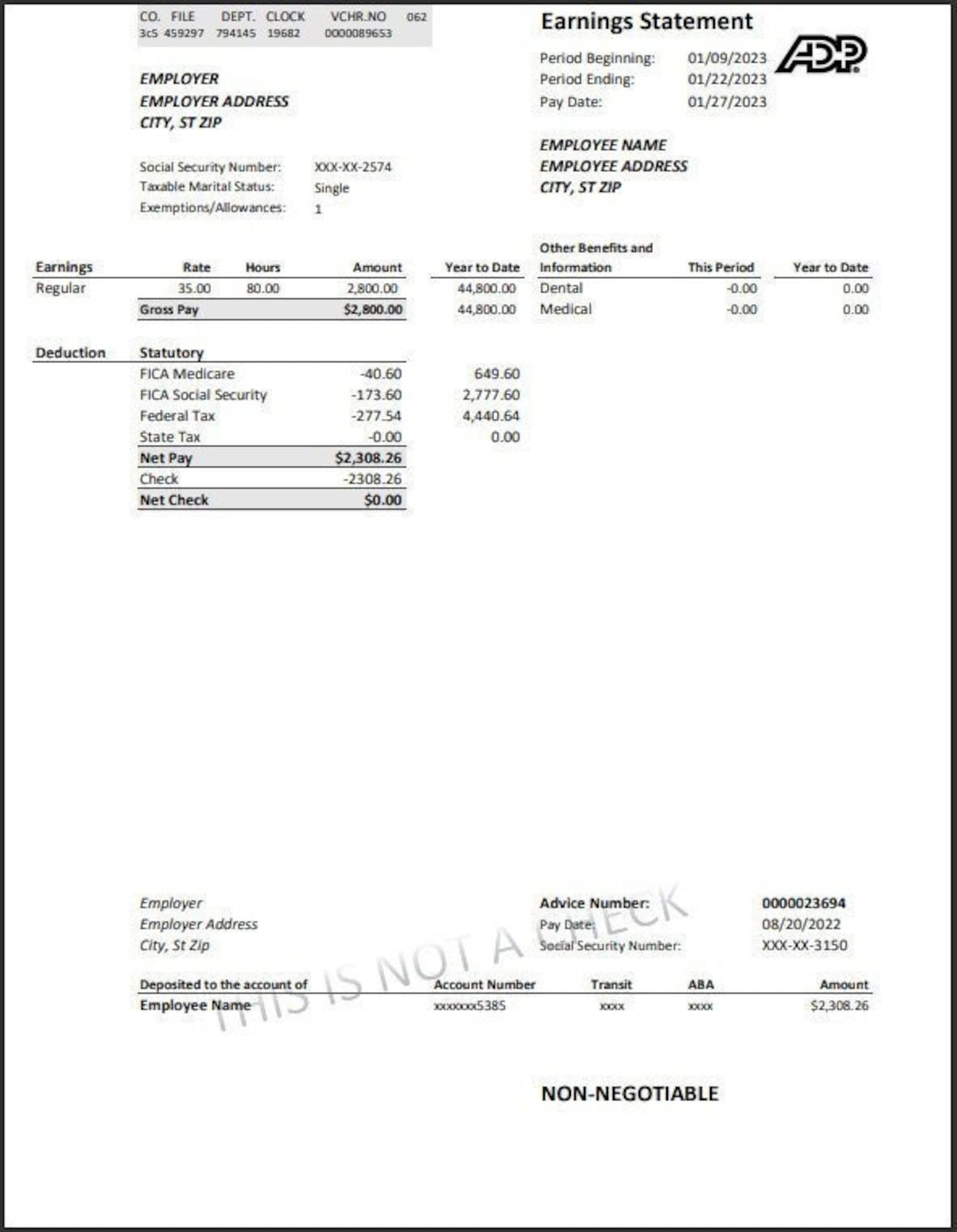
You will need your most recent pay stub or your 2026 employment contract. Specifically, identify your "per period" deductions for medical, dental, and vision insurance.
Step 2: Input General Information
Select your state of residence and the state where the work is performed. This is vital for the nexus calculations mentioned previously. Enter your pay frequency (Weekly, Bi-weekly, Semi-monthly, or Monthly).
Step 3: Enter Gross Pay and Overtime
For salary employees, enter the period gross. For hourly employees, input the regular hours and any overtime (1.5x) or double-time hours. The ADP tool calculates the weighted average if multiple rates apply.
Step 4: Configure Federal and State Withholdings
Refer to your 2026 Form W-4. Enter the correct filing status. If you have "Step 3" credits for dependents or "Step 4" extra withholdings, enter those exact dollar amounts. For state taxes, ensure you select the correct number of allowances if your state does not follow the federal W-4 format.
Step 5: Review Voluntary Deductions
Input your retirement contribution. Most users should select "Percentage" or "Fixed Amount" based on their payroll setup. Don't forget to include post-tax deductions (like Roth 401k or garnishments), as these affect the net pay but not the initial tax calculation.
Understanding 2026 Payroll Compliance for Employers
For business owners, using the "Employer" version of the ADP tax calculator is a matter of maintaining fiscal solvency. Beyond the employee's take-home pay, the employer is responsible for "matching" taxes and paying statutory insurance premiums.
Employer Payroll Responsibility Framework
FICA Matching Requirement Employers must match the 6.2% Social Security and 1.45% Medicare taxes withheld from the employee. The ADP tool provides a "Total Cost of Employee" view that aggregates these figures.
Federal Unemployment Tax (FUTA) For 2026, the FUTA rate remains at 6.0% on the first $7,000 of each employee’s wages, though most employers receive a credit of up to 5.4% for timely SUTA payments, resulting in an effective rate of 0.6%.
State Unemployment Tax (SUTA) Every employer has a unique SUTA rate based on their "Experience Rating" (history of unemployment claims). The ADP calculator allows for the manual entry of this rate to ensure the business's tax liability is estimated correctly for 2026.
Troubleshooting Discrepancies in the ADP Tax Calculator
It is common for users to find slight differences between the ADP calculator and their actual paycheck. These discrepancies usually stem from three areas:
- Imputed Income: Benefits like Group Term Life Insurance over $50,000 are considered "taxable" but not "cash" income. If this isn't entered into the calculator, the tax estimate will be slightly low.
- YTD Social Security Limits: If an employee has already hit the Social Security wage cap for 2026 at a previous job, the ADP tool won't know this unless the user manually adjusts the "YTD Earnings" field.
- Local Tax Updates: While ADP updates its tables frequently, some ultra-local municipal taxes (like specific school district taxes) may require manual adjustment in the "Other Deductions" field.
Strategic Financial Planning with Tax Estimates
By using the ADP tax calculator in early 2026, individuals can perform "What-If" scenarios. For example, you can calculate how much a 1% increase in your 401(k) contribution will actually decrease your take-home pay. Often, because the contribution is pre-tax, a $100 increase in retirement savings might only result in a $70 or $80 decrease in net pay, depending on your 2026 tax bracket.
Furthermore, for those expecting a mid-year raise or a performance bonus, the "Bonus" or "Gross-Up" tools allow for precise withholding management to prevent a large tax bill during the 2027 filing season.
Frequently Asked Questions
Is the ADP tax calculator updated for the 2026 tax year?
Yes, ADP updates its tax engines annually to reflect the inflation-adjusted tax brackets, new Social Security wage bases, and state-specific legislative changes for 2026. It is regarded as one of the most accurate tools for anticipating payroll outcomes.
Why does the ADP calculator show a different net pay than my actual check?
Differences are usually due to "Imputed Income" (taxable benefits), specific local taxes not selected, or pre-tax vs. post-tax deduction classifications. Ensure that your 401(k) or HSA contributions are correctly marked as "Pre-Tax" in the tool.
Can I use the ADP calculator for 1099 independent contractor income?
The standard ADP paycheck calculator is designed for W-2 employees. While you can use it to estimate the "Self-Employment Tax" (which is roughly double the FICA rate), contractors should use a dedicated 1099/Self-Employed tax tool for 2026 to account for quarterly estimated payments.
How does the 2026 Social Security cap affect the calculation?
For 2026, once your year-to-date earnings exceed the IRS-mandated limit, the ADP calculator stops deducting the 6.2% Social Security tax. This results in a noticeable "bump" in take-home pay for high earners toward the end of the year.
Does ADP account for the 2026 Additional Medicare Tax?
Yes, the calculator is programmed to apply the 0.9% Additional Medicare Tax once earnings exceed the relevant threshold based on your filing status ($200,000 for single or $250,000 for married filing jointly).
Ensure your 2026 financial planning is based on the most accurate data available. Use the official ADP tax calculator tools to audit your current withholdings and optimize your take-home pay today.
Image Gallery