Understanding PayPal Invoice Security: Protecting Your Business and Clients Against Fraud
PayPal invoice security relies on end-to-end data encryption, two-factor authentication, built-in Seller Protection programs, and vigilant user habits to protect both merchants and buyers from financial fraud, spoofing, and unauthorize...
PayPal invoice security relies on end-to-end data encryption, two-factor authentication, built-in Seller Protection programs, and vigilant user habits to protect both merchants and buyers from financial fraud, spoofing, and unauthorized account access.
Contents
Navigating digital payments requires a firm grasp of how financial platforms protect commercial transactions. For freelancers, small business owners, and mid-sized enterprises, issuing electronic bills is a daily operational necessity. However, convenience often attracts sophisticated threat actors.
Understanding PayPal invoice security involves analyzing how the platform encrypts data, investigating how scammers attempt to exploit billing workflows, and executing proactive steps to secure your merchant account. Whether you are scaling an e-commerce operation or billing clients for professional services, evaluating the native security features of your billing infrastructure is essential for maintaining cash flow integrity and client trust.
Core Mechanisms of PayPal Invoice Security
PayPal employs multiple layers of security to safeguard transactions from creation to settlement. These technical frameworks operate behind the scenes to maintain data integrity and prevent unauthorized interception.
Encryption and Data Protection
All financial data, personal identifiable information (PII), and transaction metadata transmitted through PayPal are protected using advanced cryptographic protocols. When a merchant generates an invoice, the data travels via Transport Layer Security (TLS), rendering it unreadable to third-party interceptors.
Furthermore, sensitive financial details—such as credit card numbers or bank account strings—are never exposed directly to the buyer through the invoice interface. The platform processes these transactions through secure, tokenized environments, reducing the risk of data leakage during transit.
Fraud Detection and Risk Monitoring
PayPal utilizes automated machine learning systems that analyze transaction patterns in real-time. These risk-monitoring engines evaluate variables such as:
- Geographic IP locations versus billing addresses
- Unusual transaction velocity or volume spikes
- Known fraudulent device fingerprints and proxy networks
- Mismatching metadata associated with newly created user accounts
If a system flag is triggered, the transaction may be temporarily placed on hold or subjected to secondary review, shielding the merchant from fulfilling fraudulent orders.
Common Vulnerabilities and Threat Vectors
While the underlying platform infrastructure maintains high security standards, human error and social engineering remain the primary catalysts for invoice-related breaches. Understanding these vectors helps businesses fortify their operational workflows.
Invoice Spoofing and Phishing Attacks
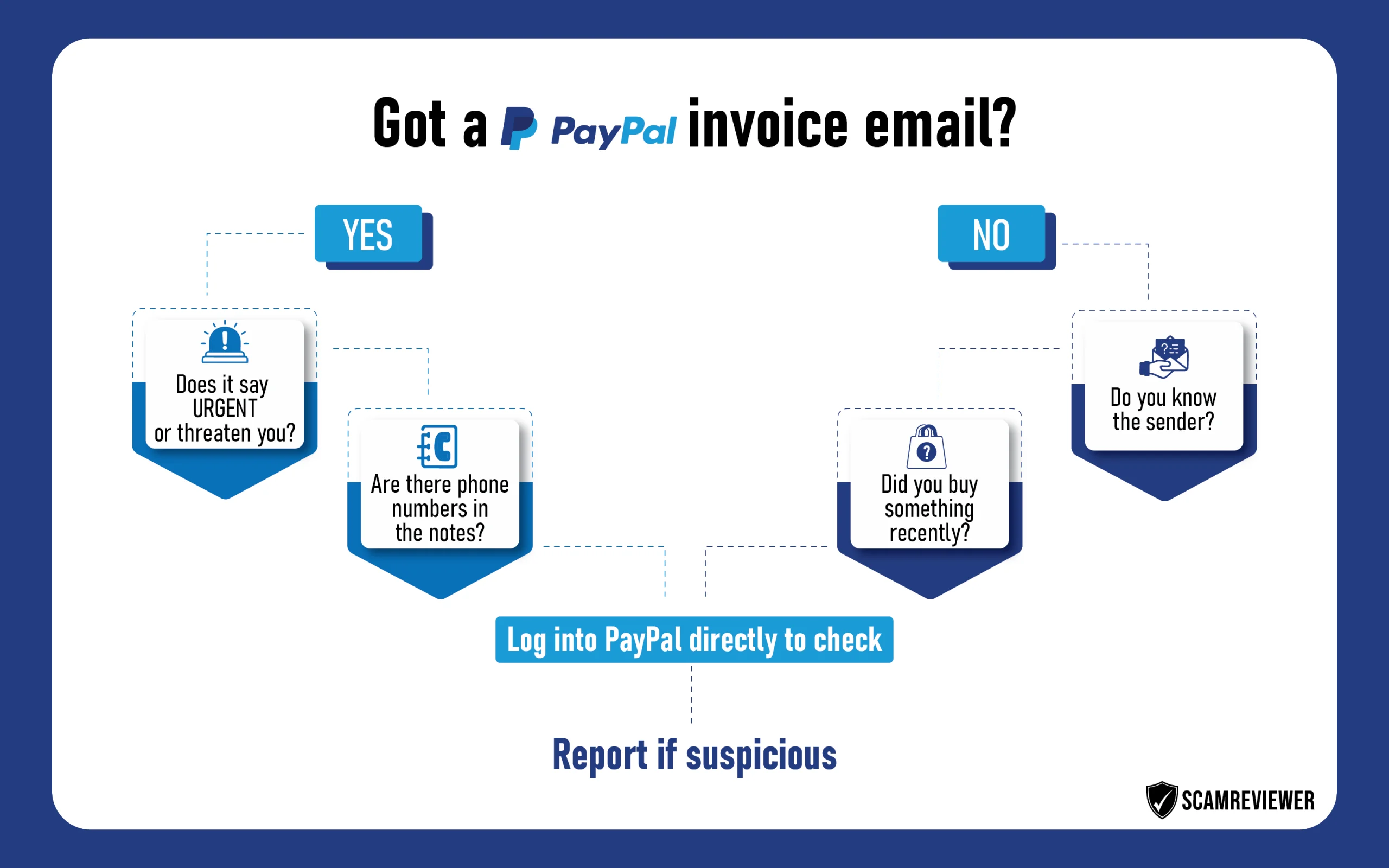
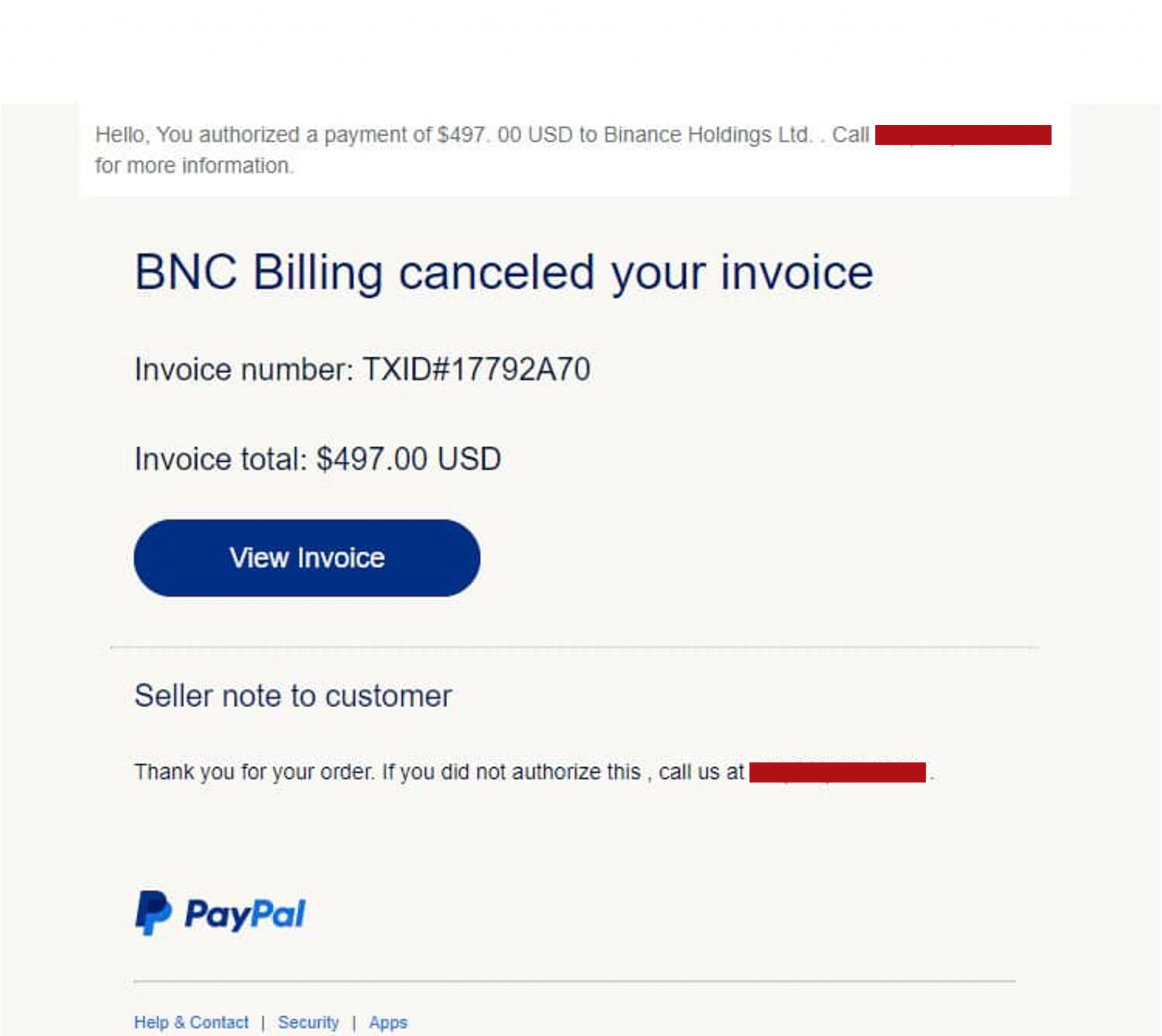
A prevalent threat involves malicious actors crafting fraudulent invoices that mimic official PayPal templates. These fake bills often direct recipients to lookalike external login pages or trick them into calling rogue customer support numbers.
For merchants, threat actors may compromise an unsecured email account or a weak PayPal login to dispatch unauthorized invoices to the merchant's client list, damaging business reputation and intercepting funds.
Account Takeover (ATO) Risks
If a merchant uses weak credentials or reuses passwords across multiple platforms, attackers can execute credential-stuffing attacks to gain full control of a PayPal account. Once inside, bad actors can alter payout destinations, issue fraudulent refund requests, or manipulate open invoices to redirect incoming payments to external, unverified bank accounts.
Essential Features for Secure Invoicing
To mitigate these risks, PayPal provides specific tools and configuration options designed to enhance operational security. Utilizing these capabilities reduces vulnerability to fraud.
Two-Factor Authentication (2FA)
Enabling two-factor authentication adds a critical barrier against unauthorized account access. By requiring a dynamic code sent via SMS, authenticator apps, or security keys alongside the primary password, merchants ensure that even compromised credentials cannot be used to log in.
Seller Protection Eligibility
PayPal maintains a formal Seller Protection policy that shields qualifying merchants from financial loss due to unauthorized transactions or item-not-received claims. To remain eligible for this protection, invoices must meet specific criteria:
- The item must be physical, tangible goods (though certain digital goods qualify under updated policies).
- The shipping address must match the address listed on the Transaction Details page.
- The merchant must ship within the specified timeframe and provide valid online tracking information.
Comparing Security Features: PayPal vs. Traditional Invoicing Methods
| Security Feature | PayPal Invoicing | Traditional Bank Wire | PDF Invoices via Email |
|---|---|---|---|
| Data Encryption | End-to-end TLS / Tokenized | Varies by banking institution | None (Plain text email) |
| Fraud Monitoring | Automated ML risk scoring | Manual bank compliance checks | None |
| Dispute Resolution | Built-in resolution center | Dependent on bank wire recalls | Manual negotiation / Legal |
| Buyer PII Exposure | Hidden from merchant | Exposed to receiving bank | Exposed via document metadata |
| Two-Factor Access | Required / Strongly enforced | Varies by financial portal | N/A (Relies on email security) |
Best Practices for Securing Your Invoicing Workflow
Maximizing the security of your billing operations requires a combination of platform settings and internal business procedures. Implementing these measures significantly lowers your exposure to financial loss.
1. Verify Client Identity and Details
Before fulfilling high-value orders generated through an invoice, cross-reference the client's contact information with verified corporate registries or established communication channels. Be wary of sudden changes to a client's billing email or shipping destination mid-transaction.
2. Maintain Strict Access Controls
Limit administrative access to your PayPal business account. If you employ billing staff or virtual assistants, assign granular permissions rather than sharing master login credentials. Revoke access immediately when personnel depart.
3. Regularly Audit Transaction Logs
Conduct routine reconciliations of your PayPal dashboard against your accounting software. Look for unexpected pending balances, modified payout methods, or unrecognized invoice modifications. Early detection of anomalies minimizes financial impact.
4. Educate Your Customers
Inform your clients about your standard invoicing practices. Remind them that official PayPal invoices originate from verified platform domains and that your business will never request sensitive credentials via unsecured messaging channels or phone calls.
Troubleshooting Security Holds and Verification Issues
When the platform's security algorithms flag an invoice or transaction, merchants often encounter sudden payment holds or verification prompts. Knowing how to navigate these situations ensures minimal disruption to cash flow.
- Payment Holds: If a legitimate transaction is held for security review, do not panic or prematurely cancel the invoice. Provide requested documentation—such as tracking numbers, proof of delivery, or service completion records—directly through the Resolution Center.
- Identity Verification Requests: If PayPal requests business documentation (e.g., articles of incorporation, proof of address, or tax identification numbers), submit clear, unedited copies promptly. Delays in compliance can lead to prolonged account limitations.
- Resolving Disputed Invoices: If a client files an unauthorized chargeback or dispute, respond immediately with comprehensive evidence demonstrating proof of fulfillment, communication logs, and signed delivery confirmations where applicable.
Frequently Asked Questions
Can someone hack my PayPal account through a sent invoice?
No. Simply sending an invoice does not give the recipient access to your account infrastructure. However, if you click on malicious links embedded in phishing emails disguised as invoice notifications, you risk exposing your login credentials.
Are digital service invoices covered by PayPal Seller Protection?
Coverage for intangible goods and digital services has specific requirements. Merchants must provide verifiable proof of service fulfillment, such as system logs, digital delivery receipts, or documented client sign-off, to qualify for dispute protection.
What should I do if I receive a suspicious invoice via PayPal?
Do not pay the invoice and avoid clicking any external links or calling phone numbers listed in the memo. Instead, report the invoice directly through the PayPal resolution center or block the sender to prevent future spam.
How does two-factor authentication protect my invoicing data?
Two-factor authentication ensures that even if an attacker acquires your password through a data breach elsewhere, they cannot access your dashboard, alter invoice payout details, or view sensitive client financial summaries without the secondary authentication token.
Why is my PayPal invoice payment pending due to security checks?
PayPal's automated risk systems hold payments when transaction variables diverge from established baselines. This delay allows the platform to verify buyer authenticity and protect both parties from potential fraudulent chargebacks.
Image Gallery