Why Does My TV Shut Off by Itself: Troubleshooting and Diagnostic Guide
When your television shuts off unexpectedly, it is usually the result of a power management setting, a faulty external connection, or a failing power supply component. Because modern smart TVs act more like specialized computers than t...
When your television shuts off unexpectedly, it is usually the result of a power management setting, a faulty external connection, or a failing power supply component. Because modern smart TVs act more like specialized computers than traditional displays, they are sensitive to software glitches, overheating, and inconsistent electrical current. Identifying the root cause requires a systematic process of elimination, starting from the easiest software adjustments before moving to hardware inspection.
Contents
Initial Software and Power Management Checks
The most frequent reason a television powers down without user input is an active energy-saving feature. Manufacturers implement these settings to comply with environmental regulations and reduce electricity costs.
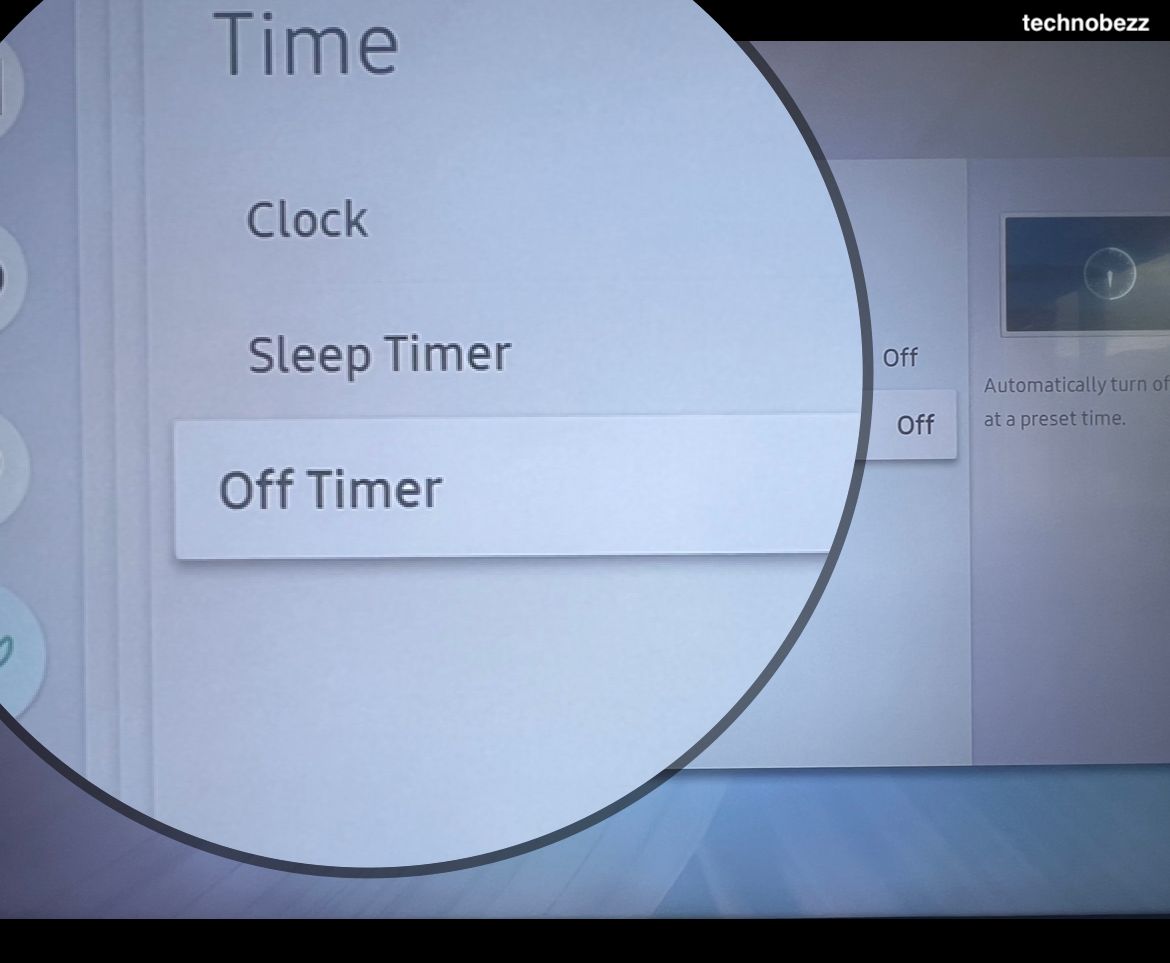
- Sleep Timers: Navigate to your TV’s settings menu under "General," "System," or "Time." Ensure the Sleep Timer is set to "Off." A timer might have been accidentally activated during a remote control interaction.
- Auto Power-Off (Eco Mode): Many smart TVs feature an "Auto Power-Off" or "No Signal Shutdown" setting. If the television does not detect a signal from an HDMI source for a set duration (often 15 to 60 minutes), it will enter standby mode to conserve energy. Check your "Power" or "Energy Saving" menu to adjust or disable this feature.
- HDMI-CEC Conflicts: Consumer Electronics Control (CEC) is a feature that allows your TV and connected devices (such as gaming consoles or soundbars) to communicate. Sometimes, a connected device may send a "power off" signal to the TV due to a handshake error or a firmware bug. Try disconnecting all external devices to see if the TV remains on.
Electrical and Power Supply Issues
If software settings are confirmed as correct, the problem is likely related to how the television receives or processes power.
- Surge Protectors and Power Strips: Using an aging power strip or a surge protector with a faulty breaker can cause voltage drops. Connect the TV directly to a wall outlet to rule out a failing power strip. If the TV functions normally while connected directly to the wall, the power strip is the culprit.
- Loose Power Cable: The "figure-eight" or C13 power cord connecting to the back of the TV can loosen over time. Ensure the connection is firm. If the cord feels loose or the pins are oxidized, replacing the cable is an inexpensive and necessary first step.
- Voltage Fluctuations: If your home experiences unstable voltage, the TV’s internal protection circuit may trigger a shutdown to prevent internal damage. If you notice lights flickering simultaneously with the TV shutting off, contact an electrician to evaluate your home’s electrical stability.
Environmental and Hardware Factors
Televisions require adequate ventilation to function correctly. If the internal temperature exceeds a safe threshold, the unit will shut down to protect the processor and panel.
- Overheating: Ensure the TV’s cooling vents are not blocked by wall mounts, furniture, or dust buildup. Use a soft cloth or a low-pressure canister of compressed air to clean the vents. If the TV feels exceptionally hot to the touch near the rear panels, it may be struggling to dissipate heat.
- Capacitor Failure: In older units, internal electrolytic capacitors can bulge or leak. This is a common hardware failure that results in unstable power delivery to the mainboard. If you notice a high-pitched whine or a burning smell, disconnect the TV immediately.
- Firmware Glitches: A corrupted software update can cause the system to crash. Check the manufacturer's website via a computer to see if a newer firmware version is available for your specific model. You can often install updates via a USB drive if the TV is stable enough to navigate the menu for a few minutes.
Diagnostic Comparison Table
| Issue Type | Common Symptom | Suggested Solution |
|---|---|---|
| Settings | Shuts off after fixed time | Disable Sleep Timer/Auto-off |
| Connectivity | Shuts off when console starts | Disable HDMI-CEC settings |
| Electrical | Sudden flickers or total loss | Connect directly to wall outlet |
| Thermal | Shuts off after extended use | Clean vents; provide clearance |
| Hardware | Distorted image before power loss | Professional repair or replacement |
Deep Dive: HDMI-CEC and Handshake Issues
HDMI-CEC (Consumer Electronics Control) is a powerful tool, but it often operates differently across various brands. For example, Samsung calls it Anynet+, Sony calls it BRAVIA Sync, and LG calls it SimpLink. When two devices from different manufacturers attempt to use this protocol, a "handshake" error can occur.
If you suspect this is the cause, access your TV's "Input" or "System" settings and locate the CEC control section. Turn it off entirely. If the TV stops shutting down, you have confirmed that a peripheral device was transmitting incorrect power commands. You can then re-enable the feature for devices one by one to isolate which specific unit is causing the conflict.
When to Seek Professional Repair
If the television shuts off immediately upon turning it on, or if the screen stays black but the indicator light flashes in a specific, repeating pattern, you are likely dealing with a hardware failure.
- Indicator Light Codes: Many manufacturers program the standby LED to blink in a specific sequence (e.g., three short blinks followed by one long blink). This is a diagnostic code. Search for your specific TV model number plus the phrase "blinking light code" to translate the sequence into a specific component failure.
- Internal Board Failure: Replacing a mainboard or power board (the two components most often responsible for power cycles) requires internal access to the device. Because televisions house high-voltage capacitors that can retain a charge even after being unplugged, internal repair should be handled only by qualified technicians.
Frequently Asked Questions
Why does my TV shut off only when I am playing games? Gaming consoles place a high demand on the TV’s processing power and brightness settings. If the TV is in a "Game Mode" that pushes high refresh rates or high brightness, it may generate more heat than the ventilation system can handle, triggering an automatic thermal shutdown.
Does a factory reset fix random shut-offs? A factory reset returns the software to its original state. If the issue is caused by a corrupted background app or a software configuration error, a reset will likely resolve it. However, if the issue is hardware-related, a factory reset will not provide a permanent solution.
Could a remote control be causing the problem? Yes. If the remote's power button is "stuck" or if another remote in the room (such as a neighbor's IR remote) is sending a power-off signal, the TV will shut down. Remove the batteries from your remotes to see if the behavior persists.
Is it safe to keep using a TV that shuts itself off? Continued use of a television with an electrical fault is not recommended. Repeated, forced shutdowns can lead to further damage to the motherboard, potentially turning a simple power cable replacement into a full panel failure.
How do I find my TV's firmware version? Go to the "Settings" menu, select "Support," and choose "About This TV" or "Contact Us." The firmware version will be listed there. Compare this against the version listed on the manufacturer's official support website.
Next Steps for Resolution
Start by performing a "power cycle": Unplug the television from the wall outlet and leave it disconnected for at least 60 seconds. While unplugged, hold the physical power button on the TV itself (not the remote) for 15 seconds to drain any residual energy from the capacitors. Reconnect the power directly to a known-good wall outlet. If the TV continues to cycle power, proceed through the software settings, HDMI-CEC checks, and ventilation inspections mentioned above. If these steps do not rectify the issue, the failure is likely internal, and you should consult the manufacturer’s warranty or a licensed repair professional.
Image Gallery