Psiphon iOS Version 1.1.41 Overview: Features, Performance, and Setup Guide
Psiphon iOS version 1.1.41 is an updated release of Psiphon Inc.’s open-source internet circumvention software for iPhone and iPad. This build enhances network tunnel stability, optimizes protocol selection across restricted networks,...
Psiphon iOS version 1.1.41 is an updated release of Psiphon Inc.’s open-source internet circumvention software for iPhone and iPad. This build enhances network tunnel stability, optimizes protocol selection across restricted networks, and resolves connection state handoff issues on iOS. It leverages SSH, obfuscated SSH, and VPN tunneling to help users access blocked content safely.
Contents
What Is Psiphon for iOS and Version 1.1.41?
Psiphon is a widely deployed circumvention tool designed to provide uncensored access to content on the internet. Originally developed as an open-source system rooted in anti-censorship research, Psiphon has evolved into a robust multi-platform utility maintained by Psiphon Inc. Unlike standard virtual private networks (VPNs) that focus primarily on user anonymity or location masking for streaming services, Psiphon is engineered to bypass restrictive network filters, firewalls, and Deep Packet Inspection (DPI) systems deployed by internet service providers (ISPs) and network operators.
The iOS version of Psiphon brings this anti-censorship technology to Apple's mobile operating system, utilizing native iOS frameworks to route device traffic through a global network of dedicated relays. Release version 1.1.41 serves as a maintenance and optimization milestone for the iOS platform. It addresses specific stability bottlenecks, refines automated protocol fallback mechanisms, and improves handoff handling when a user moves between Wi-Fi networks and cellular data connections (LTE/5G).
For users in restricted digital environments, version 1.1.41 ensures that connection attempts succeed more reliably without requiring manual protocol tuning or frequent app restarts. It maintains backwards compatibility with existing iOS versions while implementing performance fixes tailored to modern iPhone hardware.
Core Architecture and Protocol Capabilities
Psiphon does not rely on a single networking protocol. Traditional VPN protocols like standard OpenVPN or WireGuard can be easily detected and blocked by advanced firewalls using fingerprinting techniques. To overcome this limitation, Psiphon uses an adaptive, multi-protocol switching engine that automatically negotiates the most resilient transport method available.
On iOS, Psiphon operates within the constraints of Apple's security sandbox, leveraging the Apple NetworkExtension Framework to create local VPN configurations (via NEPacketTunnelProvider). This allows the app to intercept full-device network traffic at the packet level and encapsulate it within Psiphon's obfuscated transport layers.
- iOS Device Apps
- Apple NetworkExtension (TUN Interface)
- Psiphon Core Protocol Engine:
- Standard SSH (RFC 4253)
- Obfuscated SSH (OSSH)
- HTTP/HTTPS Proxy Encapsulation
- L2TP/IPSec
- Psiphon Relay Network (Encrypted & Obfuscated Tunnel)
- Uncensored Internet
The protocol engine in version 1.1.41 dynamically evaluates the connection environment using several underlying mechanisms:
- Obfuscated SSH (OSSH): Encapsulates Secure Shell protocol handshakes within random data patterns, removing the standard SSH headers that DPI systems use to identify and drop encrypted tunnels. This implementation draws upon standard cryptosystems described in IETF RFC 4253 while altering client signatures.
- HTTP/HTTPS Proxy Encapsulation: Wraps network traffic inside standard web request formats (HTTP/1.1 and HTTP/2), making encrypted circumvention traffic appear identical to standard web browsing to secure web portals (TLS/SSL).
- L2TP/IPSec Tunneling: Provides a fallback VPN tunnel option for devices and network environments where low-level IP packet encapsulation is permitted without packet degradation.
- Automated Server Discovery: Psiphon clients utilize a decentralized server discovery mechanism. If known entry nodes are blocked by regional network filters, version 1.1.41 fetches updated server lists via encrypted secondary channels and bootstrap nodes.
Key Improvements and Specifications in Version 1.1.41
Version 1.1.41 introduces targeted code refinements over earlier 1.1.x iterations. The primary technical objectives of this build involve reducing tunnel establishment latency, minimizing power consumption during background routing, and stabilizing socket connections during network interface handoffs.
Key Enhancements
- Seamless Interface Handoff: Earlier iOS builds occasionally experienced tunnel stall issues when transitioning from a Wi-Fi connection to cellular data. Version 1.1.41 re-initializes the underlying socket connections faster, preventing socket timeout errors and dropped TCP sessions.
- Optimized Server Selection Logic: The client-side latency sampling algorithm was modified to evaluate candidate relays based on both round-trip time (RTT) and protocol resistance scores, ensuring the app connects to the fastest unblocked server.
- Reduced Memory Footprint: Memory utilization of the local packet processing buffer was reduced, minimizing background app suspension by iOS memory management.
- Updated Root Certificates: Contains updated SSL/TLS trust bundles for bootstrap servers to maintain uninterrupted server discovery.
Technical Specifications Summary
| Feature / Metric | Specification Detail |
|---|---|
| Software Name | Psiphon for iOS |
| Version | 1.1.41 |
| Developer | Psiphon Inc. |
| Supported Platforms | iOS 14.0 or later, iPadOS 14.0 or later |
| Supported Hardware | iPhone, iPad, iPod Touch (ARM64 architecture) |
| Core Engine | Go-based Psiphon Core wrapped in Swift/Objective-C UI |
| Tunneling Methods | Full-Device VPN (NEPacketTunnelProvider), Local HTTP/SOCKS Proxy |
| Primary Protocols | Obfuscated SSH, SSH+, HTTP Proxy, L2TP/IPSec |
| Encryption Algorithms | AES-256-GCM, RSA-2048 / ECDSA for key exchange |
| Monetization Model | Free (ad-supported, speed capped) / Speed upgrades via PsiCash or Subscription |
Installation, System Requirements, and Initial Configuration
Deploying Psiphon version 1.1.41 on an Apple iOS device requires a device running iOS 14.0 or higher. The application can be installed directly through the official Apple App Store or distributed via authorized enterprise channels where the App Store is restricted.
Step 1: Downloading and Verifying the App
Open the Apple App Store on your iOS device, search for Psiphon, and verify that the publisher is listed as Psiphon Inc. Confirm in the app description or release notes that the installed build corresponds to version 1.1.41. Downloading directly from the App Store guarantees cryptographic signature verification by Apple, protecting users against modified or malicious third-party builds.
Step 2: Granting iOS Network Permissions
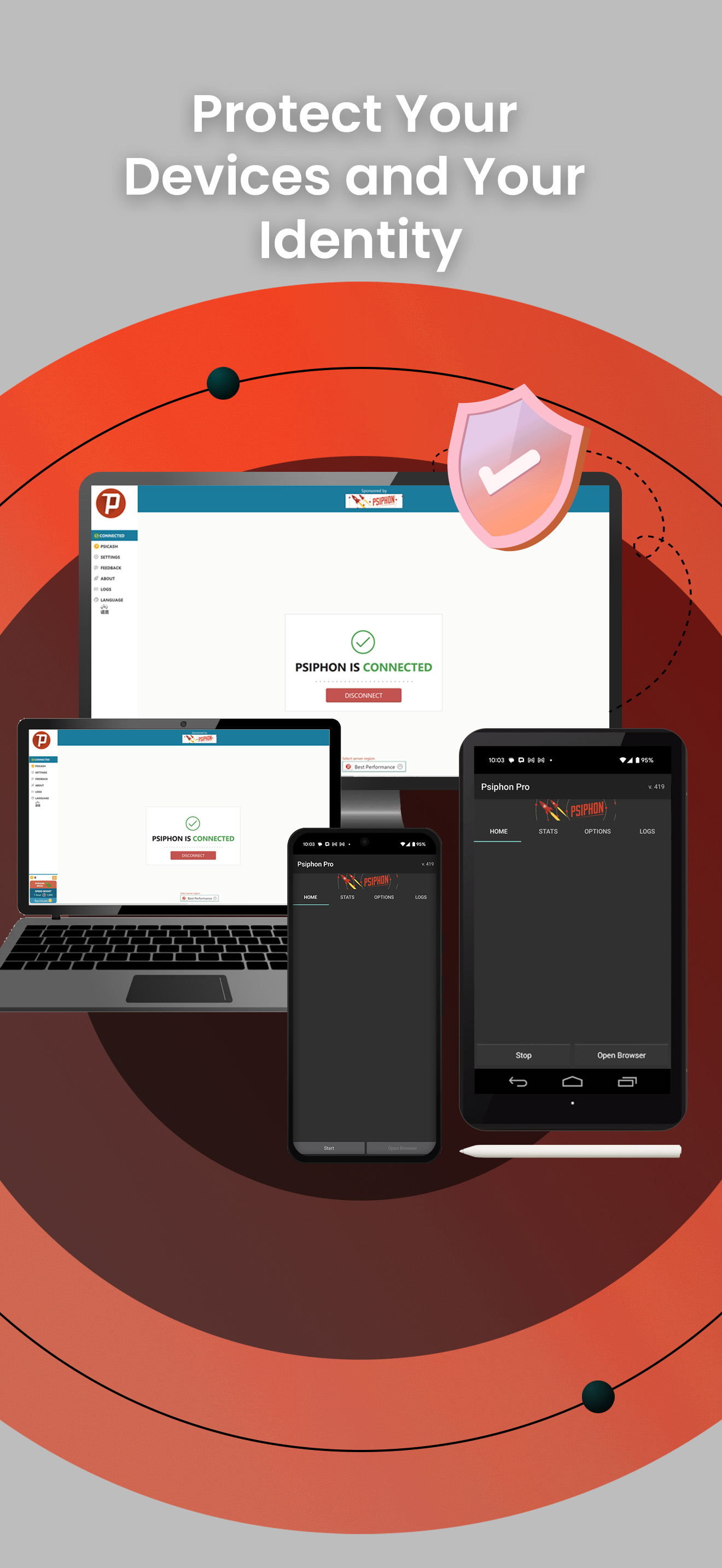
Upon launching Psiphon 1.1.41 for the first time, the application requires permission to install a VPN configuration profile:
Tap the central Start button in the Psiphon interface.
iOS will display a system alert stating: "Psiphon Would Like to Add VPN Configurations."
Tap Allow.
Authenticate using Face ID, Touch ID, or your device Passcode to authorize the system to modify network routing tables.
App Launch
Tap "Start"
iOS System Prompt: Add VPN Configuration
Enter Passcode / Face ID
VPN Profile Authorized
Uncensored Traffic Flow
Step 3: Configuring Tunneling Modes
Psiphon version 1.1.41 supports two operational modes depending on user requirements:
- Whole-Device Tunneling Mode (Default): Captures and encrypts all network traffic generated by every application on the iOS device (Safari, Mail, messaging apps, background utilities). This mode provides complete circumvention coverage.
- In-App / Proxy Only Mode: Restricts proxying to specific internal connections or custom browser workflows. Users can configure manual SOCKS5 or HTTP proxy parameters under the app's Settings menu if they prefer to isolate proxy routing to specific secondary applications.
Security, Privacy, and Data Handling Assessment
When assessing circumvention technology, it is essential to distinguish between anti-censorship tools and high-privacy zero-log VPNs. Psiphon's primary threat model is optimized against censorship networks rather than bulletproof anonymity against targeted surveillance.
Encryption Standards
All data moving through the Psiphon tunnel in version 1.1.41 is encrypted end-to-end between the iOS device and the Psiphon relay server. Standard protocol operations employ symmetric AES-256-GCM or Chacha20-Poly1305 encryption, with key exchange secured via ECDHE (Elliptic Curve Diffie-Hellman Ephemeral) algorithms. This architecture provides Perfect Forward Secrecy (PFS), ensuring that compromised session keys cannot decrypt previously recorded network traffic.
Data Collection and Analytics Policy
To maintain network operations, manage server bandwidth costs, and counter blocking strategies employed by state-level firewalls, Psiphon Inc. collects aggregate diagnostic data. Users should review these data practices to ensure alignment with their threat models:
- Aggregate Usage Metrics: Psiphon records aggregate data such as connection success rates, bandwidth volume transferred by region, and protocol performance statistics. This data is not linked to individual user identifiers or IP addresses.
- No Sensitive Browsing Logs: Psiphon does not log user browsing history, destination URLs, payload contents, or source IP addresses associated with specific browsing requests.
- Third-Party Advertising: The free version of Psiphon for iOS displays advertisements. Ad networks may collect standard device identifiers (such as IDFA, if permitted by iOS privacy settings) to serve ads. Users seeking to eliminate advertising tracking can disable ad tracking via iOS settings or upgrade to Psiphon Pro options.
For individuals operating under severe threat models (e.g., whistleblowers or journalists facing targeted adversary tracking), combining Psiphon with additional anonymization layers—such as standard Tor routing—may be required based on localized risk assessments.
Troubleshooting Common Issues in Psiphon iOS 1.1.41
Although version 1.1.41 includes stability fixes, restrictive network environments can introduce operational disruptions. The following steps address common failure states.
Issue 1: "Connecting..." Loop or Repeated Handshake Failures
If the app status remains stuck on Connecting... for more than 60 seconds without establishing a tunnel, the active protocol is likely being dropped by local firewalls.
- Solution 1: Tap Stop, wait 5 seconds, and tap Start again. This forces Psiphon 1.1.41 to cycle to a different transport protocol (e.g., switching from Obfuscated SSH to HTTPS encapsulation).
- Solution 2: Toggle Airplane Mode ON for 10 seconds and OFF again to flush local iOS network routing caches and obtain a fresh IP lease from your mobile carrier or Wi-Fi gateway.
- Solution 3: Navigate to Psiphon Settings -> Psiphon Server Region and change the target destination from Best Performance to a specific geographic region (e.g., United States, Netherlands, or Japan).
Issue 2: Immediate Disconnection During Network Handoffs
If the VPN connection drops whenever you leave home Wi-Fi or move between mobile cell towers:
- Solution: Open iOS Settings -> General -> VPN & Device Management -> VPN. Tap the information
(i)icon next to Psiphon and toggle Connect On Demand OFF and back ON. Ensure background app refresh is permitted under Settings -> Psiphon -> Background App Refresh.
Issue 3: Battery Drain and High Thermal Output
Encapsulating network traffic in real-time using obfuscated cryptographic handshakes requires continuous CPU processing.
- Solution: When active circumvention is not required, tap Stop inside the Psiphon app to disengage the
NEPacketTunnelProvider. Avoid running secondary battery-intensive apps simultaneously when operating over obfuscated SSH tunnels on older iPhone models.
Psiphon iOS vs. Standard VPNs and Web Proxies
Selecting the correct network tool depends on the operational environment. The table below compares Psiphon iOS version 1.1.41 against traditional commercial VPNs and web-based proxy services.
| Feature / Criteria | Psiphon iOS 1.1.41 | Standard Commercial VPN | Web-Based Proxy |
|---|---|---|---|
| Primary Design Goal | Bypassing active internet censorship & DPI | Privacy, geographic spoofing, fast throughput | Basic IP masking for single web browser |
| DPI Obfuscation | Advanced (Automated protocol switching & SSH obfuscation) | Basic to Moderate (Varies by provider; often blocked by strict firewalls) | None (Easily flagged and blocked) |
| Traffic Coverage | System-wide (All iOS apps via TUN interface) | System-wide (All iOS apps via TUN interface) | Single application or web page only |
| Connection Speed | Variable (Free tier speed-limited; upgradable) | Generally High (Optimized for streaming/P2P) | Low to Moderate |
| Cost | Free (Ad-supported) / Optional paid upgrades | Monthly / Annual paid subscription | Free (Often ad-supported) |
| Open Source | Core client components open-source | Varies (Mostly proprietary client apps) | Rarely open-source |
Frequently Asked Questions
Is Psiphon Version 1.1.41 Free to Use on iOS?
Yes, Psiphon 1.1.41 is completely free to download and use. The free tier provides unlimited data bandwidth, though maximum transfer speeds are managed to ensure equitable network access across all users. Higher speed tiers can be unlocked using PsiCash or by subscribing to Psiphon Pro within the app.
Does Psiphon 1.1.41 Hide My IP Address Completely?
Yes. When the Psiphon VPN tunnel is active, remote websites, servers, and online services see the IP address of the Psiphon relay server routing your traffic rather than your real home or cellular IP address. However, local network administrators can see that your device is exchanging encrypted data with a remote server.
Can I Use Psiphon 1.1.41 for Torrenting or Peer-to-Peer File Sharing?
Psiphon is optimized specifically for anti-censorship web browsing, messaging, and communication access. Peer-to-peer (P2P) traffic protocol signatures may be throttled or restricted across the Psiphon network to preserve relay bandwidth for users needing censorship circumvention.
Why Does Psiphon Request Permission to Add VPN Configurations?
Apple's iOS operating system requires explicit user authorization before any application can intercept and route system-wide internet traffic. The VPN profile permission grants Psiphon's core engine access to create an encrypted tunnel for your device's data.
How Does Version 1.1.41 Differ From Psiphon on Android or Windows?
While the core cryptographic engine and server infrastructure are shared across all platforms, the iOS version is specifically designed around Apple's security policies and developer APIs (such as NetworkExtension). As a result, certain options available on open platforms—such as split-tunneling specific apps by package name—are adapted to conform to iOS ecosystem standards.
Practical Recommendation and Next Steps
If you are experiencing digital content restrictions, website blocks, or network throttling on your iPhone or iPad, upgrading to or installing Psiphon iOS version 1.1.41 provides a resilient circumvention solution.
To ensure optimal performance and security:
- Always download or update the application directly from the official Apple App Store to verify binary integrity.
- Enable Automatic Updates on your iOS device (Settings -> App Store -> App Updates) so that server bootstrap definitions and security patches remain up to date.
- In environments with severe DPI filtering, leave the protocol selection setting set to Auto to allow Psiphon 1.1.41 to automatically discover and switch to the most effective obfuscation protocol.
Image Gallery