McGraw Hill Connect: Comprehensive Setup, Features, and Navigation Guide for 2026
McGraw Hill Connect is a digital teaching and learning environment designed to help students learn faster, study more efficiently, and retain more knowledge through interactive assignments, adaptive learning tools, and comprehensive gr...
McGraw Hill Connect is a digital teaching and learning environment designed to help students learn faster, study more efficiently, and retain more knowledge through interactive assignments, adaptive learning tools, and comprehensive gradebook tracking. This platform seamlessly integrates course materials with robust homework management systems to bridge the gap between classroom instruction and independent student practice.
Contents
Understanding the Digital Architecture of McGraw Hill Connect
Operating as a cloud-based learning management system (LMS) companion, McGraw Hill Connect serves millions of higher education and K-12 students worldwide. The platform relies on adaptive technology engines, such as LearnSmart and SmartBook, which continuously assess a student's confidence and mastery levels to tailor reading assignments in real-time. This dynamic approach ensures that struggling learners receive targeted remediation while advanced students progress through challenging material without redundancy.
Professors and instructors utilize the instructor dashboard to construct curated learning paths, build randomized algorithmic quizzes, and monitor analytics reports at both the individual and cohort levels. Integration capabilities with institutional LMS frameworks—such as Canvas, Blackboard, and D2L Brightspace—allow seamless grade synchronization and single sign-on (SSO) experiences, minimizing administrative friction for academic institutions.
Essential System Requirements and Account Prerequisites
Before accessing coursework or setting up a course section, users must verify that their hardware and network environments meet baseline technical standards. Operating Connect smoothly requires attention to browser compatibility, network stability, and security configurations.
- Browser Compatibility: Google Chrome, Mozilla Firefox, Apple Safari, and Microsoft Edge (always ensure you are running the two most recent major versions).
- Network Stability: A reliable broadband internet connection with a minimum download speed of 5 Mbps is recommended for media-rich interactive modules and video lectures.
- Security Settings: Pop-up blockers must be disabled or configured to allow McGraw Hill domains, and third-party cookies should be permitted for proper session authentication.
- Access Materials: Students require a unique course URL provided by their instructor alongside an access code or direct digital purchase receipt.
Step-by-Step Registration and Course Enrollment Process
Enrolling in a McGraw Hill Connect course requires precision to ensure grades report correctly to the instructor's gradebook. Following the exact registration sequence prevents account duplication and missing assignments.
- Obtain the Course URL: Navigate to the specific registration web address provided by your instructor on the syllabus or institutional learning management system.
- Create or Sign In to an Account: Enter your institutional or personal email address. If you already possess a McGraw Hill profile from a previous semester, sign in using those credentials.
- Select Your Access Option: Choose between entering a prepaid access code purchased from the campus bookstore, purchasing direct digital access via credit card or PayPal, or activating a temporary courtesy access period if available.
- Complete Profile Details: Input your first name, last name, and student ID number precisely as they appear on official institutional rosters.
- Verify Enrollment: Confirm your appearance on the course dashboard and review the upcoming assignment schedule to ensure successful synchronization.
Navigating the Student Dashboard and Study Tools
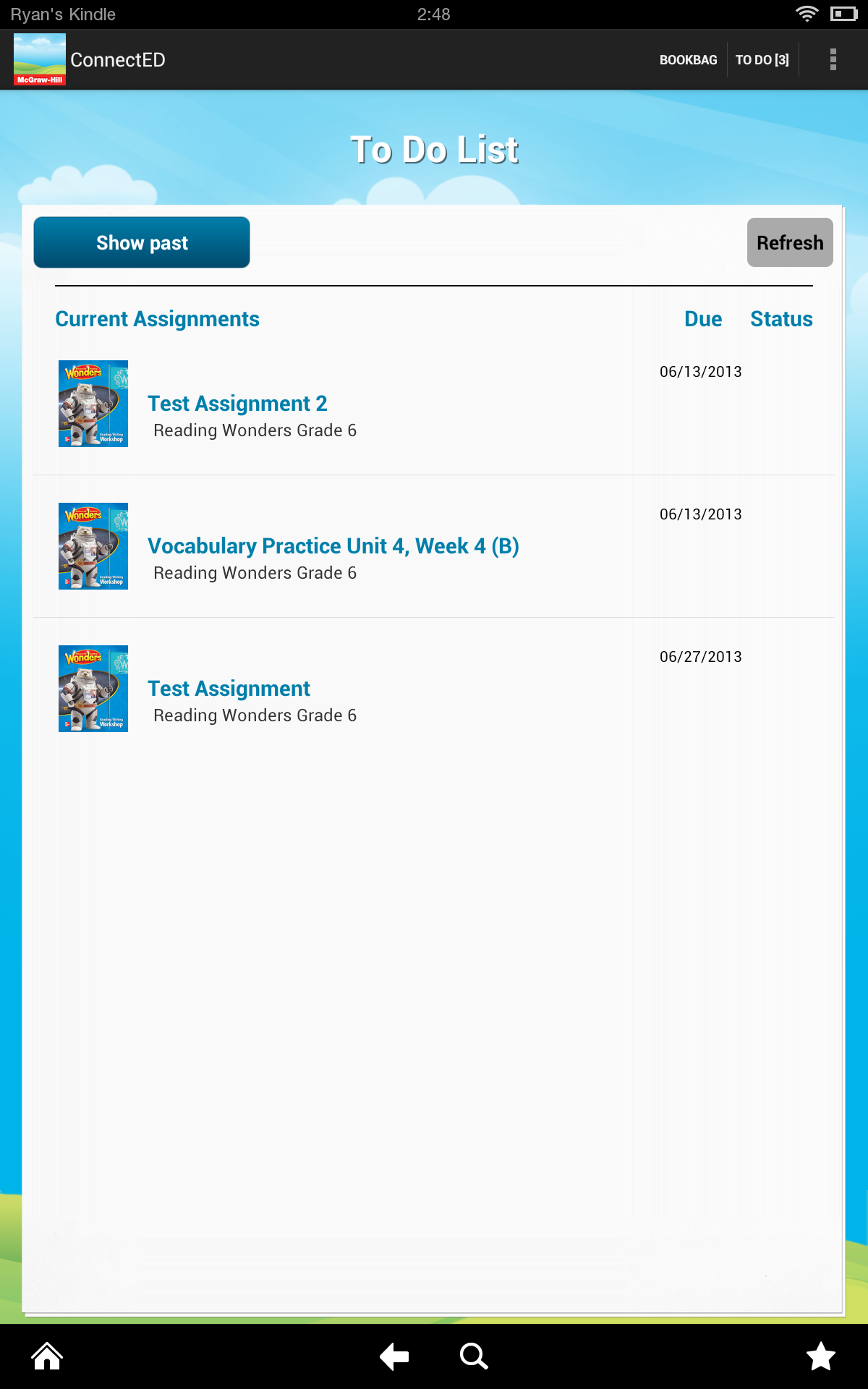
Once enrolled, the student dashboard acts as the central command center for all academic obligations associated with the course. The interface organizes pending tasks by chronological due dates, reducing the likelihood of missed homework submissions.
| Feature Name | Primary Function | Technical Benefit |
|---|---|---|
| SmartBook 2.0 | Adaptive reading and practice module | Highlights core concepts and tests comprehension iteratively |
| Assignment Tab | Centralized list of homework and exams | Displays strict deadlines, attempt limits, and scoring weights |
| Progress Reports | Individual performance analytics | Visualizes mastery percentages across specific chapter topics |
| eBook Reader | Digital textbook with note-taking | Allows offline reading, highlighting, and audio text-to-speech functionality |
SmartBook 2.0 stands out as a core component of this ecosystem. By alternating between reading phases and question phases, the system identifies knowledge gaps and prompts students to review specific passages before attempting graded assessments.
Instructor Management and Gradebook Administration
For educators, McGraw Hill Connect offers powerful customization tools designed to align digital curricula with specific syllabus objectives. Instructors can modify pre-built assignment banks, adjust question parameters, and establish strict availability windows to maintain academic integrity during high-stakes testing.
- Algorithmic Question Generation: Math, accounting, and economics modules feature algorithmic variables, ensuring that every student receives unique numerical values for homework problems.
- Late Submission Policies: Automated grading rules can be configured to penalize late submissions by a specific percentage per day or block access entirely after the deadline passes.
- Gradebook Export: Instructors can export comprehensive performance metrics into comma-separated values (CSV) formats or push scores directly to institutional LMS gradebooks with a single click.
- Proctoring Integration: External proctoring services and lockdown browsers can be linked to high-stakes quizzes to monitor student activity during remote testing sessions.
Comparing Access Options: Codes, Direct Purchase, and Inclusive Access
Students encounter several purchasing models when acquiring McGraw Hill materials. Selecting the appropriate option depends on course duration, pricing structures, and financial aid availability.
| Access Type | Procurement Method | Best Use Case | Primary Limitation |
|---|---|---|---|
| Bookstore Access Code | Physical card or digital token from campus store | Students using financial aid vouchers | Higher retail markup compared to direct options |
| Direct Digital Purchase | Credit card or PayPal transaction on publisher site | Budget-conscious students wanting immediate access | Cannot be purchased using financial aid book credits |
| Inclusive Access (First Day) | Institutional fee billed directly to student tuition | Entire cohorts requiring uniform digital adoption | Mandatory opt-out deadlines must be strictly tracked |
| Courtesy Access | Free 14-day temporary trial via Connect login | Students awaiting financial aid disbursement | Expires strictly after two weeks, locking accounts |
Troubleshooting Common Technical Errors and Login Failures
Technical interruptions can hinder academic progress if not addressed swiftly. Recognizing common error signatures allows users to apply rapid remediation steps.
- Blank Screen After Login: Clear browser cache and cookies, or attempt login via an incognito/private browsing window to bypass corrupted local storage files.
- Assignment Grade Not Syncing: Verify that you accessed the assignment through the official institutional LMS link rather than a bookmarked external URL. Disconnected sessions prevent grade passback.
- Invalid Access Code Error: Ensure characters are entered without spaces and check for common typographical confusions, such as confusing the number zero (0) with the uppercase letter O.
- Media Player Failures: Ensure that browser extensions such as ad-blockers or strict script blockers are disabled for McGraw Hill domains, as they frequently interfere with interactive simulations.
Frequently Asked Questions
How do I recover a forgotten password for my McGraw Hill account?
Click the "Forgot Password" link on the main sign-in page and enter your registered email address to receive a secure reset link. If you no longer have access to that email account, contact technical support for manual profile verification.
Can I access my McGraw Hill Connect assignments on a mobile device?
Yes, responsive web design allows access via mobile browsers, and specific titles support the McGraw Hill Mobile app for offline reading and flashcard review. However, complex homework assignments and exams should be completed on a desktop or laptop computer.
What happens to my coursework if I drop or change my class section?
Contact customer support or your instructor immediately if your schedule changes so they can transfer your registration to the correct course section without losing completed assignment data.
Is technical support available 24/7 for students experiencing submission issues?
McGraw Hill Customer Experience provides extended hours via online chat, email, and phone support to assist with urgent technical lockouts and submission errors. Always take a timestamped screenshot of any error message before contacting support.
Are accessibility accommodations supported for students with disabilities?
The platform complies with WCAG accessibility standards, offering screen reader compatibility, adjustable contrast settings, and extended time allowances configurable by the instructor.
Practical Recommendations for Maximizing Course Success
Succeeding in a course utilizing McGraw Hill Connect requires proactive time management and consistent engagement with adaptive study tools. Rather than rushing through assignments immediately before posted deadlines, students should utilize SmartBook reading modules daily to reinforce lecture concepts. Consistently reviewing the progress dashboard helps identify weak chapters early, allowing ample time to consult instructors during office hours before major examinations occur.
Image Gallery