Navigating the Fulton County Odyssey Portal: Complete Guide to GA Court Records Search
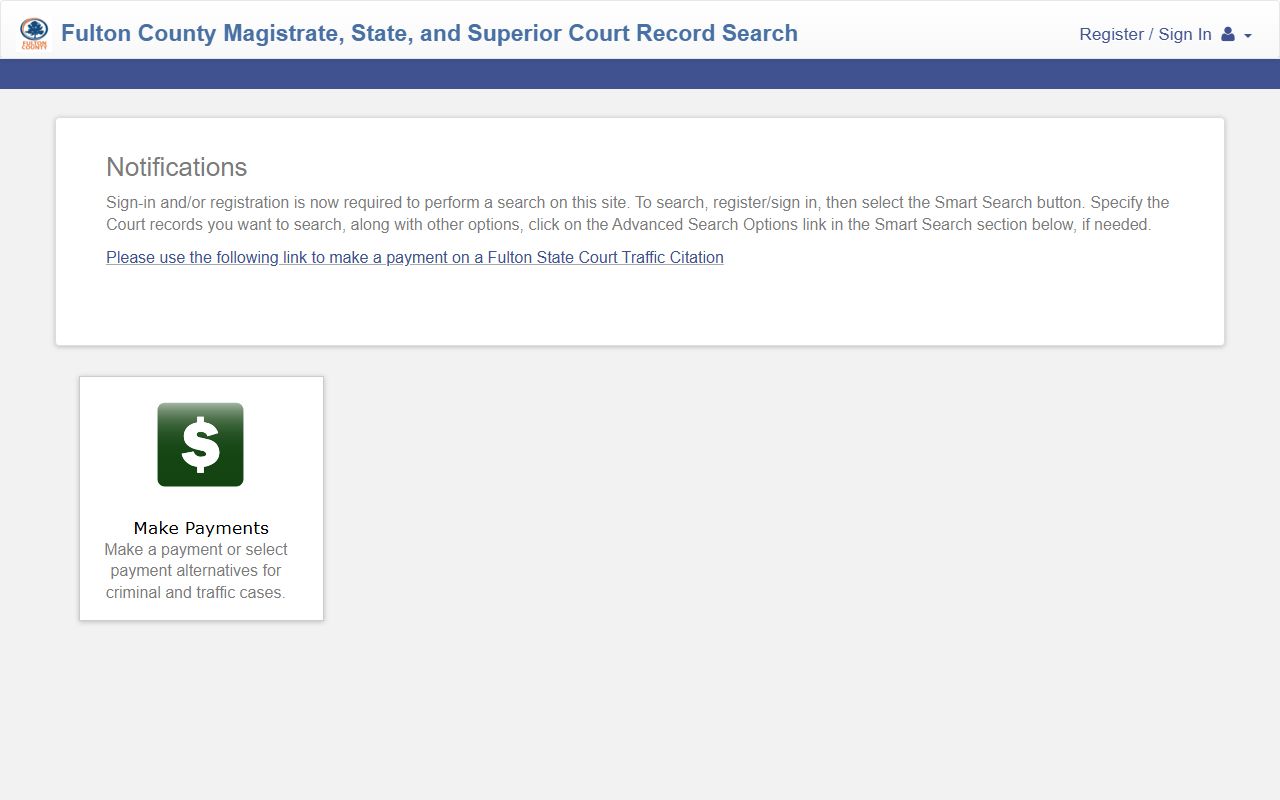
The Fulton County Odyssey Portal is the official web-based database provided by the Fulton County Court System in Georgia for searching, viewing, and accessing public court records. Powered by Tyler Technologies, the system enables leg...
The Fulton County Odyssey Portal is the official web-based database provided by the Fulton County Court System in Georgia for searching, viewing, and accessing public court records. Powered by Tyler Technologies, the system enables legal professionals, litigants, title researchers, and the general public to look up civil, criminal, traffic, and magistrate court dockets, check judicial calendars, and retrieve court documents online.
Contents
Understanding the Fulton County Odyssey Case Management System
The Fulton County Odyssey Portal serves as the digital gateway to the judicial records maintained by the Clerk of Superior Court and Clerk of State Court in Fulton County, Georgia. As the largest county court jurisdiction in Georgia—encompassing Atlanta and surrounding municipalities—Fulton County relies on this enterprise case management platform to maintain transparency, streamline case processing, and fulfill public record obligations under Georgia law.
Through the portal, users can interact with judicial records without physically visiting the Lewis R. Slaton Military Park / Fulton County Courthouse complex in downtown Atlanta. The system centralizes electronic filing data, judicial orders, hearing schedules, and party histories into a single searchable database.
Courts Covered Within the Odyssey Portal
The Fulton County Odyssey Portal manages records for multiple judicial divisions operating within the county. While each court maintains distinct jurisdictional boundaries, their electronic dockets are integrated into the primary portal database:
- Fulton County Superior Court: Handles felony criminal cases, equity disputes, real estate actions, domestic relations (divorce, child custody, adoption), and high-dollar civil litigation.
- Fulton County State Court: Manages misdemeanor criminal proceedings, traffic violations, and general civil claims (including personal injury, contract disputes, and landlord-tenant appeals).
- Fulton County Magistrate Court: Handles small claims disputes, dispossessory (eviction) actions, warrant applications, and preliminary criminal hearings.
Judicial Records Note Probate Court records (such as wills, estates, and guardianship matters) and certain Juvenile Court proceedings are maintained under separate record-keeping protocols or specialized portals due to statutory privacy restrictions under Georgia Law (O.C.G.A. Titles 15 and 53). Always verify court jurisdiction before initiating a records search.
User Access Levels: Guest Access vs. Registered Accounts
Access to the Fulton County Odyssey Portal is structured into tiers based on user identity, professional credentials, and statutory authorization. Understanding these access levels ensures you utilize the appropriate portal features for your specific research needs.
(Ensuring strictly Markdown table representation for feature comparisons.)
| User Tier | Target User Base | Verification Requirements | Access Capabilities | Document Viewing Limits |
|---|---|---|---|---|
| Guest / Public User | General public, researchers, media, pro se litigants | None (Anonymous access) | Basic Smart Search, court calendars, docket indexes, case summary information | Limited to public index summary; non-confidential filings viewing depending on court policy |
| Registered Public User | Paralegals, private investigators, legal researchers | Email registration and password setup | Saved searches, extended search history, bulk search options, notification tracking | Full access to non-confidential public case filings and orders |
| Attorney of Record | Georgia State Bar members representing active parties | Bar number verification, eFileGA integration, e-service profile link | Complete case file access for assigned active matters, unredacted filings, priority document processing | Full access to client case documents, protective orders, and expedited filing status |
| Agency / Government | Law enforcement, prosecutors, public defenders, judicial staff | Agency credentialing and secure background clearance | Restricted criminal histories, sealed index metadata, confidential disposition logs | Unrestricted statutory access per judicial administrative orders |
Step-by-Step Guide: Searching Court Records on Fulton County Odyssey
Locating case files efficiently requires navigating the portal's search parameters correctly. The system offers multiple indexing methods depending on the information you have available.
1. Utilizing the Smart Search Feature
Smart Search is the primary search engine within the Odyssey interface. It allows single-query searching across party names, attorney names, and case numbers.
- Access the main landing page of the Fulton County Odyssey Portal.
- Click on the Smart Search tile from the main dashboard.
- Enter the search criteria into the primary query field:
- For Individual Parties: Enter
Last Name, First Name(e.g.,Smith, John). - For Corporate Entities: Enter the full legal entity name (e.g.,
Acme Holdings LLC). - For Case Numbers: Enter the exact alphanumeric case identifier (e.g.,
2024CV123456or24CR987654).
- For Individual Parties: Enter
- Apply Advanced Search Filters to narrow your results:
- Filter by Location (Select Superior Court, State Court, or Magistrate Court).
- Filter by Search By criteria (Party Name, Attorney, Case Number, Judicial Officer).
- Restrict search by Date Filed ranges to eliminate historical duplicates.
- Click Search to view the result index.
2. Searching by Court Calendar and Hearing Dates
If you need to verify an upcoming court appearance, judge calendar, or court room assignment, the Judicial Search / Court Calendar module provides real-time schedule tracking.
- Select Court Calendar or Search Hearings from the navigation menu.
- Choose the specific filter parameters:
- Judicial Officer: Select the presiding Superior or State Court Judge.
- Courtroom Location: Filter by specific courtrooms inside the Lewis Slaton Courthouse or Justice Center Tower.
- Date Range: Select the specific hearing date or date window.
- Review the generated calendar docket, which displays the case style, case number, scheduled time, hearing type (e.g., Motion Hearing, Arraignment, Bench Trial), and assigned magistrate or judge.
Viewing, Purchasing, and Downloading Case Filings
While index information and basic docket sheets are generally free to inspect online, accessing full case documents and obtaining certified records involves specific operational procedures.
Document Access and Redaction Rules
Under Georgia Uniform Superior and State Court Rules (Rule 22 and Rule 3.3), certain sensitive information is automatically redacted or restricted from electronic public inspection:
- Social Security numbers and Tax Identification numbers
- Financial account details (bank accounts, credit card numbers)
- Driver's license numbers
- Minor children's names and birth dates
- Medical records and confidential mental health evaluations
- Sealed search warrants, grand jury transcripts, and juvenile records
How to Request Certified Copies
Official business, real estate closings, legal appeals, and out-of-state enforcement actions often require certified or legal-seal copies of court records. Certified copies contain official court validation verifying that the document is a true and correct copy of the original on file.
Certified Document Request Workflow
Step 1: Record Identification Locate the exact case number and docket item index ID on the Odyssey Portal.
Step 2: Electronic Request Submission Submit a copy request through the integrated online clerk request form or portal document order module.
Step 3: Fee Payment Processing Pay statutory copy fees (typically $1.00 per page for standard copies, plus a statutory certification fee per document under O.C.G.A. § 15-6-77).
Step 4: Fulfillment and Delivery Receive an e-certified PDF featuring a verifiable digital signature or arrange for physical mail delivery/in-person pickup at the Clerk's Office downtown.
Technical Requirements and Troubleshooting Portal Issues
Users navigating the Fulton County Odyssey Portal may occasionally encounter system errors, session timeouts, or missing document alerts. Addressing these technical issues requires understanding common system behaviors.
Common Odyssey Portal Errors and Fixes
| Issue / Error Code | Root Cause | Recommended Action / Solution |
|---|---|---|
| "Session Expired" / Unexpected Logout | Inactivity timeout safety protocols enforced by system security policy | Clear browser cache/cookies, close inactive tabs, and re-authenticate your session. Avoid keeping portal tabs open for extended periods. |
| "Document Redacted / Access Restricted" | File contains protected personal identifying information (PII) or is under statutory seal | File an official application for access with the presiding judge or contact the Clerk of Court to request a redacted public inspection copy. |
| "No Records Found" on Name Search | Name formatting mismatches, common name truncation, or incorrect court location filter | Expand search parameters. Use partial name searches with wildcards (e.g., Smi*), remove middle initials, and select "All Locations" within Fulton County. |
| PDF Viewer Fails to Load | Browser built-in PDF viewer compatibility conflicts or script blockers | Disable third-party ad-blockers for the portal domain, ensure JavaScript is enabled, or set PDF handling to download files directly rather than opening in-browser. |
| System Maintenance Interruption | Routine data synchronization between local courthouse servers and cloud storage | Plan queries outside scheduled maintenance windows (typically overnight weekends). Check official court announcements for system maintenance schedules. |
Integration with eFileGA for Legal Professionals
For licensed attorneys and legal support staff, the Fulton County Odyssey Portal operates in tandem with eFileGA (Georgia's mandatory electronic filing portal powered by Tyler Technologies).
While the Odyssey Portal is primarily engineered for records retrieval, docket research, and schedule tracking, eFileGA is the designated submission portal for filing new actions, submitting motions, and serving opposing counsel.
- Single Sign-On (SSO): Registered legal professionals can link their Odyssey Public Access profile with their eFileGA account for unified docket management.
- Service Contacts: E-filing through eFileGA automatically updates the public docket on the Odyssey Portal once accepted by the Fulton County Clerk's Office.
- Filing Status Tracking: Attorneys can cross-reference pending submission envelope IDs in eFileGA with published case dockets on the Odyssey Portal to verify entry timing.
Frequently Asked Questions
What courts in Fulton County use the Odyssey Portal?
The Odyssey Portal covers public records for the Fulton County Superior Court, State Court of Fulton County, and Fulton County Magistrate Court. It includes civil, criminal felony, misdemeanor, traffic, and dispossessory records filed within these jurisdictions.
Can I view full document images on the Odyssey Portal for free?
Basic case summaries, docket entries, party listings, and hearing dates are free to search and view. However, viewing, printing, or downloading full document PDF images may require a registered account or document fee depending on current Fulton County Clerk of Court access policies.
How do I find out when my Fulton County court date is scheduled?
You can check court schedules by navigating to the "Smart Search" or "Court Calendar" section of the Odyssey Portal. Search using your full legal name or case number, then open your case details page to review the scheduled hearing date, time, judicial officer, and courtroom location.
What should I do if a record on the Odyssey Portal contains inaccurate information?
If you discover a clerical error or record discrepancy on a docket, you must contact the Clerk of Superior Court or Clerk of State Court directly. Party names, disposition statuses, and docket filings can only be corrected or updated by authorized clerk personnel upon verification of the physical case file.
How are sealed or expunged records handled on the portal?
Records that have been restricted, sealed, or expunged pursuant to Georgia First Offender treatment, conditional discharge, or judicial seal orders (under O.C.G.A. § 35-3-37) are automatically removed from public search view on the Odyssey Portal. Only authorized judicial and law enforcement agencies maintain administrative access to sealed files.
Official Court Resources and Contact Information
For direct inquiries, certified document requests, or assistance with restricted court records, contact the appropriate Fulton County Clerk's office:
- Fulton County Superior Court Clerk
- Address: 136 Pryor Street SW, Suite C155, Atlanta, GA 30303
- Primary Phone: (404) 612-4511
- Fulton County State Court Clerk
- Address: 160 Pryor Street SW, Suite J150, Atlanta, GA 30303
- Primary Phone: (404) 612-5085
- Fulton County Magistrate Court Clerk
- Address: 185 Central Avenue SW, Suite T-8000, Atlanta, GA 30303
- Primary Phone: (404) 613-5360
When contacting the court regarding a specific matter, ensure you have your exact case number, party names, and filing dates ready to assist clerk staff in locating your records quickly.
Image Gallery