Complete Guide to the University of Central Florida Library: Hours, Resources, and Services
The University of Central Florida Library system, anchored by the flagship John C. Hitt Library on the Orlando main campus, serves as the primary academic research and study hub for the university community. Spanning five physical loca...
The University of Central Florida Library system, anchored by the flagship John C. Hitt Library on the Orlando main campus, serves as the primary academic research and study hub for the university community. Spanning five physical locations, the system provides access to millions of print and electronic volumes, specialized technology lending, quiet study zones, and robotic item retrieval through its Automated Retrieval Center.
Contents
The UCF Libraries Network: Campus Locations and Specializations
The University of Central Florida (UCF) Libraries operate as a unified system designed to support diverse academic disciplines across Central Florida. While the John C. Hitt Library serves as the central administrative and research nexus, four specialized branch libraries cater to specific academic colleges and regional campuses.
Main Campus & Regional Branch Breakdown: 1. John C. Hitt Library (Orlando Main Campus) 2. Curriculum Materials Center (Education Complex, Main Campus) 3. Rosen College Library (Rosen College of Hospitality Management) 4. Health Sciences Library (Lake Nona Health Sciences Campus) 5. Downtown Campus Library (Dr. Phillips Academic Commons)
John C. Hitt Library (Main Campus)
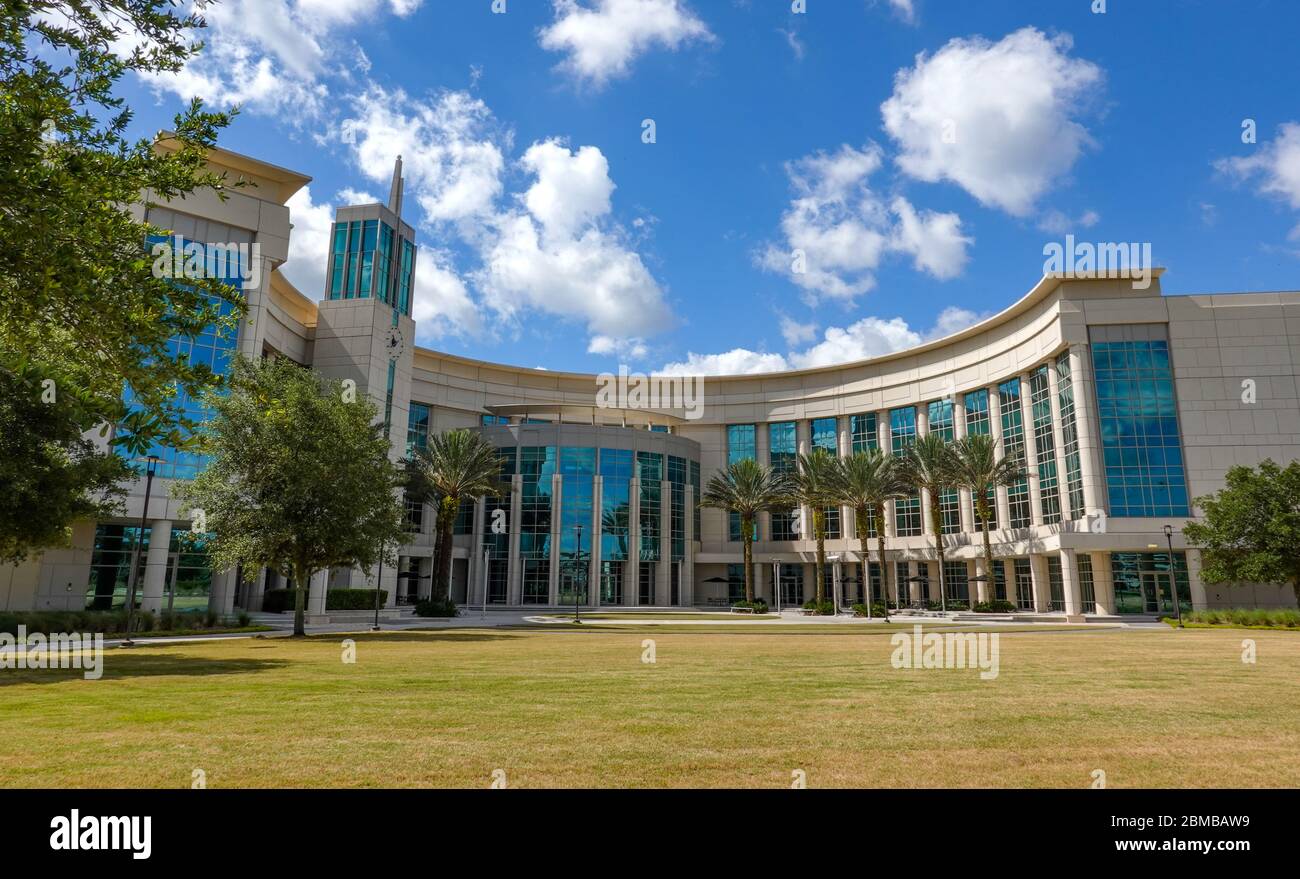
Located at the heart of UCF’s Orlando campus near the Student Union and Pegasus Circle, the John C. Hitt Library is a multi-story facility housing the core print collections, main administrative offices, special collections, and extensive collaborative study spaces. It caters to all undergraduate and graduate programs on the main campus.
Curriculum Materials Center (CMC)
Situated within the Education Complex (Room 194) on the main campus, the CMC specifically supports the College of Community Innovation and Education. The center houses K-12 textbooks, children’s and young adult literature, preview media, teaching kits, and specialized production tools tailored for future educators.
Rosen College Library
Located on Universal Boulevard at the Rosen College of Hospitality Management, this branch specializes in hospitality, tourism, event management, and restaurant analytics. It maintains industry-specific databases, market reports, and hospitality trade publications.
Health Sciences Library
Positioned in the Academic Health Sciences Center at Lake Nona, this facility serves the UCF College of Medicine, College of Nursing, and College of Health Professions and Sciences. The library provides specialized biomedical databases, clinical decision-support tools, anatomical models, and quiet study areas for medical students and research faculty.
UCF/Valencia Downtown Campus Library
Located inside the Dr. Phillips Academic Commons in downtown Orlando, this joint-use library serves UCF and Valencia College students enrolled in digital media, communication, legal studies, health services administration, and public administration programs.
Inside the John C. Hitt Library: Layout, ARC, and Noise Zones
The John C. Hitt Library has undergone extensive modernization as part of the multi-phase 21st Century Library Project. This transformation integrated cutting-edge technological infrastructure with expanded physical study capacity.
Floor-by-Floor Overview of the John C. Hitt Library: - 1st Floor: Automated Retrieval Center (ARC), Quiet Study, General Stacks - 2nd Floor: Main Entrance, Circulation Desk, Research & Information Desk, Knowledge Commons, Cafe - 3rd Floor: LibTech Desk, Special Collections & Archives, Collaborative Group Study Rooms - 4th Floor: Upper Stacks, Individual Study Carrels, Group Study Rooms - 5th Floor: Quiet Study Zone, Reading Room under the Glass Dome
The Automated Retrieval Center (ARC)
A standout feature of the 21st Century Library expansion is the Automated Retrieval Center (ARC). The ARC is an automated robotic retrieval and storage facility capable of housing up to 1.2 million volumes in a high-density, climate-controlled vertical vault.
How the ARC Operates
When a user requests an item stored in the ARC through the online library catalog, robotic bins navigate the storage vault, retrieve the requested bin, and deliver it to library staff at the circulation desk. This system reduces the physical floor space needed for book stacks, freeing thousands of square feet for student study lounges, technology labs, and collaborative project rooms.
Managing Noise Levels and Study Spaces
To accommodate diverse learning preferences, the John C. Hitt Library enforces a designated floor-by-floor noise policy:
- Collaborative Study Floors (2nd and 3rd Floors): Designed for group projects, interactive study, and active discussions. These floors house group study tables, whiteboards, mobile seating, and public computer stations.
- Quiet Study Floors (1st, 4th, and 5th Floors): Reserved for individual, low-distraction study. The 5th floor, featuring a dramatic glass dome reading room, is designated as a strict silent study environment where conversational noise and speaker usage are strictly prohibited.
Digital Collections, Database Access, and the STARS Repository
Modern academic research at UCF extends far beyond physical books. The UCF Libraries maintain an expansive digital ecosystem available to researchers, faculty, and students worldwide.
Online Catalog and Primo VE Discovery Platform
UCF Libraries utilize the Primo VE discovery platform, operated in partnership with the Florida Virtual Campus (FLVC). Primo VE allows users to perform unified searches across:
- Local UCF Catalog: Print books, physical media, microforms, and course reserves.
- Electronic Resources: Millions of peer-reviewed journal articles, e-books, and conference proceedings.
- Statewide Holdings (UBorrow): Library catalogs of all 28 Florida state colleges and 12 state universities.
Off-Campus Access and Authentication
Active UCF students, faculty, and staff can access licensed electronic databases, e-books, and full-text journals from off-campus via OpenAthens authentication. By signing in with their UCF Network ID (NID) and password, users establish a secure session that mirrors on-campus network privileges.
STARS (Showcase of Text, Archives, and Research & Scholarship)
STARS is UCF’s digital institutional repository. Managed by the university libraries, STARS collects, preserves, and provides open access to the scholarly and creative works produced by UCF faculty, institutes, and students. This includes:
- Electronic Theses and Dissertations (ETDs)
- Faculty journal articles and white papers
- Undergraduate research posters and conference proceedings
- Historical university archives and digital image collections
LibTech Services and Hardware Lending
Located on the 3rd floor of the John C. Hitt Library, the LibTech Desk provides hardware loans and technical support to current UCF students, faculty, and staff. This service eliminates financial barriers to academic technology by allowing students to borrow equipment for course assignments and research projects.
Available LibTech Borrowing Inventory: - Laptops: Windows PC laptops, Apple MacBooks - Multimedia Gear: DSLR cameras, 4K video camcorders, tripods, lapel microphones - Mobile Tech: iPads, Android tablets, e-readers, power banks, adapter cables - Specialized Tools: Virtual Reality (VR) headsets, micro-projectors, graphing calculators
Borrowing Policies and Equipment Rules
To ensure equitable access across the student body, LibTech equipment is distributed under strict borrowing guidelines:
- Eligibility: Active UCF Knight Card (Student ID) and an account in good financial standing are required.
- Loan Periods: Range from short-term loans (4-hour checkout for high-demand chargers and calculators) to multi-day loans (3-day or 7-day checkouts for laptops, cameras, and specialized gear).
- Overdue and Damage Fees: Overdue fines accrue hourly for high-demand hardware. Unreturned items incur replacement fees equal to the full retail cost of the item plus administrative handling charges.
Academic Research Support, Interlibrary Loan, and Study Room Bookings
The UCF Libraries system offers customized assistance to support advanced academic research, publishing, and daily coursework.
Subject Librarians and Research Consultations
UCF assigns specialized Subject Librarians to every academic department across campus. Students and faculty can schedule one-on-one research consultations (available in-person or via Zoom) to receive expert guidance on:
- Structuring complex search strings for systematic literature reviews
- Navigating discipline-specific databases (e.g., IEEE Xplore, PubMed, Web of Science, LexisNexis)
- Citation management tools such as EndNote, Zotero, and Mendeley
- Copyright compliance, open access publishing, and metrics tracking (h-index, altmetrics)
Interlibrary Loan (ILLiad) and UBorrow Services
When materials are not available within the UCF Libraries physical or digital collection, users can request them through interlibrary borrowing systems:
- UBorrow: Permits UCF users to request physical books directly from any of Florida's public state university or college libraries. Items are shipped to the user's chosen UCF campus library desk for pickup within 2 to 4 business days.
- ILLiad (Interlibrary Loan): Connects UCF to a global network of academic and research libraries. Used for obtaining articles, book chapters, rare monographs, dissertations, and specialized reports not available through UBorrow. Digital article requests are typically delivered as PDFs to the user’s ILLiad account within 24 to 48 hours.
Study Room Reservation System
The John C. Hitt Library and branch facilities feature dozens of reservable group study rooms equipped with LCD monitors, HDMI hookups, and whiteboards.
Study Room Reservation Rules
Study rooms must be reserved in advance through the online LibCal booking system. Reservations require a valid UCF email address. Individual students can reserve up to 4 hours of study room time per day. Rooms are designed primarily for group collaboration (requiring 2 or more occupants upon check-in), though select individual study pods are available in designated library areas.
Visitor Policies, Community Access, and Alumni Privileges
As a public state university library system, UCF balances the open-access mandate of a public institution with safety and security protocols for its campus community.
Access Rules for the General Public
Members of the general public and community researchers are welcome to visit the John C. Hitt Library during regular public operating hours. Visitors have access to physical book collections, government documents, and public electronic terminals.
Public Visitor Guidelines: - Access Hours: Public access may be restricted during late-night hours, overnight finals periods, or official campus closures. - Guest Computer Use: Requires registering for a temporary visitor guest pass at the Circulation Desk with a valid government-issued photo ID. - Network Access: Guests can connect personal devices to the "UCF-Guest" wireless network or utilize "Eduroam" if affiliated with a participating institution.
Alumni and Special Borrower Privileges
UCF Alumni and Florida residents who are not currently enrolled can obtain physical borrowing privileges by registering for a Special Borrower Card at the Circulation Desk.
- UCF Alumni Association Members: Eligible for reduced-fee or complimentary Special Borrower privileges, allowing checkouts of physical general-collection books.
- Database Restrictions: Due to strict vendor licensing contracts, off-campus access to online research databases is restricted exclusively to currently enrolled UCF students, active faculty, and staff. Alumni and public visitors must access licensed digital databases in-person using library computers on campus.
Detailed Facility & Service Comparison Table
| Feature / Metric | John C. Hitt Library | Curriculum Materials Center | Rosen College Library | Health Sciences Library | Downtown Campus Library |
|---|---|---|---|---|---|
| Primary Campus Location | Main Campus (Orlando) | Main Campus (Education Bldg) | Rosen Campus (Universal Blvd) | Lake Nona Medical City | Downtown Orlando (DPAC) |
| Core Academic Focus | All Academic Disciplines | K-12 Education & Pedagogy | Hospitality & Tourism Management | Medicine & Health Sciences | Digital Media, Public Policy, Law |
| Automated Retrieval (ARC) | Yes (1.2 Million Volume Storage) | No | No | No | No |
| LibTech Hardware Desk | Yes (3rd Floor Dedicated Desk) | Limited Specialized Ed Kits | Basic Hardware / Chargers | Basic Hardware / Chargers | Tech Lending Available |
| Silent Study Zones | Dedicated Silent 5th Floor | Quiet Study Areas Available | Quiet Study Pods | Dedicated Quiet Zones | Designated Quiet Floors |
| Special Collections / Archives | Yes (University Archives & Rare Books) | Specialized K-12 Materials | Industry Archives & Reports | Rare Medical Texts Collection | Local Community Archives |
| Access Eligibility | UCF Community & Public Visitors | UCF Community & Public Visitors | UCF Community & Public Visitors | Priority to Med/Health Students | Joint Access (UCF & Valencia) |
How to Utilize Essential UCF Library Services
Step-by-Step Guide: Reserving a Group Study Room
- Navigate to the official UCF Libraries website and select the Study Rooms booking tab.
- Select your preferred library location (e.g., John C. Hitt Library, CMC, or Downtown Campus).
- Filter available spaces by room size, requested equipment (e.g., display screen, whiteboard), and floor location.
- Select an open time block on the visual grid (up to 4 hours per day maximum).
- Enter your official UCF email address (
@ucf.eduor@knights.ucf.edu) to submit the booking request. - Open the automated confirmation email and click the verification link within 30 minutes to lock in your reservation.
- Arrive at the designated room on time with your group. Ensure your digital confirmation is available on your mobile phone if library staff ask to inspect it.
Step-by-Step Guide: Submitting an Interlibrary Loan (ILLiad) Request
- Log into the Primo VE Library Catalog using your UCF NID and password.
- Search for the desired book, article, or thesis. If UCF does not hold physical or digital ownership, click the Request via Interlibrary Loan (ILLiad) link on the item record.
- If prompted, log into your personal ILLiad Account Portal. First-time users will complete a brief profile form.
- Review the auto-populated bibliographic fields (Title, Author, ISBN/ISSN, Publication Date, Volume/Issue numbers).
- Select your preferred pickup location for physical items (e.g., Hitt Library Circulation Desk, Health Sciences Library, or Downtown Library).
- Submit the request form. Track the status of your request directly through your ILLiad portal dashboard.
- When electronic journal PDFs arrive, access them directly through your ILLiad account. For physical books, bring your Knight Card to the designated circulation desk once you receive an email notification that the item has arrived.
Frequently Asked Questions
What are the operating hours for the UCF John C. Hitt Library?
The John C. Hitt Library operates on an extended schedule during standard academic semesters, typically opening at 7:30 AM on weekdays and offering evening and weekend hours. During midterms and final exam weeks, the library frequently extends hours to support continuous study. Hours are reduced during summer sessions, academic intersessions, and official university holidays.
How do I borrow laptops and technology gear from the library?
Laptops, cameras, VR gear, and adapters can be borrowed in person from the LibTech Desk located on the 3rd floor of the John C. Hitt Library. You must present an active UCF Knight Card (Student ID) and have a library account without outstanding unpaid fines. Equipment is distributed on a first-come, first-served basis and cannot be reserved in advance.
Can non-UCF students or community members use the library?
Yes, members of the general public are permitted to enter the UCF Libraries during regular public building hours. Visitors can access physical book stacks and use dedicated visitor computer terminals by registering for a guest pass at the Circulation Desk with a government-issued photo ID. However, guest privileges do not include off-campus database access or technology hardware lending.
How does the Automated Retrieval System (ARC) work when I need a book?
The Automated Retrieval Center (ARC) stores over one million physical items in a high-density vertical vault. To borrow an item stored in the ARC, search for the title in the online library catalog, click the "Request from ARC" button, and sign in with your NID. Robotic cranes retrieve the bin containing your book within minutes, and library staff deliver it to the Circulation Desk for pickup.
What is the difference between UBorrow and standard Interlibrary Loan (ILLiad)?
UBorrow is a statewide borrowing system connecting UCF to all 40 public universities and colleges in Florida, making it the fastest way to borrow physical books within the state. ILLiad (Interlibrary Loan) is a global library network used to request items beyond Florida, as well as electronic journal article copies, microforms, book chapters, and specialized research papers not covered by UBorrow.
Maximizing Your Academic Success at UCF Libraries
To make the most of the resources available at the University of Central Florida Libraries, start your research process early each semester. Pair up with your assigned Subject Librarian to refine research strategies, leverage the LibTech desk to meet hardware needs without purchasing expensive tech, and utilize online room reservations to secure high-demand study spaces ahead of peak exam periods. Whether accessing peer-reviewed journal databases from off-campus or utilizing silent study floors beneath the glass dome, the UCF Library system provides the technical and scholarly foundation for academic excellence across all disciplines.
Image Gallery