Comprehensive Guide to the El Paso Docket: Accessing Court Records and Schedules in 2026
To access the El Paso docket, you must first determine if the case is filed in the El Paso County (State) courts or the U.S. District Court for the Western District of Texas (Federal). For local cases, users utilize the El Paso County...
To access the El Paso docket, you must first determine if the case is filed in the El Paso County (State) courts or the U.S. District Court for the Western District of Texas (Federal). For local cases, users utilize the El Paso County Odyssey Portal, while federal matters require the PACER system. These digital platforms provide real-time updates on hearings, filings, and judicial rulings for criminal, civil, and family law matters. This guide serves as a technical roadmap for navigating these systems to ensure accurate legal research and compliance with 2026 judicial protocols.
Contents
Understanding the El Paso Judicial Landscape in 2026
The term "El Paso docket" encompasses a wide range of legal records across different levels of government. In 2026, the digital transformation of the Texas judiciary has made these records more accessible than ever, yet the complexity of jurisdictional boundaries remains. Whether you are a legal professional or a private citizen, understanding where a case resides is the prerequisite for a successful search.
The El Paso County judicial system is divided primarily between the District Clerk and the County Clerk. The District Clerk manages records for the District Courts, which handle high-level civil litigation, felony criminal cases, and family law (including divorces and child custody). Conversely, the County Clerk manages dockets for County Courts at Law, which typically oversee misdemeanors, probate matters, and smaller civil disputes.
Beyond the local level, the El Paso Division of the United States District Court for the Western District of Texas handles federal crimes and civil suits involving federal law or diversity of citizenship. In 2026, these systems are integrated with electronic filing (E-Filing) mandates, meaning the "docket" is no longer just a physical book but a live, digital stream of data that updates as soon as a clerk processes a document.
Accessing the El Paso County Odyssey Portal
The primary tool for viewing the El Paso docket at the state and local level is the Odyssey Portal. Managed by the El Paso County Information Technology Department in coordination with the judiciary, this portal is the official gateway for public and attorney-level access to case records.
Navigation and Search Parameters
To search the docket effectively in 2026, users should have specific identifiers ready. The portal allows for searches based on several criteria:
- Case Number: This is the most accurate way to find a docket. A typical El Paso case number (e.g., 2026DCV1234) identifies the year, the court type, and the sequential filing number.
- Party Name: You can search by the first and last name of a plaintiff, defendant, or respondent. It is advisable to use the "Sounds Like" or "Starts With" filters to account for potential spelling variations in the original filing.
- Attorney Bar Number: Legal professionals can track all active cases associated with their State Bar of Texas ID.
- Date Range: If you are looking for a specific day's hearing schedule, you can filter by "Hearings Search" to see every case appearing before a specific judge on a given date.
Register of Actions vs. The Docket
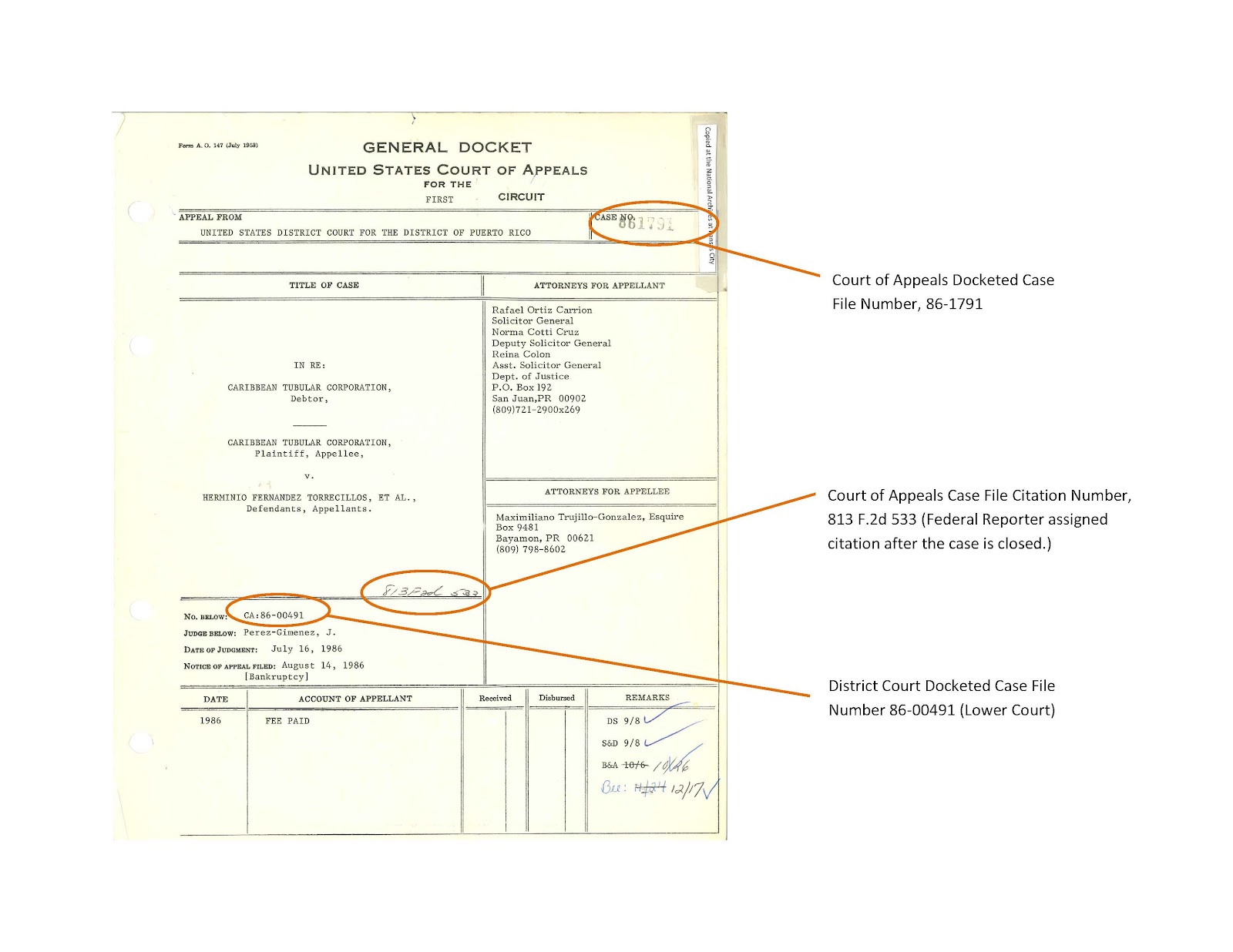
While people often use the terms interchangeably, in 2026, the Odyssey Portal distinguishes between the "Docket" (the schedule of upcoming events) and the "Register of Actions" (the chronological history of everything that has happened in the case). The Register of Actions is the most valuable document for researchers, as it contains links to viewable PDF documents for most non-confidential filings.
The Federal Docket: Western District of Texas (El Paso Division)
If the matter involves federal law, such as immigration appeals, federal crimes, or interstate commerce disputes, the El Paso docket will be found within the PACER (Public Access to Court Electronic Records) system. The El Paso Division is one of the busiest in the Western District of Texas, often handling a high volume of magistrate and district judge proceedings.
PACER Requirements and Costs
In 2026, federal dockets remain subject to the Electronic Public Access fee schedule. While searching for names is generally free, downloading or viewing detailed docket sheets incurs a per-page charge, though these fees are often waived if they fall below a specific quarterly threshold.
Crucial Procedural Note
Federal E-Filing Mandates: All attorneys practicing in the El Paso Division must use the Case Management/Electronic Case Files (CM/ECF) system. Pro se litigants (those representing themselves) may be granted permission to file electronically, but they are typically required to view the docket via the standard public PACER portal.
Accessing Sealed Records: Certain dockets in the El Paso federal system, particularly those involving sensitive national security, grand jury proceedings, or juvenile matters, are "sealed." These will not appear in a standard search and require a specific court order for access.
Comparing El Paso Judicial Systems
| Feature | El Paso County Courts (State) | U.S. District Court (Federal) |
|---|---|---|
| Primary System | Odyssey Portal | PACER / CM-ECF |
| Search Cost | Free for basic search; fees for certified copies | Per-page fee for detailed views |
| Criminal Jurisdiction | Felonies (District) & Misdemeanors (County) | Federal Crimes & Border-related Offenses |
| Civil Jurisdiction | Divorce, Personal Injury, Probate | Federal Statutes, Diversity of Citizenship |
| Physical Location | 500 E. San Antonio Ave, El Paso, TX | 525 Magoffin Ave, El Paso, TX |
| 2026 Digital Status | Full E-Filing & Integrated Zoom Links | Full E-Filing & PACER NextGen |
Step-by-Step Guide to Finding Your Court Date
If you have a pending case in El Paso and need to find your next hearing date, follow this workflow to ensure you are looking at the most current information.
- Identify the Court Type: Check your original citation or summons. If it mentions a "County Court at Law," it is a local misdemeanor or civil case. If it mentions a "Judicial District Court," it is a higher-level state case.
- Visit the El Paso County Portal: Navigate to the official judicial records website. Select "Smart Search" to begin.
- Enter Identification Data: Enter your full name (Last, First) or your case number.
- Filter by Status: If you have a common name, filter by "Active" cases to narrow down the results.
- Review the "Events and Hearings" Section: Once you click on your case, scroll down to the "Events and Hearings" section. This will list the date, time, courtroom number, and the presiding judge.
- Verify the Location: In 2026, many El Paso dockets specify whether a hearing is "In-Person" at the Enrique Moreno County Courthouse or "Virtual" via a provided link.
Specific Dockets: Criminal, Civil, and Family Law
The Criminal Docket
The criminal docket in El Paso is managed with a focus on transparency. In 2026, the "Jail Records" search is often used in tandem with the "Court Records" search. If an individual is currently in custody at the Downtown Detention Facility or the Annex, their court date will usually be reflected on the docket within 24–48 hours of magistration.
The Civil and Family Docket
For those involved in lawsuits or family law matters (District 383, 388, and 65 are common family courts in El Paso), the docket provides a clear timeline of "Discovery," "Motions to Compel," and "Trial Settings." It is vital to monitor these dockets for "Notice of Intent to Dismiss" if no activity has occurred on the case for several months.
The Probate Docket
Probate cases are handled by the El Paso County Probate Courts (Probate Court 1 and Probate Court 2). These dockets are essential for tracking the administration of estates and guardianships. Due to the sensitive nature of medical records often involved in these cases, certain documents may be redacted on the public docket.
Technical Troubleshooting for 2026 Legal Research
Accessing digital dockets can sometimes result in technical errors. In 2026, most issues stem from browser compatibility or session timeouts.
- Session Expired Errors: The El Paso Odyssey Portal uses secure tokens. If you leave a search page open for more than 20 minutes without activity, you will be kicked back to the home screen. Always refresh your search from the start if this occurs.
- Missing Documents: If a docket entry exists but there is no "View" icon, the document may be "un-scanned" or restricted. In 2026, there is a 24-hour delay between a physical filing at the clerk’s window and the document appearing online.
- Case Not Found: If you cannot find a case by name, try searching only by the last name and the first initial. Many errors occur because a middle name was used in the filing but not in your search.
Practical Recommendations for Legal Professionals
For attorneys and paralegals operating in El Paso in 2026, maintaining a "Watch List" within the Odyssey Portal is highly recommended. This feature allows you to receive automated email notifications whenever a new entry is made on a specific docket. This prevents the need for manual daily searches and ensures that you never miss a deadline for a responsive pleading.
Furthermore, always cross-reference the "Official Court Calendar" published by the individual judges’ offices. While the automated docket is generally accurate, the judge’s internal "bench docket" is the final authority on the order of cases called each morning.
Frequently Asked Questions
How can I find out what time my court hearing starts in El Paso?
You can find your exact hearing time by searching your case on the El Paso County Odyssey Portal. Once you locate your case, scroll to the "Events and Hearings" section, which lists the date, the specific time (e.g., 9:00 AM), and the courtroom location or virtual meeting link.
Are all El Paso court records available for free online?
Viewing the "Register of Actions" and hearing schedules is free for the public. However, in 2026, downloading official certified copies of documents or accessing certain high-volume data sets may require a registered account and a fee, particularly for commercial or background check purposes.
What should I do if my name is on the El Paso criminal docket but I haven't been notified?
If you discover your name on a criminal docket with an upcoming date and you have not received a summons, you should immediately contact the El Paso District Clerk's office or a qualified attorney. A listing on the docket often means a formal charge has been filed, and failure to appear can result in a warrant for your arrest.
Can I see evidence or exhibits on the El Paso digital docket?
Generally, no. While the docket lists the "Motion to Introduce Evidence" or "Exhibits Filed," the actual photos, videos, or physical objects used as evidence are usually not viewable through the public portal for privacy and security reasons. These must typically be viewed in person at the courthouse by appointment.
How do I find the docket for the 34th, 41st, or 120th District Courts?
These are specific state district courts in El Paso County. You can access their dockets by using the El Paso County Odyssey Portal and filtering your search by the specific "Location" or "Court" dropdown menu to isolate cases heard by those specific judges.
Conclusion and Direct Action
Navigating the El Paso docket requires a clear understanding of the difference between state and federal jurisdictions and the technical proficiency to use the Odyssey and PACER systems. In 2026, the transparency of the El Paso legal system depends on these digital records. If you are a party to a case, verify your hearing status at least 48 hours in advance. For those conducting background research or legal analysis, ensure you are pulling data from the official clerks' portals to guarantee the information is current and legally binding.
Image Gallery