How to Reduce Friction in User Experience and Operational Workflows
Reducing friction requires the systematic removal of cognitive, physical, and technical obstacles that prevent users or systems from achieving a desired outcome. By optimizing interaction design, streamlining administrative processes,...
Reducing friction requires the systematic removal of cognitive, physical, and technical obstacles that prevent users or systems from achieving a desired outcome. By optimizing interaction design, streamlining administrative processes, and implementing high-performance digital architecture, organizations can eliminate bottlenecks, enhance conversion rates, and improve overall operational efficiency in 2026.
Contents
Understanding the Mechanics of Friction in Technical Systems
Friction in the context of user experience (UX) and systems engineering is defined as any element that increases the mental or physical effort required to perform a task. In 2026, as digital ecosystems grow more complex, identifying these "effort sinks" has become a primary metric for technical SEO and product management. Friction generally manifests in three primary categories:
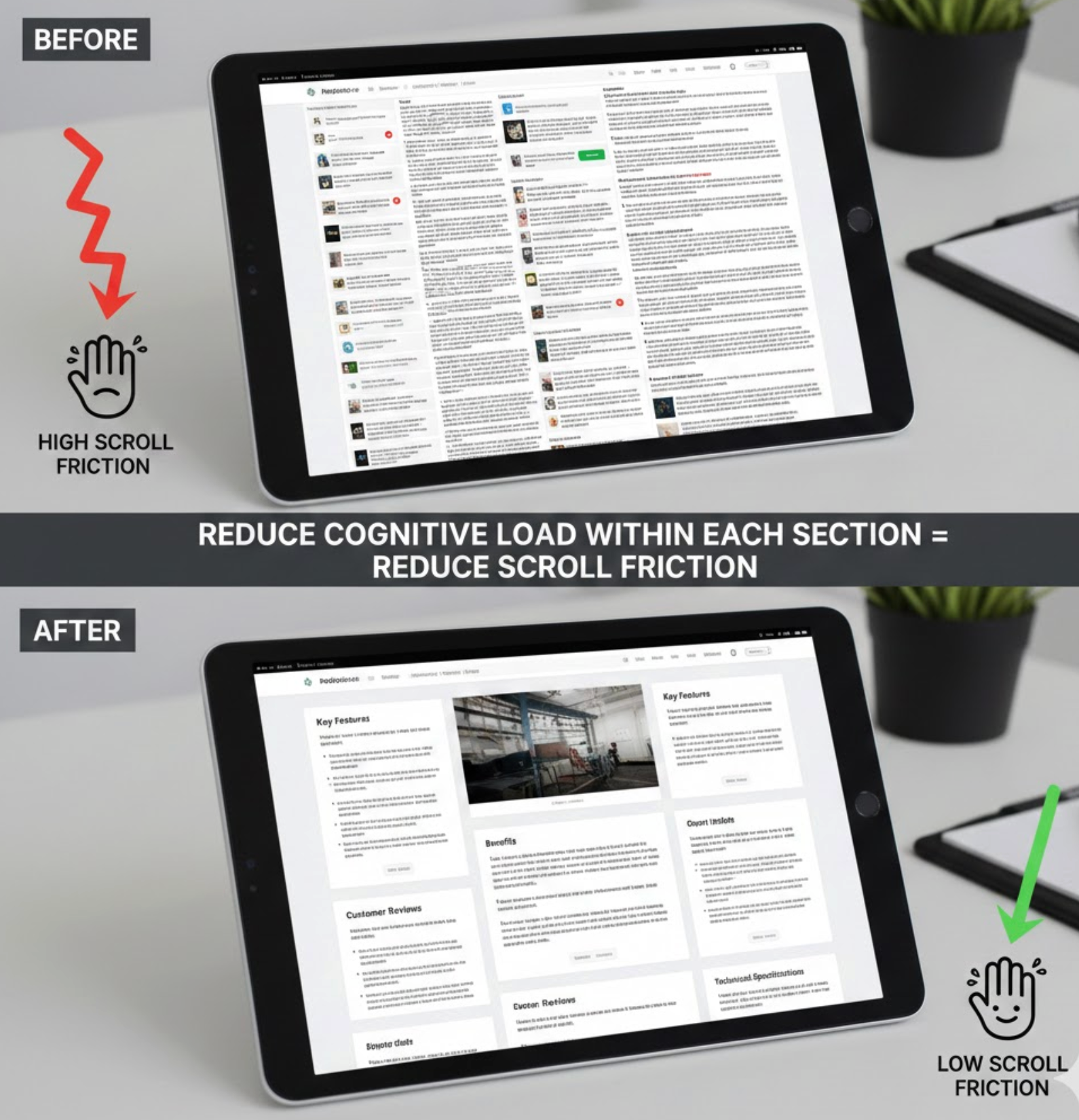
- Cognitive Friction: Occurs when interfaces demand excessive decision-making, such as cluttered navigation, ambiguous labeling, or non-intuitive visual hierarchies.
- Interaction Friction: Involves the physical or mechanical effort, such as excessive form fields, slow page load speeds (LCP/CLS metrics), or cumbersome multi-step authentication processes.
- Systemic Friction: Arises from backend dependencies, such as database latency, poorly integrated APIs, or broken redirect chains that interrupt the user journey.
Strategic Framework for Friction Reduction
To effectively mitigate friction, teams must adopt a data-driven approach that prioritizes the user's "path to completion." This involves auditing every touchpoint where a user might hesitate or drop off.
- Audit the Conversion Path: Utilize session recording tools and heatmaps to identify where users scroll past content or abandon forms.
- Eliminate Unnecessary Input: Apply the Principle of Least Effort by asking for only mission-critical data. If a field is not required for the immediate transaction, remove it.
- Optimize Performance Benchmarks: Ensure core web vitals remain within the green zones (LCP under 2.5 seconds, FID under 100ms) to prevent technical latency from causing perceived friction.
- Standardize Feedback Loops: Provide immediate visual confirmation for every user action to ensure they remain oriented within the system.
Comparison of Friction Mitigation Techniques
The following table outlines the impact of specific optimization strategies on user retention and system performance.
| Strategy | Primary Benefit | Impact on Friction | Implementation Effort |
|---|---|---|---|
| Progressive Disclosure | Reduces cognitive load | High | Medium |
| Input Autocomplete | Minimizes physical typing | High | Low |
| Server-Side Rendering | Improves perceived speed | Extreme | High |
| Social Login Integration | Reduces account creation time | High | Medium |
| Real-time Validation | Prevents submission errors | Medium | Low |
Managing Cognitive Load Through Design Patterns
Cognitive load is the total amount of mental effort being used in the working memory. When this exceeds a user’s capacity, they encounter "choice paralysis" or frustration. To reduce this, designers must embrace progressive disclosure—showing information only when it is needed.
- Default Values: Pre-populate fields with the most likely data to reduce the burden of manual input.
- Contextual Guidance: Instead of overwhelming users with long-form instructions, provide tooltips or inline help text that explains specific requirements at the moment of interaction.
- Visual Hierarchy: Use whitespace, font weight, and color contrast to guide the eye toward the most important action, such as a primary call-to-action (CTA) button.
Technical Barriers and Infrastructure Optimization
In 2026, technical friction is often synonymous with poor backend optimization. If your infrastructure creates a delay—even one lasting milliseconds—it registers as a barrier to the user.
Addressing API Latency
If your application relies on third-party data, the latency of these external services directly impacts your site's friction. Implement caching layers (like Redis or Memcached) to serve repetitive requests without querying the database or external APIs repeatedly.
Streamlining Authentication
Multi-factor authentication (MFA) is essential for security but represents a massive point of friction. Balance security and experience by implementing risk-based authentication, which only triggers additional verification steps when anomalous behavior is detected, rather than on every login attempt.
Troubleshooting Common Friction Points
When users report difficulty, perform a root cause analysis using the following hierarchy:
Data Verification Strategy Analyze Drop-off Points: Identify the exact step where the bounce rate spikes. Is it at the checkout, a registration form, or an informational page? Validate Technical Performance: Use synthetic monitoring to check if the server response time (TTFB) is consistent across different geographies. Review Accessibility Standards: Ensure the interface adheres to WCAG 2.2 guidelines. Inaccessible sites create insurmountable friction for users relying on screen readers or assistive technologies.
Frequently Asked Questions
What is the most common cause of high interaction friction? The most common cause is redundant form fields. Requiring information that is not strictly necessary for the transaction increases user effort and leads to higher abandonment rates.
How does page speed impact user friction? Page speed is a direct correlation to bounce rate. If a page fails to render the main content within 2.5 seconds, users perceive the site as broken or unresponsive, leading to immediate abandonment.
Can too much simplification cause friction? Yes. If you remove critical context or necessary verification steps (like address confirmation), users may experience anxiety or lack of trust, which is a form of emotional friction. Always maintain a balance between speed and clarity.
How do I measure friction in a funnel? Measure the "drop-off rate" at every step of your funnel. If a specific step shows a significantly lower conversion rate than the others, that is your primary friction point that requires optimization.
Is friction always bad for the user experience? Not always. In processes involving high-stakes decisions, such as financial transactions or insurance policy changes, "positive friction"—such as a confirmation step or a summary screen—can prevent costly errors and build trust.
Implementing Long-Term Improvements
Reducing friction is not a one-time project but an ongoing cycle of measurement and refinement. By establishing a culture of "effort reduction," teams can ensure that every update to the product or website serves to facilitate the user’s goal rather than obstructing it. Focus on automating repetitive tasks, cleaning up legacy code, and continuously testing new interface patterns against your performance benchmarks to maintain a seamless operational flow throughout 2026 and beyond.
Image Gallery