Best iOS Weather Apps (2026): Precision Radar, Next-Hour Precipitation, and Widget Benchmarks
The best iOS weather apps combine high-resolution atmospheric forecast models with native Apple platform features such as Dynamic Island updates, Lock Screen widgets, and WatchOS complications. CARROT Weather leads in overall customiza...
The best iOS weather apps combine high-resolution atmospheric forecast models with native Apple platform features such as Dynamic Island updates, Lock Screen widgets, and WatchOS complications. CARROT Weather leads in overall customization and multi-model data switching, Apple Weather offers the best zero-cost native integration with privacy protections, and RadarScope delivers unmatched professional-grade radar metrics for severe weather tracking.
Contents
Meteorological Architecture on iOS: How Modern Weather Apps Process Data
Selecting an optimal weather app for iPhone requires understanding the technical infrastructure powering the interface. A weather application acts as a presentation layer and computational engine that ingests raw data feeds from meteorological agencies, applies spatial downscaling algorithms, and renders the result through Apple frameworks like Swift UI, WidgetKit, and WeatherKit.
Historical Note / Tech Framework:In recent iOS iterations, Apple replaced legacy Dark Sky backend systems with native WeatherKit APIs, blending proprietary machine learning with observational data from national hydro-meteorological services.
Core Data Models Driving iOS Applications
Primary global and regional weather engines dictate raw forecast accuracy regardless of an app's visual design. The European Centre for Medium-Range Weather Forecasts (ECMWF) High-Resolution model operates at a roughly 9-kilometer grid spacing, widely regarded as the gold standard for global medium-range forecasting. The Global Forecast System (GFS), operated by the National Oceanic and Atmospheric Administration (NOAA), provides global coverage at 13-kilometer resolution. For localized short-term events in North America, the High-Resolution Rapid Refresh (HRRR) model updates hourly at a 3-kilometer grid spacing, delivering high-precision convective storm tracking and minute-by-minute precipitation onset timing.
When an app requests a forecast, it queries a telemetry endpoint that pulls from these foundational models. Superior iOS applications allow users to manually toggle between ECMWF, GFS, ICON (German Weather Service), and UK Met Office data sources, ensuring local terrain variations—such as microclimates created by coastal boundaries or elevation shifts—are accounted for accurately.
Technical Benchmarks: Native iOS Integration Metrics
To maximize utility on modern hardware, a weather app must leverage the core system capabilities of iOS. Evaluating an app involves analyzing how efficiently it utilizes system APIs without exhausting device resources:
- WidgetKit and Live Activities: High-tier apps utilize background tasks to update Lock Screen and Home Screen widgets without triggering excessive battery drain. Live Activities track real-time rain cells via the Dynamic Island during active precipitation windows.
- CoreLocation Management: Precision weather tracking requires adaptive location polling. Top-performing apps utilize geo-fencing and significant-change location monitoring rather than continuous GPS querying to minimize battery depletion.
- WatchOS Native Compilation: Standalone WatchOS apps must render complications directly from localized caches, ensuring instant readability even when disconnected from the host iPhone.
- Data Privacy Frameworks: Reliable applications limit location telemetry sharing. Native apps process location parameters client-side or use anonymized grid hashing to protect personal movements.
The Top iOS Weather Apps: In-Depth Technical Evaluation
1. CARROT Weather: The Benchmark for Power Users and Customization
CARROT Weather remains the most versatile weather application available on iOS, distinguished by its data-source flexibility and configurable user interface. Built on a modular layout engine, CARROT allows users to assemble custom dashboards using cards, gauge meters, and historical trend lines.
App Profile: CARROT WeatherBest For: Power users, widget customization, and multi-model meteorological evaluation.
- Meteorological Engine Integration: CARROT provides native access to ECMWF, GFS, AccuWeather, Foreca, AerisWeather, and Environment Canada. Users can set conditional data rules—for instance, pulling short-term precipitation from HRRR while using ECMWF for 10-day outlooks.
- iOS System Features: Full support for Dynamic Island Live Activities, interactive widgets, customizable Siri Shortcuts, and deep WatchOS complication tailoring.
- Radar and Visualizations: Features vector-based radar animation, cloud-cover overlays, and customizable map layers that display wind vectors and sea level pressure contours.
- Drawbacks: Unlocking multi-model switching, background notifications, and full widget customization requires a recurring subscription tier (Tier 1/Club/Ultra).
2. Apple Weather: Best Free Native Application with Privacy Protection
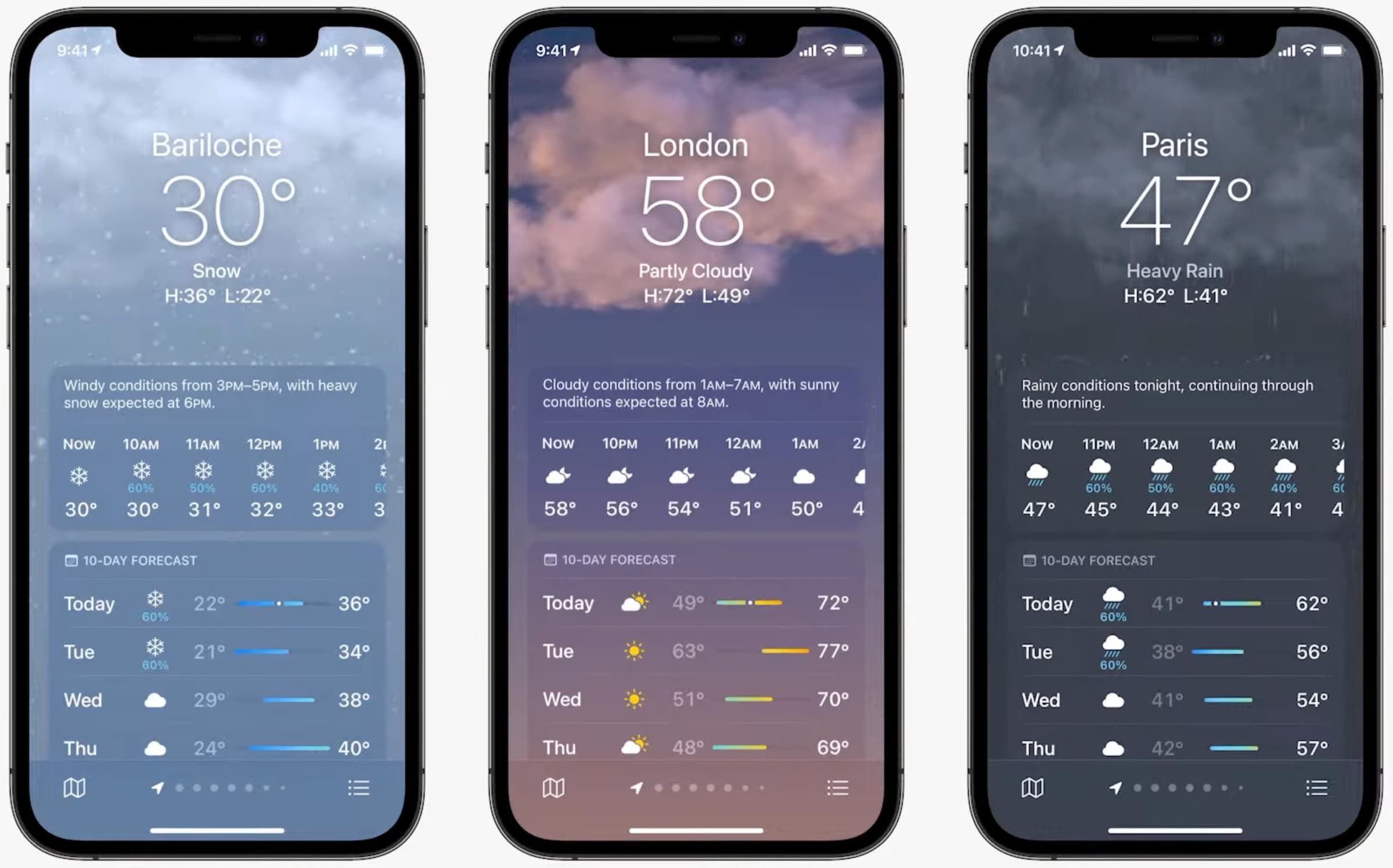
Integrated natively into iOS, Apple Weather serves as the default reference point for iPhone users. Following the integration of Dark Sky technology into Apple's proprietary WeatherKit engine, the application delivers downscaled short-term precipitation forecasts alongside standard daily outlooks.
- Meteorological Engine Integration: Utilizes Apple's global meteorological engine, combining national weather service feeds, observational radar data, and machine learning models for short-term downscaled precipitation predictions.
- iOS System Features: Deepest system integration available. Offers zero-latency loading, native system notifications for severe weather alerts, interactive Lock Screen widgets, and fluid UI animations rendered via Apple Silicon hardware acceleration.
- Privacy Baseline: Does not associate location data with third-party tracking identifiers. All location queries are sanitized via localized regional requests.
- Drawbacks: Lacks data-source toggling; users cannot select alternative models like ECMWF or ICON if the native forecast diverges from local conditions.
3. Windy.com: Best for Advanced Visualization and Multi-Model Comparison
Windy.com is an indispensable tool for pilots, sailors, meteorologists, and outdoor professionals who require spatial wind vectors and multi-layer atmospheric scans over simplified point-forecast icons.
App Profile: Windy.comBest For: Deep atmospheric analysis, wind currents, wave dynamics, and marine forecasting.
- Meteorological Engine Integration: Displays side-by-side data comparisons from ECMWF, GFS, ICON, and ACCESS-G models on a single interactive map screen.
- Data Layers: Over 40 distinct overlay maps including CAPE (Convective Available Potential Energy), cloud tops, wave swell periods, zero-degree level isotherm, and surface wind gusts.
- iOS System Features: High-performance rendering pipeline using Metal graphics acceleration to display continuous global fluid dynamics at 60 FPS on ProMotion screens.
- Drawbacks: The interface presents a steep learning curve for users seeking a quick answer to whether they need an umbrella.
4. RadarScope: The Professional Standard for Severe Weather Tracking
Unlike consumer apps that display smoothed, interpolated radar scans, RadarScope renders raw, native NEXRAD (Next-Generation Radar) Level 3 and Super-Res Level 2 data directly from National Weather Service radar sites across North America and select international locations.
- Target Audience: Severe weather spotters, emergency management personnel, and meteorology enthusiasts.
- Technical Precision: Displays unrounded Radial Velocity, Storm Relative Velocity, Composite Reflecivity, and Dual-Polarization metrics (Differential Reflectivity, Correlation Coefficient). This allows users to identify tornadic debris balls, hail cores, and microburst signatures before public warning issuing.
- iOS System Features: Optimized for iPad Pro and iPhone displays, supporting high-rate rendering, custom waypoint plotting, and location-based radial tracking.
- Drawbacks: Does not provide a standard daily forecast (temperature, general precipitation odds). Requires specialized knowledge to interpret raw Doppler radar arrays accurately.
5. AccuWeather: Best for Precise Minute-by-Minute Hyper-Local Timing
AccuWeather is engineered for short-term spatial decision-making. Its MinuteCast engine offers street-address-level precipitation timelines over a two-hour window.
- Meteorological Engine Integration: Utilizes proprietary algorithms combined with global observation stations, satellite telemetry, and regional surface observation networks.
- Core Capabilities: Excellent severe weather alerting systems and the RealFeel Temperature index, which factors solar intensity, wind velocity, humidity, and cloud cover into a perceived thermal metric.
- iOS System Features: Includes rich Lock Screen widgets, localized radar notifications, and watchOS apps.
- Drawbacks: Free versions feature heavy ad placement, which can degrade interface performance and obscure meteorological charts unless offset by a paid subscription.
6. Foreca Weather: Superior European Accuracy and High-Resolution Downscaling
Foreca delivers exception performance for global travel and European territories by utilizing advanced downscaling techniques that convert macro-level global models into localized microclimate projections.
- Meteorological Engine Integration: Blends global observational feeds with proprietary downscaling models, making it particularly effective in complex terrain such as mountain ranges and island archipelagos.
- Interface Design: Offers a clean, high-density visualization system featuring meteograms, wind animation maps, and precipitation probability graphs.
- Drawbacks: Smaller U.S. community baseline compared to domestic apps, though its raw forecast precision matches or exceeds major industry competitors.
Side-by-Side Architectural and Feature Comparison
The table below outlines the core technical specifications, primary models, hardware integration capabilities, and pricing models for the top iOS weather applications in 2026:
| App Name | Primary Weather Models Supported | Radar Engine Type | Live Activities & Dynamic Island | Data Privacy Standard | 2026 Pricing Structure | Best Use Case |
|---|---|---|---|---|---|---|
| CARROT Weather | ECMWF, GFS, AccuWeather, Foreca, ICON, Aeris | Vector & Raster Composites | Fully Supported (Customizable) | User Choice (Opt-in analytics) | Free / Subscriptions ($4.99–$29.99/yr) | Power Users & Widget Customization |
| Apple Weather | Proprietary Apple WeatherKit (Blended ECMWF/NWS) | Native Smoothed Raster | Fully Supported (System Native) | Strict Privacy (Zero tracking) | Included with iOS (Free) | General Use & Native Privacy |
| Windy.com | ECMWF, GFS, ICON, ACCESS-G, NEMS | Interactive Layered Dynamic Vectors | Supported | Standard Analytics | Free / Premium ($18.99/yr) | Marine, Aviation & Wind Sports |
| RadarScope | Direct NEXRAD Level 2 / Level 3 (NWS) | Native Radial Doppler Graphics | Supported (Pro Tiers) | Strict (No ad tracking) | $9.99 Base / Pro Subscriptions | Storm Chasing & Severe Weather |
| AccuWeather | Proprietary AccuWeather Engine, GFS | Interpolated Composite | Supported | Ad-supported telemetry | Free / Premium ($12.99/yr) | Minute-by-Minute Rain Timing |
| Foreca | Foreca Ultra-Precision Engine, ECMWF | Animated Raster | Supported | Standard Commercial Privacy | Free / Ad-Free ($4.99/yr) | Global Travel & Microclimate Accuracy |
Evaluating Forecast Accuracy: Key Meteorological Criteria
To determine which weather application provides the most accurate data for your specific region, consider these three critical meteorological metrics:
1. Spatial Resolution and Downscaling
Global models run at resolutions ranging from 9 to 13 kilometers. If an app relies purely on raw global model output, it may average temperatures across an entire valley or coastal strip. Top applications apply digital elevation models (DEMs) to adjust ambient temperature and wind vectors according to your exact GPS coordinates.
2. Temporal Resolution
Standard daily or 3-hour forecast blocks often fail during rapidly evolving convective severe events. For short-term planning, prioritize apps offering 1-minute to 15-minute resolution over a rolling 2-hour horizon (e.g., HRRR model integrations or specialized precipitation radar downscaling).
Practical Tip:Cross-reference NOAA official guidelines for weather safety standards when assessing severe convective activity such as severe thunderstorms or winter storm warnings. (Source: National Oceanic and Atmospheric Administration)
3. Model Diversity vs. Single-Source Reliance
No single meteorological model maintains superior accuracy across all regions globally. European weather patterns are historically modeled best by ECMWF, while short-term localized thunderstorms in North America are captured more effectively by the NOAA HRRR model. Selecting an app like CARROT Weather or Windy that allows model switching ensures higher long-term accuracy across changing geographical regions.
Optimizing iOS Settings for Maximum Weather Accuracy and Efficiency
Installing a top-tier app is only part of the equation. To maximize data precision while maintaining battery longevity, configure your iOS system parameters correctly:
- Set Location Permission to "While Using the App or Widgets": Ensure that location permissions allow widget updates. Go to
Settings > Privacy & Security > Location Services > [Your Weather App]and select While Using the App or Widgets. - Enable "Precise Location": Weather microclimates (such as coastal fog banks or urban heat islands) require exact GPS coordinates. Toggle Precise Location to ON. If disabled, iOS provides only an approximate location circle (often miles wide), causing localized forecast errors.
- Configure Background App Refresh: Allow your preferred app to fetch updated radar tiles and severe warnings in the background by checking
Settings > General > Background App Refresh. - Setup Emergency Notification Overrides: Ensure critical alerts reach you even during sleep cycles. Navigate to
Settings > Notifications > [Your Weather App]and toggle Critical Alerts to ON (if supported by the app).
Frequently Asked Questions
What is the most accurate iOS weather app for predicting rain timing?
CARROT Weather (when configured to use the HRRR or AccuWeather data source) and AccuWeather's native app deliver the most precise minute-by-minute precipitation predictions due to high-frequency radar downscaling algorithms.
Why do different iOS weather apps show conflicting forecast temperatures?
Different apps pull data from different underlying meteorological models. An app running on the ECMWF model may calculate a different surface temperature than an app pulling from the GFS model due to variations in how each model calculates soil moisture, cloud cover, and solar radiation reflection.
Is Apple Weather accurate enough for daily planning?
Yes, for standard daily planning Apple Weather is highly accurate. Its backend engine combines regional meteorological office data with short-term observational radar. However, users in complex mountainous microclimates or those needing specialized data (like wind vectors for sailing) will benefit from multi-model applications like Windy or CARROT.
Do weather apps consume significant iPhone battery life?
Native apps using optimized iOS APIs consume minimal power. However, third-party apps set to continuous GPS tracking or those featuring heavy ad-network telemetry can drain battery background cycles. Enabling "Precise Location" only while using widgets prevents unneeded GPS hardware activity.
What is the difference between standard radar and dual-polarization Doppler radar apps?
Standard consumer apps show interpolated, smoothed rain intensity maps. Dual-polarization radar apps (like RadarScope) transmit both horizontal and vertical pulse waves, allowing users to differentiate between rain, snow, hail, and non-meteorological debris tossed by tornadoes.
Final Recommendation: Selecting Your Ideal iOS Weather Setup
For most iPhone users, Apple Weather provides a sleek, ad-free experience that integrates seamlessly with iOS at zero incremental cost.
However, users seeking full control over their data, deep widget customization, and the ability to switch between ECMWF and HRRR models should select CARROT Weather. For outdoor professionals, marine navigators, and aviation pilots, Windy.com is the clear choice. Finally, severe storm enthusiasts and emergency responders should pair their daily forecast tool with RadarScope for unfiltered radar intelligence.
Image Gallery