How to Make an Amazon Chase Credit Card Payment in 2026
To make a payment on your Amazon Chase credit card, log in to the Chase Mobile app or the official Chase website, navigate to the specific Amazon Rewards Visa Signature or Prime Rewards Visa Signature card account, and select the Make...
To make a payment on your Amazon Chase credit card, log in to the Chase Mobile app or the official Chase website, navigate to the specific Amazon Rewards Visa Signature or Prime Rewards Visa Signature card account, and select the Make a Payment option. Ensure you have your linked checking account details ready to process the transaction securely before the statement due date to avoid late fees or interest charges.
Contents
Understanding Your Amazon Chase Credit Card Account
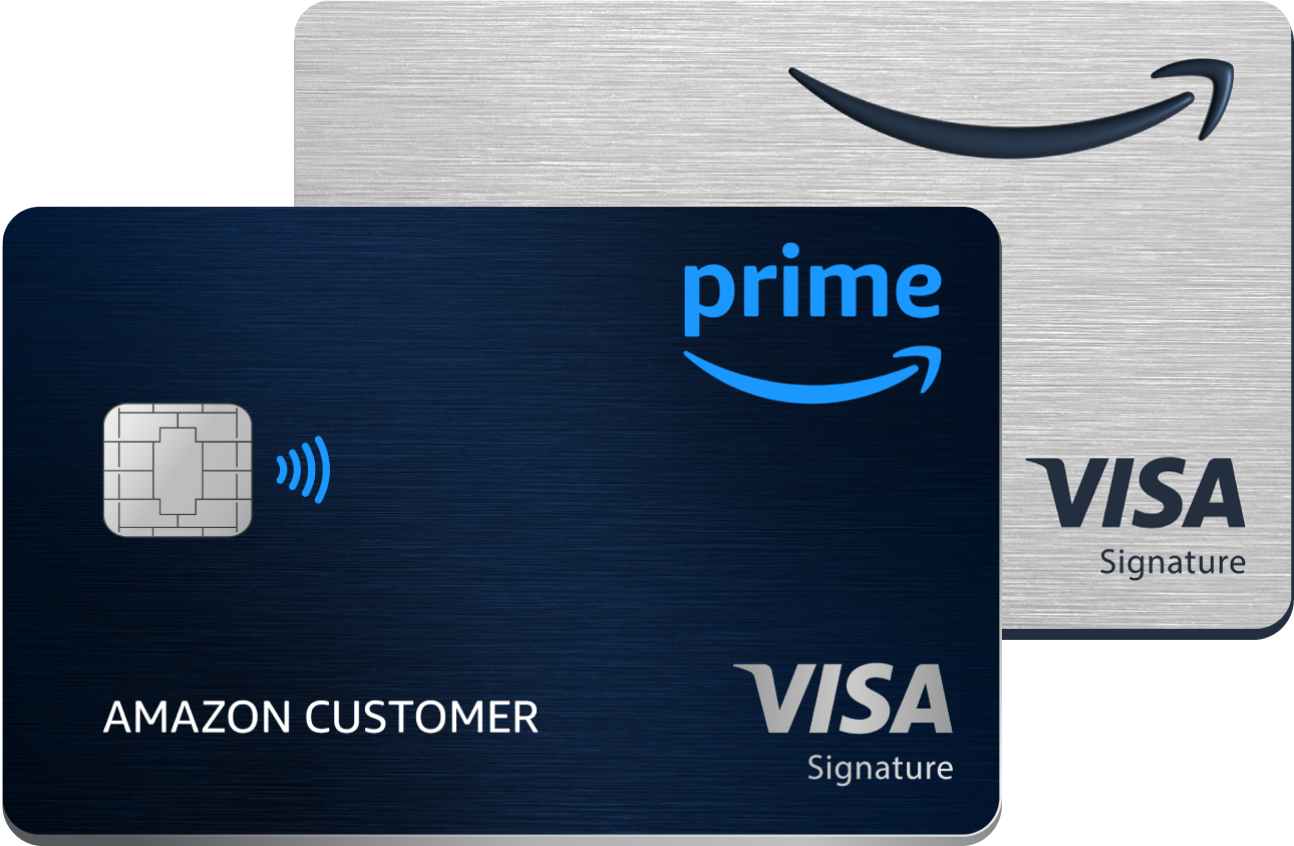
The Amazon Chase credit card program features two primary tiers: the Amazon Rewards Visa Signature Card and the Amazon Prime Rewards Visa Signature Card. Both are managed exclusively through the JPMorgan Chase banking interface. Whether you are using a desktop browser or the mobile application, your payment portal is unified under your primary Chase online banking profile.
In 2026, Chase maintains high-security standards for these transactions, utilizing multi-factor authentication (MFA) and encrypted banking pathways. Understanding that this is a retail-branded card issued by a major financial institution is critical; you do not make payments through the Amazon website, but rather through the Chase ecosystem.
Prerequisites for Processing Your Payment
Before you initiate a payment, ensure you have the following information and access points verified to prevent errors or funding delays:
- Active Chase Online Banking Credentials: A valid username and password for the Chase portal.
- Linked External Bank Account: If you are not using a Chase checking account, you must have the routing and account number of your external financial institution verified within the Chase system.
- Account Status: Ensure your account is not currently under a security freeze or restricted status, which would prevent incoming transfers.
- Payment Timing: Be aware of the cutoff times. Payments submitted via the Chase portal before 8:00 PM ET are generally processed as of the same business day.
Step-by-Step Guide to Making a Payment via Desktop
The desktop interface remains the most robust method for managing large transactions or setting up recurring autopayments. Follow these steps to complete your payment:
- Sign In: Navigate to the official Chase website and enter your credentials.
- Select Account: Locate your Amazon-branded card in the account dashboard. Click on the card to view the specific account summary.
- Initiate Payment: Click the "Pay card" button located near the "Current Balance" or "Minimum Payment Due" indicators.
- Enter Details: Input the exact amount you wish to pay. You may choose between the "Statement Balance," "Current Balance," or a "Custom Amount."
- Confirm Funding Source: Select your designated checking account from the drop-down menu.
- Schedule: Choose the payment date. If the due date falls on a weekend or bank holiday, the system will adjust the processing timeline accordingly.
- Review and Submit: Carefully verify the amount and funding account before clicking "Submit Payment." Save your confirmation number for your records.
Utilizing the Chase Mobile App for On-the-Go Payments
For users who prefer mobile management, the Chase Mobile app provides identical functionality to the desktop portal. The interface is optimized for quick actions, making it ideal for checking balances and triggering payments while away from your primary computer.
Security Note: Always ensure you are using the official Chase Mobile app downloaded from reputable sources like the Apple App Store or Google Play Store. Avoid accessing your banking portal through public Wi-Fi networks unless you are utilizing a secure Virtual Private Network (VPN) to encrypt your connection.
Comparison of Payment Methods for Amazon Chase Cards
When managing your credit card debt, selecting the right payment strategy is essential for maintaining your credit score and avoiding unnecessary interest.
| Payment Type | Best For | Benefit |
|---|---|---|
| Minimum Payment | Tight cash flow months | Prevents late fees and negative credit reporting |
| Statement Balance | Avoiding interest | Prevents interest accrual on new purchases |
| Autopay | Forgetful payers | Eliminates the risk of missing a payment deadline |
| Custom Amount | Debt reduction | Accelerates the pay-down of your principal balance |
Managing Autopay and Recurring Transactions
Setting up an automatic payment is the most effective way to ensure you never miss a billing cycle. Within the "Payments" tab in your Chase portal, you can select "Manage Autopay."
By selecting this option, you authorize Chase to automatically draft the required amount—whether the minimum payment or the full statement balance—from your chosen checking account on the due date. In 2026, Chase continues to offer granular control over these settings, allowing you to modify your funding account or payment amount at any time, provided changes are made at least one business day before the scheduled withdrawal.
Troubleshooting Common Payment Failures
Even with a stable system, users may occasionally encounter issues. If you receive an error message while attempting to make a payment, consider the following troubleshooting steps:
- Insufficient Funds: Ensure your external bank account has adequate liquidity. If a payment is returned for insufficient funds, Chase may charge a fee and temporarily restrict your ability to make online payments.
- Verification Pending: If you have recently added a new external bank account, it may be in a "Pending" state while Chase verifies the routing and account information. This usually takes 1-3 business days.
- Maintenance Windows: Chase occasionally performs system updates during early morning hours. If the site is unavailable, attempt your payment again after 30 to 60 minutes.
- Browser Cache: If the interface is unresponsive, clear your browser's cache and cookies or attempt the transaction in an Incognito/Private window.
Frequently Asked Questions
Can I make an Amazon Chase payment through the Amazon website? No, you cannot directly pay your credit card bill on Amazon.com. While you can view your rewards balance on Amazon, the actual financial transaction for your card payment must be processed through the Chase banking website or the Chase Mobile app.
How long does it take for a payment to reflect on my account? Payments made through the Chase portal typically reflect as "posted" to your credit card balance immediately upon confirmation, although it may take 1-3 business days for the funds to actually clear from your external checking account.
What happens if I miss my payment due date? Missing a payment deadline can result in late fees and a potential increase in your APR if your account terms dictate a penalty rate. It may also negatively impact your credit score. If you miss a date, contact Chase customer service immediately to discuss your options.
Can I use a credit card from another bank to pay my Amazon Chase bill? No, you cannot use another credit card to pay off your Amazon Chase balance. Payments must be funded via a checking or savings account (ACH transfer) or by transferring funds from another eligible Chase account.
Is it safe to pay my Amazon Chase bill through the mobile app? Yes, the Chase Mobile app uses industry-standard encryption, biometrics, and secure tokens to protect your information. As long as you keep your mobile device software updated and avoid sharing your login credentials, the app is a highly secure method for handling payments.
Authoritative Recommendation for Account Management
For optimal financial health in 2026, we recommend setting your Chase account to "Auto-Pay Statement Balance." This strategy ensures that you never accrue interest on your purchases and maintains a consistent, positive payment history, which is the most significant factor in your FICO credit score calculation. Regularly monitor your transaction history through the portal to ensure all charges are authorized, and immediately report any discrepancies to the Chase fraud department using the number on the back of your card.
Image Gallery