Managing Your Xfinity Autopay: Complete Setup and Optimization Guide for 2026
Xfinity Autopay is a recurring payment feature that automatically deducts your monthly balance from a registered payment method, such as a bank account, debit card, or credit card. By enrolling in this service, customers can ensure tim...
Xfinity Autopay is a recurring payment feature that automatically deducts your monthly balance from a registered payment method, such as a bank account, debit card, or credit card. By enrolling in this service, customers can ensure timely payments, avoid late fees, and often qualify for a specific monthly discount on their total internet or TV bill.
Contents
Understanding the Xfinity Autopay Enrollment Process
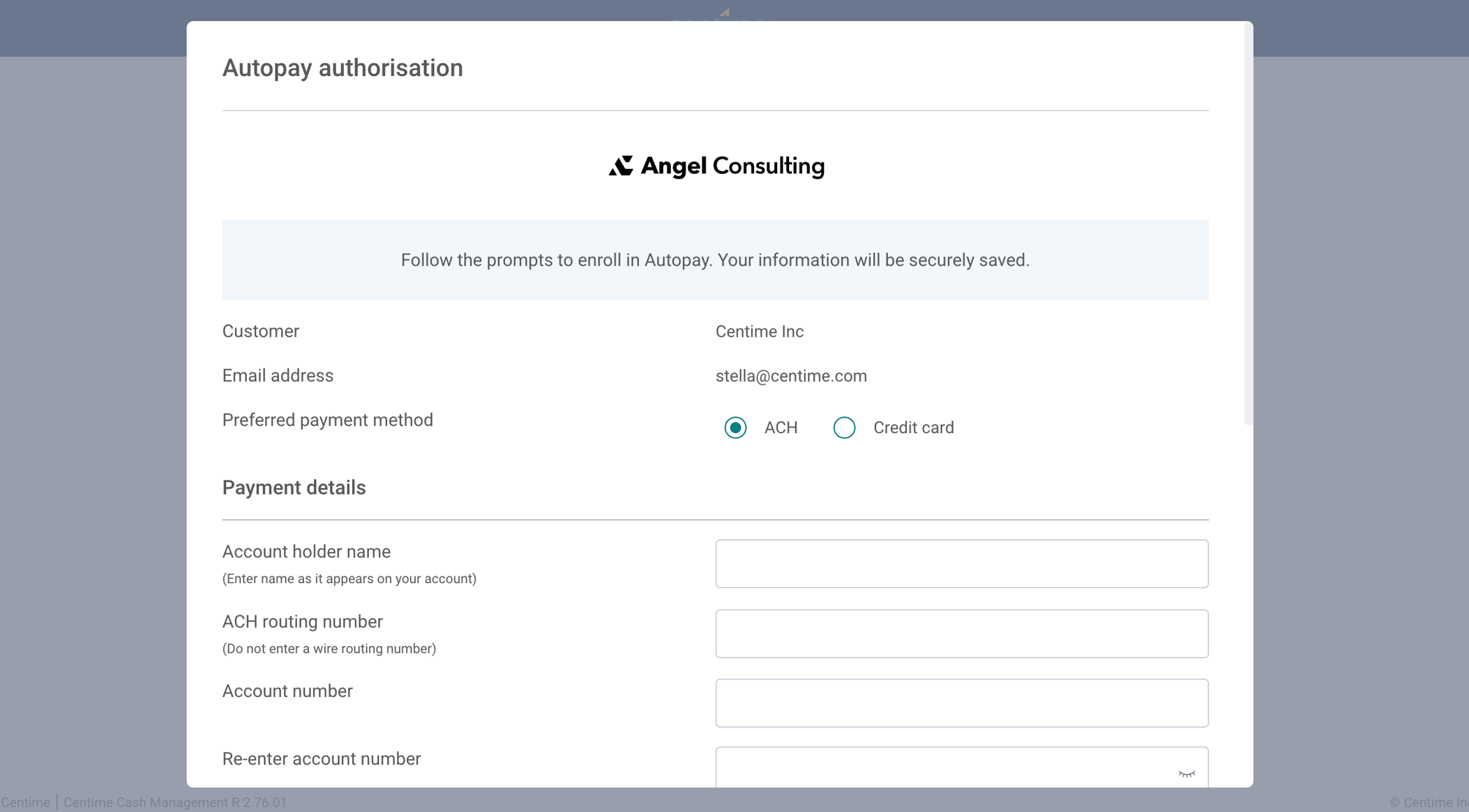
Enrolling in Xfinity Autopay is a streamlined process designed to reduce the administrative burden of manual bill management. As of 2026, the primary method for enrollment is through the Xfinity portal or the official mobile application. When you activate Autopay, you essentially provide authorization for Xfinity to initiate an Automated Clearing House (ACH) transaction or a card charge on or shortly before your monthly due date.
To successfully enroll, you must have an active Xfinity account with a primary username and password. The system requires a valid payment source that is not currently expired. It is critical to note that changes made to your payment method take effect in the billing cycle following the update; therefore, manual payment may still be required if your next bill is generated within 48 to 72 hours of your enrollment.
Maximizing Benefits and Avoiding Common Pitfalls
The primary incentive for utilizing Autopay is the recurring monthly discount. While the specific dollar amount can vary based on your service tier, regional pricing, and current promotional bundling, the discount is typically applied only if the payment is successfully processed via an eligible method.
Operational Requirements for Discount Eligibility
Eligible Payment Methods: Xfinity currently mandates that to receive the full Autopay discount, customers must use a stored bank account (via ACH/Checking) or a debit card in many service areas.
Impact of Credit Cards: In certain regions and promotional structures throughout 2026, using a credit card for Autopay may disqualify the account from the specific "Auto Pay and Paperless Billing" discount. Always verify your current billing statement to confirm if your selected payment method qualifies for the discount.
Comparison of Payment Methods for Xfinity Accounts
| Payment Method | Typical Discount Eligibility | Processing Time | Security Risk Level |
|---|---|---|---|
| Bank Account (ACH) | Eligible | 1-3 Business Days | Low |
| Debit Card | Eligible (Most Regions) | Instant | Moderate |
| Credit Card | Frequently Ineligible | Instant | High (Convenience) |
| Digital Wallet | Varies by Region | Instant | Very Low |
Managing Your Payment Preferences via the Xfinity App
The Xfinity app remains the most efficient tool for managing your financial relationship with the provider in 2026. Beyond simply turning Autopay on or off, you can use the interface to perform several critical maintenance tasks that protect your account standing.
- Payment Method Rotation: If your card expires, you can update the details without disabling Autopay. Navigate to the "Billing" tab, select "Payment Methods," and ensure the new details are saved as the "Primary" source.
- Reviewing Scheduled Payments: The app provides a clear view of your next scheduled withdrawal date. If you suspect an error in your bill, you have up to 48 hours before the scheduled date to pause the transaction.
- Paperless Billing Integration: In most service plans, the Autopay discount is linked to enrollment in Paperless Billing. Ensure both toggles are active in your account settings to guarantee the credit remains on your invoice.
Troubleshooting Common Autopay Issues
Even with an automated system, occasional errors can occur. If your Autopay fails, Xfinity will typically send a notification via email or SMS. It is vital to address these alerts immediately to prevent service interruption or the assessment of late fees.
- Insufficient Funds: If a bank draft fails due to a low balance, the bank may charge an overdraft fee, and Xfinity may temporarily revoke your Autopay status. Ensure your account is funded at least 24 hours prior to the due date.
- Expired Credentials: Banking institutions frequently issue new cards with updated expiration dates. If your card has been replaced, the Autopay system will fail to process. Always update these details immediately upon receiving a new card.
- Network Latency: During high-traffic periods, the Xfinity billing dashboard may reflect outdated information. If you have recently updated your payment method, wait 24 hours before assuming the system has not recognized the change.
Frequently Asked Questions
Will my Autopay discount be applied immediately?
The discount typically applies starting with the billing cycle following the one in which you enabled Autopay and Paperless Billing. Please check your next statement to verify the credit has been applied to your account balance.
Can I use a credit card for Autopay and still get the discount?
Eligibility depends on your specific service agreement and region in 2026. While some legacy plans allowed credit cards, current requirements often favor ACH bank transfers or debit cards for the maximum discount; check your specific "Plan Details" in the Xfinity account center.
Is it possible to pause Autopay for one month?
Yes, you can turn off Autopay through the Xfinity account portal or app. Ensure you perform this action well in advance of your payment date, and remember to re-enable it afterward to maintain your discount eligibility.
What happens if my payment method is declined?
If a payment is declined, Xfinity will notify you. You will need to manually pay the balance via the app or website to avoid a lapse in service, and you may need to re-verify your payment information to resume automatic billing.
Can I change my Autopay date?
Xfinity billing cycles are generally fixed based on the date your account was established. Autopay will trigger automatically on your due date, which cannot be modified; however, you can always make a manual payment early if you prefer to settle your balance before the automated draft.
Strengthening Your Billing Security
Maintaining the security of your financial data is paramount. When managing Autopay, ensure that you are only using the official Xfinity website or the verified Xfinity app downloaded from the Apple App Store or Google Play Store. Avoid accessing your billing portal through public Wi-Fi networks without a secure Virtual Private Network (VPN), as your account contains sensitive personal and financial identifiers. Regularly reviewing your monthly statement for discrepancies ensures that you are only paying for the services you authorized and that your discounts are consistently applied.
For further assistance or to resolve complex billing discrepancies, log in to your account at the official Xfinity support portal and use the "Chat" feature to connect with a verified representative.
Image Gallery