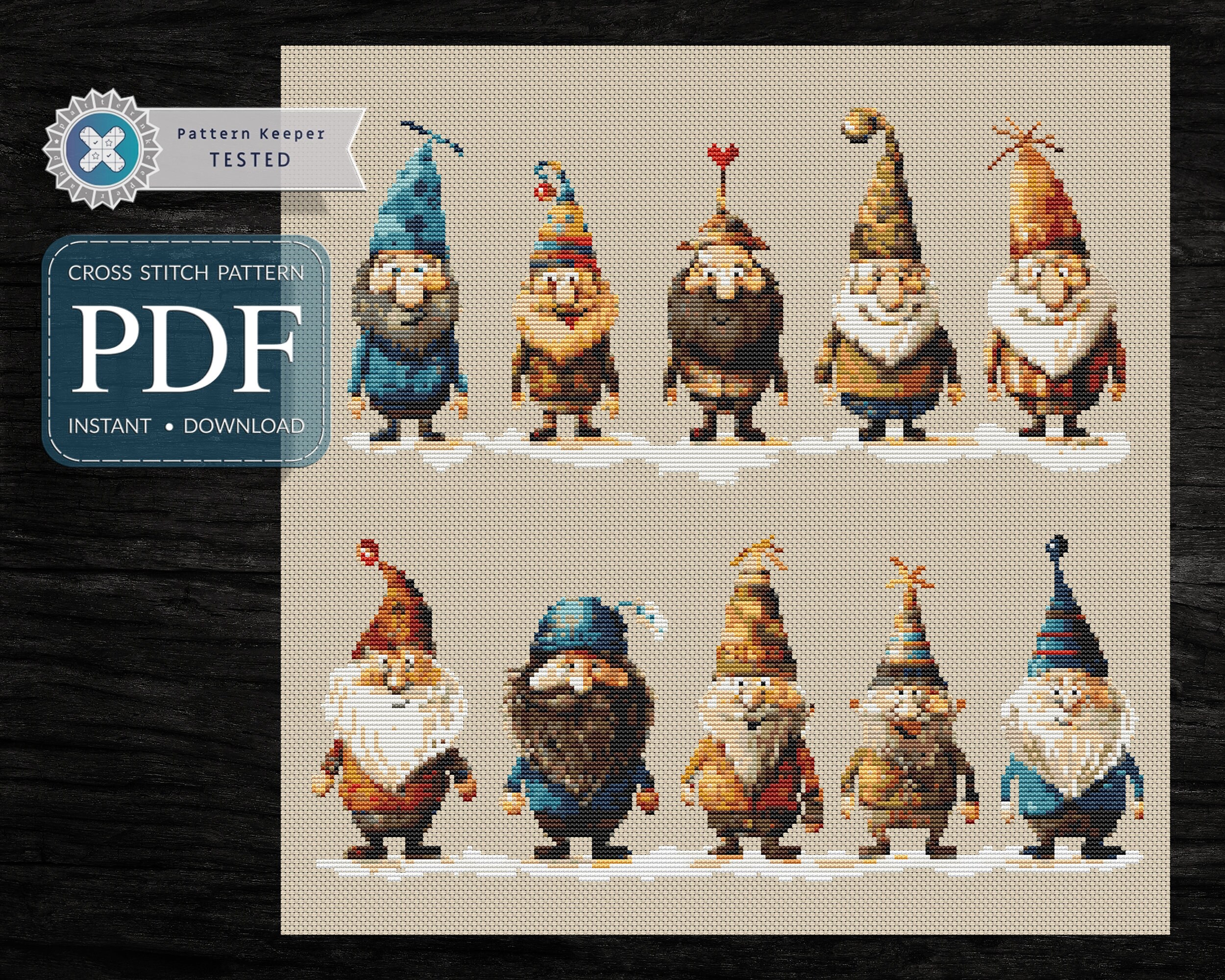
Why Free PDF Cross Stitch Patterns Are Worth a Look: A Crafter's Guide to Quality Digital Charts
Free PDF cross stitch patterns offer instant access to diverse designs, scalable vector grids, and seamless compatibility with digital markup apps without any upfront cost. They allow beginners to build stitching skills risk-free and e...
Free PDF cross stitch patterns offer instant access to diverse designs, scalable vector grids, and seamless compatibility with digital markup apps without any upfront cost. They allow beginners to build stitching skills risk-free and enable experienced crafters to test complex techniques using high-resolution, zoomable charts with standardized floss keys.
Contents
The Evolution of Digital Cross Stitching: Why PDF Charts Stand Out
Cross stitch charting has shifted from printed paper booklets and physical leaflets to high-definition digital documents. The Portable Document Format (PDF) has become the industry standard for distributing embroidery designs online. Unlike physical pattern books that require store visits or physical shipping, a PDF chart delivers vector graphics, floss keys, and assembly instructions directly to a user's device within seconds.
The primary advantage of a digital PDF pattern lies in its graphic rendering capability. Professional cross stitch design software exports patterns as vector graphics rather than low-resolution bitmap files. This means that whether a stitcher views the chart on an 11-inch tablet or prints a single page onto an A4 paper sheet, the grid lines, stitch symbols, and backstitch paths remain crisp and legible.
Digital charts also solve space and storage issues. Crafters no longer need physical binders, plastic sleeves, or filing cabinets to manage hundreds of patterns. A digital library can be indexed by designer, fabric count, theme, or floss color requirements. Furthermore, PDFs integrate directly with mobile markup applications, transforming static images into interactive needlework assistants that track progress and floss usage in real time.
Practical Benefits of Free PDF Cross Stitch Patterns
Exploring free digital charts provides several functional advantages for both novice and master stitchers. While paid patterns remain vital for supporting independent designers, well-crafted free PDFs serve unique roles in a stitcher's creative ecosystem.
Benefits of Free PDF Patterns:
- Zero Financial Risk for Skill-Building
- Scalable Zoom for Low-Vision Accessibility
- Seamless Integration with Progress-Tracking Apps
- Eco-Friendly Paperless Stitching Workflow
1. Risk-Free Skill Building and Technique Testing
Needlework techniques such as fractional stitches (quarter and three-quarter stitches), French knots, couching, and intricate backstitching require practice. Free PDF patterns allow crafters to experiment with unfamiliar styles—such as Blackwork, Assisi embroidery, or specialty thread blending—without committing financial resources to a chart they might find too difficult or tedious to finish.
2. Enhanced Visual Accessibility
Traditional paper charts often force detailed designs into small physical spaces, resulting in tiny, eye-straining grid symbols. PDF charts allow users to zoom in up to 500% or more without loss of clarity. Crafters with visual impairments or those working under low lighting can expand a specific 10x10 grid block to fill their entire screen, eliminating optical fatigue.
3. Customizable Printing Options
When paper is preferred, PDF files afford complete printing control. Crafters can print specific sub-pages of large multi-sheet designs, print in high-contrast black-and-white or full color, or adjust page scaling to enlarge dense chart sections.
4. Eco-Conscious Stitching
By keeping patterns in a digital format on an iPad, Android tablet, or desktop screen, crafters significantly cut down on paper consumption, ink cartridge waste, and physical clutter.
How to Evaluate Quality: Hand-Charted vs. Auto-Generated Free PDFs
Not all free PDF patterns deliver a satisfactory stitching experience. The internet contains thousands of free charts created by automated software converters that translate photograph files into stitch grids without human refinement. Understanding how to distinguish a professionally designed chart from a poor auto-generated file saves time, thread, and fabric.
Pattern Evaluation Checklist:
- Clear contrast between adjacent grid symbols
- Logical color palette using standard DMC/Anchor thread keys
- Clean backstitch lines that follow grid intersections
- Complete fabric key with dimensions for multiple counts
- Page overlap indicators on multi-sheet patterns
Auto-Generated "Photo-to-Pattern" Charts
Automated tools scan photos and assign a DMC color code to every pixel. This creates several structural issues:
- Confetti Stitching: Isolated, single stitches of a unique color scattered randomly across the fabric, requiring constant thread stopping and starting.
- Bloated Color Palettes: Using 80 to 100 different floss colors for a simple 5x7-inch image, making thread purchasing unnecessarily expensive.
- Muddy Details: Lack of defined backstitching or manual color blocking, resulting in a blurry finished piece.
Professionally Designed Free Charts
Experienced chart designers create patterns grid-by-grid using software like MacStitch, PCStitch, or WinStitch, followed by manual editing. A high-quality free PDF pattern displays:
- Symbol Contrast: Distinct visual symbols (such as solid squares, hollow circles, arrows, and geometric glyphs) assigned to neighboring colors so they are easy to tell apart.
- Restrained Color Palettes: Thoughtful selection of 10 to 30 harmonious floss shades that render clear shading without unnecessary thread changes.
- Clean Backstitching: Backstitch lines mapped logically along grid intersections rather than cutting randomly across full cross stitches.
Feature Comparison: Professional vs. Auto-Generated Free PDF Patterns
| Feature | Hand-Designed Free PDF | Auto-Generated Free PDF |
|---|---|---|
| Symbol Contrast | High; distinct shapes for adjacent shades | Low; tiny, similar symbols causing visual confusion |
| Floss Palette Efficiency | Optimized (typically 5–35 colors) | Unfiltered (often 60–100+ colors for small areas) |
| Stitch Distribution | Smooth color blocks with minimal confetti | Excessive single-stitch occurrences ("confetti") |
| Backstitch Lines | Cleanly charted over grid intersections | Absent or broken pixelated trails |
| Legend Details | Includes thread codes, skein counts, and dimensions | Basic code list with no fabric count size calculations |
| App Compatibility | Parses easily in Pattern Keeper / Markup R-XP | Often fails grid alignment in tracking apps |
Technical Elements of a Professional PDF Pattern Legend
A well-structured PDF pattern serves as a blueprint. Understanding its technical key ensures accurate thread purchasing and fabric preparation.
Typical PDF Pattern Legend Layout
| Symbol | Strands | Brand | Code | Description | Skein Est. |
|---|---|---|---|---|---|
| # | 2 | DMC | 310 | Black | 1.4 skeins |
| $ | 2 | DMC | 666 | Bright Red | 0.8 skeins |
| / | 1 | DMC | 318 | Light Steel Gray | 0.3 skeins |
1. Thread Manufacturer Identification
Standard charts reference established embroidery floss brands—most commonly DMC Stranded Cotton or Anchor Floss. Professional PDFs state the exact brand and color code number rather than generic names like "dark blue."
2. Strand Count Instructions
Cross stitch floss consists of six separable strands. The legend specifies how many strands to use for different stitch types:
- Full Cross Stitches: Typically 2 strands on 14-count or 16-count Aida fabric.
- Backstitching: Typically 1 strand to produce sharp outlines.
- Half Stitches / Shading: May specify 1 or 3 strands depending on desired coverage and texture.
3. Fabric Gauge and Finished Dimensions
A pattern grid shows stitch dimensions (e.g., $140 \text{ stitches wide} \times 200 \text{ stitches high}$). A quality PDF provides finished physical measurements across standard fabric counts:
- 14-count Aida / 28-count Linen (stitched over two): $140 / 14 = 10 \text{ inches wide}$
- 16-count Aida / 32-count Linen (stitched over two): $140 / 16 = 8.75 \text{ inches wide}$
- 18-count Aida: $140 / 18 = 7.78 \text{ inches wide}$
Professional charts explicitly instruct stitchers to add at least 2 to 3 inches of blank fabric margin on all four sides for framing or mounting.
Digital Viewers and Progress Tracking Applications
One of the strongest arguments for using PDF cross stitch charts is their integration with modern tracking software. Digital needlework viewers eliminate the need to mark physical paper with highlighters.
Digital Workflow Integration:
- PDF Pattern File
- Tablet Viewer / Progress App
- Auto-Highlighting: Highlights active symbol
- Floss Counter: Tracks thread usage
Popular PDF Markup Tools
- Pattern Keeper (Android): Industry-standard application designed specifically for cross stitch PDFs. It parses the document, reads the symbol legend, allows stitchers to search for specific DMC shades, and highlights all matching symbols on the grid.
- Markup R-XP (iOS / Android / Web): Advanced markup software capable of loading both vector PDFs and scanned charts. It includes color-erasing tools, progress statistics, and customizable grid overlays.
- PDF Expert / GoodNotes / Adobe Acrobat: General PDF markup tools that let stitchers use digital highlighter tools on tablets with a stylus.
Workflow Advantages of Digital PDF Marking
- Symbol Searching: Selecting a single color in a digital app highlights every instance across a multi-page chart, preventing missed stitches.
- Progress Metrics: Digital viewers compute real-time completion percentages and estimate remaining stitch counts per color.
- Error Recovery: Mistakes made while marking a digital chart can be erased without damaging paper charts.
Common Pitfalls and Troubleshooting
While free PDF cross stitch patterns are easily accessible, crafters should navigate potential technical and legal issues carefully.
| Issue | Fix |
|---|---|
| Printout distortion / incorrect scale | Set printer scaling to "Actual Size" or "100%" |
| Screen colors do not match floss in person | Rely strictly on numerical DMC codes, not screen hues |
| Downloading pirated or stolen designs | Download only from verified designer sites or manufacturers |
1. Printer Scaling and Grid Distortion
When printing PDF patterns, default print dialog settings often force "Fit to Page" or "Shrink to Printable Area." This scales down the chart grid inconsistently across multiple pages, causing alignment issues when taping multi-sheet patterns together. Always set scaling to "Actual Size" or 100%.
2. On-Screen vs. Physical Thread Colors
Monitors render colors using RGB light, whereas cotton floss uses physical dyes. A shade of light teal on an uncalibrated tablet screen may look noticeably different from the physical DMC skein. Never purchase floss based on screen preview colors; rely exclusively on the numerical color codes provided in the PDF key.
3. Copyright and Source Verification
Not all patterns labeled "free" on third-party file-sharing sites or image boards are legal. Many unverified sites distribute scanned, copyrighted charts from independent designers without permission. Crafters should source free PDFs directly from reputable origins:
- Official Thread Manufacturers: Companies like DMC, Anchor, and Sullivans host extensive libraries of free, professionally designed PDF charts on their official websites.
- Independent Designer Websites: Many designers offer free sampler patterns or monthly promotional PDFs to showcase their work and style.
- Museums and Archives: Institutions like the Victoria and Albert Museum (V&A) provide free public domain historical cross stitch and embroidery charts.
Frequently Asked Questions
Are free PDF cross stitch patterns safe to download?
Yes, provided they are downloaded directly from reputable craft websites, official floss manufacturers, or established independent designers. Avoid executable file formats; authentic patterns are delivered strictly as standard .pdf files.
What software or apps work best for opening cross stitch PDF patterns?
For simple viewing and printing, Adobe Acrobat Reader, Apple Books, or standard web browsers work well. For tracking progress while stitching, specialized apps like Pattern Keeper (Android) and Markup R-XP (iOS/Android) offer advanced features like symbol highlighting and percentage tracking.
How do I calculate fabric size from a PDF cross stitch pattern?
Divide the total stitch count of the width and height by your fabric count (e.g., 14, 16, or 18 stitches per inch). For example, a chart measuring 140 stitches wide on 14-count Aida equals 10 inches wide ($140 / 14 = 10$). Add 4 to 6 inches to both dimensions to allow a 2- to 3-inch margin around the finished border.
Why do some free PDF patterns look blurry when zoomed in?
Blurriness occurs when a pattern was created by scanning a paper printout or saving a raster image (like a JPG) inside a PDF container. High-quality patterns are created with vector graphics software, allowing them to remain sharp at any zoom level.
Can I share free PDF cross stitch patterns with friends?
Sharing guidelines depend on the individual designer's terms of use. Generally, linking directly to the designer's official download page is encouraged. Re-hosting, selling, or distributing the actual PDF file on external forums often violates the designer's distribution license.
Practical Recommendations for Crafters
To get the most out of free PDF cross stitch patterns, follow this structured approach:
- Source from Established Outlets: Begin your search on official manufacturer websites (such as DMC or Anchor) or personal portfolios of recognized needlework designers to guarantee clean, hand-charted designs.
- Inspect the Legend First: Before purchasing floss or cutting fabric, check that the PDF key includes clear DMC/Anchor numbers, strand count rules, and explicit grid dimensions.
- Use a Digital Viewer: Test loading the PDF into a tablet reader or dedicated application like Pattern Keeper to take advantage of interactive symbol highlighting and zooming.
- Verify Printer Settings: If printing paper copies, confirm that your print software is set to 100% / Actual Size so multi-page charts align correctly.
By verifying chart quality and integrating digital tools into your workflow, free PDF cross stitch patterns serve as an accessible, high-value resource for developing skills and creating needlework projects.
Image Gallery