Best Podcast Apps for iOS: A 2026 Comprehensive Selection Guide
Selecting the right podcast app for your iPhone in 2026 depends on how you balance library management, social discovery, and audio fidelity. While Apple Podcasts remains the default choice for its seamless system integration, power use...
Selecting the right podcast app for your iPhone in 2026 depends on how you balance library management, social discovery, and audio fidelity. While Apple Podcasts remains the default choice for its seamless system integration, power users now prioritize apps offering cross-platform synchronization, advanced playback features like AI-driven silence trimming, and granular metadata control for extensive audio libraries.
Contents
Evaluating Podcast Ecosystems on iOS in 2026
The iOS podcast landscape is currently defined by three distinct categories: native first-party integration, cross-platform power users, and niche discovery engines. Understanding these tiers is essential for choosing a client that supports your listening habits without introducing unnecessary friction into your daily routine.
- System Integration (Apple Podcasts): Best for users who prioritize stability, privacy, and zero-setup requirements. It is deeply baked into iOS 19/20 frameworks, ensuring that playback controls remain responsive even during intensive background tasks or while using navigation apps.
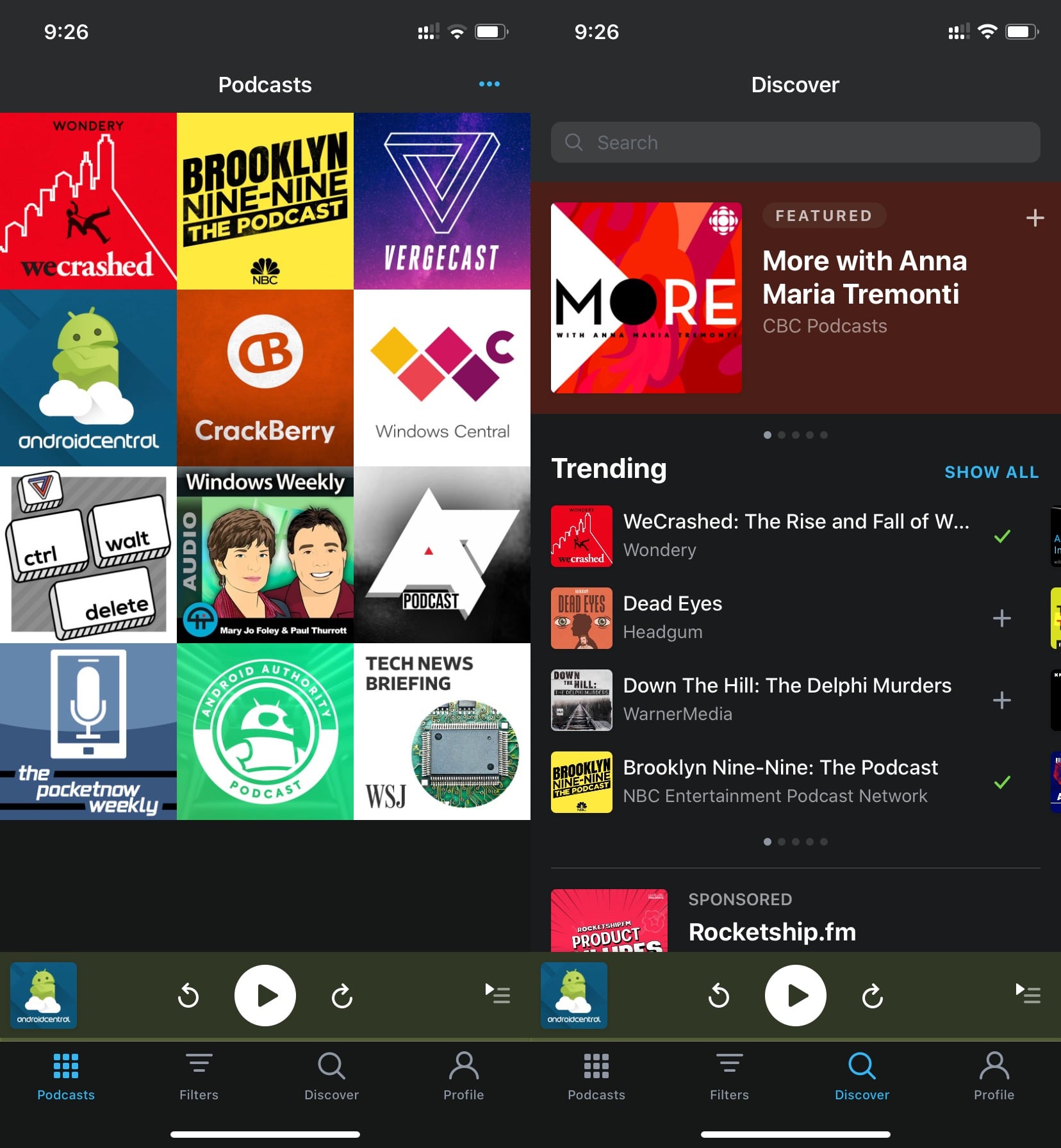
- Advanced Playback (Overcast, Pocket Casts): These apps are designed for the high-volume listener. They utilize custom audio processing engines that adjust playback speed without distorting pitch and offer "Smart Speed" features that dynamically shorten silences—an essential utility for long-form content.
- Discovery-Focused (Spotify, YouTube Music): These platforms leverage proprietary recommendation algorithms to help users find new content based on algorithmic clustering rather than simple RSS feed subscriptions.
Technical Comparison of Top-Rated Podcast Clients
To determine which app suits your workflow, examine the following technical metrics. These represent the standard requirements for a modern iOS podcast experience in 2026.
| App Name | Smart Speed/Silence Trimming | Cloud Sync/Web Player | Offline Cache Management | Primary Target |
|---|---|---|---|---|
| Apple Podcasts | Basic | Yes (CloudKit) | Automated | Casual Listeners |
| Overcast | Advanced | Yes | Manual/Auto | Power Users |
| Pocket Casts | Advanced | Yes | Advanced | Cross-platform |
| Spotify | Basic | Yes | Automated | Music/Podcast Hybrid |
| Castro | Moderate | Limited | Manual | Triage Listeners |
Operational Note for Power Users
Cloud Synchronization Requirements. When relying on cross-platform applications like Pocket Casts or Overcast, ensure you have an active account sign-in. Data synchronization is managed via dedicated servers rather than iCloud. If you work in environments with strict network filtering, these apps require access to specific API endpoints to update your subscription feeds and playback progress across devices.
Feature Analysis: What Matters in 2026
When evaluating these applications, ignore surface-level design and focus on the technical implementation of core features. These three pillars define the quality of the listening experience on iOS.
Dynamic Audio Processing
The best apps in 2026 feature high-fidelity audio engines. Look for "Smart Speed" or "Trim Silence" features. These algorithms analyze the waveform of a podcast, identifying dead air or micro-pauses, and skipping them without compromising the speaker's natural cadence. If you listen to 60-minute episodes, this can save up to 10 minutes of listening time per hour without sacrificing comprehension.
Intelligent Queue Management
A modern podcast client should offer a "triage" system. Features like Castro’s "Queue" allow you to feed incoming episodes into an inbox before deciding whether to move them to your main listening queue. This is vital for users who subscribe to dozens of shows but only have time for a curated selection each week.
Offline Reliability and Storage Control
iOS handles background task management aggressively to preserve battery life. A robust podcast app must be able to schedule downloads during "do not disturb" windows or while connected to Wi-Fi. Check your storage settings frequently; high-bitrate stereo podcasts can consume significant space. Apps that allow you to set "auto-delete after playback" and "storage limits" are essential for maintaining your device's overall performance.
Step-by-Step Guide to Optimizing Your Podcast Workflow
- Audit Your Subscriptions: Every six months, perform a purge. If you haven't listened to a show in 30 days, unsubscribe. This reduces background data usage and simplifies your update queue.
- Configure Auto-Download Settings: Navigate to your app’s settings and restrict downloads to Wi-Fi only. This prevents accidental cellular data spikes and preserves your monthly data cap.
- Establish a Naming Convention: If your app supports custom folders or playlists, group podcasts by category (e.g., Daily News, Long-form Interviews, Narrative Fiction).
- Calibrate Audio Settings: Ensure "Volume Normalization" is enabled if you listen to a variety of independently produced podcasts, as their recording levels often fluctuate wildly.
Frequently Asked Questions
Does Apple Podcasts charge for premium content? Yes, Apple Podcasts supports both free and creator-led subscription models. Some shows offer exclusive episodes or ad-free experiences managed via Apple’s secure in-app purchase system, which integrates directly with your Apple ID.
Can I move my subscription list from Apple Podcasts to a third-party app? Most third-party apps allow you to import an OPML file. You can export your subscriptions from a desktop-based podcast manager or a browser-based tool and import that file directly into settings within apps like Pocket Casts or Overcast to migrate your library instantly.
Is it safe to use third-party apps for podcasts? Yes, reputable podcast apps on the App Store are sandboxed within iOS. They do not have access to your sensitive personal data outside of what is necessary for playback, such as your network status and local storage permissions. Always verify developer history before granting access to sensitive data.
Do these apps require a constant internet connection? No, all major iOS podcast apps are designed for offline consumption. You should download episodes while on Wi-Fi to ensure your listening remains uninterrupted during travel or periods with poor cellular coverage.
How do I minimize battery drain while listening? Podcast apps are generally power-efficient, but streaming large files over 5G is taxing. Downloading episodes locally instead of streaming them is the single most effective way to reduce battery consumption while listening.
Final Recommendation for 2026
For the vast majority of iPhone users, Overcast remains the gold standard for its balance of audio quality, reliable syncing, and intelligent playback features. It is updated frequently to align with the latest iOS APIs, ensuring optimal performance on the latest hardware. If you are a heavy user who switches between an iPhone and a Windows PC or Android tablet, Pocket Casts is the superior choice due to its truly platform-agnostic web and desktop clients.
Image Gallery