CenterPoint Energy Bill Pay Online: Complete 2026 Management Guide
Managing your utility expenses efficiently requires a secure, reliable portal, and utilizing the CenterPoint Energy bill pay online platform allows customers in Texas and parts of the Midwest to handle their accounts with complete cont...
Managing your utility expenses efficiently requires a secure, reliable portal, and utilizing the CenterPoint Energy bill pay online platform allows customers in Texas and parts of the Midwest to handle their accounts with complete control. Whether you want to set up automatic withdrawals, execute a quick guest payment, or analyze your monthly electricity and natural gas consumption trends, navigating the official digital ecosystem ensures your payments process securely and post correctly to your ledger without incurring late fees or processing delays.
Contents
Understanding Your CenterPoint Energy Account Dashboard
Navigating the online billing infrastructure begins with understanding how the portal interfaces with your service address and utility provider status. CenterPoint Energy operates primarily as a regulated delivery utility for natural gas in several states, including Texas, Mississippi, Indiana, Ohio, Louisiana, and Minnesota, while also functioning as an electric transmission and distribution utility in the greater Houston area.
When you log into your digital account profile, you are interacting with a secure customer management system designed to display real-time metering data, historical billing statements, and customized payment solutions. Establishing this digital profile eliminates the friction of paper billing, protects sensitive banking details through advanced encryption protocols, and provides a centralized audit trail for all transactional history throughout 2026.
Core Features Accessible via the Online Portal
- Real-Time Balance Tracking: View current charges, due dates, and pending adjustments instantly upon logging in.
- Historical Consumption Analysis: Compare current therm or kilowatt-hour usage against prior billing cycles to optimize energy efficiency.
- Paperless Billing Enrollment: Reduce household clutter and secure an immediate record of monthly invoices via email notifications.
- Multiple Account Management: Link and manage multiple residential or commercial utility meters under a single master login credential.
Prerequisites and Registration Requirements for Online Access
Before executing financial transactions through the portal, new users must complete a straightforward verification process to link their physical utility meter to a digital login. Attempting to pay online without proper account verification can lead to misapplied payments or delayed posting times.
To successfully register your profile on the official CenterPoint Energy portal, ensure you have the following pieces of information readily available from a recent paper statement:
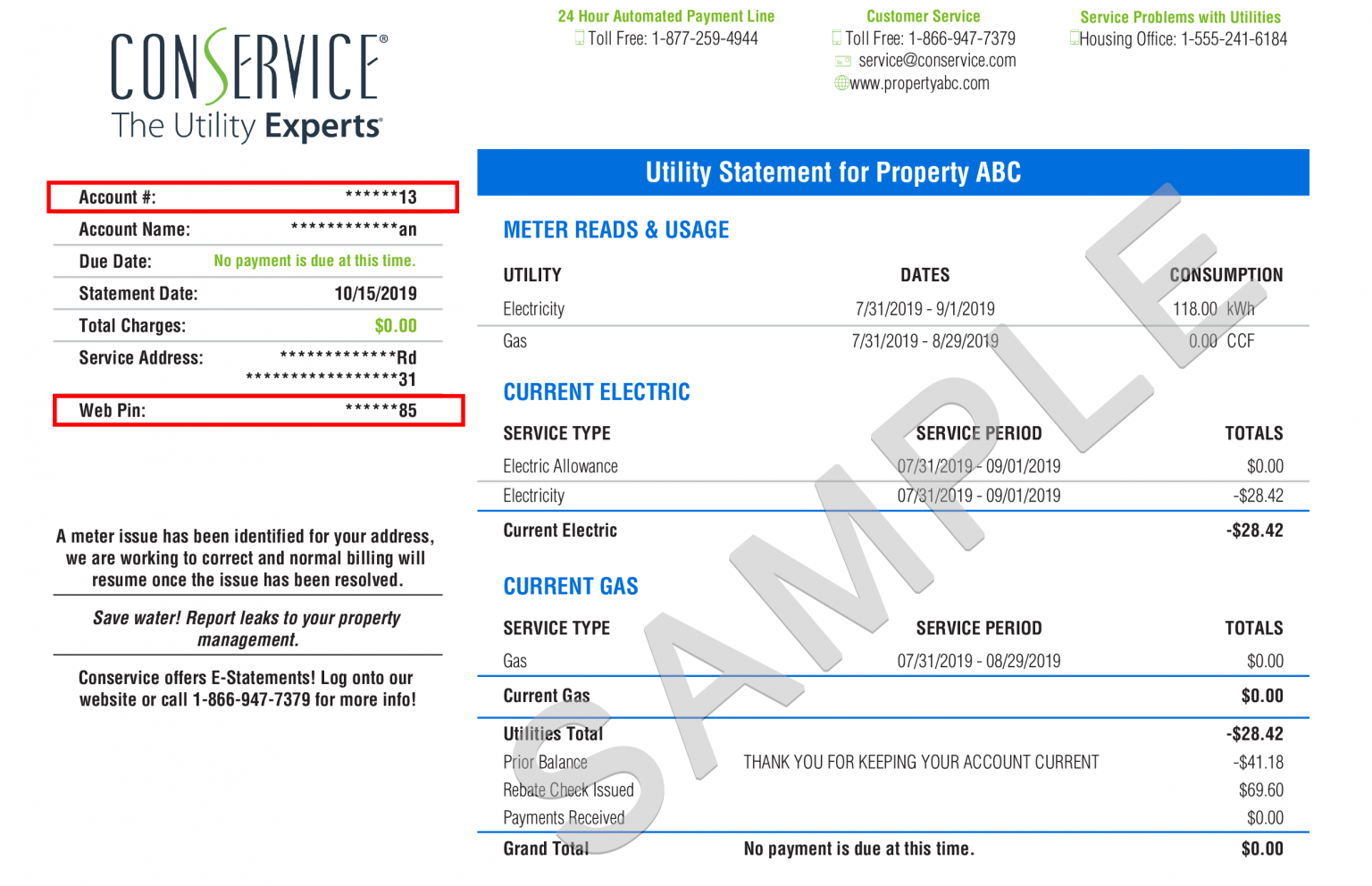
- Account Number: The primary numerical identifier located at the top right of your monthly billing statement.
- Meter Number or Premise Identifier: A specific sequence associated with the physical hardware measuring your utility consumption.
- Primary Phone Number or Email: Contact data currently on file with the utility provider for two-factor authentication and security alerts.
- Valid Payment Method: A checking or savings account routing number, or a major credit/debit card (Visa, Mastercard, Discover, American Express).
Security Advisory: Always verify that your browser displays the official domain name for CenterPoint Energy before entering sensitive financial information. Authorized portals utilize robust SSL/TLS encryption certificates to safeguard your banking credentials against interception or unauthorized access.
Step-by-Step Guide to Executing a Bill Payment Online
Executing a payment through the secure portal involves a streamlined sequence designed to minimize user error and confirm transaction completion immediately. Follow these exact steps to pay your balance safely:
- Step 1: Access the Official Portal: Navigate to the official CenterPoint Energy website via a secure browser connection and click on the "Sign In" or "Pay Bill" option.
- Step 2: Authenticate Your Identity: Enter your registered username and password. If you are using the platform for the first time, select the registration link and enter your account number and billing zip code.
- Step 3: Review Current Billing Details: Once inside the dashboard, review your current statement balance, minimum amount due, and the exact calendar date of the payment deadline.
- Step 4: Select Your Payment Method: Choose from a previously saved bank account or credit card, or input a new financial instrument. Note that third-party credit card processors may apply a nominal convenience fee, whereas electronic funds transfers (ACH) from a checking account are typically free of processing fees.
- Step 5: Authorize the Transaction: Verify the payment amount and destination account details. Click submit to process the transaction.
- Step 6: Save Your Confirmation Number: Record the system-generated confirmation code or download the digital receipt for your personal financial records.
Comparison of Available Payment Methods for CenterPoint Energy Customers
Selecting the optimal payment channel depends on your preference for automation, processing speed, and convenience fees. The following comparison matrix outlines the primary methods available to account holders in 2026.
| Payment Method | Processing Time | Convenience Fee | Best Suited For |
|---|---|---|---|
| Online Portal (ACH/Checking) | Same Day to 1 Business Day | $0.00 | Routine monthly budgeting and direct bank transfers. |
| Online Portal (Credit/Debit) | Instant to 1 Business Day | Variable Third-Party Fee | Customers earning rewards points who prefer card transactions. |
| Auto-Pay (Scheduled ACH) | Automatic on Due Date | $0.00 | Hands-off management and avoiding accidental late fees. |
| Guest Pay (No Login Required) | 1 to 2 Business Days | Dependent on Channel | Quick payments when away from your primary login credentials. |
| Phone Payment System | Instant to 1 Business Day | May Apply | Automated touch-tone payments via secure IVR lines. |
| Authorized Walk-In Agents | 2 to 3 Business Days | Varies by Retailer | Cash-paying customers utilizing local partner storefronts. |
Setting Up Automatic Payments (Auto-Pay) and Budget Billing
For customers seeking complete operational consistency, configuring recurring payment structures prevents service interruptions caused by oversight or forgotten due dates.
Auto-Pay Enrollment Mechanics
By linking a checking account or preferred credit card to the Auto-Pay utility feature, your total balance due is automatically debited on the scheduled statement due date. You receive an electronic notification several days prior to the withdrawal, indicating the precise amount that will be processed. This guarantees that your payment is never late, protecting your credit standing and maintaining uninterrupted utility service.
Stabilizing Expenses with Budget Billing
Utility consumption fluctuates dramatically between winter heating peaks and summer cooling demands. To smooth out these financial spikes, eligible residential customers can enroll in the Budget Billing program. This service calculates an rolling average of your past 12 months of energy consumption, establishing a predictable, fixed monthly payment amount. True-up adjustments occur periodically to account for wholesale energy cost fluctuations, ensuring your household budget remains balanced throughout the calendar year.
Troubleshooting Common Online Payment Errors and Resolution Strategies
Even robust digital infrastructures can occasionally present technical hurdles. Knowing how to diagnose and resolve payment errors prevents panic and ensures your account remains in good standing.
- Payment Rejected by Financial Institution: Verify that your checking account routing number or credit card expiration date was entered correctly. Ensure sufficient funds are available to prevent an NSF (Non-Sufficient Funds) charge from both your bank and the utility provider.
- Portal Login Failures: If your password is unrecognized, use the automated password recovery tool linked to your verified email address. Avoid multiple failed login attempts, which can temporarily lock your account for security protection.
- Payment Not Reflecting on Ledger: Electronic funds transfers (ACH) typically require 24 to 48 hours to clear banking clearinghouses and post to your utility ledger. If a payment does not show as posted after two business days, contact customer support with your confirmation number.
- Browser Compatibility Issues: Clear your browser cache and cookies, or switch to an updated, standards-compliant web browser if the payment portal interface fails to load buttons or input fields correctly.
Frequently Asked Questions
How can I pay my CenterPoint Energy bill online securely?
You can pay your bill securely by logging into the official CenterPoint Energy customer portal using a verified username and password, selecting your preferred checking account or credit card, and authorizing the transaction. This guarantees end-to-end encryption for your sensitive financial data.
Are there any convenience fees for paying online with a credit card?
While electronic check (ACH) transactions from a checking or savings account are generally processed without additional fees, payments made using credit or debit cards may be subject to a nominal third-party processing fee disclosed prior to final submission.
What should I do if my online payment is pending?
Payments initiated over weekends or holidays often remain in a pending status until the next business banking day. As long as you received a valid confirmation number upon submission, your payment is registered and will post according to standard bank clearance timelines.
Can I make a payment without logging into an account?
Yes, CenterPoint Energy provides a guest payment feature on their official website that allows you to execute a single transaction using your account number and billing zip code without maintaining a permanent online profile dashboard.
How do I enroll in paperless billing to stop receiving mail statements?
Log into your online account dashboard, navigate to the billing and profile preferences section, and toggle the paperless billing option to active. You will subsequently receive a digital notification whenever a new statement is ready for review.
What steps should I take if my utility service has received a disconnection notice?
If your service faces imminent disconnection, you must pay the past-due balance immediately via the online portal using an expedited payment method, and then contact customer service directly with your confirmation number to verify service restoration protocols.
Practical Recommendations for Managing Your Energy Account
Maintaining absolute control over your utility expenses involves more than just executing timely payments. Routinely audit your online profile preferences to keep contact telephone numbers and email addresses current, ensuring you never miss important grid alerts, severe weather warnings, or billing notices. Consider pairing online bill pay with the utility's mobile-friendly alerts to receive push notifications the exact moment your statement generates. By leveraging these digital tools proactively throughout 2026, you ensure absolute financial predictability, eliminate unnecessary administrative friction, and maintain seamless utility service for your household or business facility.
Image Gallery