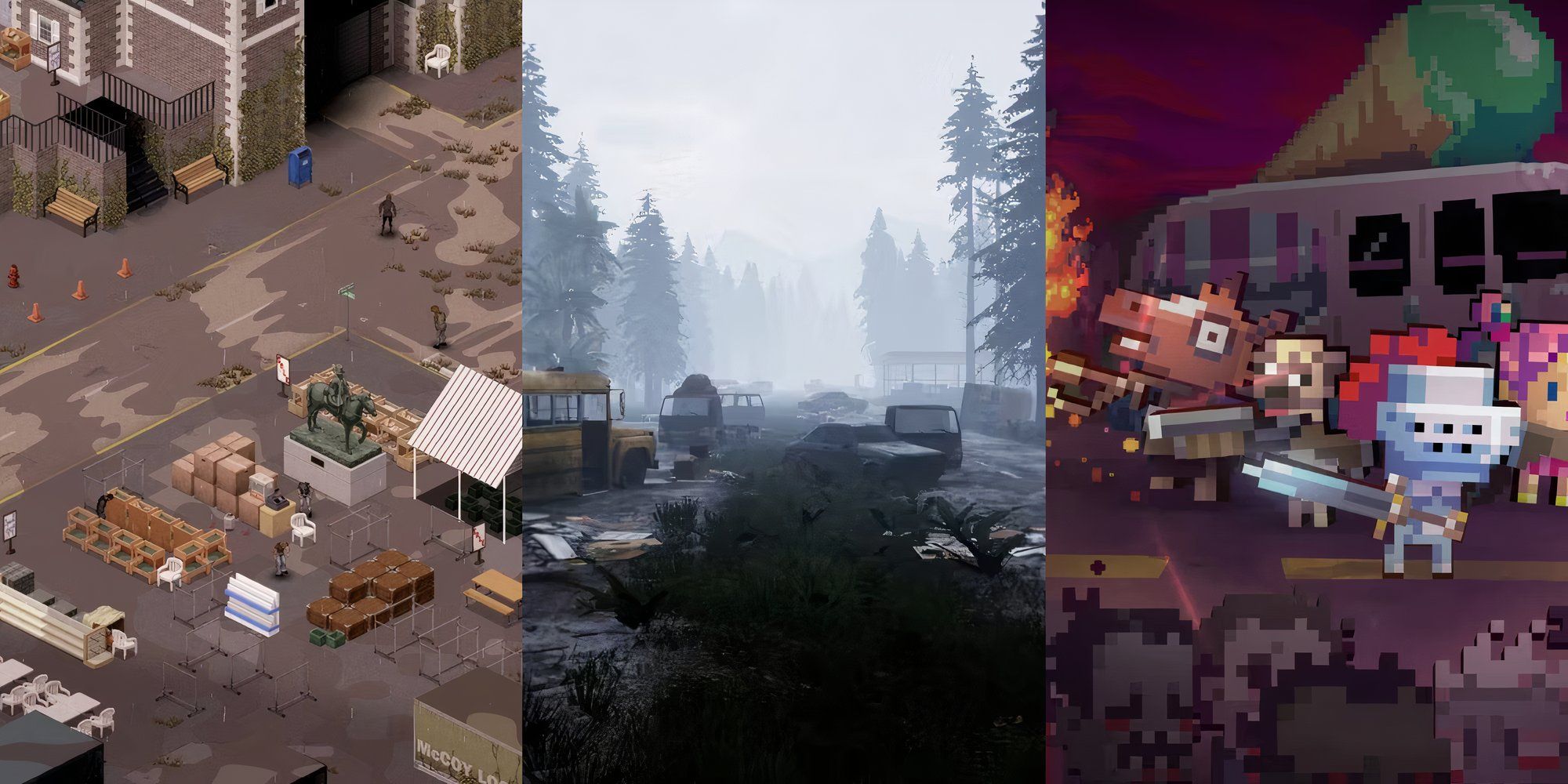
Top-Rated Zombie Games for iPhone in 2026: Performance and Gameplay Analysis
The best zombie games for iPhone in 2026 combine immersive graphical fidelity with optimized touch-screen controls, offering experiences ranging from intense first-person shooters to strategic base-building simulations. Players seeking...
The best zombie games for iPhone in 2026 combine immersive graphical fidelity with optimized touch-screen controls, offering experiences ranging from intense first-person shooters to strategic base-building simulations. Players seeking the highest quality should prioritize titles that utilize the latest Metal API optimizations for Apple silicon, ensuring fluid frame rates and reduced thermal throttling during extended sessions.
Contents
Technical Requirements for Modern iOS Zombie Gaming
To achieve the best performance in 2026, understanding your device's hardware limitations is essential. Most high-fidelity titles now target the A17 Pro or A18 Pro chipsets to handle real-time physics, dynamic lighting, and complex zombie AI patterns.
Hardware Compatibility and Optimization
For titles such as state-of-the-art survival games, having a minimum of 6GB of RAM is recommended to prevent application crashes during high-density zombie hordes. Users on older hardware may notice reduced textures or lower particle effects to maintain a stable 60 FPS.
- Device Thermal Management: Using a phone case with heat-dissipation properties or playing in a well-ventilated area prevents CPU down-clocking during intense combat sequences.
- Battery Consumption: High-refresh-rate gaming significantly drains battery life; adjusting the game’s internal settings to "Balanced" or "Battery Saver" mode can extend play sessions by up to 30%.
- Storage Allocation: Modern mobile titles frequently exceed 5GB in size. Ensure at least 10GB of free space to accommodate seasonal updates and cache files without triggering OS-level performance degradation.
Genre Taxonomy of Zombie Games on iOS
Zombie games on the App Store are typically categorized by their core gameplay loop. Selecting the right game depends on whether you prefer twitch-reflex action or long-term resource management.
First-Person Shooters and Action RPGs
These games prioritize visceral combat and narrative-driven progression. Players often manage a limited arsenal of firearms and melee weapons, requiring precise aim and quick reaction times.
Base-Building and Strategy Simulations
These titles focus on long-term survival, requiring players to scavenge for resources, fortify a safe house, and manage a team of survivors. These games are better suited for shorter, more frequent check-ins rather than long, high-intensity sessions.
Comparison of Popular Zombie Game Archetypes
| Game Type | Primary Mechanic | Ideal Playtime | Technical Intensity |
|---|---|---|---|
| Action FPS | Real-time combat | 15–30 minutes | High (High GPU load) |
| Strategy/Survival | Resource management | 5–10 minutes | Moderate (CPU intensive) |
| Tower Defense | Strategic positioning | 10–20 minutes | Low/Moderate |
| Narrative Adventure | Choice-based outcomes | 30+ minutes | Low (Focus on UI) |
Best Practices for Survival in Mobile Zombie Games
Survival hinges on effective resource allocation and understanding the specific mechanics of the game engine. Whether you are playing an open-world survival game or a linear shooter, these strategies apply.
Resource Management Efficiency Focus on scavenging prioritized tiers of equipment. Avoid unnecessary combat to preserve weapon durability and ammunition. In strategy-based titles, prioritize upgrading storage capacity and base defenses early to avoid being overrun during scripted horde events.
Combat Mechanics and Aim Assistance
Modern iPhone games include sophisticated touch-control customization. Use the settings menu to adjust sensitivity and aim-assist levels. For competitive modes, consider using an MFi-certified controller, which provides a significantly higher degree of precision compared to touch-screen inputs.
Networking and Connectivity Requirements
For games featuring multiplayer elements, maintain a stable 5G or Wi-Fi 6 connection. Packet loss is the primary cause of "desync," where a zombie appears to be in a different position than its actual server-side coordinate, leading to unfair player deaths.
Troubleshooting Common Issues
Even with high-end devices, users may encounter performance bottlenecks or stability issues.
- Frame Rate Drops: Clear your background apps to free up system memory (RAM).
- App Crashes: Check the App Store for version updates. Developers often release hotfixes for specific iOS build versions.
- High Latency in Multiplayer: Ensure your device is not currently downloading background OS updates or syncing high-resolution media to iCloud, which consumes significant bandwidth.
- Device Overheating: Reduce the "Graphics Quality" setting from "Ultra" to "High" or "Medium" to lower the demand on the GPU.
Frequently Asked Questions
Which zombie games are free-to-play but still high quality? Many top-tier zombie games utilize a free-to-play model supported by optional microtransactions. These games offer high-quality experiences, but players should be aware that progress may be gated behind timers or in-game currency requirements.
Do I need a paid subscription to play online zombie games? Most zombie games on the App Store do not require a subscription, although some may utilize the Apple Arcade service for ad-free and microtransaction-free experiences. Always verify the individual game page for "In-App Purchases" labels before downloading.
Can I use a game controller with my iPhone for these games? Yes, iOS supports most Bluetooth-connected game controllers. Using a controller is highly recommended for FPS games to achieve better movement and aiming accuracy.
How do I transfer my save data to a new iPhone? Most games use iCloud for automatic save data synchronization. Ensure that "iCloud Drive" is enabled in your settings and that the game has permission to access your iCloud storage.
Are these games suitable for younger players? Most zombie games carry an age rating of 17+ due to realistic violence and horror themes. Always check the App Store rating before installation.
Final Recommendations for Enthusiasts
When selecting a zombie game for your iPhone in 2026, prioritize titles that offer regular content updates and active community support. The landscape is dominated by developers who prioritize player feedback to balance combat mechanics and expand narrative arcs. Before committing to a game, check the release date of the latest update in the App Store; developers who update their games at least once every quarter are the most likely to provide a stable, long-term experience. If you enjoy competitive elements, lean toward games that offer seasonal leaderboards and ranked play, as these foster the most robust social environments for competitive survival.
Image Gallery