Comprehensive Guide to iOS Mobile App Development in 2026: Strategy, Tools, and Best Practices
Developing mobile applications for iOS in 2026 requires a strategic focus on Swift-native architecture, SwiftUI-driven interfaces, and deep integration with Apple’s evolving spatial computing and AI ecosystems. Success involves navigat...
Developing mobile applications for iOS in 2026 requires a strategic focus on Swift-native architecture, SwiftUI-driven interfaces, and deep integration with Apple’s evolving spatial computing and AI ecosystems. Success involves navigating the strict App Store Review Guidelines while leveraging powerful hardware like the latest Apple Silicon to deliver high-performance, privacy-centric user experiences.
Contents
The State of the iOS Ecosystem in 2026
The iOS landscape has shifted toward a unified experience where applications are no longer isolated to a single device. With the maturation of Apple Silicon, the boundary between iOS, iPadOS, and visionOS has blurred, demanding a "multi-platform by default" approach. Developers today must prioritize high-concurrency safety provided by Swift 6 and beyond, ensuring that apps remain responsive under heavy computational loads from local machine learning models.
Privacy remains the cornerstone of the platform. The 2026 development environment demands strict adherence to Privacy Manifests and limited API access, where every data point collected must be explicitly justified within the app’s code signature. Furthermore, the integration of Apple’s Generative AI framework through Core ML has transformed user expectations, moving from static interfaces to proactive, intent-based interactions.
Core Technology Stack for Modern iOS Development
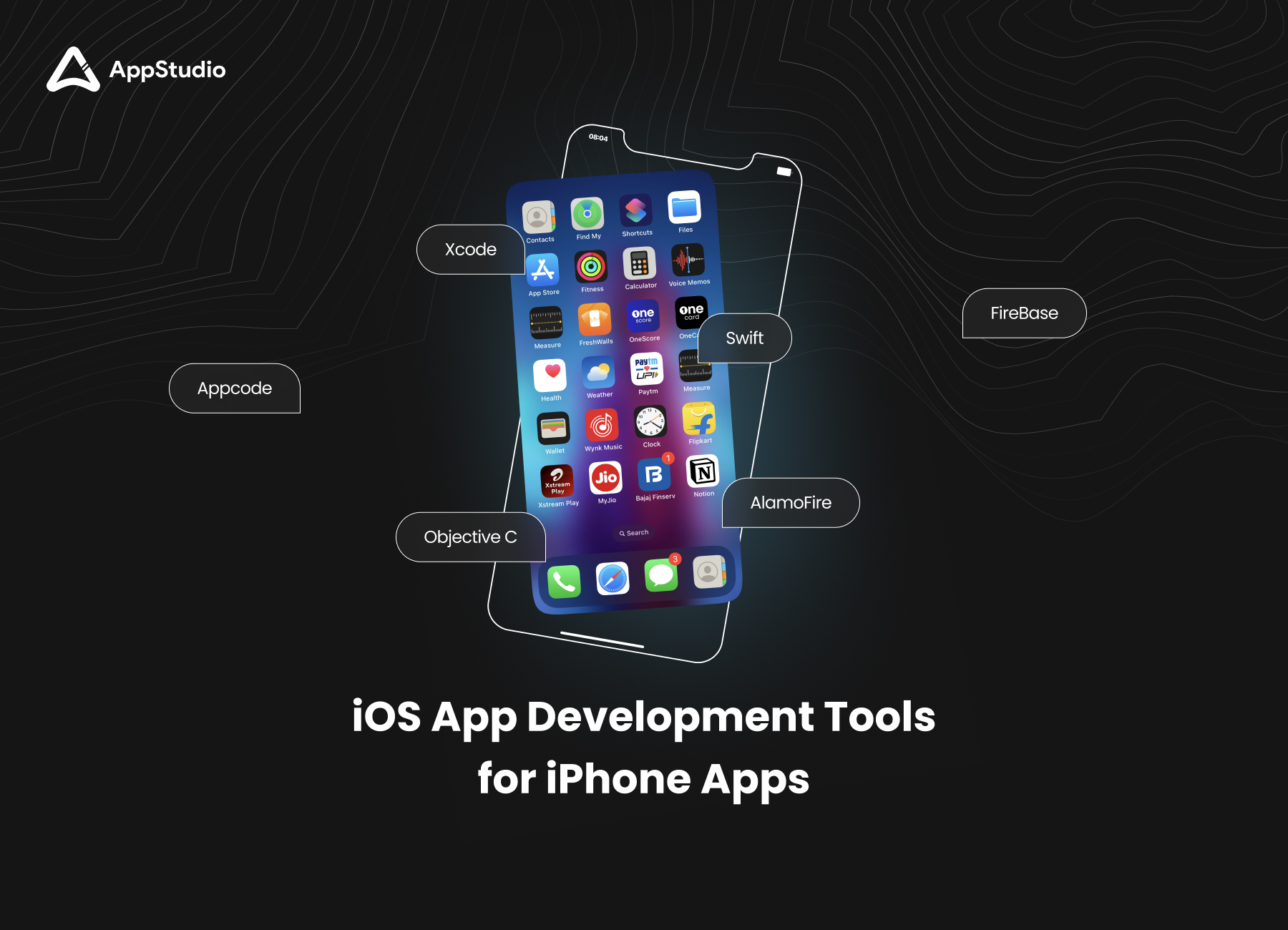
Choosing the right tools is the first step in ensuring long-term maintainability and performance. In 2026, the industry has standardized on a specific set of frameworks that maximize the efficiency of the hardware.
Swift and SwiftUI: The Gold Standard
Swift has evolved into a language focused on "Concurrency by Default," making it nearly impossible to write code that causes data races or UI freezes. SwiftUI is now the primary framework for building interfaces, having surpassed UIKit in both flexibility and adoption. Its declarative nature allows developers to describe the UI state, and the framework handles the rendering across different screen sizes, including the Dynamic Island and ProMotion displays.
Xcode and Development Environment
Xcode 17 and 18 have introduced advanced AI-assisted coding features that predict boilerplate requirements and suggest optimizations based on real-time performance telemetry. Developers must be proficient in using Instruments for memory management and Xcode Cloud for continuous integration and automated testing across a myriad of device configurations.
Persistence and Data Modeling
While Core Data remains a legacy powerhouse, SwiftData is the preferred choice for new projects in 2026. It leverages Swift’s macro system to provide a seamless, type-safe way to manage persistent storage, syncing effortlessly with iCloud through CloudKit.
Architectural Patterns and Best Practices
To build a scalable iOS application, developers must move beyond basic MVC (Model-View-Controller) patterns. The industry has converged on architectures that support the reactive nature of SwiftUI.
| Feature | Native iOS (Swift/SwiftUI) | Cross-Platform (Flutter/React Native) |
|---|---|---|
| Performance | Maximum; direct access to Metal and Neural Engine. | High; but may lag in complex animations or AR. |
| UI Consistency | Perfect; uses native HIG components. | Simulated; requires custom styling to mimic iOS. |
| Development Cost | Higher; requires specialized engineers. | Lower; single codebase for iOS and Android. |
| Ecosystem Access | Full; immediate access to latest iOS features. | Delayed; requires bridge/plugin updates. |
| System Security | Highest; leverages App Sandbox and Swift safety. | Variable; depends on third-party framework security. |
MVVM and Clean Architecture
The Model-View-ViewModel (MVVM) pattern is the standard for SwiftUI projects. By separating the business logic into ViewModels, developers can test code independently of the UI. For larger enterprise applications, "Clean Architecture" principles are applied to decouple the domain layer from data sources, ensuring that a change in the backend API doesn't break the entire application.
Modular Development with Swift Packages In 2026, monolithic projects are a thing of the past. Developers now use Swift Package Manager (SPM) to break apps into small, testable modules. This reduces build times and allows teams to work on specific features (like authentication, networking, or UI components) in isolation without merge conflicts.
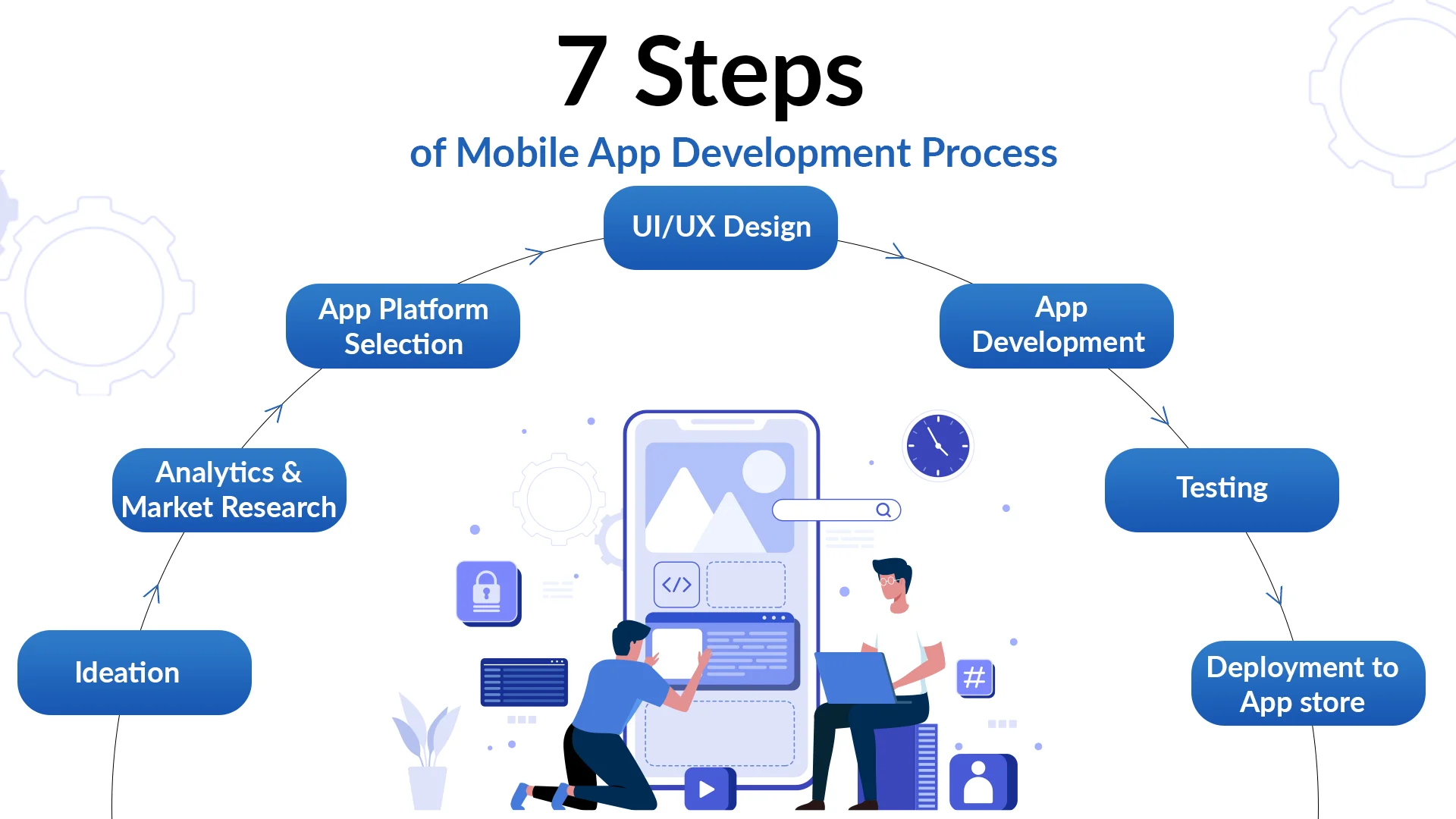
The iOS Development Lifecycle: A Step-by-Step Guide
Developing a professional iOS app follows a rigorous lifecycle designed to meet Apple’s quality standards.
1. Planning and Human Interface Guidelines (HIG)
Every iOS project must begin with the Human Interface Guidelines. Apple’s design philosophy emphasizes clarity, deference, and depth. In 2026, this includes "Spatial Awareness" for apps that might be mirrored on visionOS, ensuring that buttons and interactive elements have appropriate hit targets and haptic feedback.
2. Environment Setup and Provisioning
Developers must enroll in the Apple Developer Program to access the necessary certificates and provisioning profiles. This setup is critical for testing features like Push Notifications, Apple Pay, and Sign in with Apple on physical devices.
3. Implementation and UI Coding
Using SwiftUI, developers build views that are inherently responsive.
- Define Models: Create Swift structs to represent your data.
- Build ViewModels: Use Observable protocols to manage the data flow.
- Construct Views: Use Stacks (VStack, HStack, ZStack) and Lists to layout the interface.
- Integrate Assets: Use SF Symbols for scalable, system-consistent iconography.
4. Testing and Quality Assurance
Testing on iOS involves more than just checking for crashes. It requires:
- Unit Testing: Verifying logic within the ViewModels.
- UI Testing: Automating user interactions to ensure navigation flows work.
- TestFlight Distribution: Deploying beta versions to internal and external testers to gather feedback before the official launch.
Integration with Advanced iOS Features
Modern iOS apps are expected to be deeply integrated into the system. Static apps that do not interact with the OS often face lower retention rates.
App Intents and Siri Integration
In 2026, App Intents are the primary way users discover app functionality. By defining intents, your app’s features can be surfaced in Spotlight, the Shortcuts app, and via Siri’s proactive suggestions. This "headless" interaction is a key metric for App Store rankings.
Widgets and Live Activities
Live Activities provide real-time updates on the Lock Screen and in the Dynamic Island. Whether it’s a delivery status or a sports score, these features keep users engaged with the app without requiring them to unlock their device.
Security and Biometrics
Integrating FaceID and TouchID via the LocalAuthentication framework is mandatory for apps handling sensitive data. Furthermore, developers must implement "Passkeys" to replace traditional passwords, aligning with the industry shift toward a passwordless future.
Monetization and App Store Submission
The final hurdle is the App Store Review process, which remains the strictest in the industry.
Monetization Strategies
- Subscriptions: The dominant model in 2026, managed via StoreKit 2.
- In-App Purchases: For digital goods or unlocking premium features.
- Apple Pay: For physical goods and services, providing a frictionless checkout experience.
Submission Checklist
Before submitting to App Store Connect, ensure the following are completed:
- Privacy Nutrition Labels: Accurately describe all data collection practices.
- App Store Optimization (ASO): High-quality screenshots, preview videos, and keyword-rich descriptions.
- Compliance: Ensure the app does not violate the Digital Markets Act (DMA) regulations in the EU or similar global antitrust laws regarding external payments.
Common Challenges and Troubleshooting
Even seasoned developers encounter hurdles in the iOS environment.
Memory Management and Performance Swift’s Automatic Reference Counting (ARC) handles most memory management, but retain cycles can still occur, especially when using closures. Developers should use the Memory Graph Debugger in Xcode to identify leaks. Additionally, ensure that heavy processing is moved off the Main Thread using Swift Concurrency (async/await) to prevent UI hangs.
Dealing with App Rejections
The most common reasons for rejection in 2026 include:
- Incomplete Information: Failing to provide a demo account for reviewers.
- Privacy Violations: Using APIs that require a "Reasoned Use" declaration without providing one.
- Design Minimums: Apps that are essentially "web wrappers" or offer very little utility beyond a mobile website.
FAQ: Navigating iOS Development in 2026
What is the minimum hardware required for iOS development in 2026? To develop for iOS in 2026, you strictly require a Mac with Apple Silicon (M2 chip or later) and at least 16GB of RAM. The latest version of macOS is necessary to run Xcode 17/18, which contains the SDKs for iOS 19 and 20.
Is it still worth learning Objective-C? For new developers, the focus should be 100% on Swift. Objective-C is only necessary if you are maintaining legacy enterprise codebases. Most modern frameworks from Apple are now "Swift-first" or "Swift-only."
How long does it take to develop a professional iOS app? A Minimum Viable Product (MVP) typically takes 3 to 5 months. Complex applications involving custom AI models, extensive backend synchronization, or spatial computing features can take 9 to 12 months from concept to App Store launch.
Can I develop iOS apps on a Windows or Linux machine? Technically, no. Official iOS development requires Xcode, which only runs on macOS. While cross-platform frameworks like Flutter allow you to write code on Windows, you still need a Mac to compile, sign, and submit the app to the App Store.
How does the Digital Markets Act (DMA) affect my app? In the European Union, the DMA allows for alternative app marketplaces and browser engines. However, for most developers, the standard App Store remains the primary distribution channel. You must now include specific entitlements if you plan to use alternative payment processors or distribute outside the App Store in the EU.
Strategic Recommendation for 2026
For businesses looking to enter the iOS market, the recommendation is clear: Build natively. While cross-platform tools offer a tempting initial cost reduction, the "Apple experience" is defined by fluidity and deep system integration that only native Swift and SwiftUI can provide. Focus on App Intents to ensure your app is discoverable by the system’s AI, and prioritize privacy as a feature rather than a hurdle. This approach not only ensures a smoother App Store approval process but also fosters long-term user trust and engagement in an increasingly competitive digital landscape.
Image Gallery