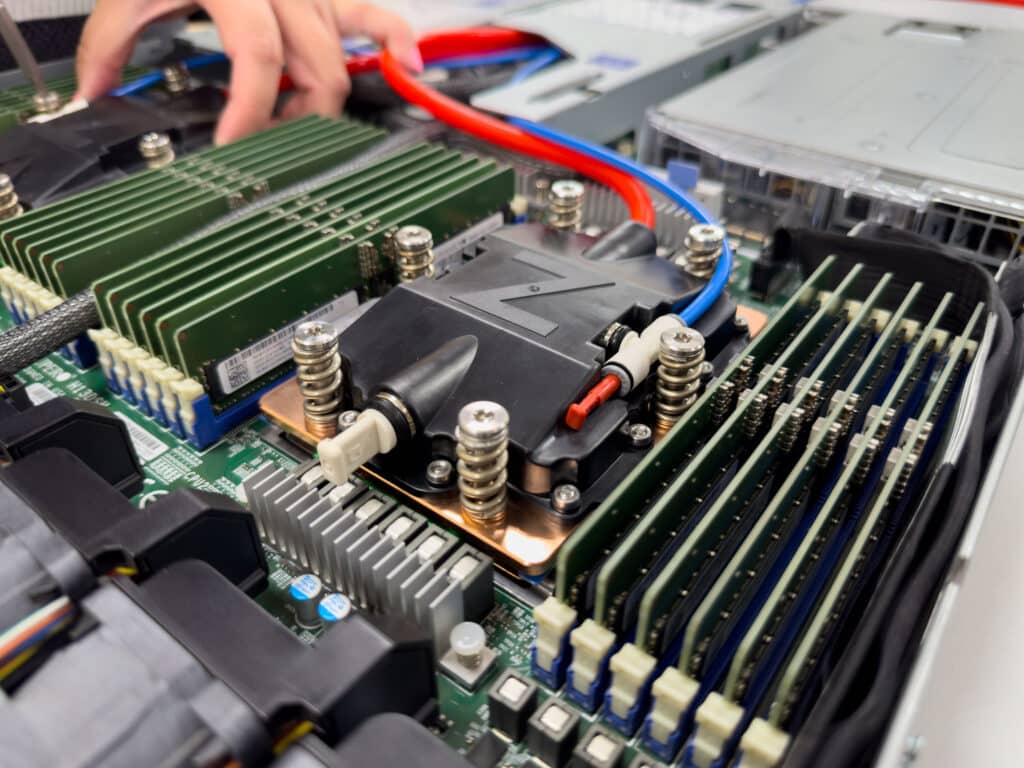
Understanding the 750XL Server Cooling System: Architecture and Performance Optimization
The 750XL server cooling system is an integrated thermal management solution engineered to support high-density compute environments by utilizing precise airflow dynamics and intelligent fan speed modulation. By balancing heat dissipat...
The 750XL server cooling system is an integrated thermal management solution engineered to support high-density compute environments by utilizing precise airflow dynamics and intelligent fan speed modulation. By balancing heat dissipation across critical components—such as CPUs, memory modules, and NVMe drives—the system ensures operational stability, prevents thermal throttling, and extends the service life of hardware within high-performance computing (HPC) nodes.
Contents
Core Architecture of the 750XL Cooling Module
The 750XL cooling system is not a single component but a sophisticated thermal ecosystem designed to maintain an optimal operating environment within the server chassis. At the heart of the system is the interplay between high-static-pressure fan arrays and the physical architecture of the server’s internal air ducts.
Unlike consumer-grade cooling solutions, the 750XL is optimized for "front-to-back" airflow, a standard requirement for high-density rack-mount environments. The system relies on hot-swappable fan modules that are controlled via the Baseboard Management Controller (BMC). These fans monitor thermal sensors placed strategically near the processors and power distribution units (PDUs).
The physical layout involves baffles and shrouds that direct airflow specifically across heat sinks and high-power components. This directed airflow minimizes turbulence, which is essential for ensuring that air does not "pool" in dead zones, a common cause of localized overheating in server architectures.
Thermal Management and BMC Integration
The 750XL cooling system operates through a closed-loop feedback mechanism managed by the server's firmware. The BMC continuously polls digital thermal sensors throughout the motherboard. If the temperature of a specific component rises above established thresholds, the system dynamically adjusts the pulse-width modulation (PWM) signal sent to the cooling fans.
Dynamic Fan Scaling
The system uses a tiered speed profile:
- Idle/Low Load: Fans operate at a baseline RPM to maintain ambient airflow, reducing noise and power consumption.
- Standard Operational Load: Fans scale linearly as thermal output increases, ensuring a stable equilibrium.
- Peak/Thermal Event: If an intake temperature threshold is breached, the fans shift to maximum static pressure to mitigate the risk of a thermal shutdown or catastrophic component failure.
This integration allows the 750XL to remain energy-efficient. By not running fans at 100% capacity continuously, the system reduces the load on the power supplies and significantly decreases the wear on fan bearings, which are critical mechanical failure points in server longevity.
Key Considerations for System Deployment
When integrating or maintaining a 750XL cooling environment, administrators must account for the following environmental and hardware variables to ensure maximum performance.
Airflow Impedance and Rack Density
The 750XL is designed for specific rack depths and densities. If the server is placed in a rack with blocked exhaust, the resulting backpressure can neutralize the effectiveness of the internal fans. Proper cable management is mandatory; loose cables or poorly routed power leads in the server chassis can disrupt the laminar airflow necessary for the 750XL to cool the CPU heat sinks effectively.
Ambient Intake Temperature
While the 750XL is robust, it is bound by the laws of thermodynamics regarding ambient air. If the data center's Cold Aisle containment is compromised, the intake air temperature will rise. As the intake temperature exceeds recommended operational limits (typically 25°C–30°C for enterprise environments), the 750XL cooling system will enter "high-performance" mode, leading to increased acoustic output and power draw.
Comparison of Cooling Efficiency Factors
The following table provides a breakdown of the primary factors influencing the 750XL cooling system’s efficiency versus standard entry-level cooling solutions.
| Feature | 750XL System | Entry-Level Cooling |
|---|---|---|
| Fan Control | Intelligent BMC-managed PWM | Fixed or basic BIOS settings |
| Thermal Response | Real-time multi-zone monitoring | Single-sensor monitoring |
| Airflow Path | Optimized ducting/shrouding | Unconstrained, open chassis |
| Failover Capability | N+1 hot-swappable redundancy | Fixed/Integrated (Repair required) |
| Power Efficiency | Dynamic consumption scaling | Consistent, often higher draw |
Troubleshooting Common Thermal Issues
Even a high-performance system like the 750XL can encounter thermal warnings if environmental or physical conditions degrade. Understanding how to diagnose these issues is essential for preventing downtime.
Sensor Faults
If the BMC reports "fan error" or "thermal sensor failure," the first step is to verify the connection between the fan module and the motherboard backplane. If the fan is spinning but the reading is missing, the issue is typically a failed signal pin within the connector rather than a mechanical failure.
Dust and Debris Accumulation
Dust buildup on the heat sink fins significantly reduces surface area for heat exchange. The 750XL’s high-pressure fans can force dust into the tight fin stacks. It is recommended to perform a visual inspection during scheduled maintenance cycles. Use compressed air (only when the system is powered off) to clear the heat sinks and the intake mesh.
Persistent Overheating
If the system remains at high temperatures despite normal load, verify the thermal interface material (TIM) between the processor and the heat sink. Over time, TIM can desiccate, losing its conductivity. Replacing the TIM is a standard procedure that can drop operating temperatures by 5°C to 10°C in high-density systems.
Frequently Asked Questions (FAQ)
1. How do I manually override the 750XL fan speeds? Fan speeds are managed by the BMC and generally should not be overridden. However, in specific testing environments, you can adjust fan profiles via the IPMI (Intelligent Platform Management Interface) command line, though this is not recommended for production servers as it risks hardware damage if the thermal load is miscalculated.
2. Is the 750XL cooling system compatible with liquid cooling kits? The 750XL is designed as an air-cooling architecture. Introducing non-factory liquid cooling kits into the 750XL chassis often interferes with the specialized ducting and airflow patterns designed for the air-cooled heat sinks, potentially causing dead zones.
3. What is the impact of removing the server cover on cooling? Removing the top cover breaks the air pressure seal required for the 750XL to function properly. Without the pressurized chassis, airflow will bypass the components rather than being forced through the heat sinks, leading to rapid thermal throttling.
4. How often should the 750XL fans be replaced? Server fans are mechanical devices with a defined Mean Time Between Failures (MTBF). While they are rated for thousands of hours, a proactive replacement strategy every 3 to 5 years is advised for systems operating in 24/7 high-load environments.
Recommendations for Operational Success
To maximize the longevity and reliability of the 750XL cooling system, adopt a proactive thermal maintenance schedule. Ensure that your rack environment adheres to standard ASHRAE guidelines regarding temperature and humidity. Monitor thermal telemetry via your management console regularly; a steady rise in baseline temperature over several months is often a leading indicator of dust accumulation or fan degradation, allowing you to address the issue before a critical threshold is triggered. If you are experiencing persistent thermal alerts, verify the integrity of the chassis baffles, as even a small misalignment can compromise the entire cooling efficiency of the 750XL architecture.
Image Gallery