Finding and Watching the History Channel on Spectrum
To watch the History Channel on Spectrum, you generally need the Spectrum TV Select or Select Plus plan. While channel numbers vary by zip code, the History Channel is typically located between channels 40 and 70 or in the HD 700s. You...
To watch the History Channel on Spectrum, you generally need the Spectrum TV Select or Select Plus plan. While channel numbers vary by zip code, the History Channel is typically located between channels 40 and 70 or in the HD 700s. You can verify your specific local channel number by using the Spectrum on-screen guide or the Spectrum website’s channel lineup tool.
Contents
The History Channel has remained a cornerstone of cable television, offering a blend of traditional historical documentaries and modern reality-based programming. For Spectrum subscribers in 2026, accessing this content involves navigating a variety of hardware options, from traditional DVR set-top boxes to the newer Xumo Stream Boxes. Understanding how to locate the channel, which packages include it, and how to use digital authentication is essential for a seamless viewing experience.
Finding the History Channel Number in Your Area
Spectrum operates across a vast geographic footprint, covering legacy systems from Time Warner Cable, Bright House Networks, and Charter. Because these systems were integrated over time, the channel mapping is not uniform across the United States. A subscriber in New York City will find the History Channel on a different number than a subscriber in Los Angeles or Dallas.
Using the Spectrum Digital Guide
The most direct way to find the History Channel is through the interactive program guide (IPG) on your remote. By pressing the "Guide" button, you can scroll through the listings. Most Spectrum systems group "Essential" cable networks together. If you are looking for the High Definition (HD) feed, look for the channel in the higher numerical tiers, often in the 700-range or 1200-range, depending on whether your local market has implemented the Spectrum "Unified Channel Map."
Online Lineup Verification
If you are away from your television or prefer a digital search, Spectrum provides a dedicated tool:
- Visit the Spectrum official website and navigate to the "Channel Lineup" section.
- Enter your specific Zip Code.
- Use the search bar within the lineup page to type "History."
- The tool will display both the Standard Definition (SD) and High Definition (HD) channel numbers assigned to your neighborhood.
Spectrum TV Packages Including the History Channel
As of 2026, Spectrum has streamlined its packaging to compete with streaming services while maintaining its traditional cable roots. The History Channel is considered a "Tier 1" network, meaning it is widely available in most base packages.
Spectrum TV Select Signature
This is the standard base package for most households. It includes major broadcast networks and popular cable channels like History, A&E, and Discovery. It is designed for viewers who want the core cable experience without the premium price tag of movie channels.
Spectrum TV Select Plus
Select Plus is essentially the Signature package with the addition of Regional Sports Networks (RSNs). Since the History Channel is a staple of the base tier, it is also included here. This plan is ideal for households that want the History Channel’s educational content alongside live local sports coverage.
Legacy Plans
If you are on an older plan, such as "TV Select" (pre-2024 naming) or "Silver/Gold" tiers, the History Channel is almost certainly included. However, Spectrum frequently encourages customers to migrate to newer "Signature" plans which may offer better integration with streaming apps.
| Feature | Spectrum TV Select Signature | Spectrum TV Select Plus | Spectrum TV Stream (App Only) |
|---|---|---|---|
| History Channel Included | Yes | Yes | Varies by Region |
| Regional Sports | No | Yes | No |
| Hardware | Xumo/HD Box | Xumo/HD Box | Smart TV/Mobile Only |
| Cloud DVR Available | Yes | Yes | Yes |
| Contract Required | No | No | No |
Watching History via the Spectrum TV App and Xumo
In 2026, the way Spectrum delivers content has shifted toward Internet Protocol (IP) delivery. The Xumo Stream Box is now the primary hardware offered to new subscribers, replacing the older, clunkier DVR boxes.
Using the Spectrum TV App
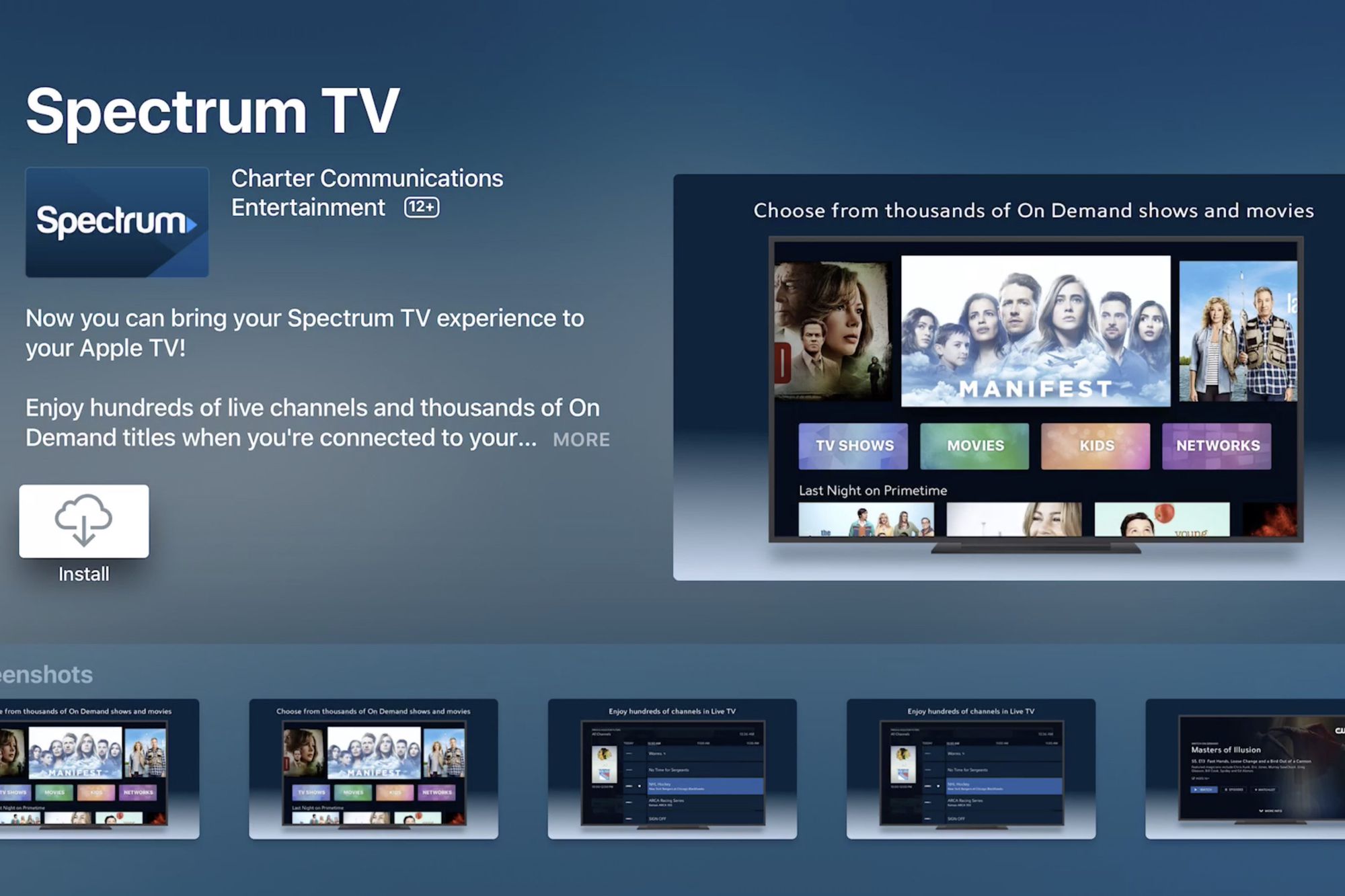
The Spectrum TV App allows you to watch the History Channel on various devices, including iPhones, Android tablets, Roku, Samsung Smart TVs, and Xbox consoles.
- Login: You must use your Spectrum.net username and password.
- Home Network Advantage: When connected to your home’s Spectrum internet, the app automatically signs you in and provides access to your full "Live TV" lineup, including the History Channel, without requiring manual authentication for every session.
- Out-of-Home Viewing: You can still watch the History Channel while traveling, though some local broadcast channels might be restricted. History, as a national cable network, is usually available for streaming anywhere in the U.S.
The Xumo Stream Box Experience
The Xumo Stream Box integrates the Spectrum TV App into a unified interface. To find History on Xumo:
- Open the Spectrum TV App.
- Navigate to the "Live" tab.
- Use the "Jump to Channel" feature or simply use voice command by saying "History Channel" into the remote.
Authenticating the History Channel App (History.com)
A major benefit of having a Spectrum subscription is "TV Everywhere" access. This allows you to use the standalone History Channel App (available on Apple TV, Amazon Fire Stick, and Roku) rather than the Spectrum app.
Many users prefer the standalone app because it often provides an extensive back-catalog of older series that may not be currently airing on the linear Spectrum channel.
Steps to Authenticate:
- Download the History App on your streaming device.
- Open the app and select a "locked" episode (indicated by a key icon) or go to the Settings/Link Provider menu.
- An activation code will appear on your screen.
- On a computer or smartphone, go to history.com/activate.
- Enter the code and select "Spectrum" as your TV provider.
- Log in with your Spectrum credentials. Your device will refresh, granting you full access to History's library of documentaries and series.
Troubleshooting Reception and Access Issues
If you cannot find the History Channel or receive an error message, there are several common technical hurdles to check.
"Not Authorized" Errors
If your screen says you are not authorized to view the History Channel, it usually indicates a billing or synchronization issue. First, verify on your Spectrum bill that you are subscribed to at least the "Select Signature" tier. If you recently changed your plan, the signal to your box might need a "refresh." You can trigger a refresh through the My Spectrum App by selecting "Services" and then "Reset Equipment."
Signal Interference
Since the History Channel is delivered via specific frequencies, a loose coaxial cable can cause "tiling" or a "No Signal" message specifically on that channel while others work fine. Ensure all cables are hand-tightened at the wall outlet and the back of the receiver.
Tuning Adapter Issues (Legacy Boxes)
If you are using an older TiVo or a legacy DVR with a tuning adapter, these devices can sometimes fail to resolve the "Switched Digital Video" (SDV) signal used for channels like History. Unplugging the tuning adapter’s power cord for 30 seconds and letting it reboot often resolves the issue.
Top Programming on the History Channel in 2026
The History Channel continues to evolve its programming strategy. While it still produces traditional military and ancient civilization documentaries, much of its prime-time real estate is dedicated to "History’s Greatest" franchises.
- The Curse of Oak Island: A perennial favorite that follows the Lagina brothers in their quest for buried treasure. On Spectrum, new episodes typically air on Tuesday nights.
- Ancient Aliens: Exploring the theory of extraterrestrial influence on human history. This show remains a staple of the Friday night lineup.
- Pawn Stars: A look at historical artifacts through the lens of a Las Vegas pawn shop.
- History’s Greatest Mysteries: Narrated by prominent figures, these specials dive into unsolved events, using modern forensic technology to provide new perspectives on old cases.
Frequently Asked Questions
Is the History Channel free on Spectrum?
The History Channel is not "free" in the sense of over-the-air broadcast television; it requires a paid Spectrum TV subscription. However, it is included in the base "Select" packages at no additional monthly "add-on" cost, unlike premium movie channels like HBO or Showtime.
Can I watch the History Channel on Spectrum without a cable box?
Yes. By using the Spectrum TV App on a compatible Smart TV, Roku, or Xumo Stream Box, you can watch the History Channel live and on-demand without a traditional cable box. You only need a Spectrum internet connection and a valid TV subscription.
Why is the History Channel number different at my friend's house?
Spectrum channel lineups are determined by the local franchise agreement and the technical infrastructure of the specific city. Even within the same state, different municipalities may have different channel mappings based on whether the area was originally served by Charter, Time Warner, or Bright House.
Does Spectrum offer History Channel in 4K?
As of 2026, most History Channel content is broadcast in 1080i or 720p High Definition. While some special documentaries are filmed in 4K, Spectrum typically downscales these for linear broadcast to save bandwidth. To view History content in higher bitrates, using the official History App on a 4K-capable device like a Roku Ultra or Apple TV 4K is recommended.
How do I record History Channel shows on Spectrum?
If you have a physical DVR box, you can press the "REC" button on your remote while highlighted on the show in the guide. If you are using the Xumo Stream Box or the Spectrum TV App, you must use Cloud DVR (cDVR). You can add Cloud DVR to your account through the Spectrum website, which allows you to schedule recordings and watch them on any device.
Summary Recommendation
To get the most out of the History Channel on Spectrum, ensure you are utilizing the Spectrum TV App alongside your traditional channel surfing. This provides the flexibility to watch "The Curse of Oak Island" or "Pawn Stars" on your main TV while having the ability to catch up on documentaries on your mobile device during a commute. If you are still using an older HD receiver, consider upgrading to the Xumo Stream Box for a faster interface and better search functionality for historical content.
Image Gallery