Cheap CRM Software India Cost Breakdown: A Practical Guide for Businesses
Selecting affordable Customer Relationship Management (CRM) software in the Indian market requires balancing initial licensing fees against hidden operational costs, customization requirements, and long-term scalability. For businesses...
Selecting affordable Customer Relationship Management (CRM) software in the Indian market requires balancing initial licensing fees against hidden operational costs, customization requirements, and long-term scalability. For businesses operating in India, the cost structure is often influenced by per-user billing cycles, localization features, and integration needs with regional payment gateways or communication platforms. Finding a "cheap" solution is not merely about identifying the lowest monthly subscription; it involves a comprehensive analysis of the total cost of ownership (TCO) to ensure the platform supports your sales and support workflows without requiring expensive third-party plugins.
Contents
Understanding the CRM Cost Landscape in India
The Indian SaaS landscape for CRM software is highly competitive, offering a range of solutions from global giants to specialized local providers. Most vendors categorize their pricing into three distinct tiers: basic/entry-level, professional, and enterprise.
When evaluating the cost, it is essential to distinguish between the base subscription price and the actual operational expenditure. Many entry-level plans seem inexpensive at first glance—often starting as low as ₹500 to ₹1,200 per user per month—but they frequently lack critical features like advanced reporting, automated email sequences, or role-based access control. These "cheap" plans often act as lead magnets, forcing businesses to upgrade to more expensive tiers as their data requirements grow.
Breakdown of Cost Components
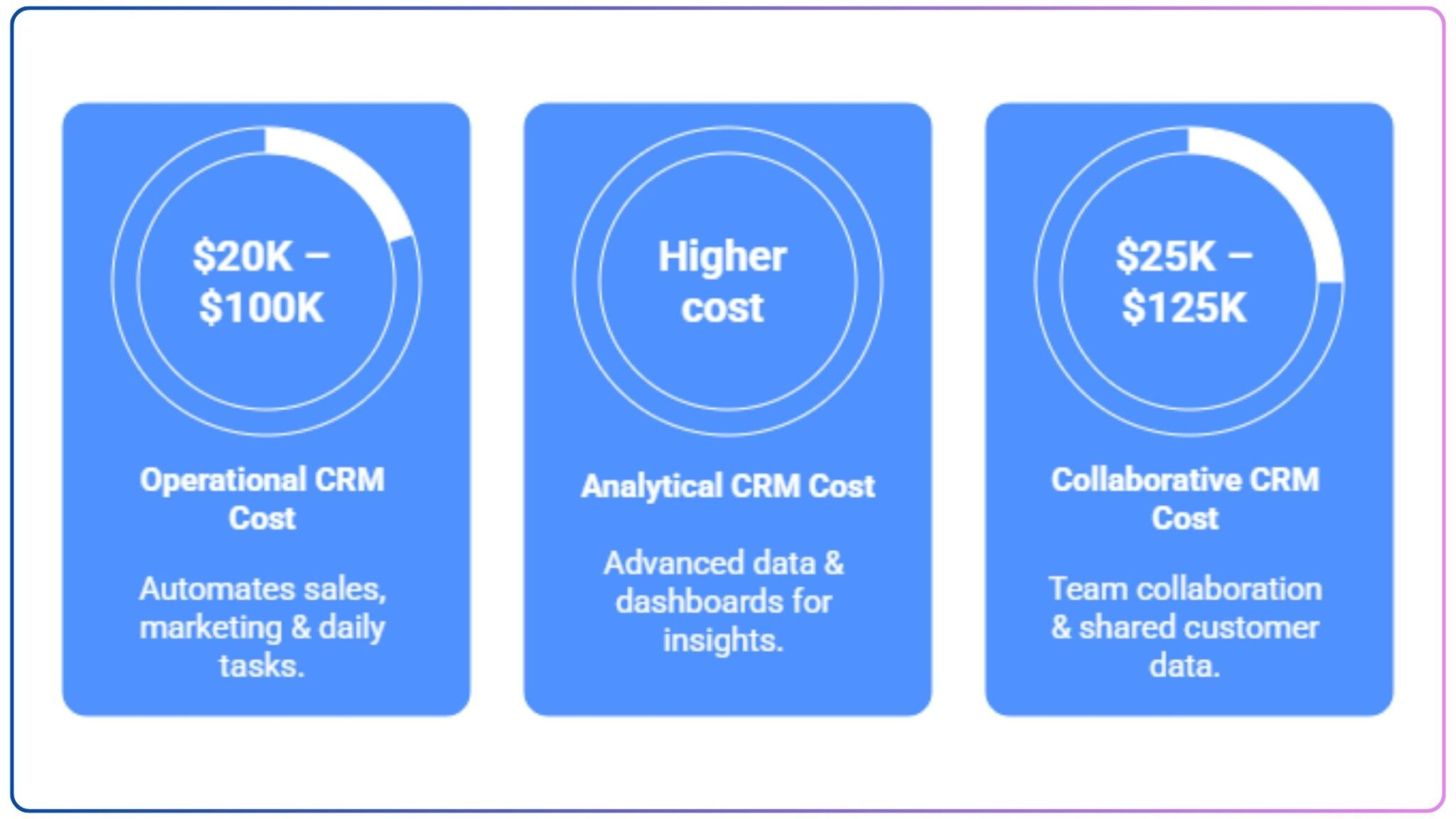
A realistic cost breakdown for CRM software involves several variables beyond the monthly subscription fee. Before finalizing a vendor, audit your organization against these five primary cost drivers:
- Per-User Licensing: This is the most common billing model. While it offers predictability, ensure the vendor allows for "floating" or "active user" configurations if your team fluctuates in size.
- Implementation and Migration Fees: Moving existing lead data from spreadsheets or legacy systems into a new CRM often incurs a one-time setup fee. Some providers offer this for free as part of an annual subscription, while others charge based on the volume of records.
- Third-Party Integration Costs: If your business relies on specific Indian accounting software (like Tally or Zoho Books) or local WhatsApp Business APIs, verify if these integrations are natively supported. If you need a third-party connector (such as Zapier or custom API middleware), those monthly fees must be added to your CRM budget.
- Training and Support Tiers: Cheap software often relies on self-service documentation. If your team requires dedicated account management or live training sessions, these are usually billed as premium add-ons.
- Data Storage and API Limits: Many low-cost tiers enforce strict limits on the number of contacts you can store or the number of API calls you can make per day. Exceeding these limits often triggers expensive overage fees.
Comparative Analysis Table
The following table outlines how different tiers of CRM services typically structure their costs. Figures are estimates based on standard 2026 market rates for SaaS CRM services in India.
| Feature Level | Target User | Approx. Monthly Cost (per user) | Primary Limitations |
|---|---|---|---|
| Freemium/Basic | Solopreneurs / Micro-SMEs | ₹0 – ₹600 | Limited leads, no advanced automation |
| Growth/Pro | Small to Mid-sized Teams | ₹1,200 – ₹2,500 | Potential cap on storage and integration |
| Professional | Established Sales Teams | ₹3,000 – ₹6,000 | Advanced reporting, dedicated support |
| Custom/Enterprise | Large Organizations | ₹8,000+ | High setup fees, custom development |
Prerequisites for CRM Selection
Before committing to a vendor, you must define your technical prerequisites to avoid "feature bloat," which is a primary driver of unnecessary costs.
- Audit Your Data: Determine the exact number of records you need to migrate. If you have over 10,000 active contacts, some "cheap" plans will automatically push you into higher, more expensive tiers.
- Identify Mandatory Integrations: List the tools your team uses daily, such as Gmail/Outlook for email, WhatsApp for client communication, and your existing lead generation forms. Check if these integrate natively.
- Define User Roles: If you need specific controls (e.g., a junior salesperson cannot delete leads), ensure these permissions are included in the base plan. Restricted access levels are often gated behind higher-tier subscription plans.
Navigating Hidden Operational Costs
A common mistake when buying "cheap" CRM software is ignoring the hidden costs of maintenance and administration. In the Indian market, consider the "Hidden Tax" of the following:
- Implementation Time: The time your staff spends setting up the system, building workflows, and cleaning data is an operational cost. If a software is cheap but requires weeks of configuration, the total cost of deployment may exceed a more expensive, "plug-and-play" alternative.
- Localization Support: If your business requires GST-compliant invoicing features or support for regional Indian languages, verify that these are available out-of-the-box. Customizing a global CRM to handle local tax requirements can be prohibitively expensive.
- Scaling Thresholds: Examine the "next tier" pricing before you sign. If moving from 10 users to 11 triggers a massive price hike due to a different licensing structure, your "cheap" software may suddenly become unviable as your business grows.
Strategy for Cost Optimization
To secure the best value, adopt a phased approach to CRM adoption. Start by selecting a vendor that offers a month-to-month billing cycle during the trial or initial rollout phase. This allows you to evaluate the platform's stability and support quality without being locked into a long-term contract.
Once the CRM proves its value, transition to an annual billing cycle. Most CRM providers in India offer a discount of 15% to 25% for upfront annual payments. Furthermore, focus on "consolidated billing." Many providers offer bundles where you can access marketing automation, helpdesk, and CRM tools under one license. Bundling is almost always cheaper than purchasing these tools as standalone services from different vendors.
Frequently Asked Questions
Does a "cheap" CRM usually include customer support? Most entry-level CRM plans limit support to self-service knowledge bases, community forums, or email-only ticketing. If you prioritize phone or live chat support, expect to pay a premium for a higher-tier plan. Always check the service-level agreement (SLA) before purchasing.
Are there hidden fees when migrating data to a new CRM? Yes. While many providers provide free migration tools, complex migrations—such as moving from a legacy ERP to a cloud-based CRM—often require third-party consultants or professional services from the CRM provider, which are typically billed as a one-time project fee.
Can I avoid per-user pricing? Some vendors offer "unlimited user" plans or tier-based pricing (e.g., flat pricing for up to 50 users). These are often better for growing teams, but you must ensure the feature set at that tier meets your long-term requirements.
How do GST implications affect CRM pricing? In India, CRM software subscriptions are considered B2B services and attract GST (usually 18%). When budgeting, ensure the displayed price includes taxes, or explicitly add the tax component to your internal budget calculation.
What is the best way to test if a CRM is truly "cheap"? Perform a "feature-vs-cost" calculation: take the annual cost of the subscription and divide it by the number of hours your team saves per week. If the software eliminates a manual task that previously took 5 hours a week, the software is essentially paying for itself, regardless of the monthly sticker price.
Next Steps for Implementation
To begin your transition, create a shortlist of three providers that offer the core features you identified during your audit. Request a sandbox environment—a "test drive"—to verify that your workflows function as expected. During this trial period, test the mobile app performance and the ease of importing your existing customer list. Once satisfied with the usability and the transparent cost breakdown, negotiate a pilot contract for 3 to 6 months before committing to a long-term annual agreement. This approach minimizes financial risk while allowing your team to adapt to the new digital infrastructure.
Image Gallery