How to Play the Instagram Emoji Pong Hidden Game: 2026 Master Guide
Instagram emoji pong is a secret, retro-style mini-game hidden within the Instagram Direct Messaging interface. To access it, you must send a single emoji in a DM and then tap that emoji to trigger the game screen. This guide explains...
Instagram emoji pong is a secret, retro-style mini-game hidden within the Instagram Direct Messaging interface. To access it, you must send a single emoji in a DM and then tap that emoji to trigger the game screen. This guide explains the technical requirements, gameplay mechanics, and troubleshooting steps for this 2026 feature.
Contents
Understanding the Evolution of Instagram Hidden Easter Eggs
The "Emoji Pong" game is part of a long-standing tradition within Meta's ecosystem to include "Easter eggs"—hidden features that reward user exploration. Much like the classic basketball and soccer games found in Facebook Messenger in previous years, emoji pong is designed to increase user retention and engagement within the DM (Direct Message) interface.
As of 2026, Instagram has integrated this feature more deeply into its mobile architecture. While it began as a simple side project for developers, it has evolved into a highly optimized mini-app that utilizes the device's haptic engine and high-refresh-rate displays (120Hz and beyond) to provide a fluid gaming experience. The game is built using a lightweight framework that allows it to launch nearly instantaneously without a secondary download, keeping the main Instagram app's footprint minimal.
Technical Prerequisites for Accessing the Game
Before attempting to launch the game, ensure your device and application meet the necessary technical specifications for 2026. While the game is designed for high compatibility, older hardware or outdated software versions may experience lag or the total absence of the feature.
- Application Version: Ensure you are running Instagram version 350.0 or higher. You can verify this in your device’s App Store or Play Store settings under "Installed Apps."
- Operating System: Android 13+ or iOS 17+ is recommended to handle the real-time physics engine used for the emoji’s trajectory.
- Account Status: The account must be a standard personal, creator, or business account. Highly restricted "Teen Accounts" or accounts with certain parental controls may have interactive games disabled by default.
- Network Connectivity: While the game itself runs locally on your device's hardware, the initial "handshake" to verify feature flags requires an active 4G, 5G, or Wi-Fi connection.
Step-by-Step Instructions to Launch Instagram Emoji Pong
The process for launching the game is intentionally minimalist. There are no menus or settings to toggle; the entry point is entirely organic within a conversation.
Step 1: Initiate a Direct Message
Open your Instagram app and navigate to your Inbox by swiping left or tapping the paper plane/lightning bolt icon at the top right of the screen. Select a conversation with a friend. Note that as of the current 2026 build, this game is only accessible in one-on-one chats and is not yet supported in large group threads or broadcast channels.
Step 2: Send a Single Emoji
Select a single emoji from your keyboard and send it as an individual message. It is critical that you do not include text, additional emojis, or stickers in the same message. If you send "Hello [emoji]," the game will not trigger.
Step 3: Trigger the Interface
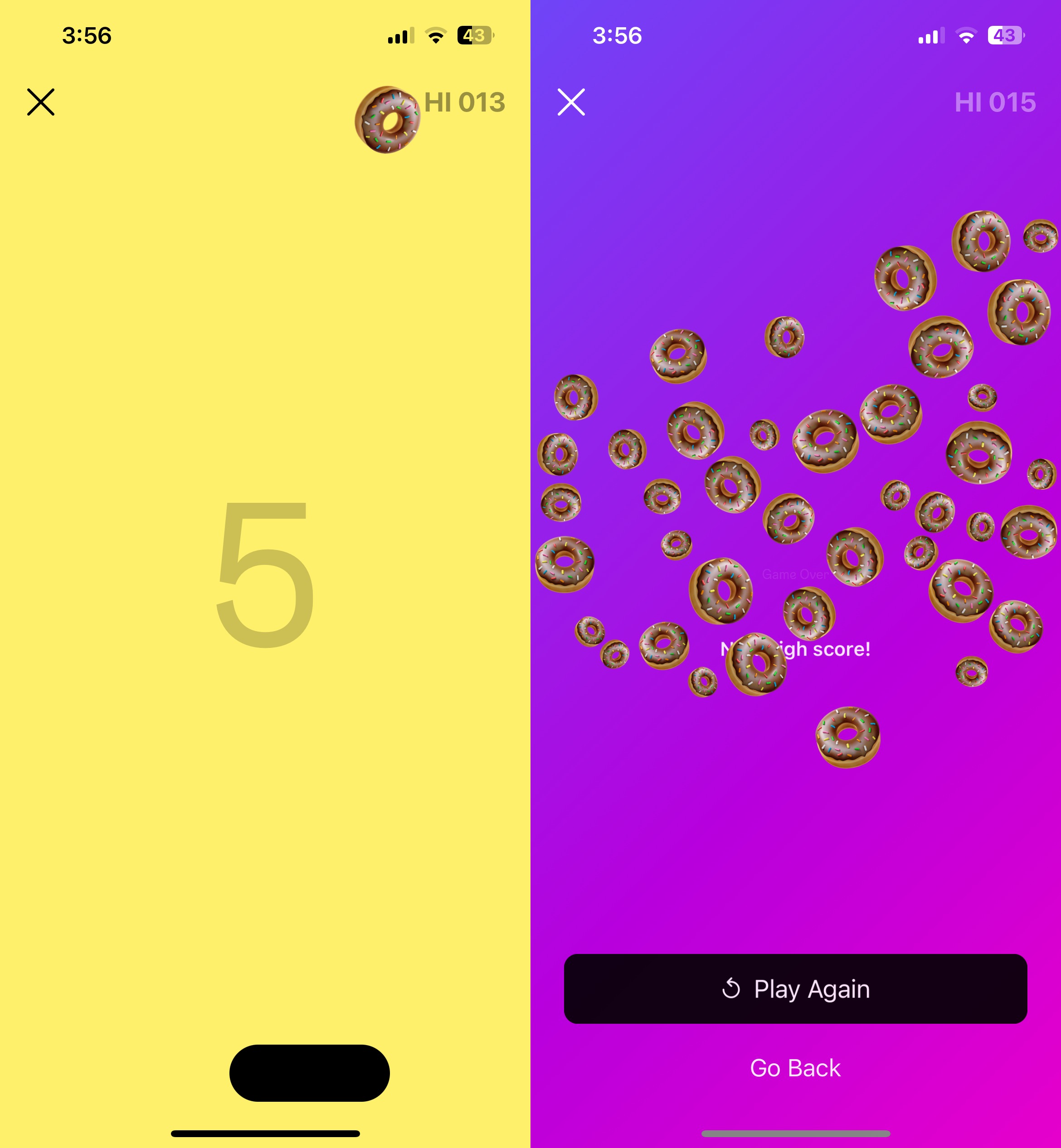
Once the emoji is sent and appears in the chat bubble, tap it once. The screen will immediately transition from the chat interface to a vertical game environment. The emoji you sent will become the "ball," and a small paddle will appear at the bottom of the screen.
Gameplay Mechanics and Scoring Systems
The game is a vertical variation of the classic Pong or Breakout arcade games. Your objective is to prevent the emoji from falling off the bottom of the screen by sliding the paddle left and right with your finger.
Physics and Difficulty Scaling
The game employs a progressive difficulty curve. As your score increases, several variables change:
- Velocity: The movement speed of the emoji increases every five points.
- Collision Angles: The "hitbox" of the paddle is slightly curved. Hitting the emoji with the edge of the paddle will send it at a sharper, faster angle, while hitting it in the center provides more control.
- Haptic Feedback: In the 2026 version, the vibration intensity increases as the game reaches high-speed thresholds, providing tactile cues for timing.
High Scores and Persistence
Your high score is saved locally on your device and is also tied to your specific chat with that user. When you lose, your current score and your "All-Time Best" are displayed. While there is no global leaderboard, the competitive element is localized, encouraging "score-chasing" within your social circle.
Emoji Special Effects and Speed Variances
In 2026, not all emojis behave identically. Meta has introduced "physics modifiers" based on the category of the emoji used. This adds a layer of strategy to the game, as some emojis are significantly harder to track than others.
| Emoji Category | Example | Physics Modifier | Difficulty Level |
|---|---|---|---|
| Standard | 😀, ❤️, 👍 | Linear movement, standard speed. | Beginner |
| Circular | ⚽, 🏀, 🎾 | Increased bounce height and predictable angles. | Easy |
| Irregular Shapes | 👾, 🌮, ✈️ | Dynamic hitboxes; can bounce at unexpected angles. | Advanced |
| Fast Emojis | ⚡, 🏎️, 🚀 | Starting velocity is 1.5x faster than standard. | Expert |
| Weightless | 🎈, ☁️, 👻 | Slower descent but erratic horizontal floating. | Moderate |
Troubleshooting Common Issues
If you are unable to trigger the game or if it crashes during play, follow these industry-standard troubleshooting protocols.
Feature Availability and Region Locking
Meta often rolls out interactive features like emoji pong using "A/B Testing" or regional waves. If you meet all hardware requirements but cannot launch the game, your account may be in a control group where the feature is temporarily disabled for data collection. Verify availability by checking if other users in your geographic region have access.
1. The Emoji Just "Reacts" Instead of Launching If you long-press the emoji, you will trigger the reaction menu instead of the game. Ensure you are using a quick, single tap. Also, ensure the emoji was sent by you or the other person as a standalone message.
2. Visual Lag or Frame Drops On older devices, the Instagram app may consume significant RAM. Close the application entirely, clear your system cache, and restart the app. Ensure "Low Power Mode" is disabled, as this often throttles GPU performance, leading to choppy gameplay in the emoji pong interface.
3. Game Screen is Blank This usually indicates a failure in the React Native component loading. This can be resolved by updating the app or, in extreme cases, deleting and reinstalling Instagram to clear corrupted local data.
Comparison: Instagram Emoji Pong vs. Traditional Mini-Games
When evaluating the technical depth of Instagram's hidden game compared to other social media integrations, several distinctions emerge regarding performance and intent.
| Feature | Instagram Emoji Pong (2026) | Messenger Basketball (Classic) | Telegram Mini-Apps |
|---|---|---|---|
| Launch Speed | Sub-500ms | 1-2 Seconds | 3+ Seconds (Web-based) |
| Physics Engine | Client-side Haptic-Ready | Basic Gravity Script | Full JavaScript Engine |
| Social Integration | Local High Scores | Chat-based Leaderboards | Global API Integration |
| Asset Usage | Dynamic Emoji Rendering | Static Sprite Sheets | Vector / 3D Assets |
Strategic Tips for High Scores
To achieve a score above 100, which is considered the "Elite" threshold in the 2026 gaming community, players should adopt specific technical approaches:
- Finger Positioning: Do not place your finger directly on the paddle. Place it slightly below the paddle so you can see the contact point clearly without your hand obstructing the view of the emoji's trajectory.
- Predictive Tracking: Look at the top half of the screen rather than focusing on the paddle. By tracking the emoji as it bounces off the walls, your brain can calculate the landing point more accurately than by reacting at the last millisecond.
- Wall Bouncing: Use the side walls to slow down the horizontal momentum of "Fast Category" emojis. A steep vertical bounce is much easier to return than a shallow horizontal one.
Frequently Asked Questions
Can I play Instagram emoji pong on a computer? No, as of 2026, the emoji pong game is a mobile-exclusive feature. The desktop version of Instagram (Web/PWA) does not currently support the touch-based physics engine required to operate the game paddle. It is optimized strictly for iOS and Android touch interfaces.
Does the other person know I am playing? The other person is not notified when you launch the game or while you are playing. However, if you achieve a new high score, some versions of the 2026 update allow you to share a "Score Card" directly into the chat, which will then notify the participant of your achievement.
Do all emojis work for the pong game? Most standard Unicode emojis work for the game. However, certain "Composite Emojis" (those created by joining multiple emojis with a Zero Width Joiner, such as specific family or profession emojis) may default to a standard placeholder ball if the physics engine cannot calculate their specific hitbox in real-time.
Why does the game get harder so quickly? The game is designed for short-burst engagement. The rapid increase in speed after 20 points is a deliberate "Governor" mechanism to ensure users do not spend excessive time in the DM interface at the expense of scrolling the main feed or Reels, which are the primary revenue drivers for the platform.
Can I play emoji pong in "Vanish Mode"? No. In Vanish Mode, messages disappear after they are seen and the chat is closed. Because the game requires a persistent message to act as the "anchor" for the game launch, the feature is disabled in Vanish Mode to prevent data conflicts and UI errors.
Future Outlook: The Role of Mini-Games in Social Ecosystems
As we move through 2026, the inclusion of features like emoji pong signals a shift in Meta's strategy toward making the Direct Messaging space a "platform within a platform." By providing lightweight, friction-free entertainment, Instagram reduces "app fatigue" and keeps users within its ecosystem. We expect to see further developments, such as augmented reality (AR) versions of these games where the "paddle" is controlled by head movements or eye tracking, further blurring the lines between social networking and casual gaming.
Call to Action: To ensure you have the latest version of the emoji pong game and all 2026 feature updates, check your device's App Store for the most recent Instagram build. Try experimenting with different emojis to discover which physics modifiers help you reach a new high score!
Image Gallery